
KaiCalls vs Read PDF Aloud
Side-by-side comparison to help you choose the right AI tool.

KaiCalls
KaiCalls is your 24/7 AI phone agent that captures leads, answers inquiries, and books appointments while you rest.
Last updated: February 28, 2026

Read PDF Aloud
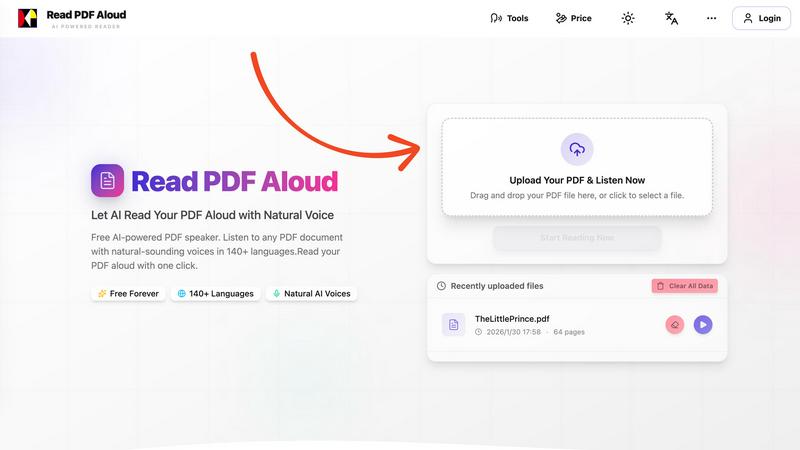
Easily listen to any PDF document aloud in natural voices, including scanned files, with 142 language options.
Last updated: February 26, 2026
Visual Comparison
KaiCalls

Read PDF Aloud
Feature Comparison
KaiCalls
Context-Aware Conversations
Your AI voice agent remembers every customer interaction, ensuring that when clients call back, they receive a personalized response. It recalls previous discussions and quotes, providing a seamless experience that enhances customer satisfaction.
Multi-Channel AI Agent
KaiCalls efficiently handles calls, texts, and emails simultaneously. This means your customers receive consistent and accurate information regardless of how they reach out, ensuring no inquiry goes unanswered.
Natural Voice AI
The AI agent engages in natural conversations, addressing customer questions and objections fluidly. It knows when to transfer the call to a human representative, ensuring that customers always get the assistance they need.
Intelligent Lead Scoring
Every conversation is automatically scored as Hot, Warm, or Cold, allowing businesses to prioritize their follow-up efforts. This feature ensures that sales teams can focus on leads that are most likely to convert, optimizing their time and resources.
Read PDF Aloud
Free to Use
Read PDF Aloud offers free daily credits to all registered users, making it easy for anyone to enjoy its features without any cost. Just log in, and you can start converting your PDFs into audio instantly.
PDF OCR
With advanced Optical Character Recognition (OCR) technology, Read PDF Aloud can read not just standard PDFs but also scanned documents. This means you can upload any PDF file, and the application will identify and extract the text for you to listen to.
Natural AI Voices
Enjoy a diverse selection of realistic AI voices with different accents and tones. Choose from hundreds of natural-sounding voice options to enhance your listening experience, ensuring that the narration suits your content perfectly.
Cross-Platform Compatibility
Read PDF Aloud works seamlessly across various devices and operating systems. Whether you are using Windows, Mac, iPhone, iPad, Android, or Linux, you can access the application from any modern browser without any installation required.
Use Cases
KaiCalls
Law Firm Reception
Law firms can use KaiCalls to handle client inquiries 24/7, ensuring potential clients receive immediate assistance. The AI can automatically schedule consultations and gather essential information, streamlining the intake process.
HVAC Service Requests
HVAC contractors benefit from KaiCalls by having a virtual receptionist that captures service requests anytime. The AI qualifies leads based on urgency and schedules appointments, allowing businesses to efficiently manage their workload.
Medical Office Support
Medical offices can rely on KaiCalls to manage patient inquiries, appointment scheduling, and follow-up reminders. This ensures that patient communication is consistent and efficient, improving overall patient satisfaction.
Real Estate Lead Qualification
Real estate agents can leverage KaiCalls to capture leads from various channels. The AI qualifies leads based on interest and readiness to buy, ensuring agents focus on high-priority prospects and maximize their sales efforts.
Read PDF Aloud
Studying for Exams
Students can use Read PDF Aloud to listen to their study materials, making it easier to absorb information. This auditory approach helps reinforce learning and can improve retention rates for complex subjects.
Proofreading Documents
Writers and editors can benefit from hearing their documents read aloud, allowing them to catch mistakes or awkward phrasing that they might miss during traditional reading. It's a perfect tool for enhancing the editing process.
Enjoying eBooks on the Go
For avid readers, Read PDF Aloud provides a convenient way to enjoy eBooks while commuting or during other activities. Simply upload your eBook PDF and listen to it as you go about your day.
Accessibility for Visual Impairments
Individuals with visual impairments can use Read PDF Aloud to access written content easily. The application empowers users by providing them with a way to engage with text that they might otherwise find challenging to read.
Overview
About KaiCalls
KaiCalls is an innovative AI-powered virtual receptionist specifically designed for service-based businesses that cannot afford to miss calls. This intelligent voice agent operates 24/7, ensuring that every incoming call, text, or message is answered promptly and efficiently. By qualifying leads as Hot, Warm, or Cold, KaiCalls helps businesses prioritize their follow-up efforts, capturing every potential client. It is particularly beneficial for law firms, HVAC contractors, medical offices, and real estate agents, who rely heavily on constant communication with their clients. With integrations available for Salesforce, HubSpot, GoHighLevel, and over 5,000 apps via Zapier, KaiCalls streamlines operations and saves businesses up to 80-90% compared to hiring additional staff. Furthermore, setup is a breeze, taking only five minutes with no long-term contracts required, making it an accessible solution for businesses of all sizes. The seamless operation of KaiCalls ensures that customer inquiries are addressed instantly, enhancing customer satisfaction and increasing the likelihood of successful conversions.
About Read PDF Aloud
Read PDF Aloud is an innovative browser-based application that revolutionizes how you interact with PDF documents by converting them into natural-sounding speech. With its cutting-edge AI technology, it supports over 142 languages and numerous voice options, making it an ideal tool for a diverse audience, including students, professionals, and casual readers. Whether you have a simple text PDF or a complex scanned document, Read PDF Aloud ensures you can listen to your content effortlessly. Its local-first processing philosophy means your data remains secure within your browser, providing a smooth experience across devices such as Windows, Mac, iPhone, iPad, and Android. The application is designed for seamless use, allowing you to pick up where you left off without any hassle. This accessibility is especially beneficial for those who prefer auditory learning or need assistance with reading due to visual impairments or language barriers. With Read PDF Aloud, you can easily proofread documents, study for exams, or simply enjoy your favorite eBooks while on the move.
Frequently Asked Questions
KaiCalls FAQ
How does KaiCalls ensure call quality and consistency?
KaiCalls employs advanced AI algorithms that allow it to handle conversations naturally while maintaining context awareness. This ensures that every interaction is consistent and meets customer expectations.
Can KaiCalls integrate with my existing CRM?
Yes! KaiCalls offers integrations with popular CRM systems like Salesforce, HubSpot, and GoHighLevel, as well as compatibility with over 5,000 apps through Zapier, streamlining your business processes.
What types of businesses can benefit from using KaiCalls?
KaiCalls is ideal for service-based businesses such as law firms, HVAC contractors, medical offices, and real estate agents that require constant communication with clients and cannot afford to miss inquiries.
Is there a long-term contract required to use KaiCalls?
No, there are no long-term contracts needed to use KaiCalls. The setup process is quick and straightforward, allowing businesses to start utilizing the service without commitment.
Read PDF Aloud FAQ
How do I upload a PDF to Read PDF Aloud?
To upload a PDF, simply drag and drop your file into the designated area on the website or click to select a file from your device. The application supports all modern browsers.
Can I choose different voices and languages?
Yes, Read PDF Aloud supports over 142 languages and provides various natural-sounding voice options for each language. You can select your preferred voice before starting the reading.
Is my data secure while using Read PDF Aloud?
Absolutely! Read PDF Aloud processes most data locally within your browser. This means that your documents and personal information remain secure and are not stored on external servers.
Can I export the audio to listen offline?
Yes, Read PDF Aloud allows you to export the audio as MP3 files. This feature enables you to download your documents and listen to them on any device or audio player, even when you are offline.
Alternatives
KaiCalls Alternatives
KaiCalls is a cutting-edge AI phone agent that operates around the clock, specifically designed for service-based businesses that need to manage incoming calls, texts, and messages without interruption. As a virtual receptionist, it qualifies leads and schedules appointments, enabling businesses to maintain constant communication with potential clients. Users often seek alternatives to KaiCalls for various reasons, including pricing, specific feature requirements, or compatibility with existing platforms. When looking for an alternative, it’s essential to consider factors like the quality of AI interactions, multi-channel support, ease of integration, and overall value for your business operations. --- [{"question": "What is KaiCalls?", "answer": "KaiCalls is an AI-powered virtual receptionist that answers calls, qualifies leads, and books appointments 24/7 for service-based businesses."}, {"question": "Who is KaiCalls for?", "answer": "KaiCalls is ideal for service-oriented industries such as law firms, HVAC contractors, medical offices, and real estate agents who require constant communication with clients."}, {"question": "Is KaiCalls free?", "answer": "KaiCalls is not free; however, it offers significant savings compared to hiring additional staff."}, {"question": "What are the main features of KaiCalls?", "answer": "Key features of KaiCalls include intelligent lead scoring, natural voice AI for seamless conversations, multi-channel support, and context-aware interactions."}]
Read PDF Aloud Alternatives
Read PDF Aloud is an innovative browser-based application that allows users to listen to their PDF documents with natural-sounding speech, making it a part of the AI Assistants and Audio & Music categories. Users often seek alternatives to Read PDF Aloud for various reasons, including pricing concerns, specific feature sets, or compatibility with different platforms. When choosing an alternative, it's essential to consider factors such as voice quality, language support, ease of use, and whether the service maintains user privacy and security. --- [{"question": "What is Read PDF Aloud?", "answer": "Read PDF Aloud is a browser-based application that converts PDF documents into natural-sounding speech using AI technology."}, {"question": "Who is Read PDF Aloud for?", "answer": "Read PDF Aloud is designed for anyone who prefers listening to text, including students, professionals, and individuals with visual impairments."}, {"question": "Is Read PDF Aloud free?", "answer": "Yes, Read PDF Aloud offers a free AI-powered service to listen to PDF documents."}]