
BudgetSheet vs kill the sub
Side-by-side comparison to help you choose the right AI tool.

BudgetSheet
BudgetSheet automates bank transaction imports into Google Sheets for effortless budgeting and expense tracking.
Last updated: February 26, 2026

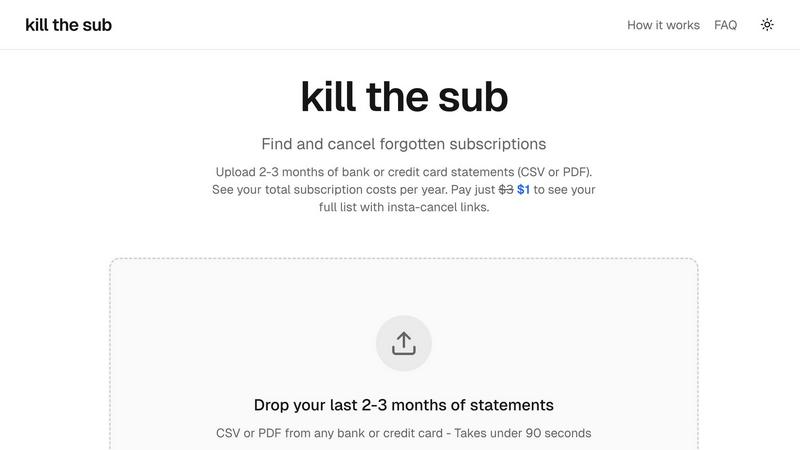
kill the sub
Easily find and cancel forgotten subscriptions in minutes with our AI tool, saving you money and hassle for just $3.
Last updated: March 26, 2026
Visual Comparison
BudgetSheet

kill the sub
Feature Comparison
BudgetSheet
Live Bank Transactions
BudgetSheet allows you to import live bank transactions directly into your Google Sheets. This eliminates the need for manual data entry and ensures that your financial data is always up to date, allowing you to monitor your spending in real time.
Secure Bank Connections
Using Plaid to connect securely to your financial institutions, BudgetSheet ensures that your sensitive information is protected. The add-on does not store your bank logins; it only keeps a secure, read-only access token necessary for transaction retrieval.
Automation with Autofetch
With the Autofetch feature, you can fully automate the process of fetching new bank transactions every night. This means you can wake up to an updated budget without lifting a finger, making financial management easier than ever.
Customization and Control
BudgetSheet gives you the freedom to customize your spreadsheets according to your unique budgeting needs. You can design your charts and tables without being restricted by pre-defined templates, allowing for a more personalized experience.
kill the sub
Upload Statements
Easily upload your last two to three months of bank or credit card statements in CSV or PDF format. The process is quick and simple, taking under 90 seconds to get started. This feature ensures that you can swiftly analyze your financial commitments without unnecessary delays.
AI Analysis
Our powerful AI technology works instantly to detect recurring charges and identify subscriptions hidden within your statements. This automated analysis saves you time and effort, allowing you to focus on the insights rather than the data sifting process.
Direct Cancel Links
For a one-time payment of just $3, you unlock instant access to a full list of your subscriptions along with direct cancel links for each service. This feature makes it easy to take immediate action, helping you cut unnecessary expenses with just a few clicks.
AI Cancellation Agent
An exclusive feature that sets Kill the Sub apart is the ability to let an AI agent handle cancellations for you. This agent is equipped with knowledge about various dark patterns and cancellation policies, ensuring a smooth process as it navigates the cancellation maze on your behalf.
Use Cases
BudgetSheet
Personal Budgeting
Individuals can use BudgetSheet to create personalized budgeting sheets that automatically pull in their bank transactions. This enables users to track expenses and manage their finances without the complexity of traditional budgeting tools.
Small Business Expense Tracking
Small business owners can leverage BudgetSheet to keep tabs on their business expenses by importing transactions from multiple accounts. This helps in understanding cash flows and making informed financial decisions.
Investment Tracking
Investors can benefit from BudgetSheet by linking their investment accounts to track performance and expenses related to their investments. This allows for comprehensive financial oversight in one place.
Financial Reporting
Financial analysts can utilize BudgetSheet to generate detailed financial reports by importing necessary transaction data into customizable Google Sheets. This means reports can be tailored to specific needs without the clutter of unnecessary information.
kill the sub
Personal Finance Management
Kill the Sub is perfect for individuals looking to streamline their personal finances. By identifying and canceling forgotten subscriptions, users can save money and allocate their budget more effectively, leading to better financial health.
Busy Professionals
For busy professionals who may not have time to sift through their monthly expenses, this tool provides a quick solution to manage subscriptions. With just a few clicks, they can identify and cancel unwanted services without disrupting their hectic schedules.
Students on a Budget
College students often juggle multiple financial commitments, making it essential to keep track of expenses. Kill the Sub helps students identify unnecessary subscriptions, allowing them to save money for more important expenses like tuition or textbooks.
Family Budgeting
Families can benefit significantly from using Kill the Sub to monitor shared subscriptions. By identifying recurring charges across multiple family members, they can make informed decisions about which services to keep or cancel, ultimately improving their overall budgeting strategy.
Overview
About BudgetSheet
BudgetSheet is an innovative Google Sheets add-on designed to streamline the process of importing bank transactions directly into your spreadsheets. It eliminates the hassle of manual exports or tedious copying and pasting from CSV files. This tool is perfect for individuals and businesses looking to gain better control over their financial data, create custom budgets, and track expenses efficiently. By leveraging the power of Plaid, BudgetSheet ensures secure connections with over 10,000 financial institutions, including checking accounts, savings accounts, credit cards, investment accounts, loans, and mortgages. With BudgetSheet, users can effortlessly automate their financial tracking, budget planning, and reporting, all while maintaining the flexibility to customize their spreadsheets to meet their unique needs. Whether you are a budget-conscious individual, a small business owner, or a financial analyst, BudgetSheet empowers you to manage your finances your way, providing a seamless integration with Google Sheets.
About kill the sub
Kill the Sub is an innovative tool designed to help individuals effortlessly manage their subscriptions and cut unnecessary expenses. In today's world, where subscriptions can easily accumulate, it's common to forget about recurring payments that drain your finances. Kill the Sub steps in to simplify this process by allowing users to upload their recent bank or credit card statements. Within just two minutes, the tool identifies all recurring charges, providing users with a comprehensive overview of their annual subscription costs. This user-friendly service empowers everyone, from busy professionals to college students, by eliminating the hassle of tracking subscriptions. With a commitment to transparency and no hidden fees, Kill the Sub guarantees that if you do not save more than three dollars, you will receive a refund. Enjoy financial peace of mind while reclaiming control over your subscriptions.
Frequently Asked Questions
BudgetSheet FAQ
How does BudgetSheet connect to my bank accounts?
BudgetSheet uses Plaid to securely connect to your bank accounts. This ensures that your sensitive information remains protected while providing you with live access to your financial data.
Is my financial data safe with BudgetSheet?
Yes, BudgetSheet prioritizes your security. It does not store your bank logins and only keeps a read-only access token that is encrypted. All transactions are passed directly to your Google Sheets.
Can I try BudgetSheet for free?
Absolutely! You can try BudgetSheet for free for 15 days without any credit card required. This allows you to explore all its features before committing to a paid plan.
What happens after the free trial ends?
After the 15-day free trial, BudgetSheet starts at $59 per year. You can easily upgrade to a paid plan through the BudgetSheet Addon menu whenever you're ready.
kill the sub FAQ
How does Kill the Sub ensure my data is secure?
Your files are analyzed and immediately discarded once the analysis is complete. Nothing is stored, ensuring your privacy and security are prioritized throughout the process.
What types of statements can I upload?
You can upload bank or credit card statements in either CSV or PDF format. This flexibility allows you to use the tool with statements from any financial institution.
What happens if I don't save more than $3?
If you do not save more than three dollars after using Kill the Sub, we will provide you with a full refund. This guarantee reflects our confidence in our service and commitment to helping you manage your subscriptions effectively.
Can the AI agent handle all types of subscriptions?
The AI agent is trained to navigate various cancellation processes, including those with complex dark patterns. However, certain cancellations may require specific actions, such as phone calls or certified mail, which the agent will triage based on your subscriptions.
Alternatives
BudgetSheet Alternatives
BudgetSheet is an innovative tool that falls under the personal finance category, designed to streamline the process of managing your financial transactions. By seamlessly importing live bank data directly into Google Sheets, it eliminates the tedious tasks of manual exports and data entry. Users often seek alternatives to BudgetSheet for various reasons, including pricing concerns, specific feature requirements, or compatibility with different platforms. When searching for alternatives, it's essential to consider what features are most important for your financial tracking needs, such as automation capabilities, ease of use, and integration with other tools. Evaluating user reviews and trial options can also help ensure you find a solution that best fits your personal finance management style.
kill the sub Alternatives
Kill the Sub is a personal finance tool designed to help users quickly identify and cancel unwanted subscriptions. By allowing users to upload their bank or card statements, it efficiently finds all recurring payments and provides an overview of annual costs. This tool is particularly useful for anyone looking to manage their finances better, as it helps eliminate those pesky subscriptions that can sneak up on you. Users often seek alternatives to Kill the Sub for various reasons, such as pricing concerns, specific feature sets, or compatibility with their preferred platforms. When considering an alternative, it’s essential to evaluate the ease of use, the comprehensiveness of the subscription search, and any additional functionalities that might enhance your financial management experience. It's also important to look for transparency in pricing and a commitment to user satisfaction, ensuring you get value for your money.