
Kling 2.6 Motion Control vs MakeAIVideo
Side-by-side comparison to help you choose the right AI tool.

Kling 2.6 Motion Control
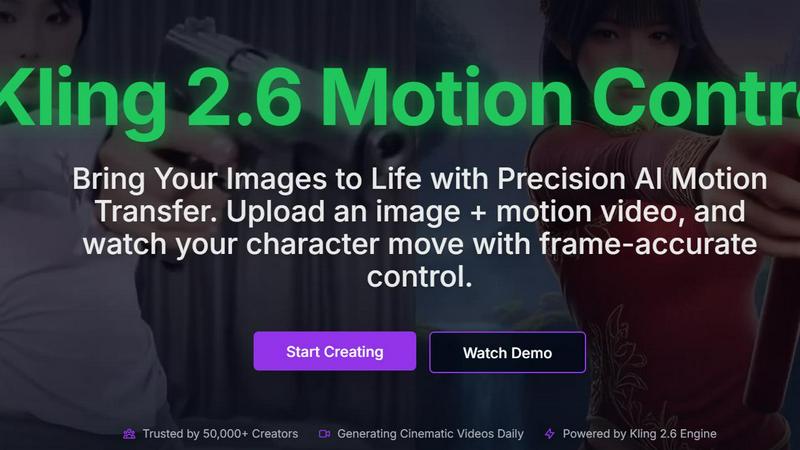
Kling 2.6 Motion Control lets you animate images with precise AI motion transfer for stunning, lifelike videos.
Last updated: February 26, 2026

MakeAIVideo
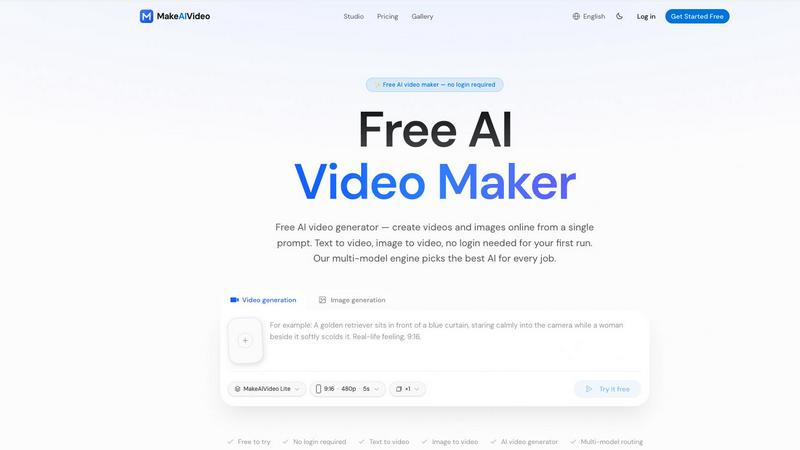
MakeAIVideo is an innovative AI video generator that creates stunning videos from text or images using advanced multi-model routing technology.
Last updated: March 18, 2026
Visual Comparison
Kling 2.6 Motion Control
MakeAIVideo
Feature Comparison
Kling 2.6 Motion Control
Precise Motion Trajectories
Kling 2.6 Motion Control allows users to define specific motion paths for their characters. This feature ensures that animations are not random but rather closely aligned with the user’s vision. Frame-by-frame accuracy helps in achieving professional-quality results, making it ideal for high-stakes projects.
Superior Character Consistency
With Kling 2.6, character identity is maintained throughout the animation process. Unlike other models that may distort features, this tool preserves the integrity of your characters. This is especially important for storytelling, as it ensures that your audience recognizes and connects with your characters.
Photorealistic 2.6 Engine
The platform boasts an advanced engine capable of producing high-definition 1080p outputs with stunning visual quality. This includes realistic lighting, fluid textures, and physics that closely mimic real-life scenarios. The photorealism achieved by Kling 2.6 sets it apart from traditional CGI rendering.
Rapid Video Generation
Designed for efficiency, Kling 2.6 significantly reduces rendering times, enabling creators to produce videos more quickly than ever before. This rapid output allows users to keep up with fast-paced creative demands, enhancing overall productivity and workflow.
MakeAIVideo
Multi-Model Routing
MakeAIVideo employs a sophisticated multi-model routing engine that automatically selects the best AI model suited to your prompt. This means that depending on the task, you benefit from the most effective capabilities of models like Seedance, Veo, and more, ensuring high-quality video output tailored to your needs.
Zero Login Required
One of the standout features of MakeAIVideo is that you can begin creating videos without needing to create an account. This hassle-free access allows you to dive directly into video generation, making it perfect for those who want to quickly test the platform or generate content on the fly.
High-Quality Output
The platform generates cinematic-quality videos in under a minute, with options for up to 4K resolution. This ensures that whether you are creating content for social media, advertisements, or presentations, the visuals will be sharp and professional, meeting industry standards.
Dual-Channel Sound Design
Enhance your videos with dual-channel sound design, where audio is generated in sync with the visuals. This feature removes the need for post-production editing, allowing for a seamless audio-visual experience that elevates the overall quality of your videos.
Use Cases
Kling 2.6 Motion Control
Animation for Short Films
Filmmakers can utilize Kling 2.6 to animate characters in their short films, making it easier to depict complex actions and emotions. By uploading a reference motion video, they can create seamless animations that enhance narrative depth.
Marketing and Promotional Videos
Businesses looking to create engaging promotional content can harness Kling 2.6 to animate product showcases. By bringing static images of products to life, brands can capture audience attention and convey their messages more effectively.
Educational Content Creation
Educators and content creators can use Kling 2.6 to produce animated educational videos. By animating illustrations and diagrams, they can convey complex information in an engaging and accessible way, improving learner retention.
Character Design and Development
Game developers and animators can leverage Kling 2.6 to explore character design by animating their creations. This helps in visualizing character movements and expressions, providing valuable insights during the design process.
MakeAIVideo
Social Media Content Creation
MakeAIVideo is ideal for social media managers looking to create engaging videos for platforms like Instagram and TikTok. The ease of use and rapid generation enables them to keep their content fresh and relevant without extensive resources or time.
Product Showcases
Businesses can utilize MakeAIVideo to create stunning product showcase videos quickly. By entering details about the product, users can generate high-quality promotional videos that highlight features and benefits, perfect for e-commerce and online marketing.
Educational Videos
Educators and content creators can leverage MakeAIVideo to produce informative videos that explain concepts clearly and creatively. The platform's ability to generate custom visuals based on text prompts allows for interactive and engaging learning materials.
Brand Storytelling
MakeAIVideo can help brands tell their stories through compelling narratives. By inputting key messages and themes, businesses can create videos that resonate with their audience, enhancing brand identity and customer engagement.
Overview
About Kling 2.6 Motion Control
Kling 2.6 Motion Control is an innovative AI-driven platform designed for creative professionals seeking to bring their static images to life through precise motion transfer. This advanced tool allows users to upload an image alongside a motion video, enabling frame-accurate control over character movements. Whether you are a filmmaker, animator, or a digital content creator, Kling 2.6 offers a seamless way to generate dynamic videos that enhance storytelling and engagement. With the capability to create cinematic-quality outputs in just minutes, Kling 2.6 is trusted by over 50,000 creators who rely on its sophisticated technology to produce visually stunning content daily. It combines ease of use with powerful features, making it an essential addition to any creative professional's toolkit.
About MakeAIVideo
MakeAIVideo is an innovative AI video generator that stands out as the first to utilize multi-model routing. This unique feature allows the platform to analyze your prompt dynamically and select the most suitable AI model for the task at hand, whether it be Seedance, Kling, Veo, Sora, Hailuo, or others. This flexibility ensures that users get the best possible results tailored to their specific needs. Designed for creators, marketers, and businesses alike, MakeAIVideo eliminates the typical barriers associated with video creation. You can generate videos effortlessly with no account required for your first video. Just visit the site, enter your prompt, and watch as your video comes to life. With its combination of automatic model selection and zero-friction access, MakeAIVideo offers an unparalleled experience for producing high-quality video content quickly and easily.
Frequently Asked Questions
Kling 2.6 Motion Control FAQ
What types of images can I upload?
You can upload various static images, including portraits, products, or any character designs. Kling 2.6 supports a wide range of image formats to accommodate your creative needs.
How long does it take to generate a video?
Kling 2.6 is optimized for performance, allowing you to generate and download your cinematic videos in just minutes. The exact time may vary depending on the complexity of the animation.
Can I customize the motion of the character?
Yes, you can refine the motion of the character by using text prompts. This feature allows you to specify details about the scene, character actions, and background elements, ensuring that the final output meets your vision.
Is there support for different video formats?
Kling 2.6 primarily outputs videos in 1080p resolution. The platform is designed to provide high-quality outputs suitable for various uses, including social media, presentations, and more.
MakeAIVideo FAQ
How does MakeAIVideo choose the AI model for my video?
MakeAIVideo's multi-model routing engine analyzes your prompt and automatically selects the AI model best suited for your specific needs. This ensures optimal results without requiring manual selection on your part.
Can I use MakeAIVideo for commercial purposes?
Yes, all plans offered by MakeAIVideo allow for commercial use of the generated videos. This makes it an excellent tool for businesses looking to produce marketing materials without worrying about licensing issues.
Is there a limit to how long my videos can be?
Free users can generate videos with a length of 5 to 10 seconds, while paid plans offer more flexibility with longer videos. The platform supports video lengths suitable for various formats and needs.
Do I need any video editing skills to use MakeAIVideo?
No, MakeAIVideo is designed to be user-friendly, allowing anyone to create videos without prior video editing experience. The intuitive interface and automated features simplify the entire process, making video creation accessible to everyone.
Alternatives
Kling 2.6 Motion Control Alternatives
Kling 2.6 Motion Control is an innovative AI-driven platform specifically designed for creative professionals looking to enhance their video projects. By allowing users to upload images and motion videos, it brings characters to life with precision, making it a popular choice in the video category. However, many users often seek alternatives to Kling 2.6 Motion Control for various reasons, such as pricing concerns, differing feature sets, or compatibility with specific platforms and workflows. When exploring alternatives, it's essential to consider several factors. Look for platforms that offer similar AI-driven motion capabilities, user-friendly interfaces, and the ability to integrate seamlessly into your existing creative process. Additionally, evaluating customer support, pricing structures, and unique features can help you find the best match for your specific needs.
MakeAIVideo Alternatives
MakeAIVideo is an innovative AI video generator that falls into the category of video creation tools. It stands out by offering multi-model routing, which means it intelligently selects the best AI model for your specific needs without requiring you to commit to just one option. This unique feature, along with the effortless access to video creation without the need for an account, makes it an attractive tool for users seeking to create videos quickly and efficiently. However, users often seek alternatives for various reasons, such as pricing structures, specific feature sets, or compatibility with different platforms. When choosing an alternative, consider factors like ease of use, the range of features offered, and whether the tool can cater to your specific video creation needs. It's essential to weigh these aspects to find a solution that aligns with your goals and budget.