
Kling 2.6 Motion Control vs ShotAI
Side-by-side comparison to help you choose the right AI tool.

Kling 2.6 Motion Control
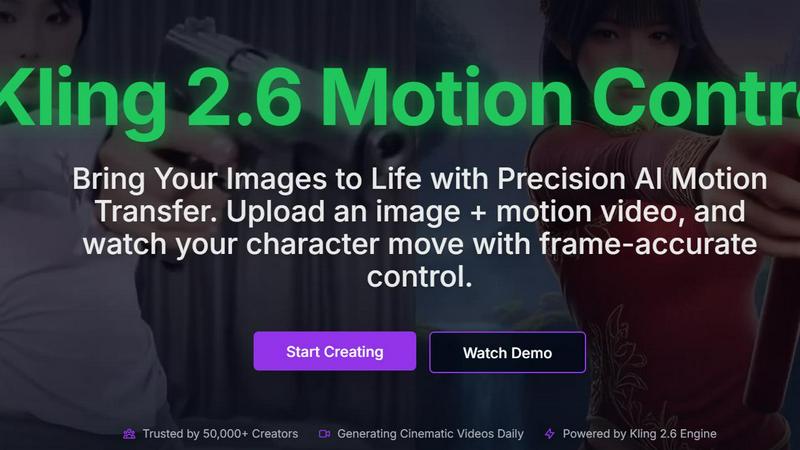
Kling 2.6 Motion Control lets you animate images with precise AI motion transfer for stunning, lifelike videos.
Last updated: February 26, 2026

ShotAI
ShotAI is an all-in-one platform that uses advanced AI to effortlessly create stunning images and videos from text descriptions.
Last updated: March 11, 2026
Visual Comparison
Kling 2.6 Motion Control
ShotAI

Feature Comparison
Kling 2.6 Motion Control
Precise Motion Trajectories
Kling 2.6 Motion Control allows users to define specific motion paths for their characters. This feature ensures that animations are not random but rather closely aligned with the user’s vision. Frame-by-frame accuracy helps in achieving professional-quality results, making it ideal for high-stakes projects.
Superior Character Consistency
With Kling 2.6, character identity is maintained throughout the animation process. Unlike other models that may distort features, this tool preserves the integrity of your characters. This is especially important for storytelling, as it ensures that your audience recognizes and connects with your characters.
Photorealistic 2.6 Engine
The platform boasts an advanced engine capable of producing high-definition 1080p outputs with stunning visual quality. This includes realistic lighting, fluid textures, and physics that closely mimic real-life scenarios. The photorealism achieved by Kling 2.6 sets it apart from traditional CGI rendering.
Rapid Video Generation
Designed for efficiency, Kling 2.6 significantly reduces rendering times, enabling creators to produce videos more quickly than ever before. This rapid output allows users to keep up with fast-paced creative demands, enhancing overall productivity and workflow.
ShotAI
Text to Image
Transform your text descriptions into stunning, high-quality images with ease. ShotAI uses advanced AI models like Gemini Nano Banana and Seedream 4.0 to comprehend your vision, producing photorealistic images that capture intricate details and nuances.
Image to Image
Edit and enhance existing images using AI precision. With this feature, users can modify styles, change specific elements, or create variations of an image while preserving the original composition, making it perfect for iterative design processes.
Text to Video
Bring your ideas to life with AI-generated videos in a matter of minutes. Users simply describe their scene, and ShotAI's powerful tools, such as Sora 2 and VEO3, create professional-quality videos that incorporate realistic motion, physics, and synchronized audio, making video creation accessible to everyone.
AI Effects
Streamline your creative process with a variety of image and video templates. Users can easily upload their photos to generate professional AI-enhanced images and videos, allowing for quick transformations without needing extensive editing skills.
Use Cases
Kling 2.6 Motion Control
Animation for Short Films
Filmmakers can utilize Kling 2.6 to animate characters in their short films, making it easier to depict complex actions and emotions. By uploading a reference motion video, they can create seamless animations that enhance narrative depth.
Marketing and Promotional Videos
Businesses looking to create engaging promotional content can harness Kling 2.6 to animate product showcases. By bringing static images of products to life, brands can capture audience attention and convey their messages more effectively.
Educational Content Creation
Educators and content creators can use Kling 2.6 to produce animated educational videos. By animating illustrations and diagrams, they can convey complex information in an engaging and accessible way, improving learner retention.
Character Design and Development
Game developers and animators can leverage Kling 2.6 to explore character design by animating their creations. This helps in visualizing character movements and expressions, providing valuable insights during the design process.
ShotAI
Content Creation for Social Media
Social media managers can utilize ShotAI to quickly create eye-catching visuals and videos that resonate with their audience. By transforming text prompts into engaging content, they can maintain a consistent posting schedule without sacrificing quality.
Marketing Campaigns
Digital marketers can leverage ShotAI to produce promotional materials and videos tailored to their campaigns. With the ability to generate high-quality imagery and video content at scale, marketers can enhance brand engagement and drive conversions.
Creative Projects for Artists
Visual artists can use ShotAI to explore new creative avenues by generating unique images and videos based on their ideas. The platform allows artists to experiment with various styles and effects, fostering innovation in their work.
Educational Content Development
Educators and trainers can create visually appealing instructional materials using ShotAI. By converting complex concepts into easy-to-understand visuals and videos, they can enhance learning experiences and improve knowledge retention.
Overview
About Kling 2.6 Motion Control
Kling 2.6 Motion Control is an innovative AI-driven platform designed for creative professionals seeking to bring their static images to life through precise motion transfer. This advanced tool allows users to upload an image alongside a motion video, enabling frame-accurate control over character movements. Whether you are a filmmaker, animator, or a digital content creator, Kling 2.6 offers a seamless way to generate dynamic videos that enhance storytelling and engagement. With the capability to create cinematic-quality outputs in just minutes, Kling 2.6 is trusted by over 50,000 creators who rely on its sophisticated technology to produce visually stunning content daily. It combines ease of use with powerful features, making it an essential addition to any creative professional's toolkit.
About ShotAI
ShotAI is a professional, AI-powered platform designed for seamless photo and video creation. By harnessing the latest advancements in artificial intelligence, it empowers creators to generate high-quality visual content without the hassle of switching between multiple tools. Ideal for content creators, digital marketers, social media managers, and visual artists, ShotAI simplifies the creative process with its all-in-one solution. Users can effortlessly create stunning images and videos using various preset templates and advanced AI models, significantly accelerating their workflow. With competitive pricing and a user-friendly interface, ShotAI makes it easy for anyone to transform their ideas into breathtaking visuals, allowing for more time to focus on creativity rather than technicalities.
Frequently Asked Questions
Kling 2.6 Motion Control FAQ
What types of images can I upload?
You can upload various static images, including portraits, products, or any character designs. Kling 2.6 supports a wide range of image formats to accommodate your creative needs.
How long does it take to generate a video?
Kling 2.6 is optimized for performance, allowing you to generate and download your cinematic videos in just minutes. The exact time may vary depending on the complexity of the animation.
Can I customize the motion of the character?
Yes, you can refine the motion of the character by using text prompts. This feature allows you to specify details about the scene, character actions, and background elements, ensuring that the final output meets your vision.
Is there support for different video formats?
Kling 2.6 primarily outputs videos in 1080p resolution. The platform is designed to provide high-quality outputs suitable for various uses, including social media, presentations, and more.
ShotAI FAQ
How long does it take to generate content?
Content generation with ShotAI is remarkably fast, typically taking just a few minutes from the moment you input your description until you receive your final image or video.
What AI models does ShotAI use?
ShotAI employs a variety of advanced AI models, including Gemini Nano Banana, Seedream 4.0, Sora 2, and VEO3, among others, to ensure high-quality and diverse content generation.
Can I use the generated content commercially?
Yes, users can utilize the generated content for commercial purposes. This allows creators, marketers, and businesses to leverage AI-generated visuals in their marketing campaigns, social media, and other commercial endeavors.
What formats are supported for export?
ShotAI supports a variety of export formats for both images and videos, ensuring compatibility with most platforms and allowing easy integration into your existing workflows.
Alternatives
Kling 2.6 Motion Control Alternatives
Kling 2.6 Motion Control is an innovative AI-driven platform specifically designed for creative professionals looking to enhance their video projects. By allowing users to upload images and motion videos, it brings characters to life with precision, making it a popular choice in the video category. However, many users often seek alternatives to Kling 2.6 Motion Control for various reasons, such as pricing concerns, differing feature sets, or compatibility with specific platforms and workflows. When exploring alternatives, it's essential to consider several factors. Look for platforms that offer similar AI-driven motion capabilities, user-friendly interfaces, and the ability to integrate seamlessly into your existing creative process. Additionally, evaluating customer support, pricing structures, and unique features can help you find the best match for your specific needs.
ShotAI Alternatives
ShotAI is an innovative AI photo and video creation platform that leverages cutting-edge AI technology to help creators produce stunning visuals. It consolidates various tools into one user-friendly interface, making it easier for individuals to explore their creative potential without the hassle of juggling multiple applications. However, users often search for alternatives to ShotAI due to factors like pricing, specific feature sets, or unique platform requirements that may better suit their individual needs. When looking for alternatives, consider important factors such as the range of features offered, ease of use, and any specific capabilities that may enhance your creative projects. Additionally, evaluate the pricing models to ensure they align with your budget. Ultimately, finding the right platform means balancing your creative aspirations with the tools that best support them.