
Kling 5.0 AI vs tools.video
Side-by-side comparison to help you choose the right AI tool.

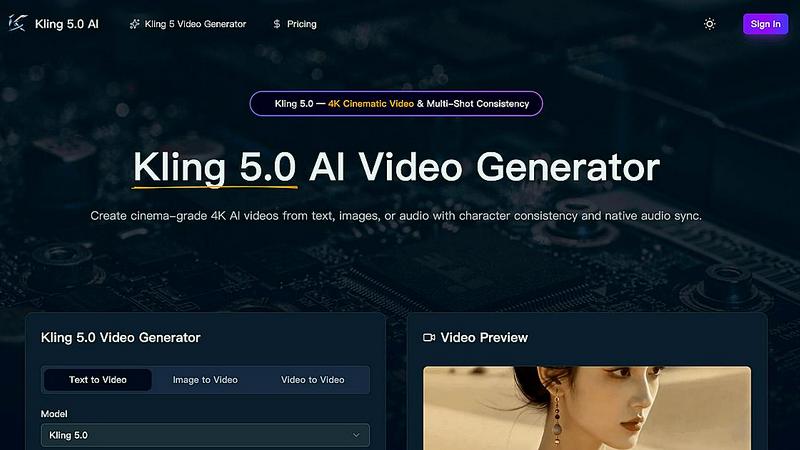
Kling 5.0 AI effortlessly transforms text, images, or audio into stunning 4K cinematic videos with character consistency and synchronized audio.
Last updated: March 26, 2026

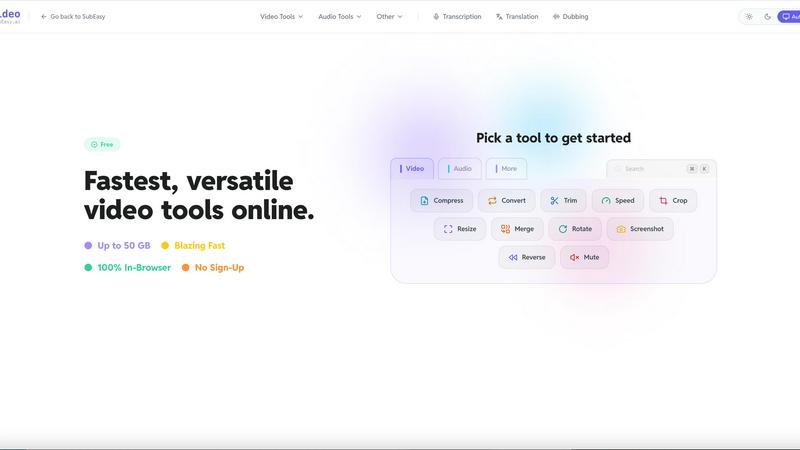
tools.video is a fast, free online video toolkit for compressing, converting, cropping, and trimming videos without watermarks or sign-ups.
Last updated: April 13, 2026
Visual Comparison
Kling 5.0 AI
tools.video
Feature Comparison
Kling 5.0 AI
Text-to-Video Generation
Kling 5.0 AI can generate 4K videos from text prompts of up to 15 seconds. This feature enables users to create cinematic clips with realistic physics and smooth motion, making video production accessible to everyone.
Character Consistency Across Shots
With the Omni Subject Library, Kling 5.0 AI ensures that characters maintain their facial features and proportions across different camera angles. This feature is crucial for multi-shot projects, allowing for seamless storytelling without visual discrepancies.
Image-to-Video Conversion
Users can upload photos or concept art, which Kling 5.0 AI animates while preserving the original composition and fine details. This feature transforms still images into dynamic video content, enhancing creativity and engagement.
Native Audio Generation
Kling 5.0 AI offers synchronized audio generation, producing dialogue, Foley, and ambient sound in one pass. This feature ensures that your videos are not only visually appealing but also provide a complete audio-visual experience.
tools.video
Video Compression
The video compression tool allows users to reduce the size of their video files without sacrificing quality. This feature is essential for those looking to save space or upload videos quickly to social media platforms. With tools.video, you can compress large files effortlessly, making it easier to share your content without lengthy upload times.
Format Conversion
tools.video supports an extensive range of formats, including MP4, MOV, WebM, and many others. This feature enables users to convert their videos to the format that best suits their needs, whether for web use, playback on different devices, or editing purposes. The process is straightforward and requires no additional software, making it accessible for everyone.
Editing Tools
The editing tools available on tools.video make it easy to trim, crop, mute, or merge video clips. These features are designed to be intuitive, allowing users to make quick edits without the need for complex software. Whether you are creating social media content or preparing educational materials, these tools help streamline the editing process.
Media Extraction
With the media extraction feature, users can convert videos to GIFs or extract high-quality MP3 audio tracks from their videos. This functionality is particularly useful for content creators who want to repurpose video content into other formats, such as creating engaging GIFs for social media or extracting audio for podcasts.
Use Cases
Kling 5.0 AI
Content Creation for Social Media
Content creators can use Kling 5.0 AI to quickly generate engaging videos for platforms like YouTube, TikTok, and Instagram. Its ability to create high-quality videos from simple prompts saves time and enhances audience engagement.
Marketing Campaigns
Marketers can leverage Kling 5.0 AI for producing promotional videos that convey their brand message effectively. The tool's character consistency helps maintain a unified brand image across different media formats.
Film and Animation Prototyping
Filmmakers and animators can use Kling 5.0 AI for quick prototyping of scenes, allowing them to visualize concepts before production. The advanced physics simulation ensures that the animations look realistic, enabling better decision-making during the creative process.
Educational Content Development
Educators and trainers can create informative videos that incorporate complex topics with visual aids. Kling 5.0 AI helps in producing videos that maintain viewer interest while simplifying intricate subjects through engaging visuals.
tools.video
Content Creation for Social Media
Tools.video is perfect for social media managers and content creators who need to quickly edit and format videos for platforms like Instagram, Facebook, and TikTok. With its fast processing and user-friendly tools, you can create engaging content with minimal effort.
Educational Use
Educators can utilize tools.video to prepare instructional videos or presentations that require video editing. By easily trimming clips or converting formats, teachers can create professional-looking materials that enhance the learning experience for students.
Podcast Production
For podcasters, the media extraction feature is invaluable. You can quickly extract audio from video files, allowing for seamless integration of video content into audio formats. This can help diversify your content offerings and reach a broader audience.
Personal Projects
Individuals working on personal video projects, such as family videos or travel montages, will find tools.video incredibly helpful. The ability to compress large files and perform basic edits means that anyone can create polished videos without needing extensive technical knowledge.
Overview
About Kling 5.0 AI
Kling 5.0 AI is an advanced artificial intelligence platform that revolutionizes video creation by transforming text prompts, images, or audio into stunning 4K cinematic videos. Designed with content creators, marketers, and filmmakers in mind, this tool offers intuitive functionality that allows users to produce high-quality, realistic videos quickly and efficiently. With features like character consistency across shots, native audio synchronization, and customizable video styles, Kling 5.0 AI is ideal for those looking to elevate their storytelling and visual content. Whether you are crafting promotional videos, short films, or social media content, Kling 5.0 AI empowers you to bring your ideas to life with professional aesthetics and fluid motion, making it an invaluable asset in the modern digital landscape.
About tools.video
tools.video is a powerful web-based video processing suite that simplifies how you handle video and audio editing tasks. This tool is designed for speed and efficiency, making it ideal for creators, educators, and professionals who need reliable video solutions without the hassle of expensive software. With tools.video, users can perform various tasks, including video compression, format conversions, and basic editing—all directly in their browser. There's no need for account registration, and files are processed locally, ensuring that privacy is maintained. The platform supports large files up to 50 GB and offers a user-friendly interface that allows for quick and seamless workflows. Whether you are looking to compress a video for faster uploading or convert a file format for compatibility, tools.video provides a straightforward, no-frills approach to video processing that respects your time and resources.
Frequently Asked Questions
Kling 5.0 AI FAQ
How long can the videos generated by Kling 5.0 AI be?
Kling 5.0 AI can generate videos up to 15 seconds in length, allowing for concise storytelling while maintaining high-quality visuals.
What types of inputs can I use to create videos?
You can create videos using text prompts, images, or audio, providing flexibility in how you wish to convey your ideas and stories.
Can I customize the video output from Kling 5.0 AI?
Yes, users can customize various parameters such as video duration, aspect ratio, and output quality to suit their specific needs and preferences.
Is Kling 5.0 AI suitable for professional use?
Absolutely! Kling 5.0 AI delivers broadcast-ready 4K outputs with realistic textures and lighting, making it ideal for commercial use in various industries.
tools.video FAQ
Is tools.video free to use?
Yes, tools.video is completely free to use. There are no hidden fees, subscriptions, or account registrations required to access its features.
What file types does tools.video support?
tools.video supports a wide array of file formats including MP4, MOV, MKV, WebM, AVI, and many more. It also provides multi-channel audio support, ensuring compatibility with various media types.
How long does processing take?
Processing times can vary based on the size of the file and the complexity of the task. However, tools.video is designed for speed, utilizing advanced technology to ensure that tasks are completed quickly and efficiently.
Does tools.video keep my files?
No, tools.video processes everything locally on your device. This means your files never leave your computer, ensuring maximum privacy and security while working on your projects.
Alternatives
Kling 5.0 AI Alternatives
Kling 5.0 AI is a state-of-the-art artificial intelligence tool that specializes in video generation. It takes text prompts and transforms them into high-quality videos, making it a valuable asset for content creators, marketers, and filmmakers who require fast and efficient video production. As users explore options, they often seek alternatives due to various reasons such as pricing, specific feature sets, or compatibility with their platforms. When considering alternatives to Kling 5.0 AI, it's essential to evaluate features that align with your needs, such as video quality, customization options, and ease of use. Additionally, the pricing structure should fit within your budget while still providing the capabilities necessary for your projects. Compatibility with existing workflows and platforms is also crucial to ensure a seamless transition and maximum productivity.
tools.video Alternatives
tools.video is a free, online video toolkit that belongs to the video processing category. It provides users with a variety of essential tools such as compression, conversion, and editing, all within a browser-based platform. This accessibility makes it appealing to creators, students, and professionals seeking quick and effective video solutions without the hassle of installations or expensive software. Users often search for alternatives to tools.video for various reasons, such as specific feature requirements, compatibility with different platforms, or preferences for unique editing capabilities. When evaluating alternatives, it’s important to consider factors like ease of use, range of features, pricing models, and whether the tool supports the video formats you need. A good alternative should provide the same level of convenience and functionality while meeting your specific needs.