
MD2Card vs Proofapp
Side-by-side comparison to help you choose the right AI tool.

MD2Card
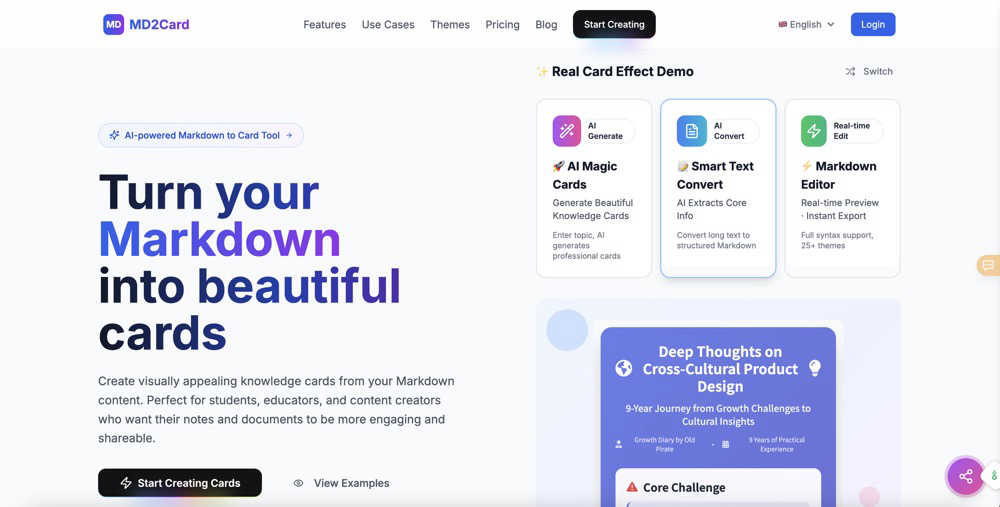
Effortlessly transform your Markdown into beautiful, shareable knowledge cards with MD2Card's AI-powered tool.
Last updated: March 1, 2026

Proofapp
Streamline feedback with visual comments on your website, making design reviews faster and hassle-free for your team.
Last updated: March 4, 2026
Visual Comparison
MD2Card
Proofapp

Feature Comparison
MD2Card
AI Magic Cards
MD2Card's AI Magic Cards feature allows users to input any topic and instantly receive a beautifully designed knowledge card. This unique functionality leverages the power of Claude 4.0 AI to deliver smart content generation and layout, ensuring that every card is visually appealing and informative. With just a click, users can create professional-grade cards tailored to their needs.
AI Text Conversion
The AI Text Conversion feature intelligently analyzes long text content, extracting key information and converting it into a structured Markdown format. This functionality not only saves users time but also optimizes the layout of the knowledge cards, making them easier to read and understand. It's perfect for transforming extensive lecture notes or articles into concise, digestible cards.
Real-time Preview
MD2Card offers a real-time preview feature that allows users to see card effects instantly while editing their content. This functionality ensures that every change made is reflected immediately, allowing for fine-tuning and ensuring that the final product meets user expectations. This interactive editing process enhances user satisfaction and streamlines the design workflow.
Multi-format Export
With MD2Card's multi-format export capability, users can export their knowledge cards in various formats, including PNG, SVG, and PDF. This flexibility caters to different sharing needs, whether users want to post online, print, or share via email. The one-click export feature simplifies the process, making it easy to get cards into the desired format quickly.
Proofapp
Visual Commenting
Proofapp allows users to click anywhere on a screenshot to leave contextual feedback. This eliminates confusion about feedback location and ensures that comments are pinned exactly where they belong, making it easier for teams to understand and implement changes.
Multi-Breakpoint Testing
Automatically capture and review your website at multiple breakpoints for both desktop and mobile. This feature ensures that feedback is relevant and applicable across different devices, streamlining the review process and enhancing user experience.
Real-time Collaboration
With real-time collaboration features, your team can see comments and feedback as they are made. This allows for immediate responses and tracking of progress, transforming the feedback loop into a dynamic and interactive process that promotes teamwork.
Secure Share Links
Proofapp provides secure, expirable links for sharing projects with clients. This means you can easily send them access without requiring an account, ensuring that your feedback process remains smooth and secure while keeping client information protected.
Use Cases
MD2Card
Educational Summaries
Students can use MD2Card to create visually engaging summaries of their lecture notes. By transforming complex information into concise knowledge cards, they can enhance their study materials, making them easier to review and share with classmates.
Teaching Aids
Educators can leverage MD2Card to develop teaching aids and lesson content that are visually appealing. The ability to customize themes allows teachers to align the cards with their curriculum or specific topics, facilitating better engagement in the classroom.
Developer Documentation
Developers can utilize MD2Card to generate quick and professional documentation for projects. By converting technical notes into structured cards, they can create easy-to-follow guides that enhance collaboration and knowledge sharing among team members.
Content Creation
Content creators can benefit from MD2Card by turning their ideas and research into shareable knowledge cards. This tool allows them to present their thoughts in a visually attractive format, making their content more engaging for audiences across various platforms.
Proofapp
Freelance Projects
Freelancers can use Proofapp to gather precise feedback from clients without the hassle of endless email threads. By pinning comments directly on designs, freelancers can save hours on revisions and maintain a professional image.
Agency Workflows
Agencies managing multiple projects can streamline their approval processes using Proofapp. The platform’s visual feedback tools help teams navigate client requests efficiently, reducing the time spent on revisions and increasing project turnaround.
Marketing Campaign Reviews
Marketing teams can utilize Proofapp to visually review landing pages and campaigns collaboratively. By providing visual feedback, teams can ensure that all elements meet brand standards and client expectations before launch.
Design Iterations
Design teams can leverage Proofapp to receive clear and actionable feedback on their designs. By allowing team members to comment directly on the designs, they can make informed changes that align with project goals, leading to more cohesive and successful outcomes.
Overview
About MD2Card
MD2Card is an innovative online tool designed to convert Markdown documents into visually appealing knowledge cards, revolutionizing the way information is presented. This platform is perfect for a diverse audience, including students looking to enhance their study materials, educators aiming to create engaging lesson content, developers who need quick documentation, and content creators seeking to make their notes more shareable. By utilizing advanced AI technology, specifically the Claude 4.0 AI, MD2Card automates the creation of beautifully formatted cards that can make any topic stand out. Users simply input a topic, and the AI generates a unique card with a professional look, streamlining the process of information presentation. With over 30 customizable themes to choose from, users can tailor their cards to suit various aesthetic preferences and contexts. The tool also features real-time previews, allowing users to see changes as they edit, and supports one-click exports to popular formats like PNG, SVG, and PDF. This comprehensive approach ensures that MD2Card not only enhances the visual appeal of notes but also increases efficiency and effectiveness in information sharing.
About Proofapp
Proofapp is a cutting-edge visual feedback and website review platform designed to enhance collaboration among designers, developers, and their clients. It simplifies the feedback process by allowing users to upload any website URL and automatically capturing screenshots for both desktop and mobile views. With Proofapp, reviewers can pin comments directly on the design, create threaded replies, attach relevant files, and easily resolve feedback—all without the need for an account. This eliminates the chaos of scattered emails and vague revision notes, making feedback more visual, organized, and actionable. Ideal for freelancers collecting client insights or agencies managing multiple projects, Proofapp fosters an efficient feedback loop that saves time and minimizes miscommunication, ultimately boosting productivity and creativity.
Frequently Asked Questions
MD2Card FAQ
How does MD2Card use AI technology?
MD2Card leverages Claude 4.0 AI to analyze content and generate visually appealing knowledge cards automatically. This advanced technology ensures that users receive unique designs tailored to their input.
Can I customize the themes in MD2Card?
Yes, MD2Card offers over 30 customizable themes, allowing users to choose designs that best fit their aesthetic preferences and the context of the information being presented.
What formats can I export my cards to?
MD2Card supports one-click exports to multiple formats, including PNG, SVG, and PDF. This flexibility ensures that users can easily share their knowledge cards in the format that suits their needs.
Is MD2Card free to use?
Yes, MD2Card is a free platform designed for students, educators, developers, and content creators. Users can take advantage of its powerful features without any cost, making it accessible for everyone.
Proofapp FAQ
How does Proofapp improve the feedback process?
Proofapp enhances the feedback process by allowing users to leave visual comments directly on screenshots, which reduces miscommunication and speeds up revisions.
Is there a free trial available for Proofapp?
Yes, Proofapp offers a generous free trial that allows users to access full features for 60 days without requiring a credit card, enabling you to experience its benefits risk-free.
Can I share my projects without requiring clients to create an account?
Absolutely! Proofapp allows you to generate secure, expirable links that clients can use to view and comment on projects without needing to create an account.
What types of teams benefit from using Proofapp?
Proofapp is beneficial for a variety of teams, including freelance designers, small development teams, marketing agencies, and larger design teams looking for an efficient way to manage client feedback and streamline their workflows.
Alternatives
MD2Card Alternatives
MD2Card is an innovative online tool that transforms Markdown documents into visually appealing knowledge cards, making it ideal for students, educators, developers, and content creators. As a design tool leveraging AI technology, it automates the card creation process, enhancing the way information is presented and shared. Users often seek alternatives to MD2Card for various reasons, including the need for different pricing models, additional features, or compatibility with specific platforms. When exploring alternatives, it’s essential to consider factors such as ease of use, design flexibility, export options, and overall functionality to ensure the chosen tool meets your specific requirements and enhances your productivity.
Proofapp Alternatives
Proofapp is a visual feedback and website review platform designed to enhance collaboration among designers, developers, and their clients. It streamlines the feedback process by allowing users to upload website URLs and automatically generating screenshots for review. This tool falls under the category of design tools, making it essential for anyone involved in creating or managing digital projects. However, users often seek alternatives to Proofapp for various reasons, such as pricing, feature sets, or compatibility with specific platforms. When searching for an alternative, it's important to consider factors like ease of use, the ability to integrate with existing workflows, and the types of feedback mechanisms available. Identifying the specific needs of your team can help you select a solution that not only meets your requirements but also enhances your overall project management efficiency.