
dmaya vs Mimo AI
Side-by-side comparison to help you choose the right AI tool.

dmaya
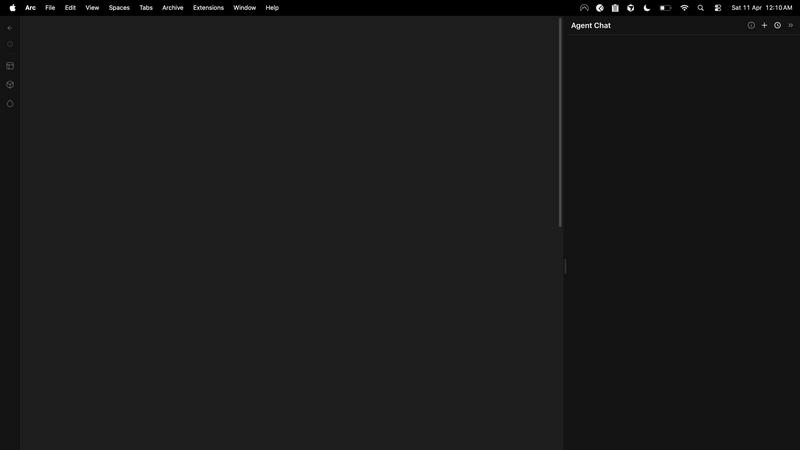
dMaya is the AI design platform for agencies to generate, iterate, and export client-ready UI designs at the speed of thought.
Last updated: April 13, 2026

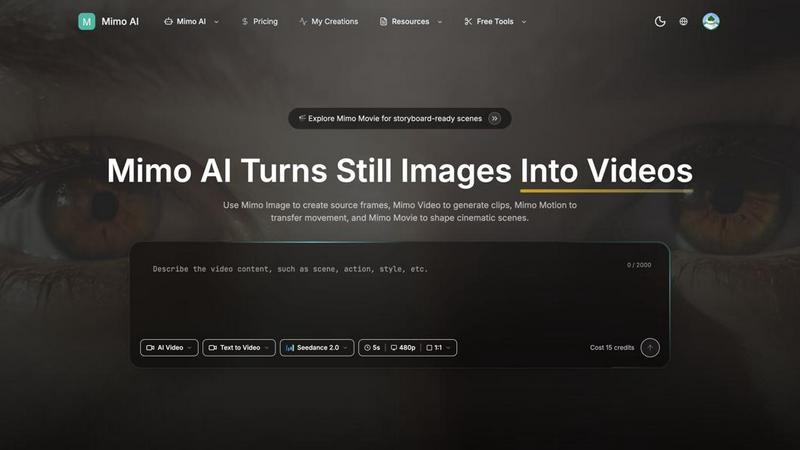
Mimo AI effortlessly transforms your images into stunning videos, enabling creators to produce professional-quality content in seconds.
Last updated: March 26, 2026
Visual Comparison
dmaya
Mimo AI
Feature Comparison
dmaya
Conversational AI Design Generation
Start your project by simply describing what you need. Whether it's a complex SaaS dashboard or a simple landing page, dMaya's AI understands your text prompt and generates complete, production-ready UI designs within seconds. This includes full layouts, a coherent component system, and responsive variants, giving you a professional starting point that you can then refine through natural conversation.
Multi-Screen Infinite Canvas
Work the way you think, across multiple screens and device types. dMaya provides an infinite canvas where you can manage desktop, tablet, and mobile frames simultaneously. Drag, zoom, and organize screens intuitively, similar to traditional design tools like Figma, but supercharged with AI that handles the heavy lifting of initial creation and consistent updates across all your artboards.
Client Presentation & Feedback Loop
Eliminate lengthy email threads and confusing screenshot markups. With dMaya, you generate a single, shareable link to an interactive preview of your designs. Clients and stakeholders can view it directly in their browser, leave precise feedback as comments, and approve designs—all without needing to create an account. This streamlines the review cycle from days down to mere minutes.
Design-to-Code Export for AI Agents
When your design is client-approved, dMaya doesn't leave you hanging. Export your screens as clean, well-structured HTML, CSS, and JavaScript code. This output is perfectly formatted to be handed directly to AI coding assistants like Claude Code or Cursor, which can then transform it into production-ready code for your chosen framework, be it React, Next.js, or Flutter.
Mimo AI
Image to Video AI
Mimo AI's Image to Video feature allows users to transform static images into dynamic videos effortlessly. By applying natural motion and cinematic effects, creators can breathe life into their visuals, making them more engaging and appealing to audiences.
Text to Video
The Text to Video feature enables users to describe their vision in simple terms, allowing the AI to generate a perfect video based on text prompts. This functionality is perfect for those who want to create content without the need for extensive video editing skills.
Multiple AI Models
Mimo AI offers a selection of various AI models, such as Kling and Runway, tailored for different video styles and quality levels. This diversity allows users to choose the model that best fits their creative needs, enhancing the overall versatility of video production.
Fast Generation
With Mimo AI's optimized AI pipeline, users can generate videos in seconds. This speed is crucial for creators and marketers who need to produce content quickly to meet deadlines or engage their audience with timely updates.
Use Cases
dmaya
Agency Pitch & Concept Development
Agencies can use dMaya to dramatically speed up their client acquisition process. During a discovery call, designers can generate live visual concepts based on the client's description, presenting multiple polished directions in hours instead of weeks. This ability to visualize ideas instantly helps win more business by demonstrating capability and understanding immediately.
Product Team Ideation & Alignment
Product teams can leverage dMaya to explore UI directions and user flows before committing valuable engineering resources. Designers, product managers, and engineers can collaborate in a single workspace to iterate on visuals, ensuring everyone is aligned on the vision. This reduces costly miscommunication and rework later in the development cycle.
Freelancer Project Scaling
Freelancers can take on more client work and increase their value without working exponentially more hours. dMaya allows them to generate professional-grade designs rapidly, iterate quickly based on client feedback via shareable links, and deliver a superior final product that includes ready-to-build code assets, enabling them to charge premium rates.
Design System & Prototype Creation
Teams looking to establish or expand a design system can use dMaya as a powerful starting point. Describe core components like buttons, cards, or navigation bars, and use the conversational AI to ensure visual consistency (colors, spacing, typography) across all generated screens. This creates a cohesive prototype that serves as a single source of truth for both design and development.
Mimo AI
Social Media Content Creation
Social media influencers and brands can leverage Mimo AI to produce eye-catching videos from their image libraries. By transforming still images into dynamic content, they can maintain a consistent posting schedule without the burden of time-consuming editing.
Marketing Campaigns
Marketers can utilize Mimo AI to create promotional videos that showcase products or services. The platform's ability to generate high-quality visuals quickly allows for rapid iteration and adjustment based on audience feedback, ensuring that marketing messages resonate effectively.
Educational Content Development
Educators and content creators can use Mimo AI to develop engaging instructional videos. By converting static diagrams or images into animated sequences, they can enhance learning experiences and improve information retention for students.
Art and Animation Projects
Artists and animators can explore their creativity using Mimo AI's tools. By generating unique visual narratives through image transformations and motion transfers, they can create compelling stories that captivate their audience.
Overview
About dmaya
dMaya is an AI-powered design platform built specifically for professional workflows where visual design and client approval come before a single line of code is written. It's the answer for agencies, product teams, and freelancers who feel that modern AI tools skip the crucial design phase, rushing straight to code generation without room for iteration and stakeholder alignment. With dMaya, you describe your vision for a SaaS dashboard, e-commerce flow, or mobile app in plain language, and its AI agent generates polished, professional UI screens in seconds. The magic happens in the conversation: you can chat with the AI to iterate on colors, layouts, typography, and components, with every change applied instantly while design tokens keep everything consistent. Once the design is refined, you share a simple preview link with clients for feedback and approval—no accounts needed for them, turning a process that used to take days into minutes. Finally, export your approved designs as clean HTML, CSS, and JS to hand off to AI coding agents like Cursor or Claude Code for development in React, Next.js, Flutter, or any other framework. dMaya empowers teams to design intentionally, present confidently, and ship with certainty.
About Mimo AI
Mimo AI is an innovative creative platform that seamlessly integrates four powerful tools: Mimo Video, Mimo Image, Mimo Motion, and Mimo Movie. Designed for creators, marketers, and teams, Mimo AI allows users to easily generate high-quality videos from still images, transfer motion from reference clips, and build cinematic scenes—all within a single web application. This streamlined workflow accelerates visual production, enabling users to create engaging content quickly and efficiently. Mimo AI's versatile credit-based usage system ensures that users can manage their resources flexibly, making it an ideal solution for both individual creators and larger teams looking to enhance their visual storytelling capabilities. With its user-friendly interface and advanced AI technology, Mimo AI transforms the way visual content is produced, making professional-quality videos accessible to everyone.
Frequently Asked Questions
dmaya FAQ
Who is dMaya built for?
dMaya is purpose-built for professional designers, agencies, product teams, and freelancers who follow a design-first workflow. It's for teams that need to create, present, and get client approval on visual designs before any development begins. It's not for solo enthusiasts looking to immediately generate full, functional applications without a design phase.
How does the AI design iteration work?
You interact with dMaya through a chat interface. After your initial design is generated, you can type requests like "make the primary color blue," "swap the sidebar to the right," "use a more modern font," or "add a testimonial section." The AI understands these natural language commands and applies the changes precisely and instantly to your design, maintaining consistency automatically.
What kind of code does dMaya export?
dMaya exports clean, vanilla front-end code: semantic HTML, CSS (with flexbox/grid for layout), and JavaScript for basic interactivity. This code is not framework-specific but is intentionally structured and commented to be easily ingested by AI coding agents (like Cursor or Claude Code) that can then convert it into React, Vue, Next.js, Flutter, or any other framework your team uses.
Do clients need an account to review designs?
No, clients and stakeholders do not need any account whatsoever. You simply send them a secure preview link generated within dMaya. They can open this link in any modern web browser, view the designs, leave comments directly on the canvas, and approve the work—all completely friction-free, which is key to getting fast and clear feedback.
Mimo AI FAQ
What is Mimo AI and how do the tools fit together?
Mimo AI is a comprehensive creative platform that integrates Mimo Video, Mimo Image, Mimo Motion, and Mimo Movie. These tools work together to streamline video generation, image creation, motion transfer, and cinematic workflows, making it easier for users to produce professional-quality content.
What types of images work best with Mimo AI?
Mimo AI supports various image formats, including JPG, PNG, and WebP. To achieve the best results, images should be high-quality and relevant to the desired motion or theme, as this will enhance the final video output.
How long does it take to generate a video?
With Mimo AI's optimized AI pipeline, videos can be generated in a matter of seconds. This rapid production capability allows users to create and share content quickly, making it ideal for fast-paced environments like social media and marketing.
How does the credit system work?
Mimo AI operates on a flexible credit system, allowing users to pay as they go. Users start with free credits and can purchase additional credits as needed, ensuring that they can scale their usage according to their production requirements without financial strain.
Alternatives
dmaya Alternatives
dMaya is an AI-powered vibe design platform that helps agencies, teams, and freelancers create professional UI designs through conversation. It sits at the intersection of design and development tools, focusing on the crucial visual design step before coding begins. Users can describe an interface, iterate with an AI, get client approval, and export clean code. People often look for alternatives to a tool like dmaya for various reasons. This could be due to budget constraints, a need for different feature sets like more advanced prototyping or native app integrations, or a preference for a different workflow style. Some teams might require tools that are part of a larger ecosystem they already use. When evaluating other options, consider what matters most for your projects. Key factors include the quality and control of the AI design output, the efficiency of the client feedback and approval process, and the cleanliness and flexibility of the exported code. The right tool should fit seamlessly into your team's process from concept to handoff.
Mimo AI Alternatives
Mimo AI is an innovative platform that specializes in transforming the creative process for users involved in content creation, design, and video production. By integrating tools for image-to-video conversion, AI image generation, motion transfer, and storyboard-ready scenes, it provides a seamless workflow for creators, marketers, and teams looking to produce high-quality visuals quickly and efficiently. Users often seek alternatives to Mimo AI for various reasons, including pricing structures, specific feature sets, or compatibility with existing workflows and platforms. When choosing an alternative, it’s essential to consider factors such as the range of features offered, ease of use, customer support, and how well the platform aligns with your creative goals and budget.