
Movart vs Wan 2.7
Side-by-side comparison to help you choose the right AI tool.

Movart instantly transforms your text and images into stunning, cinematic videos with a single click.
Last updated: February 28, 2026

Wan 2.7
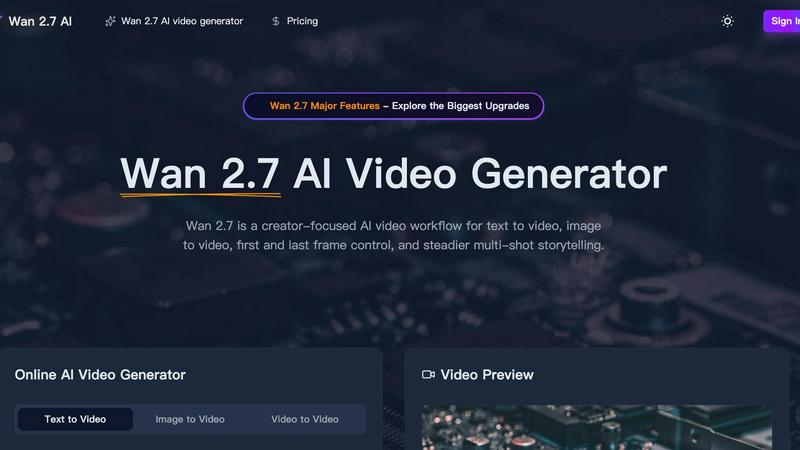
Wan 2.7 is a creator-focused AI video generator that turns your text, images, or videos into steady, multi-shot stories with advanced control.
Last updated: April 4, 2026
Visual Comparison
Movart

Wan 2.7
Feature Comparison
Movart
Seedance 2.0: Premier AI Video Generation
Movart features Seedance 2.0, hailed as one of the most powerful AI video generators available. This advanced model specializes in understanding complex prompts to produce videos with cinematic motion, realistic physics, and high visual fidelity. It allows for precise control over shots, characters, and environments, making it ideal for creating professional-grade narrative clips, advertisements, and dynamic social media content directly from text descriptions.
Multi-Model Integration in One Platform
Instead of juggling multiple subscriptions, Movart provides access to the industry's best AI image and video models under one roof. This includes not only Seedance but also giants like Google Veo 3.1, Sora, Hailuo, Wan, and Keling. This integration allows you to choose the best model for your specific task, whether it's hyper-realistic imagery, stylized animation, or specific motion types, ensuring you always get the perfect output for your project.
Intuitive Text-to-Video and Image-to-Video
The platform offers a user-friendly, zero-learning-curve experience for both text-to-video and image-to-video generation. Simply describe your scene with a detailed prompt or upload a static image, and Movart's AI will analyze and animate it, adding life, motion, and new perspectives. This makes it incredibly easy to visualize concepts, animate product photos, or bring historical images to life without any technical expertise.
Commercial-Ready Output & Aesthetic Consistency
Movart is engineered for commercial use, delivering high-resolution (up to 1080p), polished outputs every time. Its algorithms are fine-tuned to maintain aesthetic consistency across frames—a common challenge with AI video. This means your generated videos have coherent lighting, stable subjects, and professional pacing, making them ready to be used in ads, websites, and presentations without additional expensive editing.
Wan 2.7
Multi-Modal Video Generation
Wan 2.7 isn't limited to just one starting point. It offers a versatile workflow supporting text-to-video, image-to-video, and video-to-video generation. This means you can create from a written idea, animate a still picture, or transform an existing clip into something new, providing maximum flexibility for any creative project.
First and Last Frame Control
This advanced feature gives you direct influence over the narrative bookends of your video. By controlling the starting and ending frames, you can ensure your video matches a specific storyboard, loops perfectly, or transitions smoothly into another scene, offering a new level of directorial intent in AI video generation.
Steadier Multi-Shot Storytelling
A major upgrade in Wan 2.7 is its enhanced ability to maintain subject and style consistency across multiple shots or a longer duration. This is crucial for creating coherent scenes, action sequences, or character-focused clips where elements need to stay recognizable and stable, enabling true short-form storytelling.
Advanced Creative Controls
The platform provides detailed settings to fine-tune your output. You can adjust video duration up to 5 seconds, choose from multiple aspect ratios (like 16:9, 9:16, 1:1), select resolutions up to 1080p, and toggle AI-generated audio. An extensive prompt library with examples also helps jumpstart your creativity.
Use Cases
Movart
E-commerce Product Marketing
E-commerce store owners can revolutionize their product pages by transforming static product images into engaging, short video ads. Showcase a handbag from multiple angles, demonstrate a gadget in use, or create a lifestyle scene around your product. This dynamic content captures attention, improves conversion rates, and provides a premium shopping experience without the cost of a professional video shoot.
Social Media Content Creation
Digital creators and social media managers can consistently produce high-quality, eye-catching content for platforms like TikTok, Instagram, and YouTube. Generate unique B-roll, create animated story segments, or visualize concepts for educational content. Movart's speed and quality help maintain a frequent posting schedule with cinematic flair that stands out in crowded feeds.
Storyboarding and Concept Visualization
Filmmakers, writers, and agencies can use Movart to quickly visualize scenes, characters, and environments during the pre-production phase. Turn script excerpts or descriptive paragraphs into rough video storyboards. This allows for faster iteration on creative ideas, better communication with teams and clients, and a more concrete starting point for full-scale production.
Educational and Explainer Videos
Educators and trainers can create compelling explainer videos to illustrate complex topics. Animate historical events, visualize scientific processes, or create engaging animated characters to deliver lessons. Movart makes it simple to produce professional-looking educational content that enhances understanding and retention, all from a simple text description of the concept.
Wan 2.7
Social Media Content Creation
Ideal for creators needing eye-catching clips for TikTok, Instagram Reels, or YouTube Shorts. The 9:16 vertical format and ability to quickly generate trendy, high-quality videos from text prompts make it perfect for producing daily content, product showcases, or engaging promotional snippets.
Concept Visualization and Storyboarding
Filmmakers, game developers, and ad agencies can use Wan 2.7 to rapidly visualize concepts. Turn written scenes into motion tests, create mood clips, or build fast render storyboards to pitch ideas and secure approvals before committing to expensive production shoots.
Product Marketing and Advertisements
Create compelling ad sequences that highlight product features in dynamic environments. The control over lighting, subject consistency, and multi-shot sequences allows brands to produce professional-looking promotional videos, explainers, and teaser clips tailored to specific campaigns.
Artistic and Stylized Video Projects
Artists and designers can explore new forms of expression by generating videos in specific artistic styles, such as anime, cinematic fantasy, or fashion editorial. The tool allows for experiments with lighting, texture, and cultural aesthetics to create unique visual art pieces.
Overview
About Movart
Movart is an innovative AI-powered visual production platform designed to make cinematic-quality content creation accessible to everyone. It goes beyond generic AI tools by embedding professional photography and cinematography principles directly into its algorithms, ensuring outputs are not just generated, but crafted with aesthetic intent. Whether you're starting with a text prompt, a still image, or a reference video, Movart transforms your ideas into polished, commercial-ready videos and images in moments. The platform is built for a wide range of users, from e-commerce business owners looking to create stunning video ads for their products to digital creators, marketers, and social media managers who want to weave immersive visual stories without a steep learning curve. By seamlessly integrating top-tier AI models like Seedance 2.0, Google Veo 3.1, and Sora into one intuitive interface, Movart eliminates the headaches of complex software, inconsistent results, and high production costs. Its core promise is to bring the capabilities of a professional film studio directly to your browser, enabling you to turn imagination into cinema, instantly.
About Wan 2.7
Wan 2.7 is a creator-focused AI video generator designed to transform your ideas into stunning, dynamic videos with unprecedented control and consistency. It's a powerful online workflow that empowers marketers, filmmakers, social media creators, and storytellers to produce high-quality video content from simple text prompts, existing images, or reference videos. The core value of Wan 2.7 lies in its major upgrades focused on control and continuity, moving beyond simple clip generation to enable steadier multi-shot storytelling. Whether you need a cinematic sci-fi scene, a polished fashion portrait, or a fast-paced action sequence, Wan 2.7 gives you the tools to guide the AI with precision. Its intuitive interface allows you to specify duration, aspect ratio, and resolution, and even generate accompanying audio, making professional video creation accessible to everyone. This version represents a significant leap forward in achieving reliable subject consistency, smoother motion, and more stable rendering, turning ambitious creative visions into tangible video reality.
Frequently Asked Questions
Movart FAQ
What is Movart AI technology?
Movart AI technology is a sophisticated visual production platform that uses multiple state-of-the-art artificial intelligence models to generate high-quality videos and images. It's not just a single tool; it's an integrated ecosystem that applies cinematic principles—like framing, lighting, and motion—to AI generation. This ensures the outputs are aesthetically pleasing, consistent, and suitable for professional and commercial use, all through an easy-to-use web interface.
How does Movart AI generation work?
The process is designed to be simple. For video, you can start with a text prompt describing your scene, upload a starting image, or use a reference video. The AI then analyzes your input, interprets the desired action and style, and generates a new video sequence by creating multiple coherent frames. For images, it works similarly, transforming text or existing images into new visual creations. Advanced models handle the complex task of ensuring visual consistency and realistic motion.
What can I use Movart AI for?
You can use Movart for a wide array of creative and commercial projects. Common uses include creating marketing and advertisement videos, generating engaging social media content, producing product demos for e-commerce, visualizing concepts for films or games, making educational explainers, and creating unique artwork or animated scenes. Essentially, it's for anyone who needs high-quality visual content without the traditional production overhead.
Is there a free trial for Movart AI?
While the provided content does not specify the details of a free trial, the website includes prominent call-to-action buttons like "Try Seedance 2.0," which strongly suggests that users can test the platform's capabilities. It is best to visit the official Movart.ai website and navigate to the "Pricing" section to get the most accurate and up-to-date information on trial offers, plan limits, and subscription options.
Wan 2.7 FAQ
What is the main improvement in Wan 2.7 over previous versions?
The biggest upgrades in Wan 2.7 center on greatly improved control and continuity. It focuses on steadier multi-shot storytelling, better subject consistency across frames, smoother environmental motion, and more stable rendering. This makes it far more reliable for creating coherent video sequences rather than just isolated clips.
What kind of videos can I create with Wan 2.7?
You can create a wide variety of videos, including cinematic scenes (sci-fi, fantasy), fashion and portrait clips, nature and atmospheric shots, dynamic action sequences, anime-style animations, product stories, and fast storyboards. The output is shaped by your detailed text prompts and chosen settings.
How long are the videos generated by Wan 2.7?
Based on the provided interface, you can set the duration of your generated video, with an example showing a default of 5 seconds. The platform allows you to control this parameter to fit the needs of your project, whether for a quick clip or a longer sequence built from multiple generations.
Do I need video editing experience to use Wan 2.7?
Not at all! Wan 2.7 is designed with an intuitive, user-friendly interface. The prompt-based system guides the AI for you. You simply describe what you want to see, adjust basic settings like aspect ratio, and let the AI handle the complex rendering. It's built to be accessible for beginners while powerful enough for pros.
Alternatives
Movart Alternatives
Movart is an AI-powered video creation platform that specializes in transforming text and images into cinematic-quality videos. It stands out in the crowded AI video generation space by focusing on professional, commercial-ready results with a user-friendly interface. People often look for alternatives to any software for various reasons. This could be due to budget constraints, a need for different specific features, compatibility with their existing workflow, or simply wanting to explore what else the market offers. It's a normal part of finding the perfect tool for your unique creative or business needs. When evaluating other options, consider what matters most for your projects. Key factors include the quality and style of the output, ease of use, pricing structure, and the specific capabilities like image animation or text-to-video generation. The right choice balances power with simplicity to match your goals.
Wan 2.7 Alternatives
Wan 2.7 is a popular tool in the video editing and content creation space, known for its specific set of features that help creators streamline their workflow. It falls into the category of video production software, offering users the ability to edit, enhance, and finalize their visual projects. Like any software, it's a great fit for some, but not necessarily for everyone. Users often start looking for alternatives for a variety of practical reasons. Maybe the pricing structure doesn't align with their budget, or they need a feature that Wan 2.7 doesn't offer. Others might be seeking a tool that works on a different operating system or integrates better with their existing suite of apps. It's a normal part of finding the right tool for your unique creative process. When evaluating other options, it's wise to consider what matters most to you. Think about your must-have features, your comfort level with different interfaces, and how the tool fits into your overall budget. The goal is to find software that feels like a natural extension of your creativity, not a hurdle you have to overcome.