
Nani vs Prompt Builder
Side-by-side comparison to help you choose the right AI tool.

Nani simplifies AI image creation by organizing prompts and images into reusable sets for a seamless creative.
Last updated: February 28, 2026

Prompt Builder
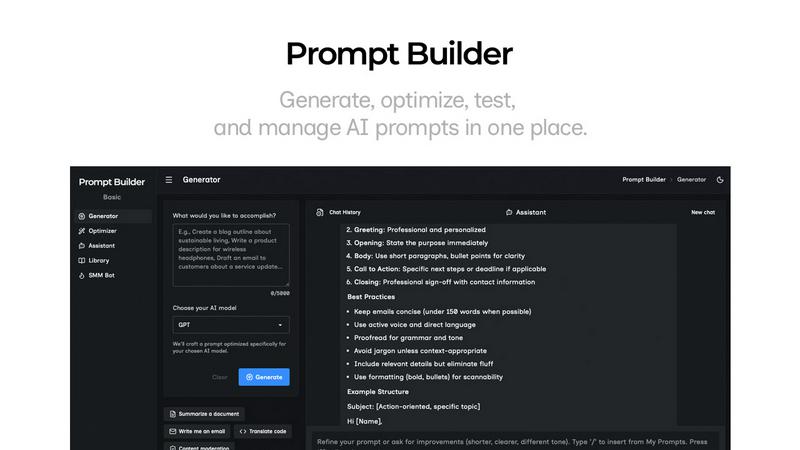
Generate, optimize, test, and manage AI prompts in one place. Turn an idea into a ready-to-use prompt in seconds.
Visual Comparison
Nani

Prompt Builder
Overview
About Nani
Nani is an innovative workflow tool designed to revolutionize the experience of AI image generation, particularly for users engaged in regular and repetitive tasks. Unlike traditional AI image tools that often focus on one-off creations, Nani streamlines the entire image generation process, allowing users to bypass the tediousness of rewriting prompts and the challenge of sorting through endless image feeds. Built on Google's cutting-edge Nano Banana Pro (Gemini) technology, Nani serves as an all-in-one solution for artists, designers, and content creators seeking to supercharge their creative workflows. This tool features a user-friendly interface that accelerates image generation while offering unique capabilities, such as reusable prompt sets and organized folders. Nani helps you maintain consistency and efficiency, enabling you to devote more time to your creativity and less to the administrative tasks associated with image generation. With Nani, you can create stunning visuals quickly and effectively, making it an essential tool for anyone in the creative space.
About Prompt Builder
Prompt Builder is a prompt engineering workspace for writing, testing, and saving prompts. Describe the task in plain English, and it helps you create a prompt that matches the model you choose. Start with a draft, refine it in chat, save or pin versions, then run them when you are ready. It works with GPT, Claude, Gemini, Llama, Mistral, DeepSeek, Grok, Perplexity, and more. You also get an Optimizer, an assistant for quick tests, and a library of reusable prompts and templates from the community. Turn an idea into a ready-to-use prompt in seconds. Refine it in chat, save it to your Library, and run it anytime.