
Nano Banana 2 vs ShinePhoto
Side-by-side comparison to help you choose the right AI tool.

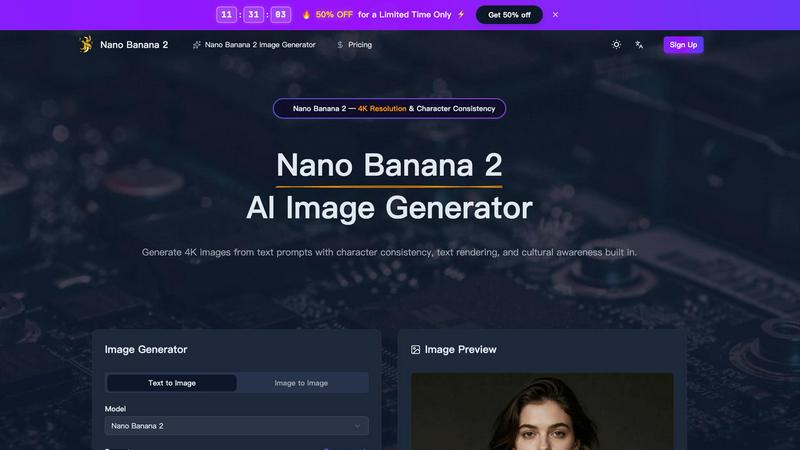
Nano Banana 2
Nano Banana 2 is your AI image generator for creating stunning, consistent 4K visuals from simple text prompts.
Last updated: March 11, 2026

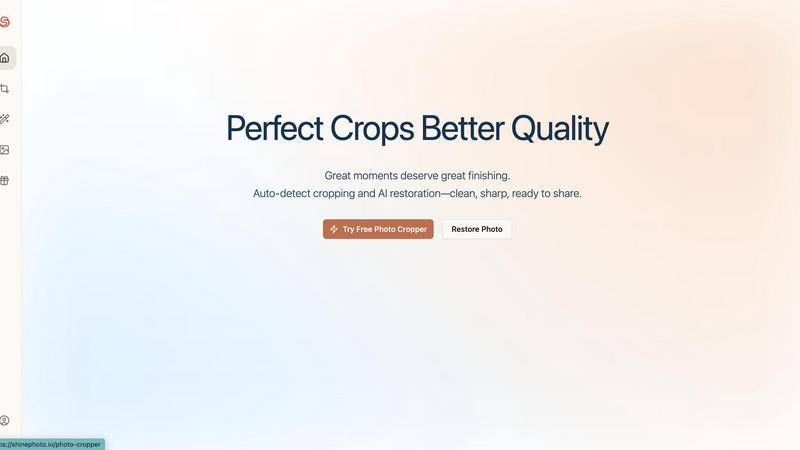
ShinePhoto
Effortlessly enhance and crop your photos with AI for stunning, share-ready images in just a few clicks.
Last updated: February 28, 2026
Visual Comparison
Nano Banana 2
ShinePhoto
Feature Comparison
Nano Banana 2
Native 4K Resolution & Detail
Nano Banana 2 generates images at a stunning native 4K resolution, capturing photography-grade details that bring your visuals to life. Imagine seeing the individual threads in fabric, lifelike reflections on surfaces, and intricate textures that make an image feel real. This high-fidelity output is perfect for professional work where quality cannot be compromised, ensuring your creations look amazing on any screen or in print.
Advanced Character Consistency
This is a game-changer for storytelling and branding. Nano Banana 2's technology allows you to maintain the exact same character—with identical facial features, hairstyle, and expressions—across multiple generated images. Whether you're creating a comic series, branding with a mascot, or developing ad campaigns with a consistent spokesperson, this feature ensures your character remains recognizable and cohesive in every scene.
Flawless Text Rendering
Say goodbye to garbled letters and nonsense words in your AI images. Nano Banana 2 excels at rendering accurate, crisp, and perfectly legible text within images. This is ideal for creating product labels, street signs, book covers, website UI mockups, or any visual that requires embedded text. The text remains clear and readable at any scale, saving you hours of manual editing.
Natural-Language Image Editing
Go beyond simple text-to-image generation. With Nano Banana 2, you can upload an existing image and describe the changes you want using plain English. Ask it to "swap the background to a beach sunset," "remove the coffee cup from the table," or "apply a watercolor painting style." The AI understands your intent and executes precise edits, making advanced image manipulation accessible to everyone.
ShinePhoto
Perfect Cropping
ShinePhoto's auto-detect cropping feature identifies the main subject of your photo and applies a clean, balanced crop. This ensures that distractions are trimmed away, allowing viewers to focus on the essence of the image.
Photo Restoration
The restoration tools in ShinePhoto work tirelessly to repair photo damage, reduce blur, and eliminate compression artifacts. Users can restore clarity and enhance detail with just one click, making old or damaged photos look vibrant again.
Batch Processing
ShinePhoto allows users to upload multiple images at once and process them together. This feature saves time and effort, especially for those with large collections of photos needing similar edits, enhancing productivity significantly.
Smart Manual Control
While ShinePhoto excels at automatic cropping, it also provides users with the option to manually adjust the crop area. This flexibility allows for precise framing, ensuring that every photo meets the user’s specific vision.
Use Cases
Nano Banana 2
Brand Marketing & Advertising
Create entire advertising campaigns with consistent branded characters and flawless product shots. Generate eye-catching social media graphics, digital ads, and billboard visuals with perfect embedded text and messaging. Marketers can rapidly prototype concepts and produce a high volume of on-brand, culturally-aware imagery for global campaigns without expensive photo shoots.
UI/UX & Product Design
Prototype user interfaces and product concepts at lightning speed. Designers can generate realistic app screens, website layouts, and product packaging with accurate text rendering for labels and buttons. This allows for rapid iteration and client presentations, turning abstract ideas into tangible visual mockups in seconds, significantly accelerating the design workflow.
Content Creation & Storytelling
Digital artists, authors, and content creators can bring their stories to life. Generate consistent characters for webcomics or book illustrations, create detailed scene backdrops, and produce cover art. The ability to maintain a character's look across multiple frames or chapters helps in building a compelling and visually coherent narrative world.
E-commerce & Product Photography
Revolutionize online stores by generating high-quality, diverse product photos on demand. Showcase items in various settings, colors, or styles without the need for physical samples or studio time. Create lifestyle images that place your product in authentic, culturally-relevant environments, helping customers visualize it in their own lives.
ShinePhoto
Family Photo Restoration
For families looking to restore old photographs, ShinePhoto provides an easy solution to bring faded or damaged images back to life. Users can enhance clarity and colors, preserving precious memories for future generations.
Professional Photography Workflow
Photographers can streamline their editing process using ShinePhoto's batch processing and auto-cropping features. This allows them to focus on their creative vision while letting the AI handle repetitive tasks.
Event Photo Management
After capturing an event, users can quickly upload and edit large batches of photos. ShinePhoto's tools make it simple to crop and enhance images, preparing them for sharing on social media or with clients.
Social Media Sharing
Users looking to enhance their social media presence can use ShinePhoto to polish their photos. With just a few clicks, they can crop, restore, and upscale images, making them share-ready and visually appealing.
Overview
About Nano Banana 2
Welcome to the future of creative expression with Nano Banana 2, a revolutionary AI image generator designed to turn your imagination into stunning visual reality. This isn't just another tool; it's a sophisticated partner for creators who demand quality, consistency, and intelligence. At its core, Nano Banana 2 transforms simple text descriptions into breathtaking 4K images, but its true power lies in its advanced capabilities. It's built for a wide range of users, from digital artists and marketers to product designers and storytellers, who need professional-grade visuals without the complexity or high cost of traditional methods. The main value proposition is clear: unparalleled image fidelity combined with smart features like remarkable character consistency, flawless text rendering, and cultural awareness. This means you can create a cohesive brand character across multiple scenes, generate mockups with perfectly legible UI text, or depict culturally authentic environments from around the world, all from a simple prompt. Nano Banana 2 empowers you to move beyond basic image generation into a realm of detailed, reliable, and contextually intelligent visual creation.
About ShinePhoto
ShinePhoto is a freemium AI photo toolkit designed to revolutionize the way users edit and manage their photos. It is particularly beneficial for individuals looking to digitize, organize, and restore their photo collections, whether they are cherished family memories or professional photography work. With advanced features such as batch subject auto-cropping and photo quality restoration, ShinePhoto makes it easy for users to enhance their images in just a few clicks. The platform is built for everyone, from casual users wanting to touch up old album photos to professional photographers seeking to streamline their workflow. ShinePhoto’s powerful AI capabilities ensure that photos are not only preserved but also enhanced for sharing, making it an invaluable tool for anyone who appreciates the art of photography. With a user-friendly interface, ShinePhoto allows for quick uploads, effortless cropping, and seamless restoration, ensuring that every moment captured shines brightly.
Frequently Asked Questions
Nano Banana 2 FAQ
What makes Nano Banana 2 different from other AI image generators?
Nano Banana 2 stands out through its combination of professional-grade 4K output and specialized, reliable features. While many tools generate images, Nano Banana 2 is uniquely built for practical creation with its industry-leading character consistency, flawless text rendering, and cultural awareness. This makes it less of a novelty and more of a dependable tool for professional workflows.
How does the character consistency feature work?
You start by generating an image of a character you like. Using that image as a reference, Nano Banana 2's advanced model can then generate new images of that same character in different poses, outfits, and settings. It intelligently preserves key facial features, bone structure, hairstyle, and even expressions, ensuring the person looks like the same individual in every picture.
Can I use Nano Banana 2 for commercial projects?
Yes, absolutely. The images you generate with Nano Banana 2 are yours to use. They are free of watermarks and are designed for commercial applications like advertising, product design, book publishing, and content creation. Always check the specific Terms of Service for the latest details on usage rights.
Do I need design skills or technical knowledge to use it?
Not at all! Nano Banana 2 is built to be friendly and approachable. The process is as simple as describing what you want to see in plain language. The advanced prompt understanding handles complex requests, and the intuitive interface lets you adjust settings like aspect ratio and quality with ease. It's designed for creators of all skill levels.
ShinePhoto FAQ
What is ShinePhoto?
ShinePhoto is an AI-powered toolkit that combines a free photo cropper with restoration features, enabling users to crop, enhance, and upscale their images for better quality and presentation.
Is ShinePhoto free to use?
Yes, ShinePhoto is free to use. The photo cropper runs directly in your browser, allowing you to get started without any downloads or subscriptions.
How does photo restoration work?
Photo restoration in ShinePhoto involves uploading an image and utilizing the restoration tools to reduce blur, noise, and damage, resulting in sharper and clearer images based on the original quality.
Can I choose the subject to crop?
Yes, ShinePhoto allows users to specify the subject for cropping. This feature ensures that the photo cropper focuses accurately on the desired target for precise framing.
Alternatives
Nano Banana 2 Alternatives
Nano Banana 2 is a powerful AI image generator that creates high-quality 4K visuals from simple text prompts. It belongs to the rapidly growing category of AI-powered creative tools designed to make professional-grade image generation accessible to everyone. Users often explore alternatives for a variety of reasons. Some might be looking for a different pricing model, such as a free tier or a one-time purchase. Others may need specific features like a different art style, more control over the generation process, or integration with other platforms they use. It's a common step to find the tool that best fits an individual's creative workflow and budget. When choosing an alternative, consider what matters most to you. Key factors include the quality and resolution of the output images, the cost and subscription structure, the ease of use, and any unique capabilities like character consistency or advanced editing features. Finding the right balance of these elements will lead you to the perfect tool for your projects.
ShinePhoto Alternatives
ShinePhoto is an innovative AI-driven photo editing tool that falls within the image and photo category. It is designed to enhance and restore photos effortlessly, making it particularly appealing to users who want to transform their image collections into share-ready masterpieces with minimal effort. However, many users often seek alternatives due to various reasons such as pricing structures, specific feature needs, or compatibility with different platforms. When searching for an alternative, it’s crucial to assess what features are most important to you, such as ease of use, batch processing capabilities, or advanced editing tools. Additionally, consider the pricing model—whether it's freemium, subscription-based, or a one-time purchase—and if it aligns with your budget and editing requirements.