
Noter AI vs Qwen3 TTS
Side-by-side comparison to help you choose the right AI tool.

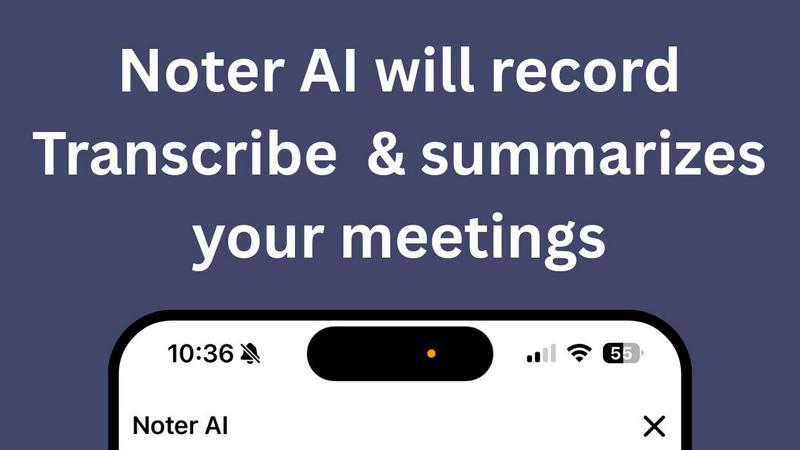
Noter AI effortlessly transforms meeting recordings into clear summaries, helping teams stay organized and informed in real-time.
Last updated: March 11, 2026

Qwen3 TTS
Transform text into lifelike multilingual speech in seconds with Qwen3 TTS's ultra-fast and seamless voice synthesis.
Last updated: February 28, 2026
Visual Comparison
Noter AI
Qwen3 TTS
Feature Comparison
Noter AI
Real-time Recording & Transcription
Noter AI offers seamless real-time recording and transcription capabilities. As you record your meeting, lecture, or conversation, the AI works in the background to provide accurate transcriptions, allowing you to focus on the discussion without worrying about taking notes.
AI-generated Meeting Summaries
With Noter AI, you receive intelligently crafted meeting summaries after each session. The AI analyzes the transcribed content and extracts key points, providing you with concise and comprehensive overviews that save you time and ensure you capture essential information.
Smart Action Item Extraction
Never miss an important task again! Noter AI smartly identifies action items from your meetings and highlights them for easy reference. This feature helps you stay organized and ensures that you know exactly what needs to be done after each meeting.
Organized Note History
Noter AI keeps your notes organized and easily accessible. With a well-structured note history that includes search functionality, tagging, and automatic categorization, you can quickly find past meetings and relevant notes whenever you need them.
Qwen3 TTS
Ultra-Fast Voice Generation
Qwen3 TTS boasts an ultra-fast processing capability, achieving first packet delivery in just 97 milliseconds. This rapid performance ensures that users can experience real-time voice synthesis, making it ideal for applications that require immediate audio feedback.
Multilingual Excellence
With support for 17 distinct voices across 10 languages, Qwen3 TTS provides exceptional multilingual capabilities. This feature includes specialized synthesis for different Chinese dialects, allowing users to create content that resonates with diverse audiences.
Free Browser Demo
Experience the capabilities of Qwen3 TTS instantly with a free, no-signup-required browser demo. Users can test the model by typing in phrases, selecting voices, and hearing the text converted to speech in real time, making it accessible for everyone.
Open Source Access
Qwen3 TTS is open-source and available on Hugging Face, enabling developers to dive deep into the model's architecture. This access allows for customization and integration into various applications, fostering innovation in voice synthesis technology.
Use Cases
Noter AI
Business Meetings
Professionals can use Noter AI to document important business meetings effortlessly. The AI-generated summaries and action items help teams stay aligned and ensure that everyone is clear on their responsibilities moving forward.
Lectures and Classes
Students can benefit from Noter AI by recording lectures and receiving instant transcriptions. This allows them to focus on understanding the material rather than frantically taking notes, enhancing their learning experience.
Team Brainstorming Sessions
During team brainstorming sessions, Noter AI captures every idea shared. Users can refer back to the organized notes and summaries to ensure that all suggestions are considered and no valuable insights are lost.
Client Conversations
For professionals in client-facing roles, Noter AI can record and transcribe meetings with clients, ensuring that all discussed points are documented. The smart action item extraction helps in following up on commitments made during the conversation.
Qwen3 TTS
Application Development
Developers can seamlessly integrate Qwen3 TTS into their applications, providing users with a robust text-to-speech feature. This capability enhances user experience by adding an engaging audio dimension to apps, especially in educational and accessibility contexts.
Content Creation
Content creators can leverage Qwen3 TTS to produce high-quality voiceovers for videos, podcasts, and other multimedia projects. The multilingual support allows creators to reach a broader audience by providing content in various languages and dialects.
Customer Service Solutions
Businesses can use Qwen3 TTS to enhance customer service interactions. By implementing real-time voice generation in chatbots and virtual assistants, companies can deliver a more personalized and engaging experience for their customers.
E-Learning Platforms
E-learning platforms can utilize Qwen3 TTS to provide narrated lessons and materials in multiple languages. This feature helps cater to a global audience, ensuring that learners can access content in their preferred language for improved understanding.
Overview
About Noter AI
Noter AI is a revolutionary AI-powered meeting note taker designed to streamline the process of documenting meetings, lectures, and conversations. By simply recording your audio, Noter AI instantly transforms your voice into well-organized notes, eliminating the hassle of manual note-taking. This tool is perfect for professionals, teams, students, and anyone who requires accurate and comprehensive meeting documentation. With features like real-time transcription, intelligent summary creation, and smart action item extraction, Noter AI ensures that you capture critical information without losing focus on the conversation. Available on iOS and soon on Android, Noter AI supports over 20 languages, making it a versatile solution for users worldwide. The freemium model allows users to start for free, with premium plans available for those who require unlimited recordings and advanced features. Experience the power of AI in transforming your meetings into actionable insights.
About Qwen3 TTS
Qwen3 TTS is an innovative AI-powered text-to-speech model designed to convert text into lifelike speech with remarkable speed and quality. This next-generation tool is built to serve a variety of users, including developers looking to integrate text-to-speech capabilities into their applications, content creators needing high-quality voiceovers in multiple languages, and businesses requiring real-time voice generation for customer engagement. With an impressive processing latency of just 97 milliseconds, Qwen3 TTS excels in delivering fast and natural-sounding speech. It supports 17 distinct voices across 10 languages, including various Chinese dialects, making it an excellent choice for multilingual applications. The open-source nature of Qwen3 TTS allows developers to easily access and customize the model for their specific needs, enhancing its value as a versatile tool in any tech stack.
Frequently Asked Questions
Noter AI FAQ
How does Noter AI ensure transcription accuracy?
Noter AI utilizes advanced AI algorithms to provide high-accuracy transcriptions. It also features speaker identification to distinguish between different voices in a meeting, ensuring clarity in the notes.
Is Noter AI available in multiple languages?
Yes, Noter AI supports transcription and translation in over 20 languages, making it an excellent choice for international teams and users who conduct meetings in different languages.
What formats can I export my meeting notes to?
You can export your meeting notes in various formats such as PDF, Word, and Text. This flexibility allows you to share your insights easily with team members or keep them for personal reference.
How does the freemium model work?
Noter AI offers a freemium model that allows users to start using the base features for free. Premium plans are available for those who require unlimited recordings and access to advanced AI capabilities, catering to power users and larger teams.
Qwen3 TTS FAQ
What is Qwen3 TTS?
Qwen3 TTS is an AI-powered text-to-speech model that converts text into natural speech quickly and accurately. It supports multiple languages and voices, making it suitable for various applications.
How fast is the voice processing of Qwen3 TTS?
Qwen3 TTS features ultra-fast processing with a latency of just 97 milliseconds, allowing for real-time voice synthesis that is ideal for interactive applications.
Can I try Qwen3 TTS without signing up?
Yes, Qwen3 TTS offers a free browser demo that allows users to experience its capabilities without any signup required. You can test the model instantly by typing in text and choosing different voices.
Is Qwen3 TTS open source?
Yes, Qwen3 TTS is open-source and available on Hugging Face. This provides developers with the opportunity to access the model, customize it, and integrate it into their projects easily.
Alternatives
Noter AI Alternatives
Noter AI is an innovative AI-powered meeting note taker designed to streamline the process of capturing and organizing notes from various conversations, lectures, or meetings. It falls under the categories of AI Assistants, Productivity & Management, Speech & Voice, and Mobile Apps. Users often seek alternatives to Noter AI for reasons such as pricing, the need for specific features, or compatibility with their preferred platforms. When considering alternatives, it's essential to look for key functionalities like real-time transcription, action item extraction, and multilingual support. Additionally, evaluate the user interface and ease of access across devices to ensure that the alternative meets your specific needs and enhances your productivity.
Qwen3 TTS Alternatives
Qwen3 TTS is an advanced AI-powered text-to-speech model that enables users to convert text into lifelike multilingual speech quickly and efficiently. As part of the audio and music category, it serves a diverse range of users, including developers, content creators, and businesses looking to enhance customer engagement through real-time voice generation. Many users seek alternatives to Qwen3 TTS for various reasons, such as pricing, specific features, or compatibility with their existing platforms. When exploring options, it's essential to consider factors like voice quality, language support, processing speed, and the ability to customize the tool according to your needs. A thorough evaluation will help you find a suitable text-to-speech solution that meets your requirements.