
Noter AI vs VoiceAILabs
Side-by-side comparison to help you choose the right AI tool.

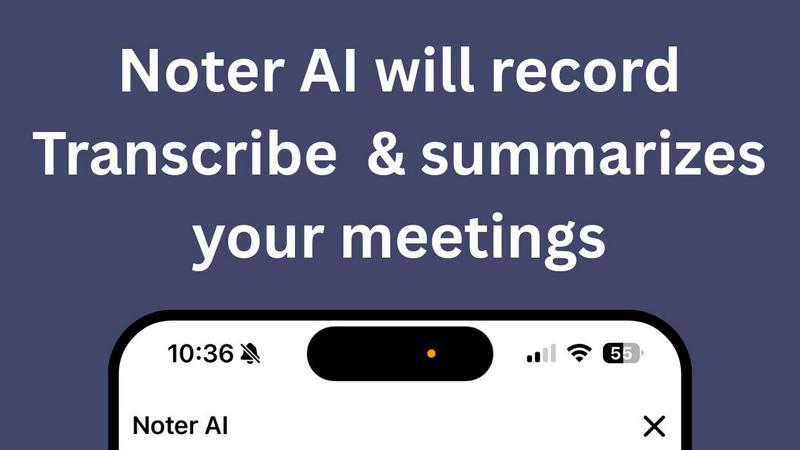
Noter AI effortlessly transforms meeting recordings into clear summaries, helping teams stay organized and informed in real-time.
Last updated: March 11, 2026

VoiceAILabs
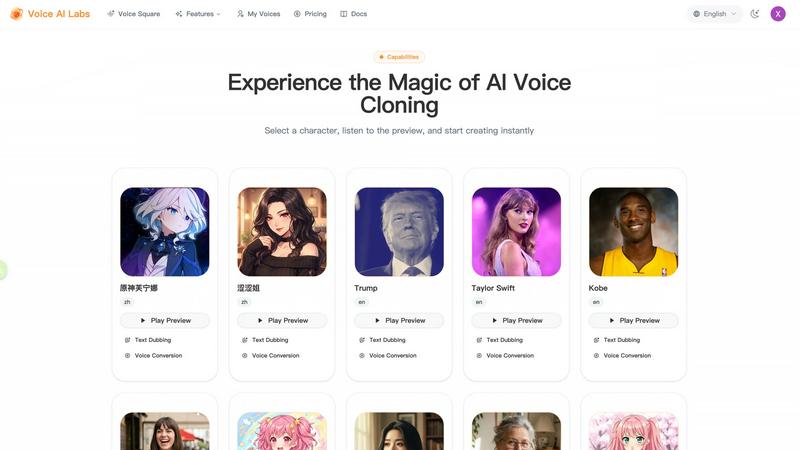
VoiceAILabs lets you easily create high-fidelity AI voice clones and realistic text-to-speech characters.
Last updated: March 1, 2026
Visual Comparison
Noter AI
VoiceAILabs
Feature Comparison
Noter AI
Real-time Recording & Transcription
Noter AI offers seamless real-time recording and transcription capabilities. As you record your meeting, lecture, or conversation, the AI works in the background to provide accurate transcriptions, allowing you to focus on the discussion without worrying about taking notes.
AI-generated Meeting Summaries
With Noter AI, you receive intelligently crafted meeting summaries after each session. The AI analyzes the transcribed content and extracts key points, providing you with concise and comprehensive overviews that save you time and ensure you capture essential information.
Smart Action Item Extraction
Never miss an important task again! Noter AI smartly identifies action items from your meetings and highlights them for easy reference. This feature helps you stay organized and ensures that you know exactly what needs to be done after each meeting.
Organized Note History
Noter AI keeps your notes organized and easily accessible. With a well-structured note history that includes search functionality, tagging, and automatic categorization, you can quickly find past meetings and relevant notes whenever you need them.
VoiceAILabs
Instant Voice Cloning
Create a digital twin of any voice quickly and easily. Simply upload a short audio clip (1-5 minutes) of someone speaking, and VoiceAILabs' advanced AI will analyze and clone the vocal characteristics in real-time. This feature is perfect for when you need a consistent voice for a series of videos or want to personalize content with a familiar tone without repeated recording sessions.
Professional Text Dubbing (Text-to-Speech)
Turn written words into spoken audio with exceptional quality. This isn't robotic speech; it's highly expressive TTS with rich emotional control. You can adjust the speed, pitch, and tone to match the context of your script. Choose from a wide array of voices in the Voice Square community or use your own cloned voice to dub videos, create audiobooks, or generate podcast segments instantly.
Accurate Voice Conversion (Voice-to-Voice)
Transform who is speaking in an audio file while keeping everything else the same. Upload an existing recording, and VoiceAILabs will perfectly replicate the original speaker's tone, emotion, and pacing, but swap the voice timbre to your selected AI voice. It's ideal for localizing content, creating character variations, or updating old recordings with a new voice.
Voice Square Community & API
Explore and use thousands of high-quality, pre-made voice models shared by other creators in the Voice Square community. Find the perfect voice for your project and apply it with one click. For developers and businesses, VoiceAILabs offers a full-featured, ultra-low latency RESTful API, allowing you to seamlessly integrate its core voice cloning and synthesis capabilities directly into your own applications and products.
Use Cases
Noter AI
Business Meetings
Professionals can use Noter AI to document important business meetings effortlessly. The AI-generated summaries and action items help teams stay aligned and ensure that everyone is clear on their responsibilities moving forward.
Lectures and Classes
Students can benefit from Noter AI by recording lectures and receiving instant transcriptions. This allows them to focus on understanding the material rather than frantically taking notes, enhancing their learning experience.
Team Brainstorming Sessions
During team brainstorming sessions, Noter AI captures every idea shared. Users can refer back to the organized notes and summaries to ensure that all suggestions are considered and no valuable insights are lost.
Client Conversations
For professionals in client-facing roles, Noter AI can record and transcribe meetings with clients, ensuring that all discussed points are documented. The smart action item extraction helps in following up on commitments made during the conversation.
VoiceAILabs
Content Creation for Social Media & YouTube
Video creators can scale their production dramatically. Clone your own voice to consistently narrate videos without re-recording, or use diverse AI voices from Voice Square for character roles. Quickly generate voiceovers for explainer videos, product reviews, or animated content, ensuring high-quality audio that keeps your audience engaged and helps your content stand out.
Audiobook and Podcast Production
Audiobook producers can narrate books in multiple voices or languages without hiring several voice actors, cutting production time and cost significantly. Podcast hosts can use text-to-speech to rapidly generate intros, outros, or sponsor segments, or even create entire episodes from written scripts, maintaining a steady release schedule with professional sound quality.
E-Learning and Educational Materials
Educators and course creators can produce engaging, multilingual learning modules. Clone your teaching voice for consistent course narration or use friendly AI voices to explain complex topics. The voice conversion feature is excellent for creating different "teacher" personas or updating old lecture recordings with a fresh, clear voice to improve student comprehension and retention.
Marketing and Advertising
Marketers can create personalized, localized ad campaigns for different regions using the multilingual voices. Generate dynamic voiceovers for radio ads, promotional videos, or interactive IVR phone systems. The ability to quickly test different vocal tones and styles allows for optimizing ad performance and connecting with target audiences on a more personal level.
Overview
About Noter AI
Noter AI is a revolutionary AI-powered meeting note taker designed to streamline the process of documenting meetings, lectures, and conversations. By simply recording your audio, Noter AI instantly transforms your voice into well-organized notes, eliminating the hassle of manual note-taking. This tool is perfect for professionals, teams, students, and anyone who requires accurate and comprehensive meeting documentation. With features like real-time transcription, intelligent summary creation, and smart action item extraction, Noter AI ensures that you capture critical information without losing focus on the conversation. Available on iOS and soon on Android, Noter AI supports over 20 languages, making it a versatile solution for users worldwide. The freemium model allows users to start for free, with premium plans available for those who require unlimited recordings and advanced features. Experience the power of AI in transforming your meetings into actionable insights.
About VoiceAILabs
VoiceAILabs is your creative partner for bringing any voice to life. It's a powerful, user-friendly AI voice cloning platform that transforms how anyone creates audio. Imagine being able to clone your own voice, or use a vast library of pre-made voices, to generate incredibly realistic speech from text. Whether you're a solo content creator, a marketer, an educator, or a developer, VoiceAILabs makes professional-grade voiceovers accessible without needing a recording studio or voice actors. Its core magic lies in advanced deep learning that captures the subtle nuances of human speech, achieving a stunning 99% similarity to the original voice. This means the audio you create sounds natural, expressive, and authentic. The platform breaks language barriers too, supporting over 30 languages for truly global projects. From cloning a voice in minutes to converting an existing recording into a new voice, VoiceAILabs is designed to streamline your workflow. It empowers you to produce engaging videos, dynamic audiobooks, multilingual educational content, and much more, all with an ease that welcomes beginners and experts alike.
Frequently Asked Questions
Noter AI FAQ
How does Noter AI ensure transcription accuracy?
Noter AI utilizes advanced AI algorithms to provide high-accuracy transcriptions. It also features speaker identification to distinguish between different voices in a meeting, ensuring clarity in the notes.
Is Noter AI available in multiple languages?
Yes, Noter AI supports transcription and translation in over 20 languages, making it an excellent choice for international teams and users who conduct meetings in different languages.
What formats can I export my meeting notes to?
You can export your meeting notes in various formats such as PDF, Word, and Text. This flexibility allows you to share your insights easily with team members or keep them for personal reference.
How does the freemium model work?
Noter AI offers a freemium model that allows users to start using the base features for free. Premium plans are available for those who require unlimited recordings and access to advanced AI capabilities, catering to power users and larger teams.
VoiceAILabs FAQ
How accurate is the voice cloning?
VoiceAILabs uses state-of-the-art deep learning models to capture intricate vocal details, achieving a remarkable 99% similarity to the original voice. The cloned voice replicates not just the tone, but also the unique cadence and emotional inflections, making it almost indistinguishable from a real human recording in most cases.
What do I need to create my own voice clone?
Creating your personal AI voice clone is simple. You just need to provide a clear audio sample of you speaking. The platform recommends 1 to 5 minutes of audio for optimal results. You can upload an existing audio file or use the built-in online recording tool in your browser to record directly, requiring no extra software.
How many languages does VoiceAILabs support?
VoiceAILabs is built for a global audience, currently supporting over 30 languages. This extensive multilingual capability allows you to create and dub content for diverse markets, making it a powerful tool for international content creators, educators, and businesses looking to expand their reach.
Is my data safe and private?
Yes, VoiceAILabs prioritizes data security and user privacy. The platform employs robust measures to protect your uploaded audio samples, voice clones, and generated content. You maintain control over your voice models, and the service is designed with confidentiality in mind for both individual users and enterprise clients.
Alternatives
Noter AI Alternatives
Noter AI is an innovative AI-powered meeting note taker designed to streamline the process of capturing and organizing notes from various conversations, lectures, or meetings. It falls under the categories of AI Assistants, Productivity & Management, Speech & Voice, and Mobile Apps. Users often seek alternatives to Noter AI for reasons such as pricing, the need for specific features, or compatibility with their preferred platforms. When considering alternatives, it's essential to look for key functionalities like real-time transcription, action item extraction, and multilingual support. Additionally, evaluate the user interface and ease of access across devices to ensure that the alternative meets your specific needs and enhances your productivity.
VoiceAILabs Alternatives
VoiceAILabs is a leading platform in the AI voice cloning and text-to-speech category. It allows users to create incredibly realistic AI voice clones and generate speech in multiple languages, making it a powerful tool for content creation, marketing, and education. People explore alternatives for many reasons. You might be looking for a different pricing model, need specific features like a unique voice library, or require integration with other software you use. It's also common to compare options to find the best fit for your project's scale and technical requirements. When evaluating other options, consider the quality and naturalness of the AI voices, the range of languages and accents offered, and how easy the platform is to use. Also, look at the available licensing terms for the audio you create and whether the tool provides the right API or workflow integrations for your needs.