
Oleno vs Photo to URL
Side-by-side comparison to help you choose the right AI tool.

Oleno
Oleno automates on-brand content creation for SEO, bridging the gap between strategy and execution to drive engagement.
Last updated: March 1, 2026

Photo to URL
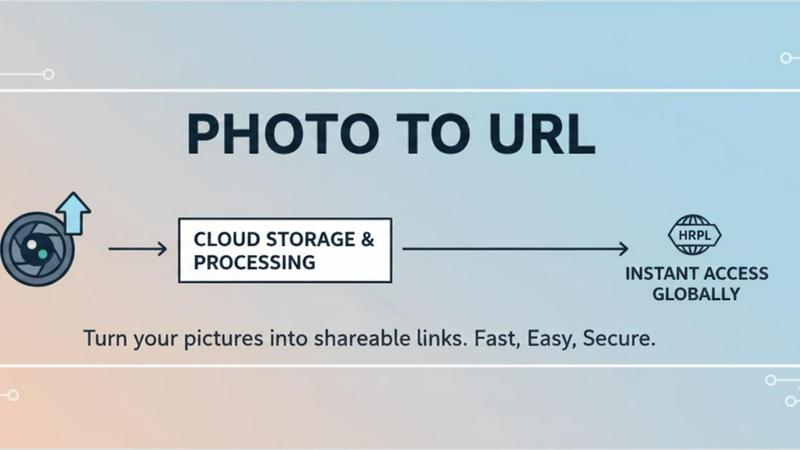
Instantly turn any photo into a clean, shareable link with no signup required.
Last updated: March 1, 2026
Visual Comparison
Oleno

Photo to URL
Feature Comparison
Oleno
Autonomous Content Engine
Oleno's autonomous content engine is the heart of its functionality, enabling teams to generate high-quality, SEO-optimized content at scale without manual intervention. This feature ensures that your content is consistently aligned with your brand voice and strategic goals.
Comprehensive Quality Assurance
With over 80 automated quality assurance checks, Oleno guarantees that every piece of content meets strict standards for accuracy, relevance, and compliance. This feature minimizes the risk of errors and enhances the overall quality of the content produced.
Integrated Content Operations
Oleno streamlines the content creation process from brief to published piece, eliminating handoffs between different teams. This integrated approach ensures that your content operations are efficient and cohesive, reducing the time and effort required to produce high-quality content.
Dynamic Content Distribution
Oleno allows for direct publishing to your CMS and distributes content across various social networks, ensuring that your content reaches the right audience at the right time. This dynamic distribution feature maximizes the visibility of your content and enhances its impact.
Photo to URL
Instant, No-Signup Sharing
Jump right in without any barriers. Photo to URL requires no registration, no login, and no email confirmation. You can start uploading images and generating links the moment you land on the page. This immediate access is perfect for when you need to share something quickly without getting bogged down in setup processes. It embodies a true "upload and go" philosophy, saving you precious time and keeping your workflow seamless.
Direct CDN Links for Clean Embeds
Every uploaded image gets a clean, predictable URL served through a fast Content Delivery Network (CDN). These links are perfect for embedding in Markdown, HTML, or any chat application without messy previews or extra redirects. The direct link structure ensures your images load quickly and reliably for anyone you share them with, keeping your documents, tickets, and messages looking professional and uncluttered.
Clipboard-Friendly Screenshot Pasting
Speed up your sharing even more by pasting screenshots directly from your clipboard. Instead of saving a file to your desktop and then uploading it, simply take a screenshot (Cmd/Ctrl + Shift + 4, for example) and paste (Cmd/Ctrl + V) it directly onto the Photo to URL page. It automatically uploads and generates a link, eliminating the hunt for files and making it incredibly easy to share visual feedback or errors on the fly.
Secure, Private Hosting with Easy Management
Your images are stored securely with enterprise-grade encryption, ensuring privacy and protection. For your convenience, each generated link comes with one-click options to copy it, open it in a new tab, or save the URL as a .txt file. This gives you full control over your shared content while the platform handles the robust, boring infrastructure of reliable image hosting behind the scenes.
Use Cases
Oleno
SEO Article Generation
Oleno is perfect for generating SEO articles that are not only optimized for search engines but also tailored to resonate with your target audience. This use case allows businesses to fill their content pipelines efficiently and effectively.
Thought Leadership Content
With Oleno, teams can effortlessly produce thought leadership articles that position them as industry authorities. This use case helps organizations build credibility and engage their audience with insightful, opinionated content.
Competitive Comparison Pages
Oleno facilitates the creation of competitive content, such as "X vs. Y" articles that help potential customers make informed purchasing decisions. This use case enhances your content strategy by addressing common customer inquiries and concerns.
Customer Education Materials
Oleno excels at producing educational content that helps customers understand your products or services better. This use case builds trust and fosters long-term relationships with customers by providing them with valuable insights.
Photo to URL
Streamlining Support and QA Tickets
Support teams and QA engineers can dramatically improve their communication. Instead of attaching large screenshots to tickets or chat threads—which can clog systems and be hard to track—they can instantly upload an image to Photo to URL. They then paste the clean link into their helpdesk software or project management tool (like Jira or Zendesk). This keeps tickets lightweight, provides a clear audit trail of visual evidence, and makes it easier for colleagues or customers to view the issue.
Enhancing Documentation and Blog Content
Writers, technical writers, and content creators can use Photo to URL to seamlessly embed images into their work. The generated Markdown-ready or HTML-ready links integrate perfectly into CMS editors, wikis (like Notion or Confluence), and static site generators. This ensures images are hosted reliably, load quickly for readers, and maintain a consistent, tidy format without causing layout surprises or broken images in published content.
Accelerating Product and Design Collaboration
Product managers and designers often need to share UI mocks, component screenshots, or quick visual notes during brainstorming sessions. Photo to URL allows them to skip the step of exporting files from heavy design tools and simply share a link in Slack, Figma comments, or email. This facilitates faster feedback loops and keeps visual references directly in the conversation thread where they are most relevant.
Simplifying Sales and Customer Success Workflows
Sales representatives and customer success managers can use Photo to URL to quickly share proof-of-concept screenshots, feature captures, or personalized visuals with prospects and clients. A clean link in an email or chat looks more professional than a bulky attachment and is more likely to be viewed. It simplifies the process of providing visual aids during pitches, onboarding, or troubleshooting calls.
Overview
About Oleno
Oleno is a groundbreaking autonomous content engine designed to transform the way B2B teams approach programmatic SEO and enhance their visibility in AI citations. Unlike conventional content generation tools that simply churn out articles, Oleno integrates a unique system that not only uncovers relevant topics from your sitemap but also anchors each piece of content in your existing knowledge base. This two-pronged approach ensures that the content produced is not only pertinent but also optimized for search engines, leading to higher rankings and increased citation by AI models like ChatGPT, Perplexity, and Claude. Tailored specifically for teams focused on organic growth, Oleno simplifies the content creation process, allowing users to eliminate the complexities typically associated with content operations. With its all-in-one platform, Oleno applies your brand voice and sales narrative automatically while performing over 80 quality assurance checks to ensure accuracy and compliance. By publishing directly to your CMS, it streamlines the content workflow, enabling teams to concentrate on strategic growth without the need for cumbersome prompts, templates, or batch management.
About Photo to URL
Photo to URL is your go-to solution for turning images into shareable links in seconds. It's a powerful, user-friendly tool designed to cut through the clutter of traditional file sharing. Whether you're a content creator drafting a blog, a marketer preparing campaign assets, a support agent helping a customer, or a developer logging a bug, this tool streamlines your workflow. The core idea is beautifully simple: you upload an image, and you instantly get a clean, permanent URL. There's no need to sign up for an account, deal with complex media libraries, or worry about email attachment limits. We support popular formats like JPG, PNG, WEBP, and GIF, with uploads up to 5MB. The generated links are fast, reliable, and ready to be dropped into any platform—be it Slack, a Google Doc, a GitHub issue, or your website's HTML. By removing all the friction from image hosting, Photo to URL helps teams communicate faster, keep their documentation tidy, and focus on what really matters: their work.
Frequently Asked Questions
Oleno FAQ
What types of content can Oleno generate?
Oleno can generate a wide range of content types, including SEO articles, thought leadership pieces, competitive comparisons, case studies, and social media posts, all tailored to your brand voice.
How does Oleno ensure content quality?
Oleno performs over 80 automated quality assurance checks to ensure that each piece of content meets high standards for accuracy, relevance, and compliance, reducing the likelihood of errors.
Can Oleno integrate with my existing CMS?
Yes, Oleno is designed to easily integrate with popular content management systems, allowing for direct publishing and efficient content distribution across various platforms.
Is Oleno suitable for small marketing teams?
Absolutely! Oleno is designed to help small marketing teams scale their content production without the overhead of traditional processes, making it an ideal solution for organizations with limited resources.
Photo to URL FAQ
What image formats and file sizes do you support?
Photo to URL supports all the most common image formats: JPG, PNG, WEBP, and GIF. You can upload files up to 5MB in size. This covers the vast majority of screenshots, product photos, and web images you'll need to share in your daily work.
Are the image links permanent?
Yes, the URLs generated by Photo to URL are designed to be permanent. Once you upload an image and receive a link, that link will remain active, providing a reliable way to reference your image in documents, chats, or code over the long term without worrying about it expiring.
Is my data private and secure?
Absolutely. Photo to URL takes your privacy seriously. All uploaded images are stored securely using enterprise-grade encryption. The service is built with a focus on simplicity and trust, ensuring that your shared visuals are handled with care and protection.
Can I use Photo to URL on a mobile device?
Yes, the Photo to URL website is fully responsive and works perfectly on mobile devices. You can upload images from your phone's gallery or take new photos directly through the site. The simple interface adapts to your screen size, making it just as easy to generate image links on the go as it is on a desktop.
Alternatives
Oleno Alternatives
Oleno is an advanced autonomous content engine designed for programmatic SEO, focusing on automating content creation that enhances visibility and engagement. This innovative tool is tailored for B2B teams aiming for organic growth, offering a comprehensive solution that streamlines the entire content creation process from topic discovery to publishing. Users often seek alternatives to Oleno due to various reasons, such as pricing, specific feature sets, or unique platform requirements that may better suit their business needs. When evaluating alternatives to Oleno, it's essential to consider key factors such as the quality of content generation, the level of automation, and the ability to maintain brand consistency. Additionally, features like integrated content operations, quality assurance checks, and ease of use should also be assessed to ensure that the chosen solution aligns well with your team's objectives and workflows.
Photo to URL Alternatives
Photo to URL is a straightforward tool in the image hosting and sharing category. It's designed for anyone who needs to turn a photo into a shareable link quickly, without any account setup. Its core promise is speed and simplicity, making it a popular choice for one-off sharing. People often look for alternatives for various reasons. Some might need more storage or advanced features like galleries or editing tools. Others may be comparing pricing models for long-term use or require integration with specific platforms they already use for work or content creation. When evaluating other options, consider what matters most for your workflow. Key factors include upload limits, link permanence, privacy controls, and whether you need organizational features like folders or albums. Also, check if the service is truly free or has usage tiers, and ensure it supports the file formats you use regularly.