
OnStyle vs ThumbnailMaker
Side-by-side comparison to help you choose the right AI tool.

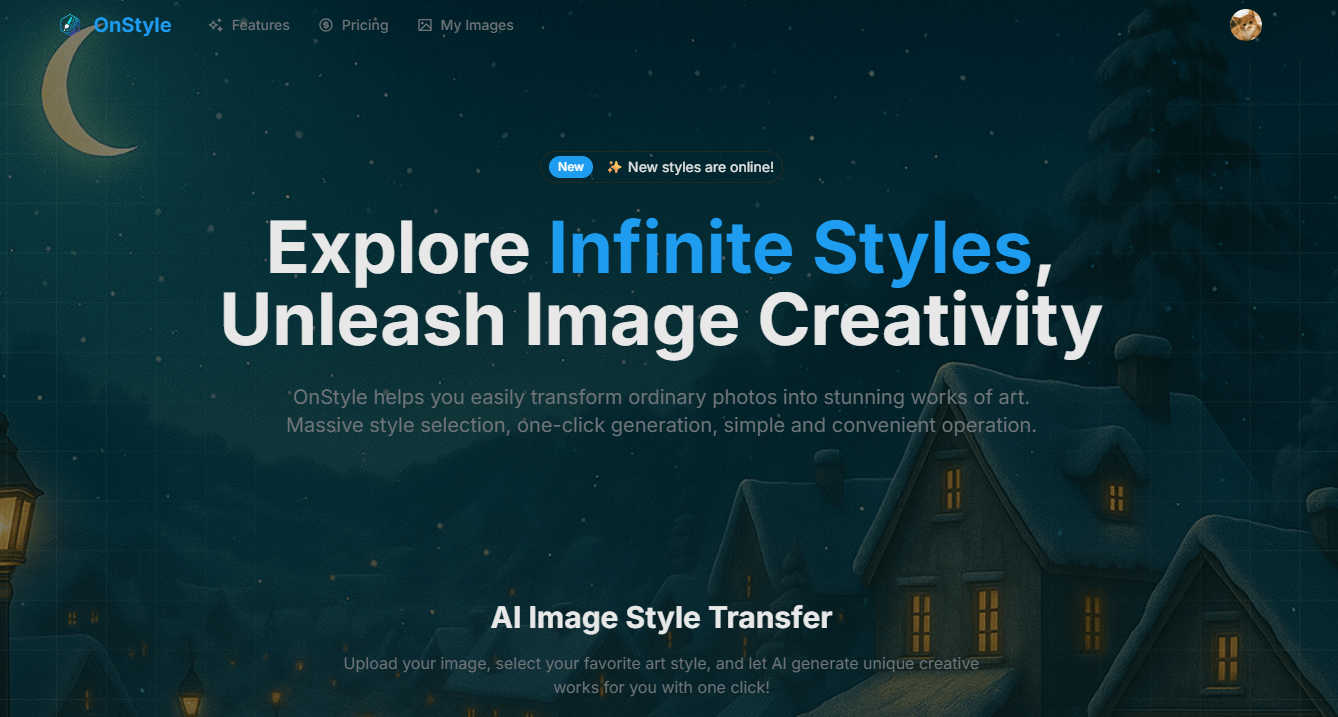
Turn your photos into stunning AI art instantly with OnStyle's massive library of creative styles.
Last updated: March 1, 2026

ThumbnailMaker
Easily create eye-catching thumbnails with AI for your videos, boosting clicks and engagement in just seconds, no design skills required.
Last updated: April 4, 2026
Visual Comparison
OnStyle
ThumbnailMaker

Feature Comparison
OnStyle
Vast Artistic Style Library
OnStyle boasts a massive and ever-growing collection of artistic styles to choose from. Whether you're dreaming of 3D renders, cartoon avatars, pixel art, Ghibli-inspired dreamscapes, or gritty cyberpunk scenes, the library has a filter to match your vision. This variety ensures you always have fresh and exciting ways to reinterpret your photos, keeping your content unique and engaging.
One-Click AI Transformation
The magic happens with a single click. OnStyle's powerful AI engine handles all the complex processing in the background. Simply upload your photo, select your desired artistic style, and let the AI work its wonders. In just seconds, you'll have a completely transformed piece of art, making professional-grade edits accessible to absolutely everyone.
User-Friendly, No-Skill Interface
OnStyle is built with simplicity at its core. The platform is designed to be intuitive and welcoming, requiring no prior technical knowledge or artistic training. The clean layout guides you effortlessly from upload to stunning result, ensuring a smooth and frustration-free creative experience from start to finish.
High-Quality Output
Despite the speedy process, OnStyle does not compromise on quality. The AI is fine-tuned to produce detailed, visually appealing, and high-resolution artwork. This means your creations are not just fun filters; they are share-worthy pieces perfect for social media, professional portfolios, or even printing to decorate your space.
ThumbnailMaker
AI-Powered Thumbnail Generator
Our AI thumbnail generator is the heart of ThumbnailMaker. By simply entering your video title, the AI analyzes your content and proposes engaging thumbnail designs within seconds. This feature eliminates the need for design expertise, making it accessible for everyone.
Style Clone & Transfer
With the style clone and transfer feature, you can import thumbnails from successful YouTube videos by pasting their URLs. The tool then extracts the design style, allowing you to either replicate it closely or remix it for a fresh take, ensuring your thumbnails resonate with proven visual strategies.
Fix & Refine Options
ThumbnailMaker allows you to tweak and refine your thumbnails after generating them. If something doesn't look right, simply specify the changes you want, and the AI will regenerate the thumbnail in seconds. This iterative process means you can achieve the perfect look without starting from scratch.
Face Consistency & Brand Identity
When you upload your photo, ThumbnailMaker ensures that your face remains consistent across all generated thumbnails. This feature helps build a recognizable brand identity, making your content instantly identifiable to your audience.
Use Cases
OnStyle
Elevating Social Media Content
Social media creators and enthusiasts can use OnStyle to make their posts stand out in a crowded feed. Transform a simple selfie into a pop art masterpiece or a travel photo into a Studio Ghibli-style animation to dramatically increase engagement and express your personal brand in a memorable, visual way.
Generating Unique Brand Assets
Small business owners, bloggers, and content creators can use OnStyle to generate distinctive visual assets. Create eye-catching graphics for blog posts, develop a consistent and artistic theme for your brand's social media, or design unique profile pictures and banners that capture your brand's essence without hiring a designer.
Personalizing Gifts and Memories
Turn cherished memories into personalized works of art. Transform a family portrait into a classic painting style, convert a pet photo into a cute cartoon, or reimagine a wedding photo in a romantic watercolor style to create one-of-a-kind gifts, custom home decor, or special digital albums.
Brainstorming and Concept Visualization
Artists, writers, and designers can use OnStyle as a brainstorming tool. Quickly visualize characters, settings, or moods by applying different artistic styles to reference images. It's a fantastic way to explore creative directions, overcome blocks, and communicate visual ideas before committing to a final piece.
ThumbnailMaker
YouTuber Launching a New Series
If you're a YouTuber starting a new series, you can use ThumbnailMaker to create distinctive thumbnails that reflect your brand and the content's theme. The AI helps generate multiple options, making it easier to choose one that stands out.
Social Media Content Creator
As a social media influencer, having visually appealing thumbnails for your videos is crucial. ThumbnailMaker allows you to create thumbnails quickly, enhancing your content's visibility across platforms like Instagram and TikTok.
Educator or Online Course Creator
If you are creating educational content or online courses, thumbnails that clearly communicate the subject matter are essential. ThumbnailMaker helps you design informative and appealing thumbnails that attract potential students to your videos.
Brand Promoter or Affiliate Marketer
For brand promoters or affiliate marketers, effective thumbnails can significantly increase click-through rates. With ThumbnailMaker, you can create enticing thumbnails that highlight products or services, driving more traffic to your promotional content.
Overview
About OnStyle
OnStyle is your creative companion for transforming everyday photos into extraordinary pieces of art with the power of AI. It's a leading AI Image Style Transfer tool designed for anyone who wants to add a dash of magic, whimsy, or professional flair to their images without needing any technical skills or artistic training. Whether you're a social media enthusiast looking to make your posts pop, a content creator seeking unique visuals, or someone who just loves to play with photos, OnStyle makes it incredibly simple. Its core value lies in combining a massive, ever-growing library of artistic styles with a user-friendly, one-click generation process. You can go from a standard photo to a stunning artwork in just seconds, unlocking endless possibilities for personal expression, branding, and fun. OnStyle empowers you to reimagine your memories, visualize concepts, and unleash your creativity, all through an intuitive platform that prioritizes high-quality results and a smooth, enjoyable experience. It's the perfect tool for turning your visual ideas into reality, no expertise required.
About ThumbnailMaker
ThumbnailMaker is an innovative AI-powered tool designed to help content creators generate stunning thumbnails in mere seconds. Whether you're a YouTuber, Twitch streamer, or any digital content creator, eye-catching thumbnails are essential for capturing viewers' attention and boosting click-through rates. This tool simplifies the process, enabling users with no design skills to create professional-looking thumbnails effortlessly. By inputting a video title, ThumbnailMaker's AI quickly analyzes the content and generates multiple thumbnail options tailored to maximize viewer engagement. With features that allow for customization, style transfer, and real-time adjustments, ThumbnailMaker empowers creators to enhance their visual branding and grow their audience effectively.
Frequently Asked Questions
OnStyle FAQ
Do I need any design experience to use OnStyle?
Not at all! OnStyle is specifically designed for users of all skill levels. The process is completely guided and automated by AI. If you can take a photo and click a button, you have all the skills needed to create amazing artwork with OnStyle.
What kind of photos work best with OnStyle?
Clear, well-lit photos with a distinct subject tend to yield the best results. Portraits, landscapes, pet photos, and images of objects all work wonderfully. The AI is quite robust, so even simpler photos from your phone can be transformed into something spectacular.
How long does it take to generate an image?
The transformation is incredibly fast! Typically, it takes just a few seconds for OnStyle's AI to process your photo and apply the selected style. You'll be able to view and download your new creation almost instantly after clicking the generate button.
Can I use the images I create for commercial purposes?
This depends on OnStyle's specific Terms of Service. Generally, images you create for personal use, social media, or enhancing your own brand's content are perfectly fine. For large-scale commercial projects (like selling prints or using it in major advertising), it's always best to check the latest licensing information provided by OnStyle directly.
ThumbnailMaker FAQ
How does ThumbnailMaker generate thumbnails?
ThumbnailMaker uses advanced AI algorithms to analyze the video title and content, generating multiple thumbnail designs that are optimized for visual impact and engagement.
Can I upload my own images for thumbnails?
Yes, ThumbnailMaker allows you to upload your own photos to personalize your thumbnails. This helps in maintaining a consistent brand identity by incorporating your likeness into the designs.
Is there a limit to how many thumbnails I can create?
Initially, users receive 10 free credits upon signing up. Each thumbnail generation consumes a credit, but you can purchase additional credits if needed to create more thumbnails.
What if I'm not satisfied with the generated thumbnails?
ThumbnailMaker offers a fix and refine feature that lets you make adjustments to generated thumbnails. You can specify what you want changed, and the AI will regenerate the thumbnail based on your feedback, ensuring you get the desired look.
Alternatives
OnStyle Alternatives
OnStyle is a popular AI image style transfer tool that makes it easy to transform your photos into stunning artwork. It belongs to the broader category of creative photo editing and AI art generation apps, designed for users who want to add artistic flair without any technical hassle. People often look for alternatives for various reasons. Some might be seeking a different pricing model, like a one-time purchase instead of a subscription. Others may need specific features OnStyle doesn't offer, want to use the tool on a different platform like a desktop computer, or are simply curious about what else is available in this exciting space. When evaluating other options, consider what matters most to you. Think about the style library's diversity, the ease of use, the quality and speed of the AI generation, and the overall value for money. The best choice will depend on your specific creative goals and how you plan to use the tool.
ThumbnailMaker Alternatives
ThumbnailMaker is a free thumbnail creator and generator designed to help users create eye-catching thumbnails in seconds. Falling under the categories of Image & Photo and Image Generation, it harnesses the power of AI to assist users, regardless of their design skills, in boosting click-through rates (CTR) and growing their channels effectively. Many users seek alternatives to ThumbnailMaker for various reasons, including pricing concerns, the need for additional features, or compatibility with different platforms. When choosing an alternative, it's essential to consider factors like ease of use, available design templates, customization options, and overall effectiveness in enhancing visual appeal. Finding an alternative that meets your specific needs can significantly impact your content's performance and engagement.