
Ai Home Design vs OnUml
Side-by-side comparison to help you choose the right AI tool.

Ai Home Design
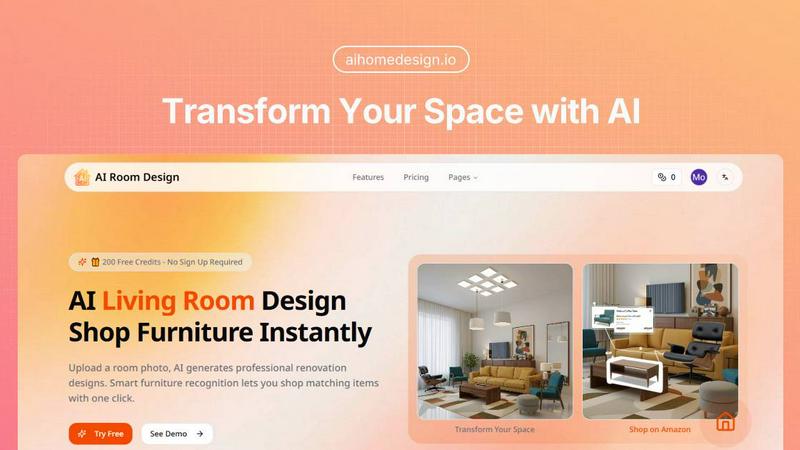
Transform your space effortlessly with AI Home Design, the quick and easy tool for stunning room redesigns.
Last updated: February 27, 2026

OnUml
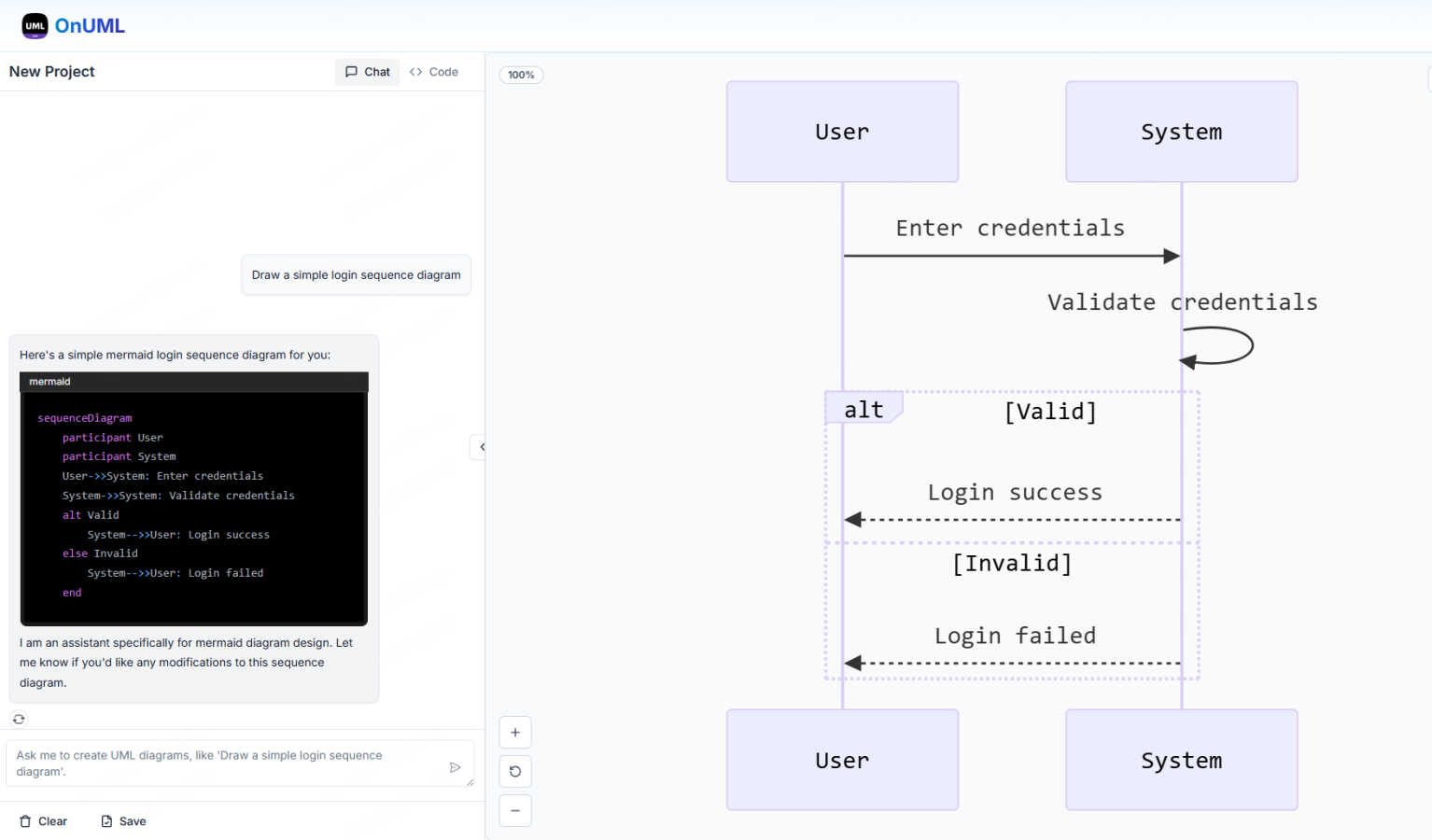
OnUML uses AI to instantly create UML diagrams from your natural language descriptions or Mermaid code.
Visual Comparison
Ai Home Design
OnUml
Feature Comparison
Ai Home Design
AI Room Redesign
The heart of Ai Home Design is its AI room redesign feature. Users can simply upload a room photo, and the AI instantly generates professional renovation designs, ensuring that the existing structure is preserved while giving it a fresh, stylish look. This feature is perfect for anyone who wants to visualize changes before committing to them.
AI 3D Panoramic Space Tour
Experience your redesigned room like never before with the AI 3D panoramic space tour. This feature creates immersive 360-degree views of your new design, allowing you to explore every corner virtually. It feels as though you are stepping into your newly designed space, providing a realistic preview of your transformation.
AI Home Design Video Tours
Take your design experience to the next level with AI-generated video tours. These 8-second cinematic walkthroughs bring your static designs to life, allowing you to envision how your space will look and feel. This feature adds a dynamic aspect to your home design journey, making it even more engaging.
Smart Furniture Recognition
Ai Home Design includes an intelligent furniture recognition system that analyzes your uploaded room photo. It identifies each piece of furniture, extracting details about their style, color, and materials. This makes it easier than ever to find matching products, ensuring that your final design is cohesive and stylish.
OnUml
AI Smart Chat
This is the star feature of OnUml. Instead of memorizing complex Mermaid syntax, you can describe your diagram needs in natural language. For example, you can type "Create a sequence diagram for a user login process with a database check" and the AI will generate the corresponding, syntactically correct Mermaid code for you. It acts as your intelligent design partner, translating your ideas into a structured diagram format instantly, which is perfect for brainstorming or quick documentation.
Live Diagram Rendering & Preview
As you type in the Mermaid editor or receive code from the AI chat, a live preview pane updates in real-time. This WYSIWYG (What You See Is What You Get) experience allows for immediate feedback. You can see exactly how your diagram will look as you build it, making it incredibly easy to spot errors, adjust layouts, and iterate on your design without any frustrating back-and-forth between coding and viewing.
Built-in Mermaid Editor with Smart Hints
For users who prefer direct control or want to fine-tune the AI's output, OnUml provides a clean, minimalist code editor dedicated to Mermaid syntax. It includes smart code hints and automatic syntax fixes to help you write valid code faster. This feature is ideal for learning Mermaid or for making precise adjustments to complex diagrams that require a developer's touch.
Diagram Export and Organization
Once your diagram is perfect, OnUml lets you export it in high-quality formats like PNG and SVG, making it simple to share in documentation, presentations, or reports. The platform also emphasizes ease of use with code saving and organization features, allowing you to keep your projects tidy and accessible for future edits, all without requiring any user registration.
Use Cases
Ai Home Design
Redesigning Your Living Room
Imagine wanting to refresh your living room but not knowing where to start. With Ai Home Design, you can upload a photo of your current setup, choose a style, and within seconds, receive a complete redesign suggestion. This makes it easy to visualize new layouts and decor.
Planning a Bedroom Makeover
If you are considering giving your bedroom a makeover, Ai Home Design can help. Upload a picture of your bedroom, select your preferred design style, and watch as the AI generates a beautiful new concept for your space. It’s like having a personal designer at your fingertips.
Preparing for a Home Sale
Sellers can use Ai Home Design to enhance their home’s appeal before listing it. By uploading images of their rooms, they can explore potential redesigns that attract buyers. The tool helps in visualizing improvements that can make a significant difference in selling price.
Real Estate Staging
Realtors can leverage Ai Home Design to stage properties virtually. By uploading photos of the spaces, they can create appealing design concepts that showcase the property at its best. This can lead to quicker sales and higher offers from potential buyers.
OnUml
Software Architecture Documentation
Developers and architects can quickly draft and iterate on system design diagrams, such as class diagrams, component diagrams, or deployment diagrams. By describing the system components and their relationships to the AI, they can generate visual documentation that is essential for team alignment and technical specs, speeding up the design phase significantly.
Creating Technical Tutorials and Guides
Technical writers and educators can use OnUml to effortlessly generate flowcharts and sequence diagrams to embed in tutorials, blog posts, or course materials. The AI chat simplifies the process of creating clear, visual explanations of complex processes, making technical content more engaging and easier for readers to understand.
Planning and Visualizing Workflows
Project managers and analysts can map out business processes, user journeys, or algorithm flows. By conversing with the AI to create activity diagrams or flowcharts, they can visualize steps, decision points, and outcomes, which is invaluable for process optimization, onboarding, and team discussions.
Rapid Prototyping and Brainstorming
During planning meetings or brainstorming sessions, teams can use OnUml in real-time to visualize ideas. Instead of sketching on a whiteboard, they can type a prompt like "show a user signing up, verifying email, and accessing a dashboard" and immediately get a shareable, professional diagram to center the discussion and capture decisions.
Overview
About Ai Home Design
Ai Home Design is an innovative AI-powered platform designed to transform your interior spaces effortlessly. It allows users to upload photos of their rooms and receive professional design suggestions in seconds. This tool is perfect for homeowners, renters, or anyone looking to refresh their living spaces without the hefty price tag of hiring an interior designer. With a variety of design styles to choose from, including Scandinavian, Industrial, and Bohemian, Ai Home Design caters to diverse tastes. The platform's main value proposition lies in its ability to provide quick, stunning design solutions while integrating furniture shopping directly from Amazon. Plus, new users enjoy 30 free credits upon sign-up, making it easy to get started on your home transformation journey.
About OnUml
OnUml is a free, browser-based diagramming tool that makes creating professional UML diagrams and flowcharts as easy as having a conversation. At its heart, it leverages the power of Mermaid.js, a popular text-to-diagram library, but supercharges it with an intelligent AI assistant. This unique combination means you can either write Mermaid code directly in a sleek editor or simply describe your diagram idea in plain English, and OnUml's AI will generate the correct code for you instantly. Designed for developers, technical writers, software architects, and anyone who needs to visualize processes or system designs, it removes the steep learning curve often associated with diagramming tools. Its core value proposition is simplicity and speed: you get a real-time, WYSIWYG (What You See Is What You Get) preview that updates as you type or chat, enabling you to create, tweak, and perfect your diagrams in a single, seamless workflow without any installations or complex software.
Frequently Asked Questions
Ai Home Design FAQ
How does Ai Home Design work?
Ai Home Design uses advanced AI algorithms to analyze uploaded room photos. Users select a design style, and the AI generates a professional redesign in seconds, complete with furniture recommendations.
What file formats can I upload?
You can upload room photos in JPEG, PNG, or WebP formats, with a maximum size of 10MB. This flexibility allows you to use images from various sources.
Can I shop for furniture directly through the platform?
Yes! Once your design is generated, Ai Home Design provides links to Amazon products that match the identified furniture in your design, making shopping convenient and straightforward.
Are there any costs associated with using Ai Home Design?
While you receive 30 free credits upon signing up, additional credits can be purchased for ongoing use. Various subscription plans are available that cater to different needs, allowing you to choose the one that fits your design ambitions.
OnUml FAQ
What types of UML diagrams are supported?
OnUml, powered by Mermaid.js, supports a wide range of diagram types essential for software and system design. This includes Sequence Diagrams, Class Diagrams, State Diagrams, Entity Relationship Diagrams (ERD), User Journey Maps, Gantt Charts, Pie Charts, and more. The AI is trained to understand requests for these various types and generate the appropriate code.
How can I save my diagrams?
OnUml is designed to be simple and registration-free. You can save your diagram code directly within your browser's local storage on the device you are using. For permanent saving and sharing, you can export the final diagram as a PNG or SVG file to store on your computer or cloud drive.
Are there any usage limits?
Based on the provided information, OnUml is presented as a free tool with no mention of usage limits or tiered plans. The call-to-actions emphasize "Free, no registration required," suggesting you can use its core AI and editing features without restrictions, making it highly accessible for individuals and teams.
Will my chat content be used for AI training?
This is a common concern with AI tools. While the provided website content does not specify a detailed data policy, it's always recommended to review the tool's Privacy Policy (linked in the footer) for specifics on data handling, training, and privacy to ensure it aligns with your requirements, especially for sensitive or proprietary information.