
Image Enhancer Pro vs PhotoWeather
Side-by-side comparison to help you choose the right AI tool.

Image Enhancer Pro
Effortlessly enhance, restore, and upscale your images with AI for stunning professional-quality photos.
Last updated: February 28, 2026

PhotoWeather
Get real-time alerts for perfect photography conditions tailored to your favorite locations and preferences.
Last updated: February 26, 2026
Visual Comparison
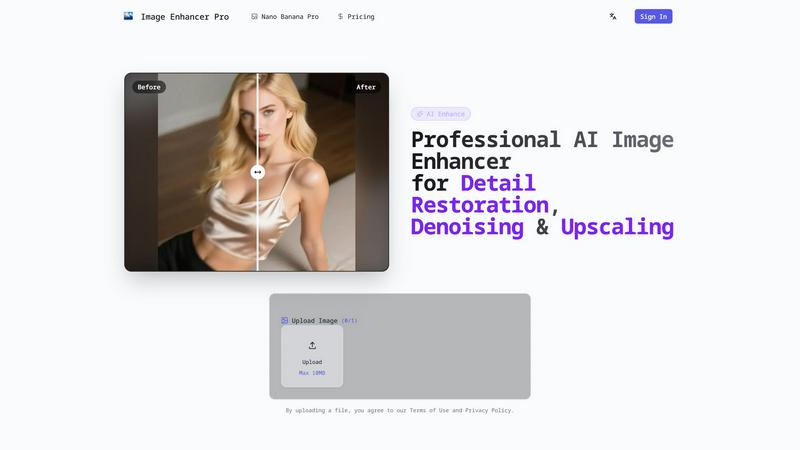
Image Enhancer Pro
PhotoWeather

Feature Comparison
Image Enhancer Pro
User-Friendly Interface
The intuitive design of Image Enhancer Pro allows users of all skill levels to navigate the platform with ease. Simply upload your images, select the enhancement mode, and watch the magic unfold.
Advanced AI Models
Powered by sophisticated deep-learning algorithms, Image Enhancer Pro excels in tasks like deblurring and denoising, ensuring that your images are enhanced without introducing unwanted artifacts or distortions.
Instant Before-and-After Preview
With the instant preview feature, you can compare the original and enhanced images side by side. This allows you to make informed decisions about the enhancements before finalizing any changes.
Secure Server-Side Processing
Your images are processed securely on the server-side, ensuring that your data remains private. Additionally, the automatic deletion policy after 24 hours provides peace of mind regarding your uploads.
PhotoWeather
Ready-Made Templates
PhotoWeather provides a variety of pre-made templates tailored for photographers. These include conditions like fog and mist, golden and blue hour, storm intensity, and aurora visibility. This feature simplifies the setup process, allowing you to quickly select the conditions that matter most to your photography style.
Powerful Rule Builder
With a robust rule builder, PhotoWeather offers over 80 parameters to customize your alerts. You can track factors such as cloud cover, visibility, wind speed, and humidity. The ability to combine conditions using AND/OR/NOT logic allows for highly specific alerts, ensuring you are notified only when the perfect conditions arise.
Smart Notifications
Receive daily digests and real-time alerts that keep you informed about upcoming opportunities. You can customize reminders and sync alerts with your calendar, making it easy to plan your photography sessions. This ensures you never miss a chance to capture those fleeting moments.
Trusted Forecast Sources
PhotoWeather pulls data from leading weather services such as ECMWF, NOAA, and Météo-France. This guarantees that you receive accurate and reliable forecasts, helping you make informed decisions about where and when to shoot.
Use Cases
Image Enhancer Pro
E-Commerce Product Images
For online retailers, high-quality images are essential for attracting customers. Image Enhancer Pro can quickly enhance product photos, making them more appealing and professional.
Restoring Family Photos
Cherished family memories captured in old or blurry photographs can be revived using Image Enhancer Pro. The tool can restore details and improve clarity, preserving these moments for generations.
Creative Projects
Photographers and designers can utilize Image Enhancer Pro to elevate their creative projects. Whether it's sharpening details or applying artistic enhancements, this tool can significantly improve the quality of visual content.
Social Media Content
In the age of digital sharing, having eye-catching images on social media is vital. Image Enhancer Pro allows users to enhance their photos quickly, ensuring that their content stands out and engages viewers effectively.
PhotoWeather
Landscape Photography
Landscape photographers can benefit immensely from PhotoWeather by setting alerts for specific conditions like golden hour light or dramatic cloud formations. This allows them to plan their shoots around the best possible conditions, enhancing the quality of their landscape images.
Astro Photography
For astrophotographers, knowing when the moon is below the horizon or when conditions are optimal for capturing the Milky Way is crucial. PhotoWeather provides timely alerts based on astronomical data, ensuring that photographers can maximize their shooting opportunities on clear nights.
Wildlife Photography
Wildlife photographers can set specific weather conditions that align with animal behavior. For instance, alerts for overcast skies or light rain can signal ideal times for capturing animal movements, as many species are more active under certain weather conditions.
Event Photography
Event photographers can use PhotoWeather to track changing weather conditions for outdoor events. Whether it's a wedding, festival, or sports event, getting timely alerts about sudden weather changes allows photographers to adapt quickly and capture the best moments.
Overview
About Image Enhancer Pro
Image Enhancer Pro is a state-of-the-art web-based AI image enhancement service that revolutionizes how you improve and restore photo quality in mere seconds. Designed for ease of use, this tool allows anyone to effortlessly upload images and choose between Auto mode or various preset options to achieve stunning results. You can instantly preview the effects before committing to any changes, which is particularly useful for photographers, e-commerce businesses, creators, and designers. The advanced deep-learning models employed by Image Enhancer Pro handle tasks like deblurring, adaptive sharpening, edge-preserving denoising, detail restoration, and face restoration, especially for aged or blurry portraits. Moreover, it offers AI-driven colorization for black-and-white images and can upscale images by a remarkable factor of 8 without sacrificing quality. With server-side processing, your images are kept secure, and an automatic deletion policy ensures that your uploads are removed after 24 hours. This makes Image Enhancer Pro a trustworthy choice for enhancing product shots, reviving low-light captures, upscale digital assets, or restoring beloved family photos.
About PhotoWeather
PhotoWeather is a specialized weather alert service designed specifically for outdoor photographers who want to capture the perfect shot without constantly checking weather apps. This innovative tool monitors weather conditions 24/7 and sends notifications only when the atmospheric conditions align with your photography goals. Whether you are looking to catch the mystical beauty of sunrise fog, the dramatic intensity of storms, or the soft glow of golden-hour light, PhotoWeather ensures you are always prepared. It offers an intuitive interface that allows you to add your favorite shooting locations and set custom alerts tailored to your specific needs. With ready-made templates and a powerful rule builder, photographers can focus on their art while leaving the weather monitoring to PhotoWeather, giving them peace of mind and the best chance at capturing stunning images.
Frequently Asked Questions
Image Enhancer Pro FAQ
What types of images can I enhance using Image Enhancer Pro?
You can enhance a wide range of images, including portraits, landscapes, product shots, and even old black-and-white photographs. The service caters to various image types, making it versatile for different needs.
Is Image Enhancer Pro free to use?
Yes, Image Enhancer Pro offers a free version that allows you to experience its features. There may be premium options available for advanced features, but the basic functionality is accessible without any costs.
How long does it take to enhance an image?
Enhancements are processed in seconds, allowing you to see results almost immediately after uploading your images. This makes it convenient for users who need quick edits.
Can I trust Image Enhancer Pro with my private images?
Absolutely. Image Enhancer Pro prioritizes your privacy by processing images on secure servers and implementing an automatic deletion policy after 24 hours, ensuring your files are handled securely.
PhotoWeather FAQ
How do I get started?
To start using PhotoWeather, simply sign up for a free account. You can then add your favorite shooting locations, choose your desired weather conditions, and begin receiving alerts tailored to your photography needs.
How accurate are the forecasts?
PhotoWeather sources its data from trusted weather services like ECMWF and NOAA, ensuring that the forecasts are highly accurate. You can rely on these forecasts to make informed decisions about your photography sessions.
Can I create my own rules?
Yes, PhotoWeather allows you to create custom rules based on over 80 different weather parameters. This flexibility means you can tailor alerts specifically to your photography style and location.
How do notifications work?
Notifications can be customized to your preferences. You can choose to receive daily digests, real-time alerts, or reminders before specific conditions occur, ensuring you are always prepared for the perfect shooting opportunity.
Alternatives
Image Enhancer Pro Alternatives
Image Enhancer Pro is a cutting-edge web-based AI tool designed to elevate the quality of images by enhancing, restoring, and upscaling them with remarkable ease. As part of the design tools and photography category, it appeals to a wide array of users, including photographers, designers, and e-commerce businesses looking to polish their visual content. However, users often seek alternatives due to various reasons such as pricing, specific feature requirements, or compatibility with certain platforms. When exploring alternatives, it's essential to consider factors like ease of use, the effectiveness of enhancement features, processing speed, and security measures to ensure that your images are handled safely.
PhotoWeather Alternatives
PhotoWeather is a specialized tool designed for photography enthusiasts, helping them capture stunning images by providing real-time alerts for optimal weather conditions. It monitors forecasts around the clock to notify users of perfect moments for photography, such as golden hour light, fog, and dramatic clouds. As it falls within the photography category, it caters specifically to those who want to enhance their shooting experience with timely weather updates. Users often seek alternatives to PhotoWeather due to various factors like pricing, feature sets, or specific platform compatibility. Some may find the need for broader customization options or additional integrations with other photography tools. When looking for an alternative, consider aspects such as user-friendliness, the flexibility of weather parameters, the accuracy of alerts, and compatibility with mobile devices or operating systems to ensure it meets your photography needs.