
Image to URL vs Pixora
Side-by-side comparison to help you choose the right AI tool.

Image to URL
Instantly turn your images into permanent, shareable web links for free with no signup required.
Last updated: February 28, 2026

Pixora
Elevate your product photography with Pixora's AI presets for stunning visuals that drive sales effortlessly.
Last updated: February 28, 2026
Visual Comparison
Image to URL
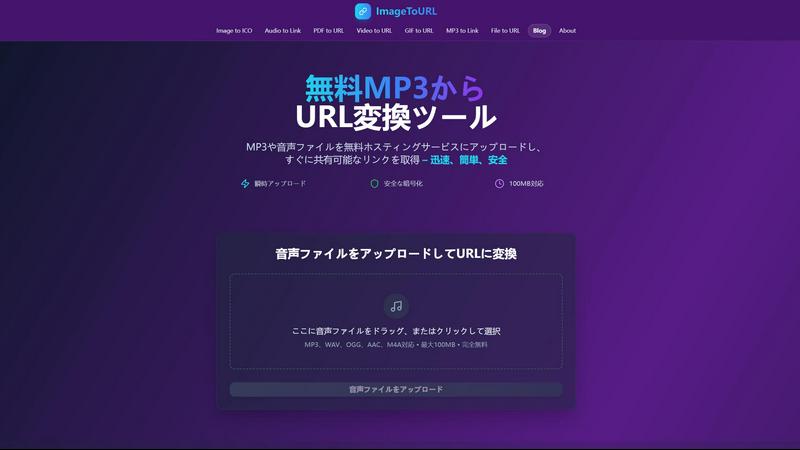
Pixora

Feature Comparison
Image to URL
Lightning-Fast Conversion
Say goodbye to long upload waits. Image to URL is engineered for speed, converting your images into permanent, shareable links in under three seconds. The process is so quick that you can upload and share an image almost as fast as you can think of it. This incredible speed is powered by optimized servers and a global content delivery network (CDN), ensuring that whether you're uploading a screenshot or a product photo, the experience is consistently instantaneous and smooth.
Permanent, Never-Expiring Links
The standout feature of Image to URL is the permanence of its links. Once you upload an image, the generated URL is yours forever. It will never expire, break, or become unavailable due to inactivity. This is a game-changer for developers, content creators, and businesses who rely on stable links for their websites, documentation, blogs, and social media posts. You can embed these links with confidence, knowing they will work for your audience today, tomorrow, and years from now.
No Registration Required & Simple Interface
Ease of use is paramount. You can start using Image to URL immediately without creating an account or sharing any personal information. The interface is beautifully simple: just drag your image file onto the webpage or click to browse. It even supports pasting screenshots directly from your clipboard (Ctrl+V / Cmd+V). This frictionless access makes it the perfect tool for quick, one-time shares or for anyone who values their privacy and time.
Secure and Private Hosting
Your images are handled with care and security. All uploads are protected with enterprise-grade encryption, both during the transfer and while stored on secure servers. The service is built with privacy in mind, meaning your images are not used for advertising, tracking, or any other purpose. You get a private, direct link to your content without any hidden tracking pixels or intrusive ads surrounding it, making it a trustworthy choice for personal and professional use.
Pixora
Intelligent Analysis
Pixora's vision engine functions like a creative director, analyzing your product and constructing a physically accurate environment around it. This means no more tedious manual masking or flat background replacements.
Material & Geometry Awareness
The AI is capable of discerning the properties of different materials, such as matte leather or refractive glass. It simulates how light interacts with these surfaces, ensuring your images are realistic and visually appealing.
Adaptive Studio Lighting
Forget about fixed lighting setups. Pixora creates custom lighting arrangements that complement your product's contours while enhancing the overall mood, giving your images an editorial quality.
Curated Preset Library
Pixora offers a diverse library of Smart Presets tailored for various categories, including fashion, beauty, food, and electronics. Users can easily browse and select presets that best suit their products without needing to write complex prompts.
Use Cases
Image to URL
Web Development and Design
Frontend developers and designers constantly need to share image assets, mockups, and UI prototypes with clients and team members. Instead of using bulky email attachments or complex cloud drives, they can use Image to URL to get a permanent link in seconds. This link can be easily dropped into project management tools, code repositories, or communication channels like Slack, ensuring everyone has immediate access to the latest visual without any login hurdles.
Blogging and Content Creation
Bloggers, writers, and digital content creators can streamline their workflow by using Image to URL to host images for their articles and newsletters. By converting images to permanent URLs, they ensure that their blog visuals never result in broken image icons, which can hurt SEO and reader experience. It's also perfect for embedding images in content management systems (CMS) like WordPress or Ghost without using up valuable hosting storage space.
Social Media Management and Marketing
Social media managers often need to share the same high-quality image across multiple platforms and scheduling tools. Uploading an image to Image to URL once provides a single, reliable source link that can be used everywhere. This is especially useful for creating social media posts, ads, or sharing visual content in community forums and groups, guaranteeing consistency and eliminating the risk of links failing after a campaign has launched.
Quick Sharing and Collaboration
For everyday quick shares, whether it's a screenshot of a bug for IT support, a funny meme for a group chat, or a photo from an event, Image to URL is the fastest path from your device to a shareable link. Its no-sign-up policy and clipboard paste feature make it ideal for impromptu collaboration. Students can share diagrams for study groups, remote teams can exchange visual feedback, and friends can easily post images to forums that require URL-based uploads.
Pixora
E-commerce Product Listings
Small online retailers can utilize Pixora to quickly generate high-quality product images for their listings, ensuring they stand out in competitive marketplaces and attract more potential buyers.
Social Media Marketing
Brands looking to enhance their social media presence can create stunning visuals in seconds, allowing for consistent and engaging content that resonates with their audience on platforms like Instagram and Facebook.
Promotional Campaigns
Pixora enables businesses to generate campaign-ready assets swiftly, making it easier to launch promotions and advertisements without the usual delays associated with traditional photography.
Brand Storytelling
By leveraging Pixora's contextual relevance feature, brands can create imagery that tells a story around their products, enhancing their marketing narrative and connecting with customers on a deeper level.
Overview
About Image to URL
Image to URL is your go-to online solution for transforming any image into a permanent, shareable web link in a matter of seconds. At its core, it's a fast, reliable, and completely free image hosting service designed to simplify how you share visual content online. Whether you're a web developer needing to embed mockups, a blogger looking to illustrate posts, a social media manager scheduling content, or just someone who wants to share a picture quickly, this tool removes all the usual friction. The main value proposition is stunningly simple: drag, drop, and get a permanent URL that will never expire, ensuring your images stay accessible forever. Unlike many free services that delete files after a short time or clutter your links with ads, Image to URL provides a clean, direct link delivered via a global CDN for fast loading everywhere. With no registration required for the free tier and a secure, encrypted platform, it offers peace of mind alongside incredible convenience. It's the digital equivalent of giving your image a permanent home on the web, ready to be shared anywhere, anytime.
About Pixora
Pixora is an innovative AI-driven photography tool tailored specifically for small e-commerce brands aiming to enhance their product imagery without incurring hefty expenses. Traditional product photography can be prohibitively costly, often exceeding $1,700, and involves lengthy processes including shipping, scheduling, and extensive retouching. Pixora alleviates these challenges by generating professional-quality images in just 60 seconds. Users simply upload any image, even casual smartphone snapshots, and select from a range of curated Smart Presets to create eye-catching, marketplace-ready visuals. By harnessing advanced AI technology that understands material properties and context, Pixora empowers brands to produce stunning imagery that resonates with their audience while reducing costs by up to 90%. Whether you are launching a startup or managing an established e-commerce brand, Pixora provides an accessible and efficient solution to elevate your online presence through remarkable product visuals.
Frequently Asked Questions
Image to URL FAQ
Is Image to URL really free to use?
Yes, absolutely! The core service of converting images to permanent URLs is completely free and does not require you to create an account. You can upload images up to 2MB in size (supporting JPG, PNG, and GIF formats) and receive a never-expiring link instantly. For users who need higher limits, access to upload history, and other advanced features, there is an optional premium plan available.
What happens to my images? Are they private?
Your privacy and security are taken seriously. Uploaded images are stored on secure servers with enterprise-grade encryption. The service is designed to be private; your images are not used for advertising, sold to third parties, or publicly displayed in a gallery. Only someone with the exact unique link you generate can view the image, making it a secure choice for most sharing needs.
What is the maximum file size I can upload?
For free users, the maximum file size for a single image upload is 2MB. This is sufficient for most standard-resolution screenshots, web images, and product photos. If you require support for larger files, signing in with a premium plan will increase this limit significantly, allowing you to host higher-resolution images without compression.
Can I upload multiple images at once?
The standard free upload interface is designed for single, quick conversions. However, the website mentions a "Bulk Upload" feature. To access bulk uploading capabilities and convert multiple images to URLs simultaneously, you typically need to sign in to the service. This feature is a major time-saver for professionals handling large batches of images.
Pixora FAQ
How does Pixora generate images so quickly?
Pixora utilizes advanced AI algorithms that analyze uploaded photos and apply curated presets, drastically reducing the time it takes to produce high-quality images to just 60 seconds.
Can I use Pixora for any type of product?
Yes, Pixora is designed to cater to a wide range of product categories, including fashion, beauty, electronics, and food, making it versatile for various e-commerce needs.
Do I need professional photography skills to use Pixora?
No, Pixora is designed for users of all skill levels. The AI handles the technical aspects of lighting and composition, allowing anyone to create stunning visuals without prior experience.
What if I want to customize the images further?
Pixora allows users to adjust optional fields during the upload process, giving you some control over the vibe and details of the final images, ensuring they meet your specific preferences.
Alternatives
Image to URL Alternatives
Image to URL is a free, no-registration tool in the image hosting category that instantly turns your pictures into permanent, shareable links. It's a fantastic solution for quick sharing and embedding, but sometimes you might need something different. People look for alternatives for various reasons. You might need to upload larger files, require advanced editing features, or want more organizational control like albums and galleries. Perhaps you need a platform that integrates directly with your favorite apps or offers a different pricing model for high-volume use. When exploring other options, consider what matters most for your workflow. Key factors include the maximum file size allowed, the longevity of the links (permanent vs. temporary), overall upload speed, and any additional features like privacy controls or analytics. Finding the right fit depends on balancing these needs with ease of use.
Pixora Alternatives
Pixora is an AI-driven tool designed to help small e-commerce brands enhance their product photography. As a solution tailored for businesses looking to create professional-quality visuals without the hefty price tag of traditional photography, Pixora has gained popularity among entrepreneurs and startups. Users often seek alternatives to Pixora for various reasons, including budget constraints, specific feature requirements, or the need for compatibility with their existing platforms and workflows. When exploring alternatives, it’s essential to consider factors such as ease of use, pricing structures, and the specific features that align with your photography needs. Look for tools that offer advanced editing capabilities, customization options, and the ability to generate high-quality images quickly. Ultimately, the right choice should empower you to showcase your products effectively and enhance your brand's visual appeal.