
Project20x vs Read PDF Aloud
Side-by-side comparison to help you choose the right AI tool.


Read PDF Aloud
Easily listen to any PDF document aloud in natural voices, including scanned files, with 142 language options.
Last updated: February 26, 2026
Visual Comparison
Project20x

Read PDF Aloud
Overview
About Project20x
Project20x fundamentally re-engineers governmental operations by leveraging artificial intelligence to transform extensive regulatory frameworks into clear, actionable digital processes.
At its core, the system is structured across three distinct tiers. The Governance Layer guides policy development through a comprehensive ten-step AI-powered methodology. This process meticulously dissects legislative text, identifies potential clashes, and simulates anticipated results, empowering lawmakers to validate the practicality of proposals before casting their ballots.
The Management Layer then converts approved statutes into functional code, effectively establishing "Rules as Code." This transforms agency initiatives into streamlined, automated workflows, thereby eradicating inefficiencies and enabling precise, real-time performance monitoring.
The Interface Layer offers citizens round-the-clock interaction with AI agents, which are thoroughly trained on the codified policy data. This facilitates effortless access to public services, simplifies eligibility verification, and allows individuals to monitor the commitments made by their elected officials.
Constructed with an inherent zero-trust security architecture, incorporating human oversight for critical decisions, and subjected to ongoing bias evaluations, Project20x guarantees that every governmental policy, program, and financial allocation is fully traceable, quantifiable, and subject to accountability.
About Read PDF Aloud
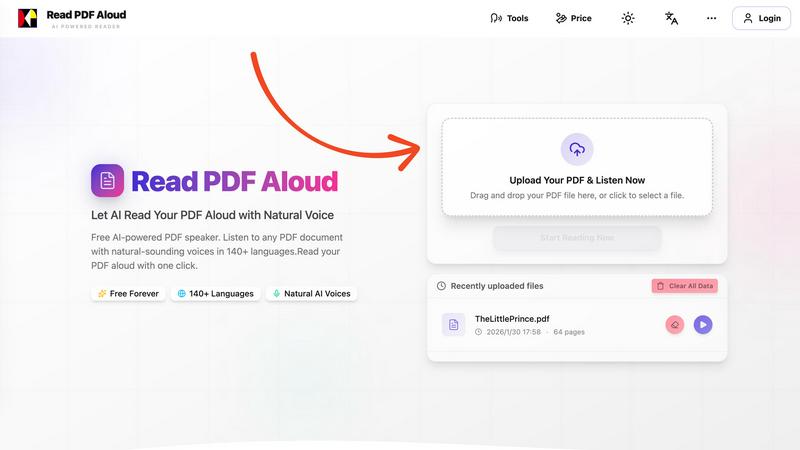
Read PDF Aloud is an innovative browser-based application that revolutionizes how you interact with PDF documents by converting them into natural-sounding speech. With its cutting-edge AI technology, it supports over 142 languages and numerous voice options, making it an ideal tool for a diverse audience, including students, professionals, and casual readers. Whether you have a simple text PDF or a complex scanned document, Read PDF Aloud ensures you can listen to your content effortlessly. Its local-first processing philosophy means your data remains secure within your browser, providing a smooth experience across devices such as Windows, Mac, iPhone, iPad, and Android. The application is designed for seamless use, allowing you to pick up where you left off without any hassle. This accessibility is especially beneficial for those who prefer auditory learning or need assistance with reading due to visual impairments or language barriers. With Read PDF Aloud, you can easily proofread documents, study for exams, or simply enjoy your favorite eBooks while on the move.