
GifSpeed vs Proofapp
Side-by-side comparison to help you choose the right AI tool.

GifSpeed
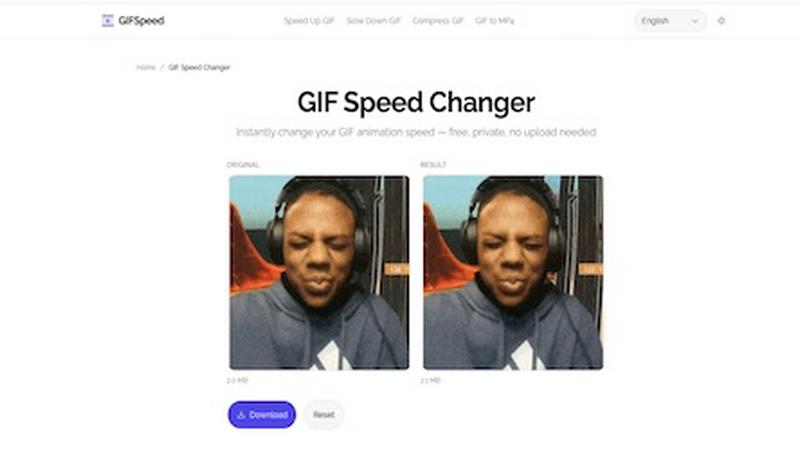
GifSpeed instantly changes your GIF's speed right in your browser, with no uploads and total privacy.
Last updated: February 27, 2026

Proofapp
Streamline feedback with visual comments on your website, making design reviews faster and hassle-free for your team.
Last updated: March 4, 2026
Visual Comparison
GifSpeed
Proofapp

Feature Comparison
GifSpeed
Instant Browser Processing
GifSpeed leverages powerful WebAssembly technology to process your GIFs entirely within your browser. This means there's no need to upload your file to a remote server and wait for it to process. You get instant results the moment you adjust the speed slider, making edits incredibly fast and efficient without any dependency on your internet connection speed after the initial page load.
100% Private & Secure
Your privacy is paramount. When you use GifSpeed, your files never leave your computer or phone. The tool runs locally in your browser tab, so we never see, store, or have access to your GIFs. This is perfect for editing sensitive content, proprietary software demos, or any material you don't want to hand over to a third-party service.
Free Forever with No Watermarks
GifSpeed is completely free to use with no hidden costs, trials, or subscriptions. You can change the speed of as many GIFs as you want, as often as you want, without ever needing to create an account. Best of all, every GIF you download is clean and free of any annoying watermarks or branding, so your content stays purely yours.
Mobile-Friendly & Precise Control
Designed to work flawlessly on iPhones, Android devices, and all modern desktop browsers, GifSpeed offers a seamless experience anywhere. The interface provides precise control over speed adjustments with a smooth slider ranging from 0.25x (slow motion) to 4x (fast forward), complemented by handy preset buttons for common adjustments.
Proofapp
Visual Commenting
Proofapp allows users to click anywhere on a screenshot to leave contextual feedback. This eliminates confusion about feedback location and ensures that comments are pinned exactly where they belong, making it easier for teams to understand and implement changes.
Multi-Breakpoint Testing
Automatically capture and review your website at multiple breakpoints for both desktop and mobile. This feature ensures that feedback is relevant and applicable across different devices, streamlining the review process and enhancing user experience.
Real-time Collaboration
With real-time collaboration features, your team can see comments and feedback as they are made. This allows for immediate responses and tracking of progress, transforming the feedback loop into a dynamic and interactive process that promotes teamwork.
Secure Share Links
Proofapp provides secure, expirable links for sharing projects with clients. This means you can easily send them access without requiring an account, ensuring that your feedback process remains smooth and secure while keeping client information protected.
Use Cases
GifSpeed
Speeding Up Tutorials and Demos
Turn lengthy, slow-paced tutorial GIFs into concise, quick guides. Speed up step-by-step instructions to 2x or 3x speed to help your audience get to the point faster, perfect for embedding in documentation, product demos, or educational content where time is of the essence.
Slowing Down Fast Animations
Analyze rapid motions frame-by-frame by slowing down fast animations. This is ideal for designers studying animation techniques, athletes breaking down form, or anyone who wants to appreciate and catch every detail of a quick action sequence in a GIF.
Reducing GIF File Size for Sharing
Shrink oversized GIFs to meet platform limits without complex software. Compress your GIFs to fit under Discord's 256KB emoji limit, send them via email attachments, or optimize them for faster website loading times, all while maintaining good visual quality.
Fixing Browser Playback Issues
Solve the common problem of GIFs playing too slowly in browsers like Chrome or Safari. Browsers often throttle frame delays. GifSpeed allows you to easily adjust the timing to 40ms or more, ensuring your animations play back smoothly and as intended for every viewer.
Proofapp
Freelance Projects
Freelancers can use Proofapp to gather precise feedback from clients without the hassle of endless email threads. By pinning comments directly on designs, freelancers can save hours on revisions and maintain a professional image.
Agency Workflows
Agencies managing multiple projects can streamline their approval processes using Proofapp. The platform’s visual feedback tools help teams navigate client requests efficiently, reducing the time spent on revisions and increasing project turnaround.
Marketing Campaign Reviews
Marketing teams can utilize Proofapp to visually review landing pages and campaigns collaboratively. By providing visual feedback, teams can ensure that all elements meet brand standards and client expectations before launch.
Design Iterations
Design teams can leverage Proofapp to receive clear and actionable feedback on their designs. By allowing team members to comment directly on the designs, they can make informed changes that align with project goals, leading to more cohesive and successful outcomes.
Overview
About GifSpeed
GifSpeed is your go-to, completely free online tool for changing the speed of any GIF animation instantly and privately, right within your web browser. Ever needed to speed up a slow tutorial GIF or slow down a rapid animation to catch the details? GifSpeed makes it effortless. The core magic lies in its use of WebAssembly technology, which means all the processing happens directly on your own device. Your GIF files are never uploaded to a server, ensuring 100% privacy and eliminating any waiting time for server queues. Built with creators, marketers, and developers in mind, it solves common frustrations like oversized files for Discord, slow browser playback, or the need for a quick edit for a social media post. It replaces clunky alternatives like ezgif (which requires uploads), complex software like GIMP (which is overkill for simple speed changes), or command-line tools like FFmpeg. With support for files up to 80MB, a simple drag-and-drop interface, and a promise of zero watermarks, GifSpeed offers a streamlined "Drop. Adjust. Download. Done." workflow that works perfectly on both desktop and mobile, no sign-up required.
About Proofapp
Proofapp is a cutting-edge visual feedback and website review platform designed to enhance collaboration among designers, developers, and their clients. It simplifies the feedback process by allowing users to upload any website URL and automatically capturing screenshots for both desktop and mobile views. With Proofapp, reviewers can pin comments directly on the design, create threaded replies, attach relevant files, and easily resolve feedback—all without the need for an account. This eliminates the chaos of scattered emails and vague revision notes, making feedback more visual, organized, and actionable. Ideal for freelancers collecting client insights or agencies managing multiple projects, Proofapp fosters an efficient feedback loop that saves time and minimizes miscommunication, ultimately boosting productivity and creativity.
Frequently Asked Questions
GifSpeed FAQ
How do I change GIF speed online with GifSpeed?
It's a simple three-step process. First, drag and drop your GIF file onto the upload area or click to browse your device (supports files up to 80MB). Second, use the intuitive slider to adjust the speed from 0.25x (slow motion) to 4x (fast forward). Third, click "Change Speed" to process it instantly in your browser and then download your newly speed-adjusted GIF.
Is the GIF speed changer really free?
Yes, absolutely! GifSpeed is free forever. There are no subscriptions, no hidden fees, and no requirement to sign up for an account. You can use all its features to change GIF speed, compress GIFs, or convert between GIF and MP4 as many times as you want without any cost or watermarks on your downloads.
Does changing GIF speed affect its quality?
Changing the speed of a GIF by adjusting its frame delay does not affect the visual quality or resolution of the individual frames. The tool simply alters the timing between frames. However, if you significantly speed up a GIF, the playback may appear more choppy simply because frames are displayed for a shorter duration.
What is the maximum GIF file size I can use?
GifSpeed supports GIF files up to 80MB in size. This generous limit accommodates most high-quality, lengthy animations you might need to edit. If your file is larger, you may want to consider compressing it first using the built-in compress GIF tool before adjusting its speed.
Proofapp FAQ
How does Proofapp improve the feedback process?
Proofapp enhances the feedback process by allowing users to leave visual comments directly on screenshots, which reduces miscommunication and speeds up revisions.
Is there a free trial available for Proofapp?
Yes, Proofapp offers a generous free trial that allows users to access full features for 60 days without requiring a credit card, enabling you to experience its benefits risk-free.
Can I share my projects without requiring clients to create an account?
Absolutely! Proofapp allows you to generate secure, expirable links that clients can use to view and comment on projects without needing to create an account.
What types of teams benefit from using Proofapp?
Proofapp is beneficial for a variety of teams, including freelance designers, small development teams, marketing agencies, and larger design teams looking for an efficient way to manage client feedback and streamline their workflows.
Alternatives
GifSpeed Alternatives
GifSpeed is a free, browser-based tool that lets you change the speed of any GIF instantly. It falls into the category of online design and image editing tools, specifically built for quick, no-fuss GIF manipulation. The entire process happens locally in your browser, so your files stay private and you avoid upload delays. People often search for alternatives to find a tool that better fits their specific workflow. This could be because they need advanced editing features beyond speed control, prefer downloadable desktop software, or require integration with other platforms. Budget is also a key factor, as some tools charge for premium features or add watermarks to exports. When evaluating other options, consider your core needs. Look at the pricing model, the range of editing features offered, and whether the tool works on your preferred device or operating system. Security is another important aspect—check if the service requires uploading your files to a server or if it processes them locally like GifSpeed does.
Proofapp Alternatives
Proofapp is a visual feedback and website review platform designed to enhance collaboration among designers, developers, and their clients. It streamlines the feedback process by allowing users to upload website URLs and automatically generating screenshots for review. This tool falls under the category of design tools, making it essential for anyone involved in creating or managing digital projects. However, users often seek alternatives to Proofapp for various reasons, such as pricing, feature sets, or compatibility with specific platforms. When searching for an alternative, it's important to consider factors like ease of use, the ability to integrate with existing workflows, and the types of feedback mechanisms available. Identifying the specific needs of your team can help you select a solution that not only meets your requirements but also enhances your overall project management efficiency.