
QuickImg vs Roboneo Art
Side-by-side comparison to help you choose the right AI tool.
QuickImg
QuickImg lets you effortlessly create and edit stunning images using simple AI tools, perfect for any project.
Last updated: February 28, 2026

Roboneo Art
Roboneo Art instantly turns your photos into animated stickers and professional visuals with AI.
Last updated: February 28, 2026
Visual Comparison
QuickImg
Roboneo Art
Feature Comparison
QuickImg
Natural Language Processing
QuickImg utilizes cutting-edge natural language processing technology, allowing users to create and edit images simply by describing their requirements in plain English. This feature eliminates the need for technical prompts and makes image creation accessible to everyone, regardless of their experience level.
Multiple AI Models
The platform integrates several advanced AI models, including Nano Banana Pro, GPT Image 1, and Seedream 4, each optimized for specific tasks. Users can choose the model that best fits their project needs, ensuring optimal results for image generation, enhancement, or editing.
Ready-to-Use Templates
QuickImg offers a wide array of professionally designed templates tailored for common scenarios, such as social media posts and product photos. These templates make it easy for users to get started quickly, saving time on design and allowing them to focus on content.
One-Click Tools
The platform features a suite of one-click tools that simplify complex workflows. Tasks like background removal, image upscaling, and watermark elimination can be completed effortlessly, making it easier for users to achieve high-quality results without extensive editing knowledge.
Roboneo Art
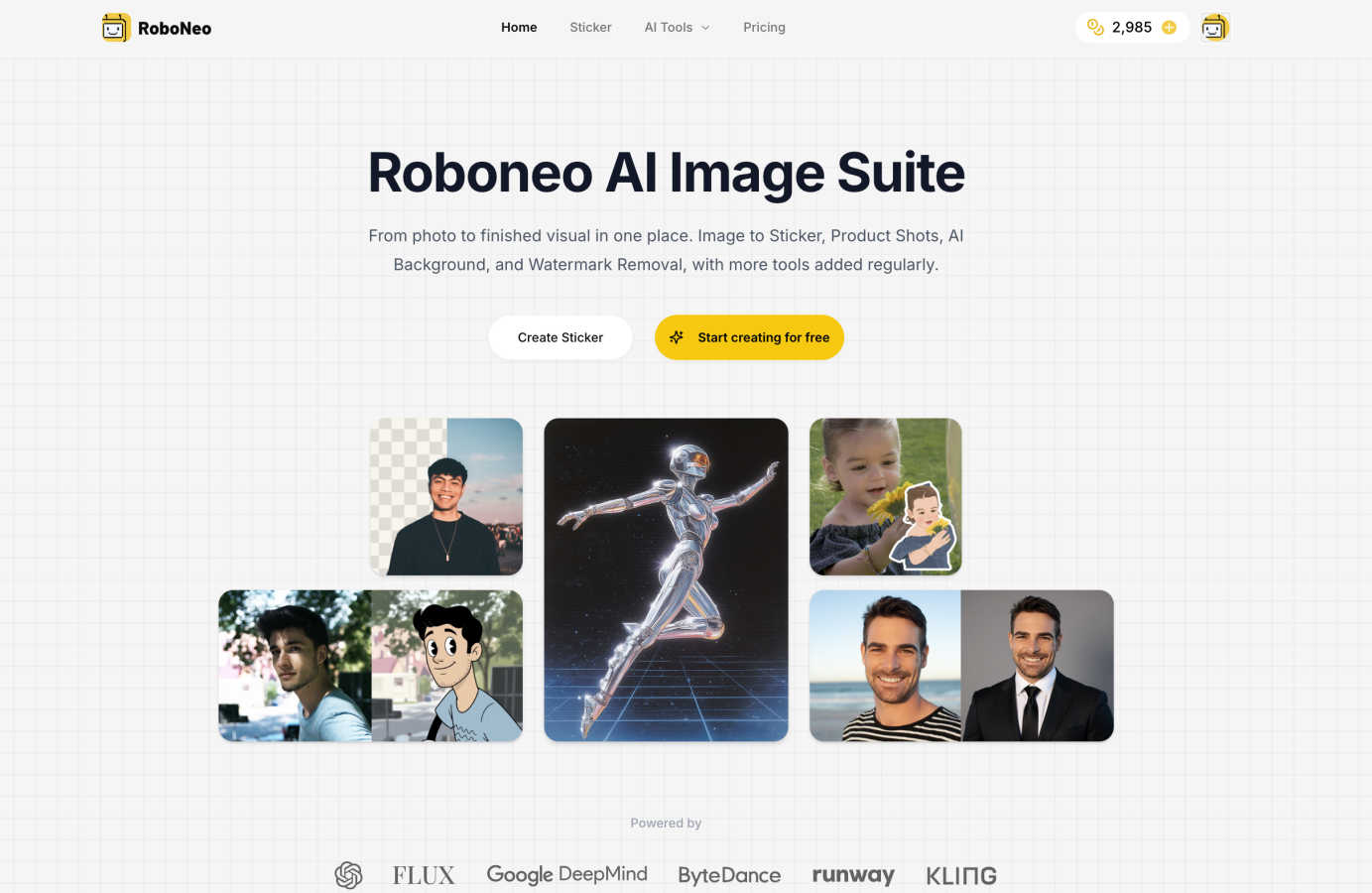
Image to Sticker Maker
Instantly convert any personal photo into a clean, iOS-style 3D sticker. The AI automatically removes the background and optimizes the edges, delivering a transparent PNG file ready for iMessage, WhatsApp, or Telegram. The magic doesn't stop thereyou can then animate your sticker into a Live Photo with just one click, adding a playful, dynamic element to your digital conversations.
AI Product Shot Studio
Generate studio-quality lifestyle photos for your products in seconds. Simply upload a picture of your item and provide a prompt describing the scene you envision. Roboneo AI handles the complex work of placing your product into a new environment with consistent, professional lighting and perfect composition, ideal for e-commerce listings, social ads, and marketing kits.
Smart Background Replacement
Effortlessly place your subject against any backdrop you can imagine. This tool uses advanced AI to replace image backgrounds with clean studio settings or custom AI-generated scenes. It intelligently matches the lighting and perspective of the new background to your subject, creating a perfectly cohesive image without any manual masking or tricky selection work.
Profile Picture Maker
Create a polished, on-brand profile photo from any selfie. This tool applies gentle retouching, enhances lighting, and places you against a clean studio or brand-color background. You can generate a consistent set of perfectly cropped photos for all your professional and social platforms like LinkedIn, Instagram, and X, ensuring you always put your best face forward.
Use Cases
QuickImg
Marketing Campaigns
Marketers can leverage QuickImg to create attention-grabbing graphics for social media campaigns. By simply describing their vision, they can generate bespoke visuals that align with their brand’s messaging and engage their audience effectively.
Blogging and Content Creation
Bloggers can enhance their posts with unique illustrations and images generated by QuickImg. This not only elevates the visual appeal of their content but also allows them to stand out in a crowded digital landscape with personalized imagery.
E-commerce Product Photography
Small business owners in e-commerce can use QuickImg to generate high-quality product images that attract customers. The platform’s capabilities allow users to create professional-looking photos that enhance their online storefronts and improve sales.
Creative Personal Projects
Individuals looking to explore their creativity can use QuickImg for various personal projects, such as creating art or transforming photos into different styles. Whether it’s designing a unique gift or experimenting with digital art, QuickImg provides the tools to bring their ideas to life.
Roboneo Art
Social Media Content Creation
Creators and small businesses can rapidly produce eye-catching visuals for their social media feeds. Use the Product Shot Studio to showcase items in trendy settings, the Sticker Maker to create unique branded elements for Stories, or the AI Background tool to design cohesive and attractive post imagery that stands out in a crowded feed.
E-commerce and Product Marketing
Online sellers can dramatically speed up their workflow by generating multiple high-quality lifestyle images for a single product. This allows for creating diverse ads, website product pages (PDPs), and promotional materials without the cost and time of organizing professional photoshoots for every item or variation.
Personal Branding and Networking
Professionals can use the Profile Picture Maker to ensure their online presence is consistent and professional across LinkedIn, company websites, and speaking profiles. The tool helps create a trustworthy and polished personal brand image with just a single photo.
Creative Projects and Fun
Hobbyists and artists can explore their creativity by transforming personal photos into animated stickers for friends, generating unique fantasy art from text prompts, or using tools like Scream AI to create fun, themed content for Halloween or storytelling projects, all in an intuitive, browser-based studio.
Overview
About QuickImg
QuickImg is your friendly, all-in-one creative studio powered by artificial intelligence, aimed at making professional-grade image creation, editing, and enhancement accessible to everyone. It caters to a wide range of users, including marketers seeking eye-catching social media graphics, bloggers in need of unique illustrations, small business owners crafting product photos, and everyday individuals with creative ideas. The platform simplifies the entire image creation process by allowing users to describe their needs in plain English rather than relying on complex technical prompts. QuickImg harnesses the power of advanced AI technologies, such as Nano Banana Pro, GPT Image 1, and Seedream 4, all within a single, intuitive interface. This consolidation eliminates the need for multiple subscriptions to different services for generation, background removal, or upscaling. Whether you want to create stunning visuals from scratch, remove watermarks, or transform photos into anime art, QuickImg provides a comprehensive toolkit. Its core value proposition is to democratize high-quality visual content creation by removing steep learning curves and technical barriers, ultimately saving users time, money, and creative frustration.
About Roboneo Art
Roboneo Art is your all-in-one creative automation studio, powered by AI to transform your ideas into stunning visuals with incredible speed and ease. Think of it as having a team of digital artists and photo editors at your fingertips, ready to tackle any visual task. Whether you're starting with a simple text prompt, a photo, or a brand asset, Roboneo Art's suite of specialized tools helps you create professional-grade images for marketing, social media, design projects, or just for fun. It's built for everyone from entrepreneurs and marketers needing quick ad mock-ups, to designers seeking inspiration, to hobbyists wanting to explore digital art. The platform stands out by offering focused tools for specific jobs-like turning photos into animated stickers or generating perfect product shotswhich are pre-tuned to deliver clean, consistent results every time. Best of all, you can start creating for free in your browser, unlocking limitless creative potential without any complex software or upfront investment.
Frequently Asked Questions
QuickImg FAQ
How does QuickImg work?
QuickImg works by allowing users to describe their image creation needs in natural language. The platform’s AI models interpret these descriptions and generate high-quality images based on the input provided.
What types of images can I create with QuickImg?
With QuickImg, users can create diverse types of images, including illustrations, social media graphics, product photos, and even artistic transformations like anime art. The platform is versatile enough to cater to various creative needs.
Is QuickImg suitable for beginners?
Absolutely! QuickImg is designed to be user-friendly and accessible for everyone, including beginners. The natural language interface eliminates the steep learning curve often associated with traditional image editing software.
Can I use QuickImg for commercial purposes?
Yes, users can utilize images generated through QuickImg for commercial purposes, including marketing materials and product listings. It is essential, however, to review the terms of service to ensure compliance with any specific usage rights.
Roboneo Art FAQ
What is Roboneo and how does it work?
Roboneo is a creative automation studio that uses specialized AI models to help you create and edit images. You choose a tool for your specific task, like making a sticker or a product shot, provide an image or a text prompt, and the AI handles the complex processing. It works directly in your web browser, so there's no software to download.
How much does Roboneo AI cost and what do the plans include?
Roboneo AI operates on a credit-based system. You can start creating by purchasing credits, which are used to generate images. This offers flexibility, as you only pay for what you use. You can upgrade your credit pack anytime you need more generation power, and all plans come with instant cancellation.
Can I use images from Roboneo for commercial projects?
Yes, you can use the visuals you create with Roboneo AI for commercial projects, such as marketing materials, advertisements, and product listings. It's a powerful tool for businesses and creators to produce professional assets quickly. Always ensure you have the right to use any source images you upload.
Is my content secure and private when I use Roboneo AI?
Roboneo AI is designed with user privacy in mind. You work directly from your browser, and the platform is built to keep your content secure. For specific details on data handling and security practices, it's best to refer to the official Roboneo privacy policy for the most current information.
Alternatives
QuickImg Alternatives
QuickImg is an innovative platform designed for creating and editing images using advanced artificial intelligence. It simplifies the process of generating professional-quality visuals, making it accessible to a wide range of users—from marketers to casual creators. However, users often seek alternatives to QuickImg for various reasons, including pricing concerns, specific feature requirements, or compatibility with different platforms. It's essential to consider factors such as ease of use, the range of available tools, and the flexibility to meet individual needs when exploring alternatives. When choosing an alternative, look for platforms that offer a user-friendly interface, a variety of AI-driven features, and the ability to create or edit images without a steep learning curve. Additionally, consider the cost-effectiveness and whether the platform aligns with your specific creative goals and technical requirements, ensuring you find a solution that fits your unique workflow.
Roboneo Art Alternatives
Roboneo Art is a popular AI art generator that makes creating stunning visuals from text prompts simple and accessible. It falls into the category of AI-powered creative assistants, designed to help everyone from hobbyists to professionals bring their ideas to life quickly. People often explore other options for various reasons. Some might be looking for a different pricing model or subscription plan that better fits their budget. Others may need specific features, like a particular AI model, more advanced editing tools, or integration with other platforms they use. The search for the right tool is all about finding the best fit for your unique creative workflow and goals. When considering an alternative, think about what matters most to you. Key factors include the quality and style of the images produced, the cost and what you get for it, the ease of use, and any specialized tools you might need. It's also wise to check if the platform offers a free trial or a generous free tier so you can test it out before committing.