
QuoteCraft AI vs ToolPortal
Side-by-side comparison to help you choose the right AI tool.

QuoteCraft AI
QuoteCraft AI creates winning proposals for freelancers in seconds, ensuring clear scope and competitive pricing.
Last updated: February 27, 2026

ToolPortal
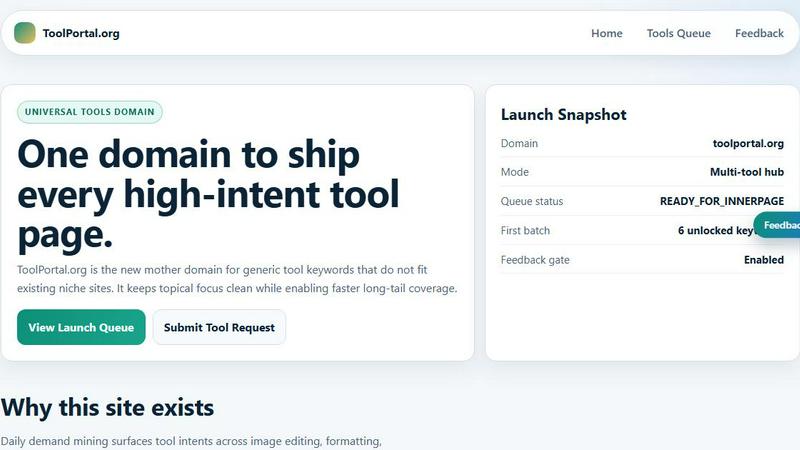
ToolPortal is your go-to online directory with over 300 free tools for developers, designers, and content creators to streamline their tasks.
Last updated: April 4, 2026
Visual Comparison
QuoteCraft AI

ToolPortal
Feature Comparison
QuoteCraft AI
Voice-to-Proposal
This innovative feature allows users to describe their project verbally, instantly transcribing their words into a professionally formatted proposal. This means you can walk out of a client meeting, give a quick summary, and have a complete proposal ready before you even get back to your car.
Interactive Proposals
Clients can customize their proposals by toggling line items on or off, with real-time updates to the total pricing. This flexibility not only enhances the client experience but also reduces the chances of proposal rejection, making it easier for freelancers to close deals.
Context Engine
The Context Engine is a powerful AI tool that learns from your past proposals, adapting to your unique writing style and pricing strategies. This means that each generated proposal will sound like it was crafted by you, maintaining your personal touch while improving efficiency.
Smart Follow-Ups
Never miss an opportunity with automated reminders for clients who have not viewed your proposal. You can customize the timing of these follow-ups, ensuring that your clients receive a gentle nudge after a set period, whether it's three, five, or seven days.
ToolPortal
Comprehensive Tool Index
ToolPortal features a dense index of 261 live tools organized into specific categories, including generators, checkers, converters, formatters, and image editing tools. This organization allows users to quickly navigate to the tools they need without unnecessary friction.
Dual Search Modes
Users can choose between two search methods: a direct keyword search for when they know the exact tool name or a task description mode that suggests tools based on the stated job. This flexibility caters to both experienced users and those who may be unsure of what they need.
Daily Refresh Cycle
ToolPortal is committed to continuous improvement, with new pages and UI updates being rolled out daily. This ensures that users always have access to the latest tools and features, enhancing the overall experience and keeping the content fresh and relevant.
Instant Access Without Login
One of the standout features of ToolPortal is that it requires no login or account creation. Users can open any tool page and run it immediately, eliminating barriers to access and allowing for a seamless workflow.
Use Cases
QuoteCraft AI
Freelance Web Designers
Web designers can use QuoteCraft AI to quickly generate proposals that clearly outline project scope, design elements, and pricing structures. This saves time and ensures that clients have a comprehensive overview, reducing misunderstandings and enhancing client satisfaction.
Marketing Agencies
Marketing agencies can benefit from the interactive proposals feature, allowing clients to tailor their service packages based on their specific needs. This adaptability can lead to higher conversion rates and stronger client relationships.
Creative Studios
For creative studios, the voice-to-proposal feature is a game changer, enabling quick documentation of client meetings and ideas. This means proposals can be sent out almost immediately after discussions, keeping the momentum alive and increasing the likelihood of winning projects.
Consulting Firms
Consultants can leverage QuoteCraft AI to create detailed and professional proposals that outline their services, deliverables, and timelines. The Context Engine ensures that each proposal aligns with past successful pitches, giving them a better chance of winning contracts.
ToolPortal
Social Media Content Creation
Content creators can utilize the text styling tools available in ToolPortal, such as glitch or gothic text generators, to produce eye-catching social media posts. This allows for enhanced engagement and unique branding.
Quick Image Editing
Marketers and designers can use the image tools to crop photos, remove backgrounds, and prepare assets for various platforms in a matter of minutes. This efficiency is crucial for meeting tight deadlines in the fast-paced digital landscape.
Validation and Quality Checks
Developers can rely on the validation tools for tasks such as checking DMARC records or running speed tests to ensure their projects meet quality standards before publishing. This helps maintain a high level of professionalism.
Format Conversion
Students and professionals alike can benefit from the conversion tools offered by ToolPortal, which allow for quick and easy transformation of units, time, and text formats. This is particularly useful for those working on reports or data analysis.
Overview
About QuoteCraft AI
QuoteCraft AI is an innovative tool designed to assist freelancers in creating professional proposals in a fraction of the time it traditionally takes. By utilizing advanced artificial intelligence, QuoteCraft AI streamlines the proposal process, allowing users to describe their project or choose from seven starter templates. This efficient system generates a comprehensive proposal that includes all essential elements such as scope, pricing, line items, and timelines within seconds. Targeted primarily at freelancers, such as web designers, marketing agencies, creative studios, and consulting firms, QuoteCraft AI addresses two common pain points: unclear project scope and inadequate pricing strategies. The platform’s unique features, including voice-to-proposal capabilities and a Context Engine that adapts based on user feedback, make it an invaluable asset for anyone looking to enhance their proposal game and secure more deals. Best of all, QuoteCraft AI is currently free during its beta phase, allowing early adopters to lock in their access at no cost.
About ToolPortal
ToolPortal is a robust online directory offering over 300 free, browser-based tools designed to cater to a wide range of needs. Whether you're looking to convert text formats, validate JSON code, edit images, or perform SEO checks, ToolPortal has something for everyone. It serves as a one-stop-shop for developers, marketers, writers, and anyone who needs quick access to practical online utilities without the hassle of installation or sign-up. The intuitive interface allows users to search for tools by keyword or describe their task in plain language, making it easy to find the right tool in seconds. With a focus on user experience, ToolPortal ensures that all tools are live and ready to use immediately, streamlining workflows and enhancing productivity.
Frequently Asked Questions
QuoteCraft AI FAQ
How does the AI generate proposals?
QuoteCraft AI generates proposals by analyzing your project description, chosen services, and past proposal data. The AI constructs a complete document that includes all necessary details such as scope, pricing, and timelines, tailored to your style.
Will my proposals look generic?
No, your proposals will not look generic. The Context Engine learns from your previous proposals, ensuring that each generated document reflects your unique writing style and voice, making it feel personal to your clients.
Can I edit proposals after generation?
Absolutely! After the AI generates your proposal, you have the flexibility to edit and customize it before sending it to your client. This allows you to fine-tune any details to better match client expectations.
Is my data secure?
Yes, QuoteCraft AI takes data security seriously. All client information and proposal details are stored securely, ensuring that your data remains confidential and protected from unauthorized access.
ToolPortal FAQ
What types of tools does ToolPortal offer?
ToolPortal offers a wide variety of tools across categories such as generators, checkers, converters, formatters, and image editing utilities. This diversity ensures that users can find tools for nearly any online task.
Do I need to create an account to use ToolPortal?
No, ToolPortal does not require any account creation or login. Users can access and run tools directly in their browser without any barriers, making it quick and easy to get started.
How often are new tools added to ToolPortal?
ToolPortal features a daily refresh cycle, meaning new tools and updates are continually being integrated into the platform. This commitment to freshness ensures users have access to the latest tools available.
Can I search for tools without knowing their names?
Absolutely! ToolPortal allows users to describe their tasks in plain language, and it will suggest the best-fit tools based on that description. This user-friendly feature helps those who may not be familiar with specific tool names.
Alternatives
QuoteCraft AI Alternatives
QuoteCraft AI is an innovative tool designed for freelancers that falls under the productivity and management category. It streamlines the proposal creation process, allowing users to generate professional proposals in seconds, significantly reducing the time and effort typically required. Despite its impressive capabilities, users often seek alternatives due to various factors such as pricing, specific feature sets, or compatibility with their preferred platforms. When searching for an alternative, it’s essential to consider the core features that matter most to you, such as ease of use, customization options, and the ability to integrate with other tools. Additionally, evaluating customer support, pricing models, and user testimonials can help ensure that the chosen solution aligns with your unique business needs.
ToolPortal Alternatives
ToolPortal is a robust online tools directory designed specifically for developers, designers, SEO professionals, and content creators. With over 300 free browser-based tools, it offers a wealth of resources across various categories, including productivity, web development, and SEO. Users often seek alternatives to ToolPortal for several reasons, such as varying feature sets, user interface preferences, or specific platform needs that might not be met by ToolPortal. When looking for an alternative, consider factors like the types of tools offered, ease of navigation, user experience, and whether the platform requires any installation or sign-up. It's also essential to assess the reliability and support provided, as well as how frequently the tools are updated to meet current industry standards.