
Lyria 3 vs Read PDF Aloud
Side-by-side comparison to help you choose the right AI tool.

Lyria 3
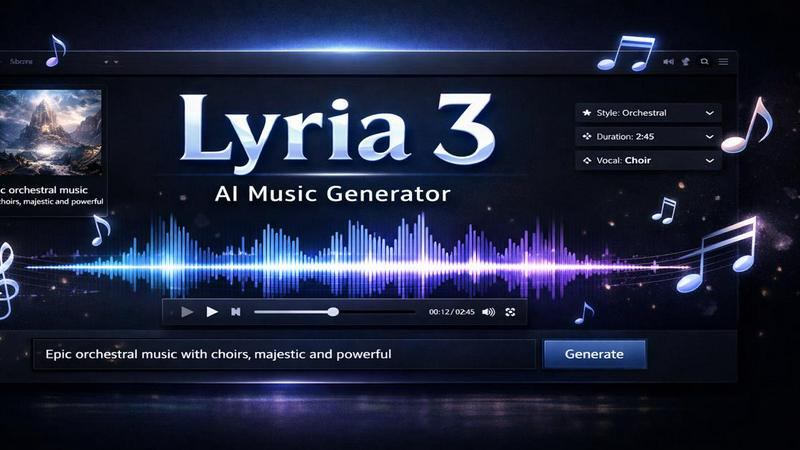
Lyria 3 is a free AI music generator that creates royalty-free songs from text prompts or lyrics in seconds.
Last updated: February 26, 2026

Read PDF Aloud
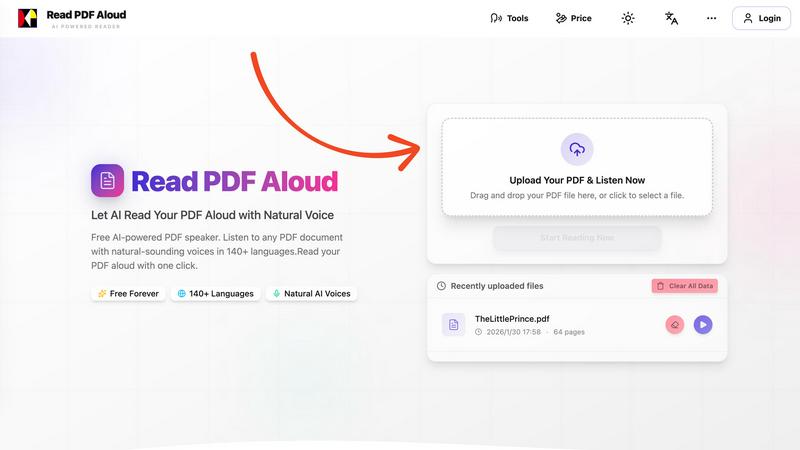
Easily listen to any PDF document aloud in natural voices, including scanned files, with 142 language options.
Last updated: February 26, 2026
Visual Comparison
Lyria 3
Read PDF Aloud
Feature Comparison
Lyria 3
Text to Music Generation
This feature allows users to transform written descriptions into complete musical tracks. By simply inputting their desired mood, genre, or instruments, users can generate high-quality songs tailored to their specifications. The Lyria 3 AI Model excels at understanding nuanced prompts, ensuring that the output aligns perfectly with the user's vision.
Lyrics to Music Conversion
Lyria 3 enables users to bring their original lyrics to life by composing complete songs around them. By entering their words and selecting a musical style, users can create tracks where vocals sing their exact lyrics. The model captures the essence of the lyrics, producing melodies that feel genuinely human and resonate emotionally.
AI Song Cover Generator
With the song cover generator, users can reinterpret existing songs while maintaining the original melody. This feature allows artists to transform vocal styles, change gender, or add unique twists to their favorite tracks. The AI delivers professional-quality vocal transformations, making it an excellent choice for cover artists and creators seeking fresh perspectives on familiar songs.
Free Access to Lyria 3
Lyria 3 offers a free tier that grants users access to its core functionalities, including text to music and lyrics to song features. No credit card is required to start creating music, making it easy for anyone to experiment with AI-generated music. For those seeking unlimited generations and commercial licensing, an upgrade to Lyria 3 Pro is available.
Read PDF Aloud
Free to Use
Read PDF Aloud offers free daily credits to all registered users, making it easy for anyone to enjoy its features without any cost. Just log in, and you can start converting your PDFs into audio instantly.
PDF OCR
With advanced Optical Character Recognition (OCR) technology, Read PDF Aloud can read not just standard PDFs but also scanned documents. This means you can upload any PDF file, and the application will identify and extract the text for you to listen to.
Natural AI Voices
Enjoy a diverse selection of realistic AI voices with different accents and tones. Choose from hundreds of natural-sounding voice options to enhance your listening experience, ensuring that the narration suits your content perfectly.
Cross-Platform Compatibility
Read PDF Aloud works seamlessly across various devices and operating systems. Whether you are using Windows, Mac, iPhone, iPad, Android, or Linux, you can access the application from any modern browser without any installation required.
Use Cases
Lyria 3
Content Creation for Social Media
Social media influencers and marketers can use Lyria 3 to quickly generate catchy background music for videos, reels, and advertisements. With the ability to produce royalty-free music, creators can enhance their content without worrying about copyright issues.
Songwriting Assistance
Songwriters can utilize Lyria 3 to brainstorm new ideas or develop existing lyrics into full songs. By inputting their thoughts and feelings into the platform, they can generate unique melodies that inspire creativity and aid in the songwriting process.
Personal Projects and Gifts
Individuals looking to create personalized music for special occasions, such as birthdays or weddings, can use Lyria 3 to generate custom songs. Whether it’s for a romantic gift or a fun party anthem, the platform allows users to tailor their creations to fit the event perfectly.
Educational Tools
Educators and music instructors can leverage Lyria 3 as a teaching tool to demonstrate music composition and production concepts. By generating songs in real-time based on student prompts, teachers can facilitate engaging and interactive learning experiences.
Read PDF Aloud
Studying for Exams
Students can use Read PDF Aloud to listen to their study materials, making it easier to absorb information. This auditory approach helps reinforce learning and can improve retention rates for complex subjects.
Proofreading Documents
Writers and editors can benefit from hearing their documents read aloud, allowing them to catch mistakes or awkward phrasing that they might miss during traditional reading. It's a perfect tool for enhancing the editing process.
Enjoying eBooks on the Go
For avid readers, Read PDF Aloud provides a convenient way to enjoy eBooks while commuting or during other activities. Simply upload your eBook PDF and listen to it as you go about your day.
Accessibility for Visual Impairments
Individuals with visual impairments can use Read PDF Aloud to access written content easily. The application empowers users by providing them with a way to engage with text that they might otherwise find challenging to read.
Overview
About Lyria 3
Lyria 3 is an innovative AI music generator powered by the advanced Google Music Model, designed to help creators of all backgrounds generate royalty-free music effortlessly. Whether you are a musician, marketer, content creator, or simply a music enthusiast, Lyria 3 allows you to turn text prompts or your own lyrics into high-quality songs in seconds. The platform's user-friendly interface makes it accessible to everyone, regardless of musical experience. From upbeat pop anthems to relaxing lo-fi beats, Lyria 3 caters to a diverse range of musical styles. With every creation, you receive studio-quality output, complete with natural-sounding vocals and intricate instrumentals, making it a perfect tool for anyone looking to enhance their projects with original music.
About Read PDF Aloud
Read PDF Aloud is an innovative browser-based application that revolutionizes how you interact with PDF documents by converting them into natural-sounding speech. With its cutting-edge AI technology, it supports over 142 languages and numerous voice options, making it an ideal tool for a diverse audience, including students, professionals, and casual readers. Whether you have a simple text PDF or a complex scanned document, Read PDF Aloud ensures you can listen to your content effortlessly. Its local-first processing philosophy means your data remains secure within your browser, providing a smooth experience across devices such as Windows, Mac, iPhone, iPad, and Android. The application is designed for seamless use, allowing you to pick up where you left off without any hassle. This accessibility is especially beneficial for those who prefer auditory learning or need assistance with reading due to visual impairments or language barriers. With Read PDF Aloud, you can easily proofread documents, study for exams, or simply enjoy your favorite eBooks while on the move.
Frequently Asked Questions
Lyria 3 FAQ
How does Lyria 3 generate music from text?
Lyria 3 utilizes advanced AI algorithms from the Google Music Model to convert text prompts into musical compositions. Users describe their desired sound, and the AI creates a corresponding track.
Can I use the music generated for commercial purposes?
Yes, Lyria 3 offers a commercial licensing option with its Pro tier, allowing users to utilize the generated music for commercial projects without any copyright concerns.
Do I need any musical experience to use Lyria 3?
No, Lyria 3 is designed to be user-friendly and accessible to everyone. You do not need any musical background to create songs; just provide your ideas and let the AI do the rest.
Is there a limit to how much music I can generate for free?
The free tier of Lyria 3 provides users with a set number of credits for music generation. Users can create a limited number of songs before needing to upgrade to the Pro version for unlimited access.
Read PDF Aloud FAQ
How do I upload a PDF to Read PDF Aloud?
To upload a PDF, simply drag and drop your file into the designated area on the website or click to select a file from your device. The application supports all modern browsers.
Can I choose different voices and languages?
Yes, Read PDF Aloud supports over 142 languages and provides various natural-sounding voice options for each language. You can select your preferred voice before starting the reading.
Is my data secure while using Read PDF Aloud?
Absolutely! Read PDF Aloud processes most data locally within your browser. This means that your documents and personal information remain secure and are not stored on external servers.
Can I export the audio to listen offline?
Yes, Read PDF Aloud allows you to export the audio as MP3 files. This feature enables you to download your documents and listen to them on any device or audio player, even when you are offline.
Alternatives
Lyria 3 Alternatives
Lyria 3 is a free AI music generator that belongs to the audio and music category, designed to create royalty-free background tracks simply by using text prompts or lyrics. This innovative tool is particularly popular among creators and marketers who need quick and accessible music solutions for videos, demos, and social content. Users often seek alternatives to Lyria 3 due to various reasons, including pricing, specific features that may not be available, or compatibility with different platforms. When choosing an alternative, it's essential to consider factors such as ease of use, the quality of generated music, and any unique features that may enhance your creative projects.
Read PDF Aloud Alternatives
Read PDF Aloud is an innovative browser-based application that allows users to listen to their PDF documents with natural-sounding speech, making it a part of the AI Assistants and Audio & Music categories. Users often seek alternatives to Read PDF Aloud for various reasons, including pricing concerns, specific feature sets, or compatibility with different platforms. When choosing an alternative, it's essential to consider factors such as voice quality, language support, ease of use, and whether the service maintains user privacy and security. --- [{"question": "What is Read PDF Aloud?", "answer": "Read PDF Aloud is a browser-based application that converts PDF documents into natural-sounding speech using AI technology."}, {"question": "Who is Read PDF Aloud for?", "answer": "Read PDF Aloud is designed for anyone who prefers listening to text, including students, professionals, and individuals with visual impairments."}, {"question": "Is Read PDF Aloud free?", "answer": "Yes, Read PDF Aloud offers a free AI-powered service to listen to PDF documents."}]