
Dokie AI vs Refbox
Side-by-side comparison to help you choose the right AI tool.

Dokie AI
Dokie AI instantly creates professional presentations using advanced AI, turning your ideas into polished slides in minutes.
Last updated: March 19, 2026

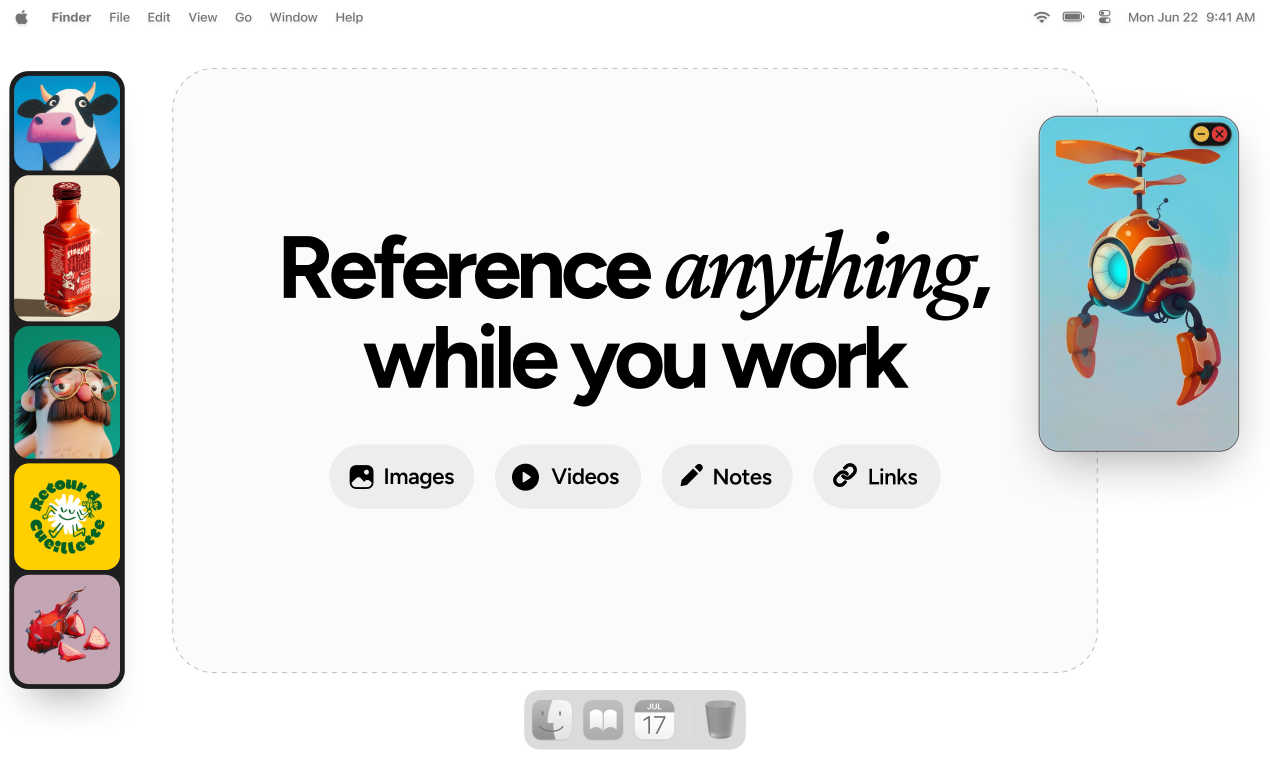
Refbox keeps your reference images and notes visible above your workspace for instant access.
Last updated: March 1, 2026
Visual Comparison
Dokie AI

Refbox
Feature Comparison
Dokie AI
AI Generate PPT
Describe your presentation topic in plain text, and Dokie AI's generator will create a complete, structured slide deck for you. It doesn't just fill templates; it analyzes your topic to build a logical narrative flow, generates compelling content, selects professional layouts, and even incorporates relevant charts and visuals. This feature is perfect for starting a project from a blank slate, turning a simple idea into a fully-formed presentation in moments.
AI Beautify PPT
Already have a draft presentation? Upload your existing PowerPoint file, and let Dokie AI enhance it. This tool intelligently redesigns your slides, fixes awkward layouts, applies cohesive and professional styling, and improves visual hierarchy—all while carefully preserving your original content. It's like having a professional designer refine your work instantly, ensuring your slides look polished and engaging.
Multi-Format Conversion
Dokie AI excels at turning various content formats directly into presentation slides. You can convert PDF documents, Word files, HTML web pages, and even YouTube videos into editable PowerPoint presentations. This saves immense time on manual copying, pasting, and reformatting, allowing you to quickly build presentations from existing reports, articles, or video content.
Speech Notes & Reverse Prompt
To support your delivery, Dokie AI can automatically generate detailed speaker notes and talking points for each slide in your deck. Additionally, its unique "Reverse Prompt" feature can analyze an uploaded presentation and extract the core prompts and structure, giving you insight into the AI's design thinking or helping you recreate a similar style for future projects.
Refbox
Always-on-Top Floating Frames
The core feature of Refbox is its floating frames. You can pin any image, video, GIF, or note in a resizable window that stays on top of all other applications, like Photoshop, Blender, or your code editor. This eliminates the need for alt-tabbing or rearranging windows, keeping your reference material instantly accessible and your primary workspace uncluttered. You can have multiple frames open at once, each independently adjustable.
Masonry Mode & Gallery View
Refbox offers flexible viewing options to suit any task. Masonry Mode automatically arranges your references on an infinite canvas in a clean, Pinterest-style grid, perfect for mood boarding and seeing the big picture. For focused review, the full-screen Gallery View lets you flip through items like a slideshow, making detailed comparison quick and effortless.
Smart Media Handling & Tools
Beyond simple display, Refbox includes powerful tools for working with your references. You can step through GIFs frame-by-frame for detailed study, take screenshots of websites by pasting a URL, and use a built-in color picker on any media to copy hex codes. It also supports cropping images, viewing SVG files, and creating styled notes with checklists, making it a versatile hub for all your reference needs.
Streamlined Workflow Shortcuts
Designed for efficiency, Refbox is packed with intuitive controls. Quickly swap references in a frame using your arrow keys, minimize frames to access apps behind them, or instantly switch between different collections of references. You can auto-hide your entire "Box" and summon it only when needed, keeping your screen clean until inspiration strikes. These thoughtful shortcuts save countless clicks and hours over time.
Use Cases
Dokie AI
Business Proposal Pitching
Startup founders and business developers can use Dokie AI to quickly transform a business plan or product concept into a compelling investor pitch deck. By inputting key points about the problem, solution, and market, the AI generates a professionally designed presentation that makes a strong visual impact, crucial for securing funding and partnerships.
Educational & Training Material
Educators and corporate trainers can effortlessly create engaging lesson plans, lecture slides, and training modules. Instead of spending hours on design, they can focus on their curriculum. Dokie AI can structure complex information into digestible slides with clear visuals, making learning more effective and enjoyable for students and trainees.
Marketing & Sales Presentations
Marketing professionals and sales teams can generate client-ready presentations, product launches, or campaign reports in a fraction of the usual time. The AI ensures brand-consistent styling and persuasive layouts, helping to communicate value propositions clearly and win over clients with visually appealing collateral.
Conference & Meeting Preparation
Professionals who need to present at conferences, team meetings, or board reviews can use Dokie AI to rapidly draft and polish their slides. The "Beautify" feature is especially useful for last-minute touch-ups, ensuring that even rushed presentations maintain a high standard of professionalism and visual coherence.
Refbox
Digital Illustration & Concept Art
Illustrators and concept artists can keep character sheets, environment photos, and color palettes floating right next to their canvas in Clip Studio Paint or Procreate. The ability to lock frames means they can even sketch directly over a reference without it moving, and the pixel-perfect rendering mode ensures pixel art references are displayed with crisp clarity.
UI/UX & Web Design
Designers building interfaces in Figma or Sketch can float style guides, competitor screenshots, and component libraries in Refbox. The website screenshot feature lets them quickly capture live pages for reference, and the color picker tool allows instant sampling and copying of colors directly from any inspiration image into their design tool.
3D Modeling & Animation
3D artists and animators working in Blender or Maya can pin orthographic reference images, texture photos, or motion study videos in floating windows around their viewport. The GIF playback control is invaluable for animators to scrub through frame-by-frame to study movement, all without leaving their 3D workspace.
Motion Graphics & Video Editing
Motion designers in After Effects or video editors in Premiere Pro can use Refbox to keep storyboards, style frames, and video reference clips visible. They can organize sequences in the Gallery view to flip through quickly, ensuring their creative direction stays consistent throughout the editing and compositing process.
Pricing Comparison
Dokie AI
Dokie AI offers flexible pricing plans to suit different needs. You can opt for a pay-as-you-go credit pack starting at $39.80. For regular users, subscription plans provide better value: a monthly plan starts at $19.90 per month, and an annual subscription offers the most savings, starting at $15.90 per month (billed yearly). This structure allows occasional users to purchase credits for one-off projects while providing cost-effective subscriptions for professionals and teams who create presentations frequently.
Refbox
Refbox is available for a single, one-time purchase fee. This model provides permanent access to the application without any recurring subscriptions. The exact price may vary based on promotions, so it's best to check the official Refbox website for the most current pricing and any available trial offers.
Overview
About Dokie AI
Dokie AI is a revolutionary AI-powered presentation maker designed to help anyone create stunning, professional slides in minutes, without needing any design skills. It moves far beyond simple templates by using true AI generation, powered by the advanced Claude Opus 4.6 model. This means Dokie AI intelligently handles the entire process for you: structuring your content, choosing complementary layouts, applying professional typography, and selecting visual design elements automatically. It's built for business professionals, educators, marketers, and startup founders who need to communicate ideas effectively but don't have the time or expertise to build beautiful presentations from scratch. The core value proposition is simple: transform your rough ideas, text, or existing slides into polished, presentation-ready decks with minimal effort, freeing you to focus on your message and delivery.
About Refbox
Refbox is the ultimate floating reference manager designed to keep creative professionals in their flow. It solves the universal frustration of constantly switching between tabs, folders, and applications to view source material. Instead of digging through your desktop or browser, Refbox lets you pin images, videos, GIFs, and notes in resizable, always-on-top frames that float above any other app on your screen. This means your inspiration and references are always visible at a glance, right where you're working. Whether you're sketching a character, designing a UI, animating a sequence, or modeling in 3D, Refbox provides a seamless and distraction-free environment. You can add media from anywhere—drag and drop from the web, your computer, or even paste directly from your clipboard. With smart viewing modes like Masonry Layout and a full-screen Gallery, it adapts to your workflow. Built for speed and organization, Refbox is an essential tool for graphic designers, illustrators, animators, photographers, and digital artists who value focus and efficiency.
Frequently Asked Questions
Dokie AI FAQ
What makes Dokie AI different from template-based tools like Canva or PowerPoint?
Unlike tools that require you to choose and manually fill pre-made templates, Dokie AI uses true generative AI (Claude Opus 4.6) to create presentations from the ground up based on your description. It automatically determines the structure, layout, design, and content flow, acting more like an intelligent design partner than a passive template library. This results in more unique, coherent, and professionally tailored presentations.
What file formats can I use with Dokie AI?
Dokie AI is highly versatile with formats. You can generate PPTX files from scratch, upload and beautify existing PowerPoint files, and convert documents into presentations from various sources including PDF, Word (.docx), HTML, and even YouTube video URLs. This makes it a central hub for creating slides from almost any type of content.
Does Dokie AI write the content for my slides?
Yes, when using the "AI Generate PPT" feature, Dokie AI will create both the structural outline and the written content for your slides based on the topic you provide. You maintain full control to edit and refine this AI-generated text afterward. For the "Beautify" feature, it focuses solely on enhancing the design and layout of your existing content.
Is my data and content secure with Dokie AI?
Based on industry standards for AI SaaS tools, Dokie AI is designed with security in mind. While specific details should be confirmed in their official privacy policy, the service typically processes your uploaded documents and prompts to generate presentations without retaining them for unnecessary periods or using your proprietary content to train public models without consent.
Refbox FAQ
What kinds of files can I use with Refbox?
Refbox supports a wide range of media types to cover most creative needs. You can directly add common image formats (JPG, PNG, WebP, SVG), video files (MP4, MOV), and GIFs. You can also create and format text notes right within the app. A standout feature is the ability to paste a website URL, and Refbox will automatically generate a screenshot of that page for you to use as a reference.
Does Refbox work on multiple monitors?
Yes, absolutely. Refbox is designed for modern workflows and works seamlessly across multiple monitors. You can drag your floating reference frames onto any screen, allowing you to dedicate one monitor entirely to your references in Masonry mode while keeping your main screen focused on your creative application.
Can I organize my references into different projects?
Yes, you can. Refbox allows you to create and save multiple Collections. This lets you separate references for different projects, clients, or tasks—like one collection for a logo design and another for a website redesign. You can switch between these collections instantly with a single click, keeping your workspace organized and context-specific.
Is there a free trial or version of Refbox?
Refbox operates on a simple, one-time purchase model. This means you pay once and own the current version of the app forever. While there isn't a traditional subscription, the website may offer a limited-time trial so you can test all the features and ensure it fits your workflow before making the one-time purchase.
Alternatives
Dokie AI Alternatives
Dokie AI is a leading AI-powered presentation maker that helps users create professional slide decks in minutes. It falls into the category of AI design and productivity tools, specifically focusing on automating the entire presentation creation process from content structure to visual design. Users often explore alternatives to find a tool that better fits their specific needs. This could be due to budget constraints, a desire for different features like more advanced animation controls or brand kit integrations, or a need for compatibility with other platforms and workflows. Some may prefer tools with different AI models or more granular control over the final design. When evaluating other options, it's wise to consider the core AI capabilities, the balance between automation and customization, the quality and flexibility of output formats, and the overall value for your specific use case. The best choice depends on whether you prioritize speed, creative control, collaboration features, or seamless integration into your existing toolkit.
Refbox Alternatives
Refbox is a specialized design tool that acts as a floating reference manager. It helps creatives by keeping images, videos, and notes visible in always-on-top windows, eliminating the need to constantly switch between applications while working. People often explore alternatives for various reasons. This could be due to budget constraints, a need for specific features Refbox might not have, or because they require an app that works on a different operating system. Finding the right fit for your unique workflow is key. When looking for a similar tool, consider what's most important for your process. Key factors include how easily you can pin and organize references, support for different media types like GIFs and videos, and whether the tool offers layout options that suit your screen setup and personal preferences.