
Roast My Web vs ToolPortal
Side-by-side comparison to help you choose the right AI tool.

Roast My Web gives you a fast AI website audit to find and fix sales-killing issues in minutes.
Last updated: February 28, 2026

ToolPortal
ToolPortal is your go-to online directory with over 300 free tools for developers, designers, and content creators to streamline their tasks.
Last updated: April 4, 2026
Visual Comparison
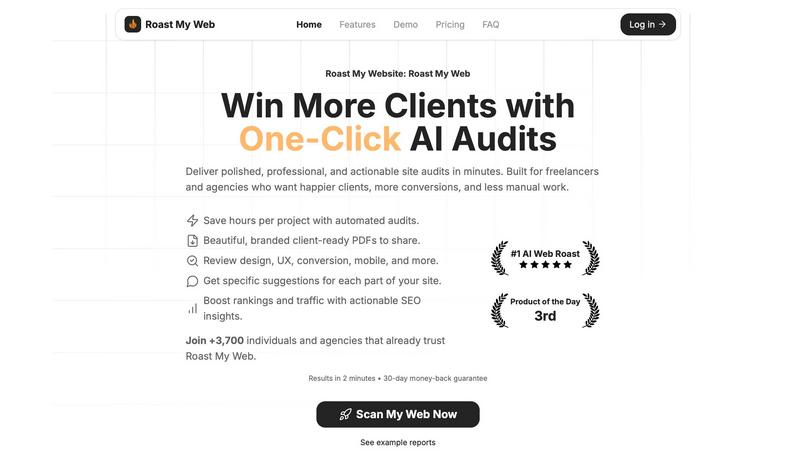
Roast My Web
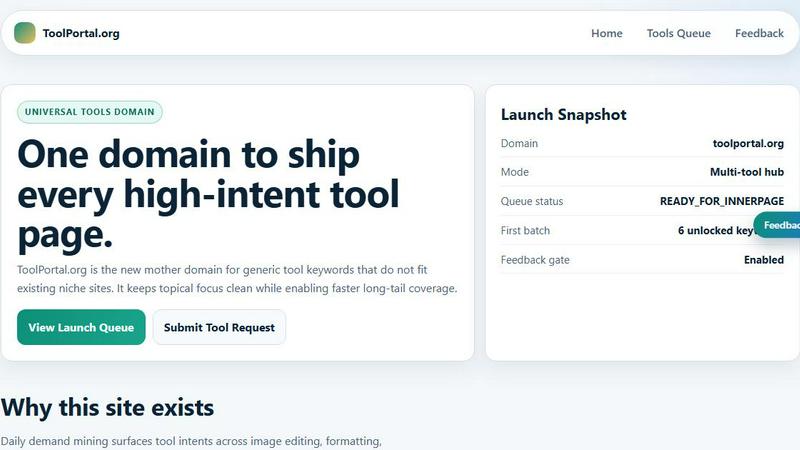
ToolPortal
Feature Comparison
Roast My Web
Instant, AI-Powered Website Audits
Get a detailed analysis of any website in just two minutes. The AI scans your site across multiple dimensions—including design, UX, conversion potential, and mobile-friendliness—and delivers blunt, actionable recommendations. It identifies "sales killers" and provides step-by-step fixes you can implement immediately, eliminating guesswork and saving you hours of manual review.
Custom-Branded, Client-Ready PDF Reports
Transform raw audit data into professional presentations with one click. You can add your agency's logo, brand colors, and custom text in under 60 seconds. The tool generates beautiful, polished PDF reports that are perfect for sharing with clients, helping you stand out as a prepared and thorough professional without needing design skills.
Manual Report Editor & Priority Insights
Maintain full control over your final report. The built-in editor allows you to modify AI-generated text, hide sections, or add your own expert advice to ensure every document is perfectly tailored. Plus, it highlights which suggested fixes are likely to impact revenue the most, so you and your clients can tackle improvements in the optimal order.
Cross-Device & Competitor Analysis
Ensure your site works flawlessly everywhere. The tool performs cross-device checks to catch mobile and tablet issues before they cost you leads. Furthermore, you can compare your site directly with competitors within the platform to see where you stand and get specific insights on how to outrank them, combining technical SEO with UX for a complete advantage.
ToolPortal
Comprehensive Tool Index
ToolPortal features a dense index of 261 live tools organized into specific categories, including generators, checkers, converters, formatters, and image editing tools. This organization allows users to quickly navigate to the tools they need without unnecessary friction.
Dual Search Modes
Users can choose between two search methods: a direct keyword search for when they know the exact tool name or a task description mode that suggests tools based on the stated job. This flexibility caters to both experienced users and those who may be unsure of what they need.
Daily Refresh Cycle
ToolPortal is committed to continuous improvement, with new pages and UI updates being rolled out daily. This ensures that users always have access to the latest tools and features, enhancing the overall experience and keeping the content fresh and relevant.
Instant Access Without Login
One of the standout features of ToolPortal is that it requires no login or account creation. Users can open any tool page and run it immediately, eliminating barriers to access and allowing for a seamless workflow.
Use Cases
Roast My Web
For Digital Agencies & Freelancers
Agencies and freelancers use Roast My Web to streamline their client onboarding and audit processes. By generating detailed, branded reports in minutes, they can impress potential clients from the first meeting, justify their service value, and provide clear roadmaps for website improvements, ultimately helping them win more business and manage projects more efficiently.
For Entrepreneurs & Indie Hackers
Bootstrapping founders and solo entrepreneurs who may not have design or SEO expertise rely on Roast My Web to audit their own landing pages and websites. It acts as an affordable, on-demand expert, pointing out critical bugs, UX flaws, and conversion barriers they might have missed, giving them clear direction for DIY improvements that drive sales.
For SEO & CRO Specialists
Professionals focused on search engine optimization and conversion rate optimization use the tool to complement their deep-dive analyses. It provides a rapid, holistic first pass that combines technical SEO checks with on-page UX and conversion tips, helping them quickly identify high-impact areas to focus their specialized efforts on for maximum client results.
For Web Developers & Designers
Developers and designers leverage Roast My Web for quality assurance and client communication. Before handing off a project, they can run a final audit to catch any overlooked mobile issues or UX hiccups. They also use the branded reports to clearly explain their work's value and provide a documented list of future enhancement opportunities to their clients.
ToolPortal
Social Media Content Creation
Content creators can utilize the text styling tools available in ToolPortal, such as glitch or gothic text generators, to produce eye-catching social media posts. This allows for enhanced engagement and unique branding.
Quick Image Editing
Marketers and designers can use the image tools to crop photos, remove backgrounds, and prepare assets for various platforms in a matter of minutes. This efficiency is crucial for meeting tight deadlines in the fast-paced digital landscape.
Validation and Quality Checks
Developers can rely on the validation tools for tasks such as checking DMARC records or running speed tests to ensure their projects meet quality standards before publishing. This helps maintain a high level of professionalism.
Format Conversion
Students and professionals alike can benefit from the conversion tools offered by ToolPortal, which allow for quick and easy transformation of units, time, and text formats. This is particularly useful for those working on reports or data analysis.
Overview
About Roast My Web
Roast My Web is your fast-track to a better-performing website. It's an AI-powered website auditing tool that acts like a brutally honest, expert consultant, analyzing any URL you provide and delivering a comprehensive, client-ready report in about two minutes. Built specifically for busy professionals like freelancers, indie hackers, and digital agencies, it cuts through the noise to pinpoint exactly what's holding your site back from converting visitors into customers. The core value is simple: stop guessing and start fixing. Instead of spending hours manually checking for issues, you get a clear, actionable breakdown of problems and opportunities across critical areas like user experience (UX), conversion rate optimization (CRO), mobile responsiveness, and SEO. The platform doesn't just find problems; it empowers you to create polished, branded reports that impress clients and win more business, all while saving you countless hours per project. With over 3,700 users trusting it to boost their efficiency and results, Roast My Web is the go-to solution for anyone serious about improving their online presence and revenue.
About ToolPortal
ToolPortal is a robust online directory offering over 300 free, browser-based tools designed to cater to a wide range of needs. Whether you're looking to convert text formats, validate JSON code, edit images, or perform SEO checks, ToolPortal has something for everyone. It serves as a one-stop-shop for developers, marketers, writers, and anyone who needs quick access to practical online utilities without the hassle of installation or sign-up. The intuitive interface allows users to search for tools by keyword or describe their task in plain language, making it easy to find the right tool in seconds. With a focus on user experience, ToolPortal ensures that all tools are live and ready to use immediately, streamlining workflows and enhancing productivity.
Frequently Asked Questions
Roast My Web FAQ
How long does an audit take?
An audit with Roast My Web is incredibly fast. You'll receive a comprehensive, AI-generated report analyzing your website's design, UX, conversion points, and SEO in just about two minutes. This speed allows you to get actionable insights almost instantly.
Can I customize the audit reports?
Absolutely! Customization is a core feature. You can use the manual report editor to modify any text, hide sections you don't need, and add your own comments. Most importantly, you can fully brand the PDF reports with your logo and company colors in under a minute for a professional, client-ready presentation.
What kind of issues does Roast My Web find?
The AI is designed to find issues that directly impact trust and conversions, often called "sales killers." It provides specific suggestions across several key areas: user experience (UX) and design flaws, conversion optimization opportunities, mobile responsiveness problems, and actionable on-page SEO insights to help boost your rankings and traffic.
Is there a money-back guarantee?
Yes, Roast My Web offers a customer-friendly 30-day money-back guarantee. You can try the service, run audits, and explore all the features. If you're not completely satisfied with the tool and the value it provides, you can request a full refund within the first 30 days of your purchase.
ToolPortal FAQ
What types of tools does ToolPortal offer?
ToolPortal offers a wide variety of tools across categories such as generators, checkers, converters, formatters, and image editing utilities. This diversity ensures that users can find tools for nearly any online task.
Do I need to create an account to use ToolPortal?
No, ToolPortal does not require any account creation or login. Users can access and run tools directly in their browser without any barriers, making it quick and easy to get started.
How often are new tools added to ToolPortal?
ToolPortal features a daily refresh cycle, meaning new tools and updates are continually being integrated into the platform. This commitment to freshness ensures users have access to the latest tools available.
Can I search for tools without knowing their names?
Absolutely! ToolPortal allows users to describe their tasks in plain language, and it will suggest the best-fit tools based on that description. This user-friendly feature helps those who may not be familiar with specific tool names.
Alternatives
Roast My Web Alternatives
Roast My Web is an AI-powered website auditing tool in the SEO and conversion optimization space. It's designed to quickly analyze a URL and generate a detailed, actionable report to boost sales and user satisfaction, making it a favorite for agencies and freelancers who need fast, client-ready insights. People often explore alternatives for various reasons. Some might be looking for a different pricing model or a free tier to test the waters. Others may need specific integrations with their existing workflow, deeper analytics in a particular area, or a tool that caters to a different type of website or business model beyond the standard audit. When searching for a different solution, it's wise to consider what matters most for your projects. Key factors include the depth and clarity of the audit, how easy it is to customize and brand reports for clients, the speed of analysis, and whether the tool offers unique features like competitor comparisons or specialized checks for mobile usability.
ToolPortal Alternatives
ToolPortal is a robust online tools directory designed specifically for developers, designers, SEO professionals, and content creators. With over 300 free browser-based tools, it offers a wealth of resources across various categories, including productivity, web development, and SEO. Users often seek alternatives to ToolPortal for several reasons, such as varying feature sets, user interface preferences, or specific platform needs that might not be met by ToolPortal. When looking for an alternative, consider factors like the types of tools offered, ease of navigation, user experience, and whether the platform requires any installation or sign-up. It's also essential to assess the reliability and support provided, as well as how frequently the tools are updated to meet current industry standards.