
Advanced AI image generator and editor with Z image vs ShinePhoto
Side-by-side comparison to help you choose the right AI tool.

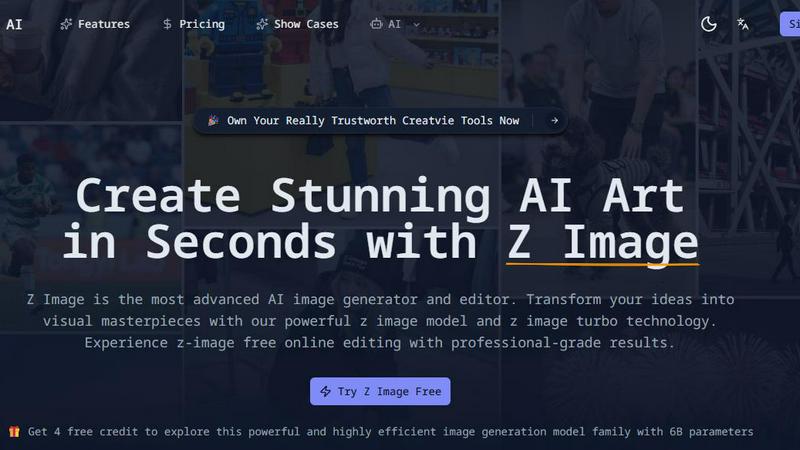
Advanced AI image generator and editor with Z image
Create stunning, bilingual AI-generated images in seconds with Z Image's advanced editing and photorealistic quality.
Last updated: February 26, 2026

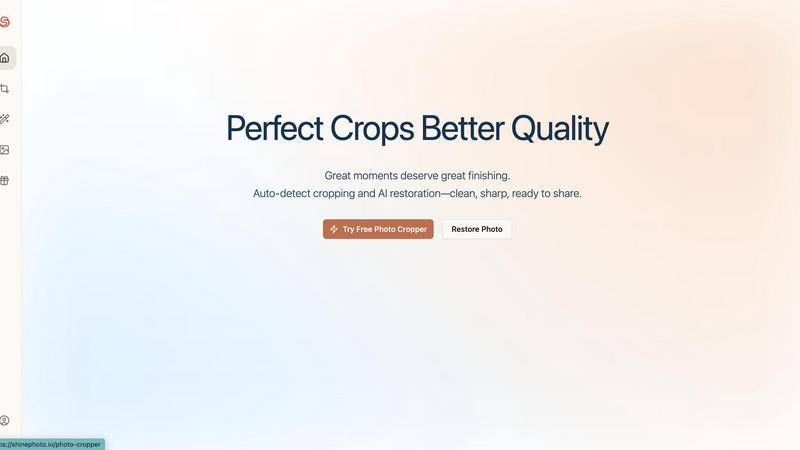
ShinePhoto
Effortlessly enhance and crop your photos with AI for stunning, share-ready images in just a few clicks.
Last updated: February 28, 2026
Visual Comparison
Advanced AI image generator and editor with Z image
ShinePhoto
Feature Comparison
Advanced AI image generator and editor with Z image
Blazing-Fast Generation
Experience image creation like never before with Z image's 8-step Turbo inference technology. Generate stunning visuals in sub-second times, allowing you to maintain your creative flow without interruptions.
Professional Quality
The advanced 6B parameter model of Z Image ensures that every image produced is of professional quality. It excels in photorealism, capturing intricate details and delivering accurate representations of your prompts.
Bilingual Support
Z Image stands out with its flawless bilingual text rendering capabilities. Whether your prompts are in English or Chinese, the generator ensures seamless integration of text into images, making it accessible for diverse users.
Open-Source Ecosystem
Z Image is built on an open-source model with Apache 2.0 licensing. This allows for customization and fine-tuning by users, fostering a community-driven approach to development and creativity.
ShinePhoto
Perfect Cropping
ShinePhoto's auto-detect cropping feature identifies the main subject of your photo and applies a clean, balanced crop. This ensures that distractions are trimmed away, allowing viewers to focus on the essence of the image.
Photo Restoration
The restoration tools in ShinePhoto work tirelessly to repair photo damage, reduce blur, and eliminate compression artifacts. Users can restore clarity and enhance detail with just one click, making old or damaged photos look vibrant again.
Batch Processing
ShinePhoto allows users to upload multiple images at once and process them together. This feature saves time and effort, especially for those with large collections of photos needing similar edits, enhancing productivity significantly.
Smart Manual Control
While ShinePhoto excels at automatic cropping, it also provides users with the option to manually adjust the crop area. This flexibility allows for precise framing, ensuring that every photo meets the user’s specific vision.
Use Cases
Advanced AI image generator and editor with Z image
Creative Art Generation
Artists can leverage Z Image to generate unique artworks from simple text prompts, offering a new dimension to their creative processes. This tool helps artists visualize concepts and explore different styles quickly.
Marketing and Advertising
Marketers can create eye-catching visuals for campaigns or social media posts in seconds. With Z Image, producing bespoke graphics tailored to specific audiences becomes effortless and efficient.
Education and Training
Educators and trainers can use Z Image to create engaging visual aids that enhance learning experiences. By transforming complex concepts into visual representations, educators can improve comprehension and retention.
Game Development
Game developers can utilize Z Image to generate concept art, character designs, or environmental visuals. The rapid generation of high-quality images allows for faster prototyping and iteration during game design processes.
ShinePhoto
Family Photo Restoration
For families looking to restore old photographs, ShinePhoto provides an easy solution to bring faded or damaged images back to life. Users can enhance clarity and colors, preserving precious memories for future generations.
Professional Photography Workflow
Photographers can streamline their editing process using ShinePhoto's batch processing and auto-cropping features. This allows them to focus on their creative vision while letting the AI handle repetitive tasks.
Event Photo Management
After capturing an event, users can quickly upload and edit large batches of photos. ShinePhoto's tools make it simple to crop and enhance images, preparing them for sharing on social media or with clients.
Social Media Sharing
Users looking to enhance their social media presence can use ShinePhoto to polish their photos. With just a few clicks, they can crop, restore, and upscale images, making them share-ready and visually appealing.
Overview
About Advanced AI image generator and editor with Z image
Advanced AI image generator and editor with Z image is a cutting-edge tool designed to transform your ideas into stunning visual art with remarkable speed and precision. Utilizing a powerful 6B parameter model enhanced by Decoupled-DMD technology, Z Image allows users to create high-quality images from text prompts in mere seconds. Whether you are an artist looking to enhance your creative process, a marketer seeking unique visuals, or simply someone who loves to explore AI-generated art, this tool caters to various users. With its bilingual support for both English and Chinese, Z Image ensures that language barriers do not hinder creativity. The main value proposition of Z Image lies in its ability to deliver professional-grade visuals rapidly while maintaining an intuitive user experience, making it an essential tool for anyone in need of high-quality imagery.
About ShinePhoto
ShinePhoto is a freemium AI photo toolkit designed to revolutionize the way users edit and manage their photos. It is particularly beneficial for individuals looking to digitize, organize, and restore their photo collections, whether they are cherished family memories or professional photography work. With advanced features such as batch subject auto-cropping and photo quality restoration, ShinePhoto makes it easy for users to enhance their images in just a few clicks. The platform is built for everyone, from casual users wanting to touch up old album photos to professional photographers seeking to streamline their workflow. ShinePhoto’s powerful AI capabilities ensure that photos are not only preserved but also enhanced for sharing, making it an invaluable tool for anyone who appreciates the art of photography. With a user-friendly interface, ShinePhoto allows for quick uploads, effortless cropping, and seamless restoration, ensuring that every moment captured shines brightly.
Frequently Asked Questions
Advanced AI image generator and editor with Z image FAQ
What makes Z Image different from other AI image generators?
Z Image combines advanced technology, including a 6B parameter model and Turbo inference, to deliver faster and more photorealistic image generation. Its bilingual support for English and Chinese also sets it apart.
Is Z Image user-friendly for beginners?
Yes, Z Image is designed with an intuitive interface that makes it accessible for both beginners and advanced users. The simple steps guide users from idea conception to image generation seamlessly.
Can I use Z Image for commercial purposes?
Absolutely! Z Image allows users to create images that can be used commercially, as it operates under an open-source license, providing flexibility for various uses.
What hardware do I need to run Z Image effectively?
Z Image is optimized to run efficiently on consumer-grade hardware, specifically on GPUs with 16GB VRAM. This makes it accessible for most users without requiring high-end computing equipment.
ShinePhoto FAQ
What is ShinePhoto?
ShinePhoto is an AI-powered toolkit that combines a free photo cropper with restoration features, enabling users to crop, enhance, and upscale their images for better quality and presentation.
Is ShinePhoto free to use?
Yes, ShinePhoto is free to use. The photo cropper runs directly in your browser, allowing you to get started without any downloads or subscriptions.
How does photo restoration work?
Photo restoration in ShinePhoto involves uploading an image and utilizing the restoration tools to reduce blur, noise, and damage, resulting in sharper and clearer images based on the original quality.
Can I choose the subject to crop?
Yes, ShinePhoto allows users to specify the subject for cropping. This feature ensures that the photo cropper focuses accurately on the desired target for precise framing.
Alternatives
Advanced AI image generator and editor with Z image Alternatives
The Advanced AI image generator and editor with Z image is a cutting-edge tool that falls under the category of AI Assistants, specifically designed for creating and editing images with photorealistic quality. This innovative product leverages sophisticated algorithms to allow users to generate stunning visuals quickly and efficiently, making it a popular choice among graphic designers, marketers, and content creators alike. Users often seek alternatives to Advanced AI image generator and editor with Z image for a variety of reasons, including pricing options, feature sets that better suit their specific needs, or compatibility with different platforms. When exploring alternatives, it's important to consider factors such as image quality, ease of use, the range of features offered, and whether the software can run efficiently on the hardware you have. Finding the right fit can significantly enhance your creative workflow and overall satisfaction.
ShinePhoto Alternatives
ShinePhoto is an innovative AI-driven photo editing tool that falls within the image and photo category. It is designed to enhance and restore photos effortlessly, making it particularly appealing to users who want to transform their image collections into share-ready masterpieces with minimal effort. However, many users often seek alternatives due to various reasons such as pricing structures, specific feature needs, or compatibility with different platforms. When searching for an alternative, it’s crucial to assess what features are most important to you, such as ease of use, batch processing capabilities, or advanced editing tools. Additionally, consider the pricing model—whether it's freemium, subscription-based, or a one-time purchase—and if it aligns with your budget and editing requirements.