
Sora 2 AI Video Generator vs VideoFlux
Side-by-side comparison to help you choose the right AI tool.

Sora 2 AI Video Generator
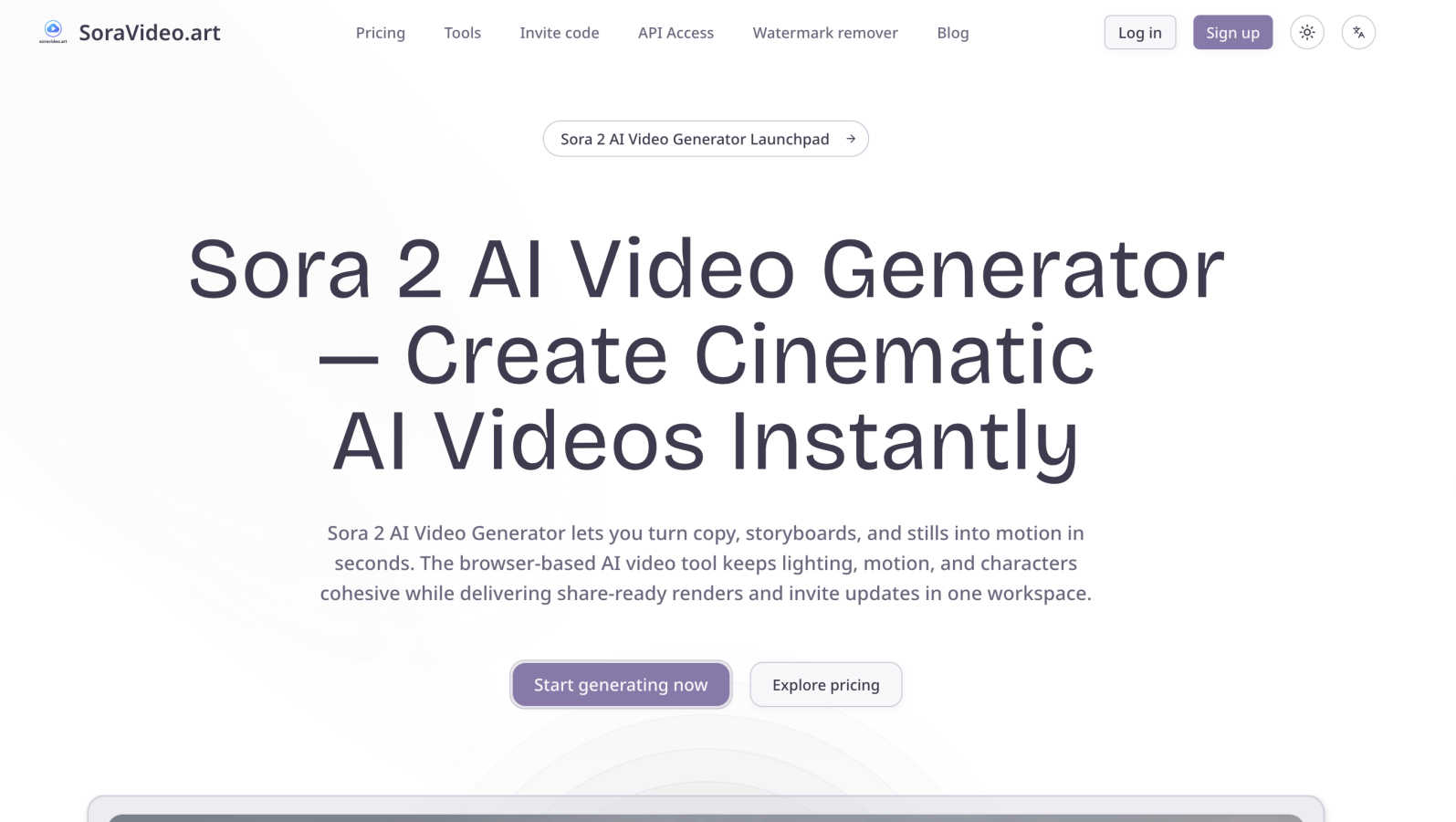
Sora 2 AI Video Generator instantly creates stunning, share-ready videos from your text and images.
Last updated: March 2, 2026

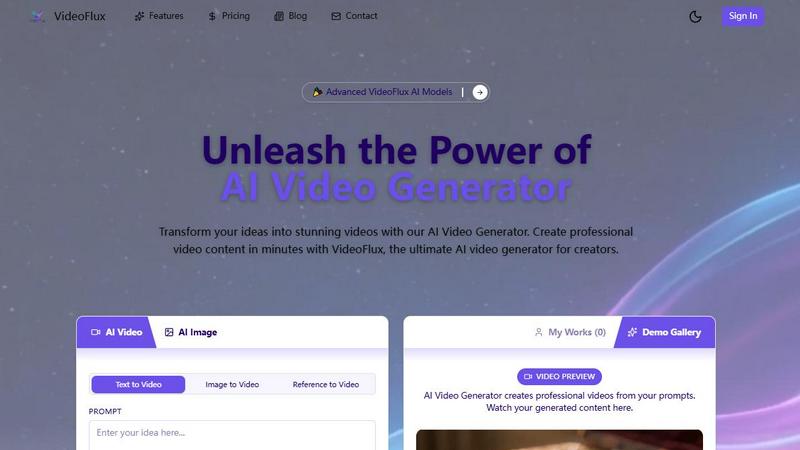
VideoFlux transforms your text and images into professional videos instantly with advanced AI.
Last updated: April 4, 2026
Visual Comparison
Sora 2 AI Video Generator
VideoFlux
Feature Comparison
Sora 2 AI Video Generator
Instant, Browser-Based Generation
Jump right into video creation from any web browser without any software downloads or complex installations. This zero-friction approach means distributed teams can start a project instantly and stay in sync, leveraging cloud-based compute power to render videos quickly and efficiently, no matter where they are located.
Cohesive Cinematic Fidelity
Sora 2 is expertly tuned to maintain high aesthetic quality throughout your video. It automatically manages complex elements like long takes, detailed choreography, and 3D-style shots to ensure smooth motion and consistent lighting. Dedicated presets also help preserve specific looks, such as anime, cinematic, or branded styles, across all your projects.
Streamlined Collaborative Workspace
Manage your entire video production pipeline in one dashboard. Upload assets, track rendering progress, review AI-generated versions side-by-side, and capture team comments all within the same workspace. This centralized system keeps invites, status updates, and version history organized, making team reviews and creative sign-off effortless.
Professional Output & Integration
Export your finished videos as MP4 or MOV files in crisp 1080p or 4K resolution. Each render includes metadata that makes it easy to slot your creation into other AI video tools or traditional editing suites for further polish. The platform also offers watermark removal and new render profiles like Sora 2 Pro for enhanced quality.
VideoFlux
Multiple AI Creation Modes
VideoFlux doesn't limit you to one starting point. It offers a versatile suite of tools including Text-to-Video, Image-to-Video, Text-to-Image, and Image-to-Image generation. This means you can type a prompt, upload a photo, or use a generated image as the foundation for your video. It’s designed to fit seamlessly into any creative workflow, allowing you to build upon your ideas step-by-step until you have the perfect visual narrative.
Advanced AI Model & Customization
The platform is powered by state-of-the-art AI models, like the upcoming Seedance 2.0, engineered to deliver professional-grade results with enhanced details. You have full control over the creative process with adjustable settings. Before generating, you can customize the aspect ratio (like 16:9 for widescreen), set the video duration, and apply different styles to ensure the final video perfectly matches your brand identity and creative vision.
Fast & High-Quality Generation
Say goodbye to waiting hours for renders. VideoFlux is built for speed, typically generating your videos in just 1 to 10 minutes. Despite the quick turnaround, the quality never suffers. The AI is fine-tuned to produce videos with smooth motion, cinematic qualities, and high-resolution details, making your content look polished and professional, ready for any platform.
Intuitive Project Management
VideoFlux provides a clean, user-friendly dashboard to streamline your entire creation process. Your "My Works" section keeps all your generated videos organized in one place. The platform also includes a Demo Gallery for inspiration, showing what’s possible with the AI. From sign-up to download, the workflow is straightforward, letting you focus on creativity rather than navigating a complicated interface.
Use Cases
Sora 2 AI Video Generator
Social Media & Marketing Content
Create eye-catching promotional videos, product showcases, and branded content at the speed of social media. Marketers can quickly turn a script or a product image into a engaging commercial video, like a stylish burgundy coat showcase or a refreshing water pour, to capture audience attention without a lengthy production timeline.
Educational & Training Materials
Educators and trainers can bring concepts to life by transforming lesson plans or storyboards into clear, explanatory videos. Imagine converting a history script into a realistic classroom scene or a scientific process into a sleek 3D animation, making learning more dynamic and accessible for students.
Creative Storytelling & Animation
Storytellers and indie creators can produce short films, animations, and artistic pieces. Generate Pixar-style 3D animations of characters in a cafe, surreal art videos, or festive scenes like gingerbread men at a Christmas tree, all from simple text prompts or uploaded storyboards, unlocking new realms of visual storytelling.
Concept Visualization & Pre-Visualization
Filmmakers, designers, and agencies can use Sora 2 to rapidly prototype ideas and create pre-visualization (previs) shots. Quickly generate realistic scenes, like an astronaut in a cockpit or surveillance-style footage, to pitch concepts, plan shoots, and visualize complex scenes before committing to expensive live-action production.
VideoFlux
Social Media Content Creation
Content creators and influencers can use VideoFlux to consistently produce eye-catching clips for platforms like TikTok, Instagram Reels, and YouTube Shorts. Quickly generate trending visuals, animated stories, or promotional clips from simple text ideas or existing photos, keeping your feed fresh and engaging without a full production crew.
Marketing & Advertising Videos
Marketing teams and small businesses can create cost-effective ads, product demos, and brand story videos. Transform a product photo into a dynamic showcase video or write a prompt for a targeted ad scene. VideoFlux enables the rapid prototyping and creation of professional marketing assets that capture audience attention and drive conversions.
Creative Storytelling & Art
Artists, writers, and filmmakers can use VideoFlux as a brainstorming and visualization tool. Bring storyboard concepts to life, visualize scenes from a script, or create abstract art videos. The image-to-image and text-to-image features are perfect for experimenting with styles and compositions before committing to a final video concept.
Educational & Explainer Content
Educators, trainers, and course creators can develop compelling explainer videos and educational animations. Simply describe a complex concept (like "the water cycle" or "how a engine works"), and VideoFlux can generate a visual representation, making learning materials more engaging and easier to understand for students and trainees.
Overview
About Sora 2 AI Video Generator
Sora 2 AI Video Generator is a revolutionary, browser-based platform that transforms your creative ideas into stunning cinematic videos in seconds. Designed for content creators, marketers, educators, and storytellers, it removes the technical barriers of traditional video editing. Simply provide a text prompt, upload a storyboard, or use image assets, and Sora 2 handles the complex work of generating cohesive lighting, smooth motion, and consistent characters. Its intuitive interface makes collaboration seamless, allowing teams to work together in one unified workspace. With Sora 2, you can generate share-ready, high-quality video renders and make quick updates without ever leaving the platform. It's the perfect tool for anyone looking to produce professional video content quickly, efficiently, and with a focus on pure creativity over technical complexity.
About VideoFlux
VideoFlux is your creative partner for turning ideas into professional-quality videos in minutes. It's an advanced AI-powered platform designed to simplify video creation for everyone, from social media creators and marketers to business owners and artists. At its core, VideoFlux transforms simple text descriptions or static images into dynamic, engaging video content. Whether you need a short ad, a social media clip, or a creative visual story, VideoFlux handles it. The platform offers multiple creation paths: describe a scene with words using Text-to-Video, bring a photo to life with Image-to-Video, generate images from text, or transform existing images into new styles. This flexibility means you can start your project from any point of inspiration. Built with cutting-edge AI models, VideoFlux prioritizes high-quality output, fast processing times (typically 1-10 minutes), and an intuitive workflow. It’s the perfect solution for anyone looking to produce stunning video content quickly, cost-effectively, and without needing complex editing skills or expensive production teams.
Frequently Asked Questions
Sora 2 AI Video Generator FAQ
What kind of input does Sora 2 accept?
Sora 2 is incredibly flexible with inputs. You can type a detailed text prompt, upload image assets like JPGs and PNGs for reference, import scripts, or even provide full storyboards and existing MP4 videos. The system intelligently maps these sources into structured "beats" ready for the AI to render into a cohesive video sequence.
Do I need video editing experience to use Sora 2?
Not at all! Sora 2 is designed specifically for users without deep technical expertise in video editing. The AI manages the complex aspects like lighting, motion, and camera work. You guide the creative vision with your prompts and assets, and the platform handles the technical execution, making professional video creation accessible to everyone.
Can I collaborate with my team on projects?
Yes, collaboration is a core strength of Sora 2. The platform provides a shared workspace where teams can upload assets, track render progress, and review different video versions side-by-side. Features like comment capture and invite status tracking make it easy to gather feedback and keep everyone aligned throughout the creative process.
What video quality and formats can I export?
You can export your finished videos in high-quality MP4 or MOV formats. Sora 2 supports resolutions up to 4K, ensuring your content looks great on any screen. The platform also offers new render profiles like "Sora 2 Pro" for enhanced fidelity and provides options for watermark removal to get your videos ready for public sharing.
VideoFlux FAQ
What types of videos can I create with VideoFlux?
You can create a wide variety of videos, including marketing clips, social media content, advertisements, creative art pieces, product showcases, and educational explainers. The AI is versatile and can interpret many different prompts and styles, from realistic scenes to more abstract and artistic visuals.
How long does it take to generate a video?
Generation time is typically between 1 to 10 minutes, depending on the complexity of your prompt, the selected settings, and the current server load. VideoFlux is optimized for speed to help you create content quickly without sacrificing the high-quality output you expect.
Do I need video editing experience to use VideoFlux?
Not at all! VideoFlux is designed to be user-friendly for everyone. The process is as simple as typing a description or uploading an image, adjusting a few basic settings like aspect ratio and duration, and clicking generate. The AI handles the complex creation process, delivering a ready-to-use video file.
What support is available if I need help?
VideoFlux offers dedicated support to all users. You can reach out to their team directly via email at [email protected] for technical assistance or guidance. They also encourage users to join their creator community to connect with other users, share tips, and find inspiration.
Alternatives
Sora 2 AI Video Generator Alternatives
Sora 2 AI Video Generator is a powerful, browser-based tool in the AI video creation category. It turns text, images, and storyboards into cinematic videos in seconds, simplifying a process that traditionally requires complex editing software. It's a fantastic solution for creators who need to produce high-quality, share-ready content quickly. Even with its strengths, users often explore alternatives for various reasons. This could be due to budget constraints, a need for different features like specific animation styles or longer video lengths, or a preference for a different platform, such as a desktop application versus a web-based tool. Every creator's workflow and requirements are unique. When evaluating other options, consider what matters most for your projects. Key factors include the types of inputs accepted (text, image, video), the quality and style of the AI-generated output, collaboration features for teams, and of course, the pricing model. Finding the right fit means balancing these elements with your specific creative goals and resources.
VideoFlux Alternatives
VideoFlux is an AI-powered tool in the content creation and design space, specifically focused on generating videos from text prompts and images. It helps users quickly produce marketing materials, social media clips, and ads by converting simple inputs into professional-looking video content. People often explore other options for various reasons. This could be due to budget constraints, a need for different video styles or formats, or a requirement to integrate with other platforms in their workflow. Sometimes, a project just demands a specific feature that their current tool doesn't offer. When evaluating different platforms, it's wise to consider your primary use case, desired output quality, and how much creative control you need. Also, look at factors like generation speed, ease of use, and the overall cost relative to the value you expect to get from the tool.