
AIPhotoTalk vs Sora 2 Video
Side-by-side comparison to help you choose the right AI tool.

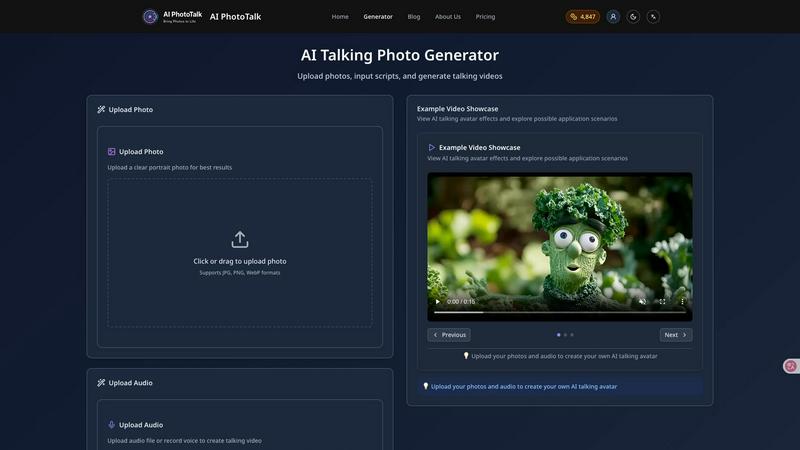
AIPhotoTalk transforms any photo into a realistic talking video in just 30 seconds, with stunning 4K quality and support for over 30 languages.
Last updated: March 11, 2026

Sora 2 Video
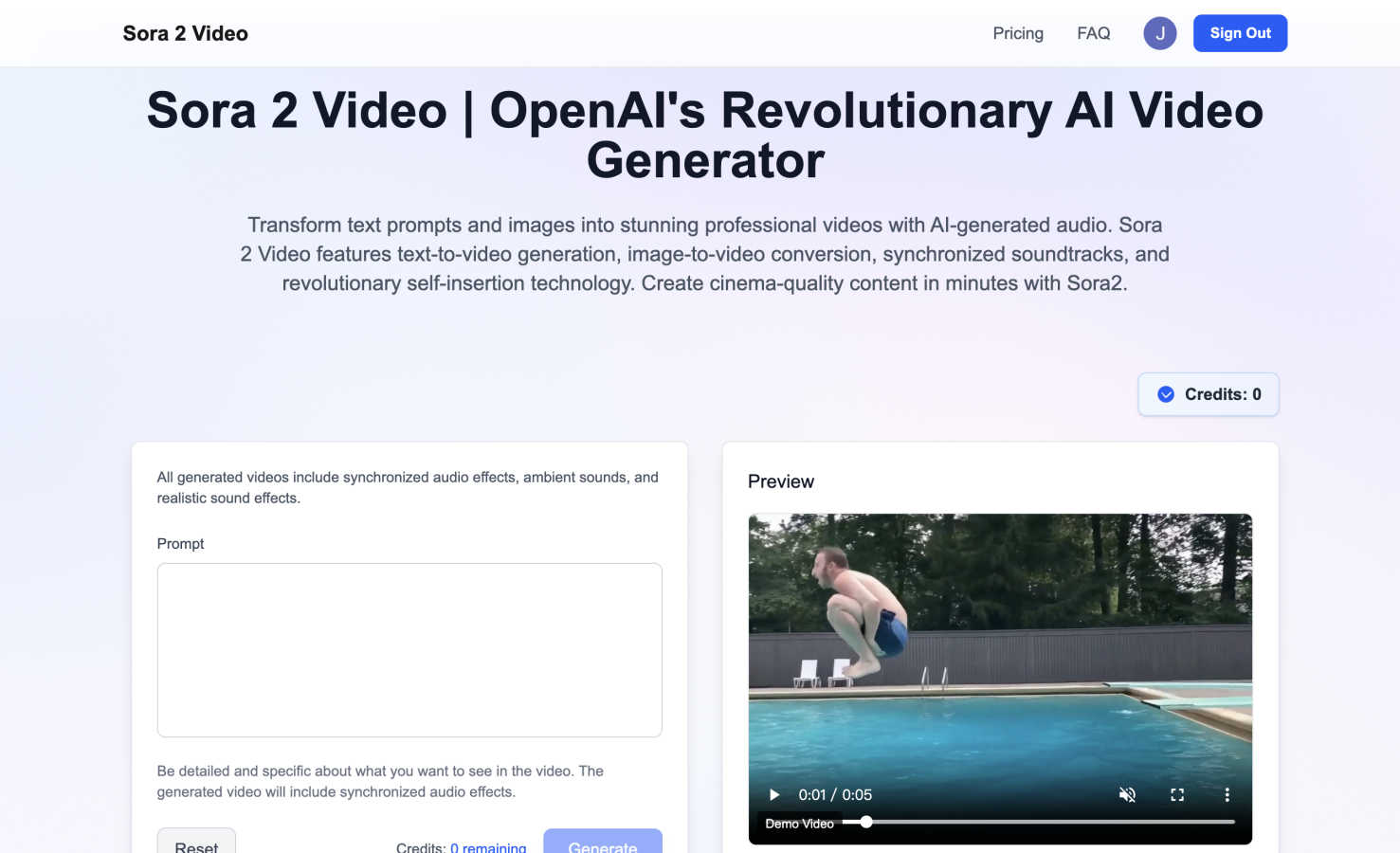
Sora 2 Video turns your words and images into stunning videos with AI audio in minutes.
Last updated: March 1, 2026
Visual Comparison
AIPhotoTalk
Sora 2 Video
Feature Comparison
AIPhotoTalk
Professional Lip Sync Technology
AIPhotoTalk utilizes advanced AI algorithms to ensure perfect lip synchronization and natural facial expressions in your videos. This feature enhances the authenticity of your animations, making them feel more realistic and engaging for viewers.
Multi-language Voice Synthesis
With support for over 30 languages, AIPhotoTalk's multi-language voice synthesis allows you to reach a global audience. This feature is ideal for businesses and educators aiming to create inclusive content that resonates with diverse groups.
4K Professional Video Output
AIPhotoTalk generates videos in stunning 4K resolution, ensuring that your content looks sharp and professional. This high-quality output is perfect for business presentations, marketing campaigns, and any project where visual excellence is paramount.
30-Second Generation Speed
Speed is crucial in today's fast-paced digital environment. AIPhotoTalk's advanced processing technology enables you to create realistic talking videos in under 30 seconds, streamlining your workflow and saving valuable time.
Sora 2 Video
Text-to-Video & Image-to-Video Generation
Sora 2 Video offers maximum creative flexibility by accepting multiple types of input. You can start with a detailed written description of your scene, or upload an existing image as a visual starting point. The AI then interprets your input to generate a coherent, high-fidelity video, opening up endless possibilities whether you're building from scratch or animating a concept you've already visualized.
Integrated Synchronized Audio Generation
This is the core revolution of Sora 2 Video. Unlike other tools that create silent clips, Sora 2 is an audio-video model. It builds the soundscape as it builds the visuals, producing soundtracks, ambient sound effects, and narrative voiceovers that are perfectly timed to the on-screen action. This creates an immersive, professional result straight out of the box, removing the need for separate audio editing software.
Revolutionary Self-Insertion Technology
Sora 2 Video's exclusive feature allows for unprecedented personalization. You can instruct the AI to insert specific characters, personas, or even a likeness of yourself into the generated scenes. This enables the creation of highly engaging, personalized content where you can appear as a presenter in any environment or scenario, fostering a deeper connection with your audience without any green-screen filming.
Photorealistic, Cinema-Quality Output
Powered by state-of-the-art deep learning trained on millions of video patterns, Sora 2 Video delivers stunning visual quality that meets professional broadcast standards. The videos are not just animations; they are high-fidelity, immersive experiences with realistic physics, lighting, and details, ensuring your content looks polished and credible for any audience or platform.
Use Cases
AIPhotoTalk
Social Media Videos
AIPhotoTalk is perfect for creating engaging talking videos for platforms like TikTok and Instagram. Users can easily turn personal photos into captivating clips that grab attention and drive engagement.
AI Spokesperson Clips
Businesses can utilize AIPhotoTalk to create professional spokesperson clips that represent their brand. This feature is particularly useful for promotional videos, product launches, and corporate announcements.
Educational Explainer Videos
Educators can transform traditional learning materials into interactive explainer videos. By using AIPhotoTalk, teachers can create animated lessons that make complex topics more accessible and enjoyable for students.
Animated Historical Characters
History enthusiasts and educators can animate historical figures using AIPhotoTalk, bringing them to life for presentations or educational content. This innovative approach makes learning about history more engaging and memorable.
Sora 2 Video
Marketing & Promotional Content
Marketing teams can use Sora 2 Video to rapidly prototype and produce brand promotional videos, product demos, and social media ads. By simply describing the concept, you can generate a complete video with a fitting soundtrack and voiceover, allowing for quick iteration and campaign deployment without waiting for production crews or complex edits.
Educational & Instructional Material
Educators and trainers can transform lesson plans or diagrams into engaging instructional videos. Upload an image of a historical site or a scientific diagram, and Sora 2 can bring it to life with animation and a clear, synchronized narration, making complex topics more accessible and engaging for students of all ages.
Social Media & Viral Content Creation
Content creators can leverage Sora 2 Video to consistently produce eye-catching, original content for platforms like TikTok, Instagram Reels, and YouTube Shorts. The self-insertion feature is particularly powerful here, enabling creators to place themselves in fantastical or trendy scenarios to capture audience attention and drive engagement with unique, personalized posts.
Corporate Communications & Training
Businesses can efficiently create professional training modules, internal announcement videos, and presentation materials. Sora 2 Video allows teams to produce consistent, high-quality video content with synchronized explanations, ensuring clear communication for onboarding, process updates, or leadership messages, all while maintaining a professional brand image.
Overview
About AIPhotoTalk
AIPhotoTalk is an innovative AI-powered tool that transforms static portrait photos into engaging, lifelike talking videos in mere seconds. This cutting-edge technology is designed for anyone who wants to create dynamic video content without the need for complex editing skills. Simply upload a clear photo, type your script, and watch as AIPhotoTalk generates a lip-synced video in real-time. It caters to a wide array of users, including marketers looking to enhance their promotional materials, educators seeking to make learning more interactive, and content creators eager to produce eye-catching social media clips. With AIPhotoTalk, you can easily bring your ideas to life, creating professional-quality videos that captivate your audience and convey your message effectively.
About Sora 2 Video
Sora 2 Video is OpenAI's revolutionary leap forward in AI-powered content creation. It's a powerful, all-in-one tool designed to transform simple ideas into stunning, professional-grade videos complete with sound. At its heart, Sora 2 Video is an integrated audio-video model. This means it doesn't just create the moving images; it simultaneously generates perfectly synchronized soundtracks, sound effects, and voiceovers, all from a single text prompt or uploaded image. This breakthrough eliminates the complex, multi-step process of editing video and audio separately, saving you immense time and technical hassle.
Whether you're a marketer needing a quick promotional clip, an educator creating engaging lessons, a social media creator chasing the next viral trend, or a business professional putting together a training module, Sora 2 Video makes high-quality video production accessible. Its standout, groundbreaking feature is self-insertion technology, allowing you to place specific characters or even yourself into AI-generated scenes. If you've ever wanted to tell compelling visual stories without a film crew, expensive software, or deep technical expertise, Sora 2 Video is your creative partner. It empowers you to focus on your vision and storytelling, handling the heavy lifting of production to deliver cinema-quality results in minutes.
Frequently Asked Questions
AIPhotoTalk FAQ
How does AIPhotoTalk work?
AIPhotoTalk works by using advanced AI technology to analyze uploaded photos and generate lip-synced talking videos. Simply upload a portrait, enter your script, and the tool creates a video in under 30 seconds.
What types of photos work best for AIPhotoTalk?
Clear, high-quality portrait photos yield the best results. The photo should have good lighting and a straightforward background to ensure realistic animation and lip-sync accuracy.
Can I use AIPhotoTalk for commercial purposes?
Yes, AIPhotoTalk offers a commercial use license, allowing businesses and creators to use the generated videos for professional applications, marketing, and content creation.
Is there a limit to the number of languages supported?
AIPhotoTalk supports over 30 languages, making it a versatile tool for creating content for diverse audiences. This feature allows users to reach and engage with a broader demographic effectively.
Sora 2 Video FAQ
What is Sora 2 Video?
Sora 2 Video is OpenAI's advanced AI video generator. It's an integrated audio-video model that creates professional, cinema-quality videos complete with synchronized sound from simple text prompts or uploaded images. Its key innovation is generating both the visuals and the audio simultaneously, revolutionizing the traditional video editing workflow.
How does the self-insertion technology work?
The self-insertion feature allows you to specify a character or person to be included in your generated video. You provide a reference (like a description or image) of the character you want to insert. Sora 2 Video's AI then seamlessly integrates that character into the scene it creates from your prompt, allowing for personalized content where you or a specific persona can appear in any AI-generated environment.
What kind of videos can I create with Sora 2 Video?
You can create a wide variety of videos, including marketing ads, educational explainers, social media clips, short films, concept animations, and corporate training videos. The tool is designed for versatility, supporting different aspect ratios (like landscape or portrait) and generating content suitable for everything from social feeds to professional presentations.
Do I need video editing experience to use Sora 2 Video?
No, that's the beauty of it! Sora 2 Video is designed to be accessible. You don't need any prior video editing, filming, or sound design experience. The entire process is guided by your creative prompt. The AI handles the complex tasks of animation, scene composition, and audio synchronization, allowing you to focus purely on your idea and story.
Alternatives
AIPhotoTalk Alternatives
AIPhotoTalk is an innovative AI-powered tool that allows users to transform static photos into engaging talking videos in just a matter of seconds. It fits within the video content creation category, serving a wide range of applications from social media clips to educational videos. Users often find themselves exploring alternatives due to factors like pricing, unique features, or specific platform compatibility that may better suit their needs. When considering alternatives to AIPhotoTalk, it's important to identify what features are most valuable for your projects. Look for options that offer user-friendly interfaces, quick rendering times, and flexibility in terms of output formats. Ensuring the tool meets your specific requirements, whether for marketing, education, or personal use, will ultimately enhance your content creation experience.
Sora 2 Video Alternatives
Sora 2 Video is a cutting-edge AI video generator from OpenAI that falls into the video and image creation category. It's known for turning text or images into complete videos with synchronized audio, all from a single prompt. This makes it a powerful all-in-one tool for creating professional content quickly. People often explore alternatives for a variety of reasons. Maybe the pricing doesn't fit their current budget, or they need a tool that works on a specific device or platform. Others might be looking for different creative styles, more control over individual elements, or features tailored to a niche like social media or education. When choosing an alternative, it's helpful to consider your primary goal. Do you value speed and simplicity, or do you need granular control over every frame and sound effect? Think about whether you need integrated audio generation, the types of video outputs you require, and of course, your budget. The right tool is the one that best aligns with your specific workflow and creative needs.