
Sora Watermark Remover vs Wan 2.7
Side-by-side comparison to help you choose the right AI tool.

Sora Watermark Remover
Instantly remove Sora watermarks from your videos and images for free.
Last updated: February 28, 2026

Wan 2.7
Wan 2.7 is a creator-focused AI video generator that turns your text, images, or videos into steady, multi-shot stories with advanced control.
Last updated: April 4, 2026
Visual Comparison
Sora Watermark Remover
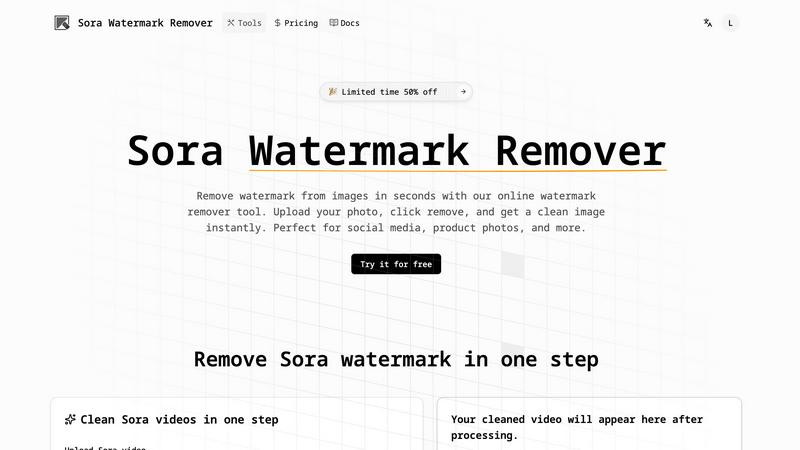
Wan 2.7

Feature Comparison
Sora Watermark Remover
Advanced AI-Powered Detection
Our core technology uses a trained AI model that is exceptionally good at identifying Sora-style watermarks. It doesn't just look for a simple logo; it understands patterns, semi-transparency, and placement to accurately pinpoint the watermark area. This precise detection is the first critical step to ensuring a clean removal without accidentally altering important parts of your image or video frame.
Seamless Content-Aware Removal
Once the watermark is detected, the tool doesn't just leave a blank hole. It employs content-aware fill technology, where the AI analyzes the surrounding pixels, textures, and colors. It then intelligently reconstructs the area where the watermark was, blending new pixels that match the background perfectly. This results in a natural-looking finish where it's impossible to tell a watermark was ever there.
User-Friendly One-Click Operation
We believe powerful tools should be simple to use. Sora Watermark Remover is designed with a streamlined, intuitive interface. The process is straightforward: upload your video or image file, let the AI scan it automatically, and with a single click, initiate the removal process. There's no need for complex manual editing, layers, or technical expertise, making professional-grade editing accessible to everyone.
Support for Multiple Media Formats
Flexibility is key for creators working across different platforms and projects. This tool supports a wide range of common file formats. You can upload popular image types like JPG and PNG, as well as video files such as MP4 and MOV. This versatility means you can handle all your watermark removal needs in one place, whether it's a single screenshot or a full-length marketing video.
Wan 2.7
Multi-Modal Video Generation
Wan 2.7 isn't limited to just one starting point. It offers a versatile workflow supporting text-to-video, image-to-video, and video-to-video generation. This means you can create from a written idea, animate a still picture, or transform an existing clip into something new, providing maximum flexibility for any creative project.
First and Last Frame Control
This advanced feature gives you direct influence over the narrative bookends of your video. By controlling the starting and ending frames, you can ensure your video matches a specific storyboard, loops perfectly, or transitions smoothly into another scene, offering a new level of directorial intent in AI video generation.
Steadier Multi-Shot Storytelling
A major upgrade in Wan 2.7 is its enhanced ability to maintain subject and style consistency across multiple shots or a longer duration. This is crucial for creating coherent scenes, action sequences, or character-focused clips where elements need to stay recognizable and stable, enabling true short-form storytelling.
Advanced Creative Controls
The platform provides detailed settings to fine-tune your output. You can adjust video duration up to 5 seconds, choose from multiple aspect ratios (like 16:9, 9:16, 1:1), select resolutions up to 1080p, and toggle AI-generated audio. An extensive prompt library with examples also helps jumpstart your creativity.
Use Cases
Sora Watermark Remover
Enhancing Social Media Content
Social media managers and influencers often use previews or assets that come with temporary watermarks. Before posting that exciting new app feature or product teaser to Instagram or TikTok, you can use Sora Watermark Remover to clean up the visual. This presents a more premium, finished product to your followers, increasing engagement and maintaining a polished brand aesthetic.
Preparing Client Presentations and Pitches
When creating business presentations, product demos, or sales pitches, professionalism is paramount. Using assets with visible watermarks can appear unpolished or like unfinished work. Removing these watermarks ensures your presentation materials look sleek, dedicated, and client-ready, helping you make a stronger, more credible impression during important meetings.
Repurposing Marketing and Demo Videos
Marketing teams frequently create demo videos using software that adds a watermark on the free tier. To use these videos in official campaigns, website landing pages, or email newsletters, the watermark needs to go. This tool allows you to professionally repurpose that content, transforming a basic demo into a high-quality marketing asset without starting from scratch.
Cleaning Up Educational and Tutorial Content
Educators and tutorial creators sometimes record their screens using tools that overlay a watermark. Having a distracting logo in the corner of a tutorial video can pull focus from the instructional content. Removing it creates a cleaner, more focused learning experience for viewers, allowing them to concentrate on the steps and information being presented without visual clutter.
Wan 2.7
Social Media Content Creation
Ideal for creators needing eye-catching clips for TikTok, Instagram Reels, or YouTube Shorts. The 9:16 vertical format and ability to quickly generate trendy, high-quality videos from text prompts make it perfect for producing daily content, product showcases, or engaging promotional snippets.
Concept Visualization and Storyboarding
Filmmakers, game developers, and ad agencies can use Wan 2.7 to rapidly visualize concepts. Turn written scenes into motion tests, create mood clips, or build fast render storyboards to pitch ideas and secure approvals before committing to expensive production shoots.
Product Marketing and Advertisements
Create compelling ad sequences that highlight product features in dynamic environments. The control over lighting, subject consistency, and multi-shot sequences allows brands to produce professional-looking promotional videos, explainers, and teaser clips tailored to specific campaigns.
Artistic and Stylized Video Projects
Artists and designers can explore new forms of expression by generating videos in specific artistic styles, such as anime, cinematic fantasy, or fashion editorial. The tool allows for experiments with lighting, texture, and cultural aesthetics to create unique visual art pieces.
Overview
About Sora Watermark Remover
Sora Watermark Remover is your go-to AI assistant for creating clean, professional-looking visuals. It's an innovative tool specifically designed to tackle the common and frustrating problem of visible Sora-style watermarks on videos and images. These watermarks, while sometimes necessary, can often distract from your core message and diminish the visual impact of your content. This tool steps in to solve that by using sophisticated artificial intelligence to intelligently detect and erase those watermarks. The magic lies in its ability to do this while meticulously preserving the original background and details, leaving you with a seamless and polished result. It's built for creators, marketers, social media managers, and business teams who need to present their work in the best light possible without unsightly overlays. Whether you're finalizing a product demo, crafting social media posts, or preparing a crucial client presentation, Sora Watermark Remover offers a fast, reliable, and incredibly user-friendly solution. You simply upload your file, and with just a few clicks, you have watermark-free content ready to share, publish, and impress your audience.
About Wan 2.7
Wan 2.7 is a creator-focused AI video generator designed to transform your ideas into stunning, dynamic videos with unprecedented control and consistency. It's a powerful online workflow that empowers marketers, filmmakers, social media creators, and storytellers to produce high-quality video content from simple text prompts, existing images, or reference videos. The core value of Wan 2.7 lies in its major upgrades focused on control and continuity, moving beyond simple clip generation to enable steadier multi-shot storytelling. Whether you need a cinematic sci-fi scene, a polished fashion portrait, or a fast-paced action sequence, Wan 2.7 gives you the tools to guide the AI with precision. Its intuitive interface allows you to specify duration, aspect ratio, and resolution, and even generate accompanying audio, making professional video creation accessible to everyone. This version represents a significant leap forward in achieving reliable subject consistency, smoother motion, and more stable rendering, turning ambitious creative visions into tangible video reality.
Frequently Asked Questions
Sora Watermark Remover FAQ
What types of watermarks can Sora Watermark Remover handle?
Sora Watermark Remover is specifically optimized to detect and remove Sora-style watermarks, which are typically semi-transparent logos or text placed in the corners or across the center of an image or video. It works best on these consistent, patterned watermarks. It may not be as effective on highly complex, artistic, or fully opaque watermarks that are deeply integrated into the core image content.
Is the watermark removal process fully automatic?
Yes, the process is largely automatic and designed for simplicity. After you upload your file, the AI automatically scans for and identifies the watermark. Your main action is to initiate the removal with a click. For some complex videos, you might have the option to verify the detection area, but the tool is built to deliver great results with minimal manual intervention.
Will removing a watermark affect the quality of my video or image?
Not at all. A key feature of our AI is its content-aware technology. It is designed to remove only the watermark pixels and then intelligently fill in the gap with new pixels that match the surrounding area in texture, color, and pattern. When done correctly, this preserves the original resolution and visual quality, leaving no trace of the edit.
Is it legal and ethical to remove watermarks?
This is an important consideration. Sora Watermark Remover is a tool intended for use on content you own or have the legal right to modify. This typically includes removing trial-version watermarks from your own screen recordings, or watermarks from assets provided by a service you have subscribed to. It is not ethical or legal to remove copyright watermarks from content you do not own, as this can infringe on the creator's rights. Always ensure you have the proper permissions before editing any media.
Wan 2.7 FAQ
What is the main improvement in Wan 2.7 over previous versions?
The biggest upgrades in Wan 2.7 center on greatly improved control and continuity. It focuses on steadier multi-shot storytelling, better subject consistency across frames, smoother environmental motion, and more stable rendering. This makes it far more reliable for creating coherent video sequences rather than just isolated clips.
What kind of videos can I create with Wan 2.7?
You can create a wide variety of videos, including cinematic scenes (sci-fi, fantasy), fashion and portrait clips, nature and atmospheric shots, dynamic action sequences, anime-style animations, product stories, and fast storyboards. The output is shaped by your detailed text prompts and chosen settings.
How long are the videos generated by Wan 2.7?
Based on the provided interface, you can set the duration of your generated video, with an example showing a default of 5 seconds. The platform allows you to control this parameter to fit the needs of your project, whether for a quick clip or a longer sequence built from multiple generations.
Do I need video editing experience to use Wan 2.7?
Not at all! Wan 2.7 is designed with an intuitive, user-friendly interface. The prompt-based system guides the AI for you. You simply describe what you want to see, adjust basic settings like aspect ratio, and let the AI handle the complex rendering. It's built to be accessible for beginners while powerful enough for pros.
Alternatives
Sora Watermark Remover Alternatives
Sora Watermark Remover is a free, AI-powered online tool that helps users quickly remove watermarks from videos and images. It falls into the category of AI assistants for video and image editing, offering a streamlined solution for creators who need clean, professional-looking content. Users often explore alternatives for various reasons. Some might need more advanced editing features, while others may require a downloadable desktop application instead of an online tool. Budget considerations, specific output quality needs, or a preference for different user interfaces can also lead people to look at other options. When choosing a different tool, it's wise to consider a few key factors. Look for a solution that balances ease of use with the power to deliver high-quality results. Ensure it respects your privacy and processes your files securely. Finally, check that it supports the file formats you use most and fits within your workflow, whether you need a one-click online service or a more comprehensive editing suite.
Wan 2.7 Alternatives
Wan 2.7 is a popular tool in the video editing and content creation space, known for its specific set of features that help creators streamline their workflow. It falls into the category of video production software, offering users the ability to edit, enhance, and finalize their visual projects. Like any software, it's a great fit for some, but not necessarily for everyone. Users often start looking for alternatives for a variety of practical reasons. Maybe the pricing structure doesn't align with their budget, or they need a feature that Wan 2.7 doesn't offer. Others might be seeking a tool that works on a different operating system or integrates better with their existing suite of apps. It's a normal part of finding the right tool for your unique creative process. When evaluating other options, it's wise to consider what matters most to you. Think about your must-have features, your comfort level with different interfaces, and how the tool fits into your overall budget. The goal is to find software that feels like a natural extension of your creativity, not a hurdle you have to overcome.