
HTML to PNG Converter vs SparkIcon AI | AI Icon Generator
Side-by-side comparison to help you choose the right AI tool.

HTML to PNG Converter
Transform your HTML and CSS into stunning PNG images instantly with our free, no-signup online converter featuring live preview and customization.
Last updated: March 11, 2026

SparkIcon AI | AI Icon Generator
SparkIcon AI creates and organizes unique icons with AI in one friendly platform.
Last updated: March 1, 2026
Visual Comparison
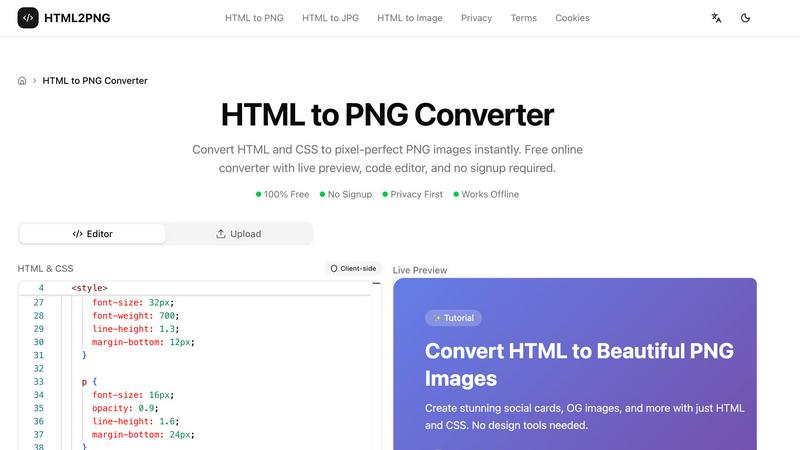
HTML to PNG Converter
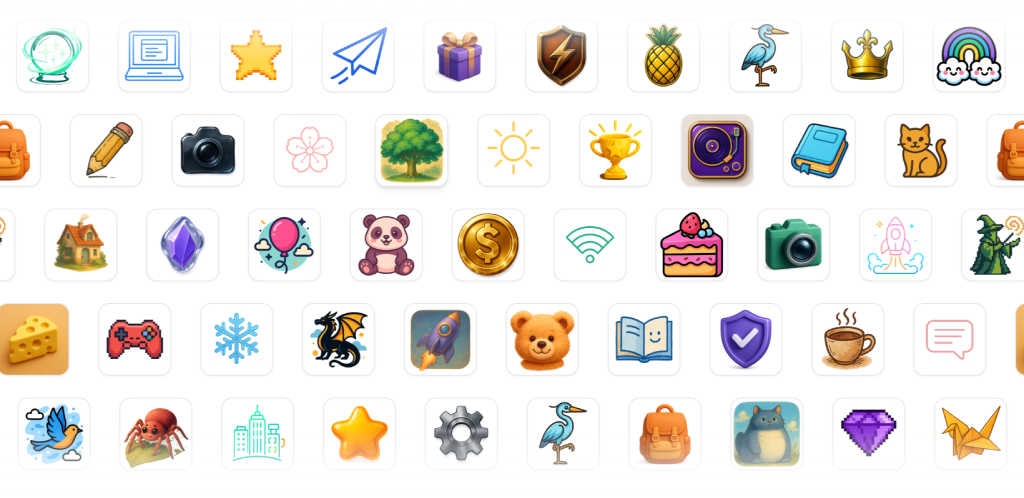
SparkIcon AI | AI Icon Generator
Feature Comparison
HTML to PNG Converter
Live Code Editor
The HTML to PNG Converter includes a Monaco-based code editor that features syntax highlighting, making it easy to write and read your code. The live preview functionality lets you see how your changes affect the output in real-time, ensuring you can make adjustments quickly and efficiently.
Multiple Output Formats
You have the flexibility to export your images in various formats, including PNG, JPG, and WebP. This allows you to choose the best format for your needs, whether you require lossless images, smaller file sizes, or good compression, catering to different use cases and requirements.
Support for Modern CSS
The tool supports a wide range of modern CSS features, including Flexbox, Grid layouts, gradients, shadows, and transforms. This means you can create visually stunning images that leverage contemporary design techniques without any limitations.
Built-in Templates
HTML to PNG Converter offers pre-built templates that you can use as a starting point for your designs. Whether you need a social media card, Open Graph image, or a styled code snippet, these templates can be customized to fit your needs, saving you time and effort.
SparkIcon AI | AI Icon Generator
Powerful AI Icon Generation
Generate stunning, high-resolution 1024x1024 icons from simple text prompts or reference images. The platform leverages powerful AI models like Nano-Banana and GPT-Image, which work together to ensure crisp lines, polished shading, and high fidelity to your description. You can choose from over 10 curated styles including Hand-Drawn, 3D, Neon, and Minimal to perfectly match any brand aesthetic or project need, making professional design accessible to everyone.
Project-Based Icon Organization
Keep your creative work tidy and efficient by organizing all your icons into dedicated projects. This feature allows you to group assets by client, app, brand, or campaign. It's perfect for maintaining version control, collaborating with team members, and reusing icons across different products. All your generated and purchased icons are stored with rich metadata and powerful filters, making it easy to find exactly what you need, when you need it.
Curated Icon Gallery & Packs
Find instant inspiration and ready-to-use assets by browsing the platform's curated icon gallery. Explore community creations and professionally designed icon packs to discover new styles and visual solutions. You can preview details of any icon and purchase entire packs using credits, with purchased icons instantly available in your library and ready to be added to your projects for a seamless workflow.
Built-in Asset Enhancement Tools
Refine and prepare your icons for deployment without ever leaving the platform. SparkIcon AI includes practical, integrated tools like a one-click background remover for perfect transparent edges and an intelligent image compressor to reduce file size without sacrificing quality. These tools help you clean up and optimize your assets quickly, accelerating your final export process.
Use Cases
HTML to PNG Converter
Create Social Media Graphics
With HTML to PNG Converter, you can easily design and generate social media cards and banners. The tool allows you to create visually appealing images that can enhance your online presence and engage your audience.
Generate Open Graph Images
You can quickly create Open Graph images for your blog posts or web pages. These images are essential for optimizing your content for social sharing, increasing visibility, and driving traffic to your site.
Convert Code Snippets to Images
Turn your code snippets into beautifully styled images for documentation or social media posts. This feature is particularly useful for developers who want to showcase their work in an attractive format that stands out.
Design Professional Invoices
Use the tool to convert HTML invoices or certificates into PNG images that can be easily shared and archived. This feature is beneficial for businesses looking to maintain a professional appearance in their communications.
SparkIcon AI | AI Icon Generator
App & Software Development
Developers and startup founders can use SparkIcon AI to create a full, cohesive set of application icons for iOS, Android, and web apps (PWAs). The platform's smart export presets provide one-click sizing for App Store, Android launcher, and favicon requirements, ensuring pixel-perfect assets across all platforms while maintaining a consistent brand identity from a single source.
Website & UI/UX Design
Web designers and UI/UX professionals can rapidly prototype visual concepts and generate unique icons for website navigation, features, and marketing graphics. The ability to use reference images ensures new icons stay on-brand with existing color palettes and styles, while the project organization helps manage icons for different client websites or sections of a large digital product.
Branding & Social Media Content Creation
Marketers and social media managers can craft unique, eye-catching icons for social media profiles, posts, stories, and advertising campaigns. The variety of fun styles like Neon or Plush helps brands stand out, and the built-in tools make it easy to create optimized, transparent PNGs ready for use on any social platform or marketing material.
Game & Digital Product Asset Design
Indie game developers and digital product creators can generate themed icon sets for in-game items, achievements, app features, or digital storefronts. Creating batches of icons in a consistent style—such as Pixel or Enamel Badge—is straightforward, providing a cost-effective way to build a large library of custom assets that enhance the user experience.
Overview
About HTML to PNG Converter
HTML to PNG Converter is a powerful and user-friendly online tool designed to transform your HTML and CSS code into high-quality PNG images instantly. Ideal for web developers, designers, marketers, and content creators, this converter allows you to create pixel-perfect images directly from your code without needing to sign up or upload any files. With its client-side processing, your HTML and CSS remain on your device, ensuring your work is private and secure. The tool offers a live preview feature, so you can see the changes in real-time as you edit your code. Whether you need to create social media graphics, styled code snippets, or professional invoices, HTML to PNG Converter provides all the necessary functionality to make your projects shine.
About SparkIcon AI | AI Icon Generator
SparkIcon AI is your creative command center for everything icons. It's much more than a simple generator; it's a comprehensive platform that combines powerful artificial intelligence with practical tools and smart organization to streamline your entire icon workflow. At its heart, SparkIcon AI transforms your text descriptions or reference images into professional, high-quality 1024x1024 icons in seconds. But the magic doesn't stop at creation. The platform provides a full, end-to-end environment where you can browse a curated gallery for inspiration, organize your generated and purchased icons into dedicated projects for different apps or brands, and polish your final assets with built-in utilities like a one-click background remover and image compressor.
Designed for a wide range of creators, SparkIcon AI is perfect for startup founders needing a cohesive app icon set, web developers searching for the perfect favicon, UI/UX designers quickly prototyping visual concepts, and marketers creating engaging social media graphics. Its core value proposition is delivering consistency, speed, and creative control. Instead of juggling multiple disconnected tools for generation, editing, sourcing, and file management, SparkIcon AI offers a unified, creator-friendly environment that handles everything from the initial spark of an idea to the final exported asset, ready for any platform or project.
Frequently Asked Questions
HTML to PNG Converter FAQ
What types of images can I create with HTML to PNG Converter?
You can create PNG, JPG, and WebP images from your HTML and CSS code. This flexibility allows you to choose the format that best suits your needs.
Do I need to sign up to use the converter?
No, HTML to PNG Converter is completely free to use and does not require any signup. You can start converting your HTML to images right away.
Is my code secure when using this tool?
Yes, the tool operates client-side, meaning your HTML and CSS code never leaves your device. This ensures your work remains private and secure throughout the conversion process.
Can I use the tool offline?
Yes, HTML to PNG Converter works offline, allowing you to generate images without an internet connection. This feature is great for users who need to work in environments with limited connectivity.
SparkIcon AI | AI Icon Generator FAQ
What makes SparkIcon AI different from other AI icon generators?
SparkIcon AI stands out by being a complete all-in-one platform, not just a generator. While its AI creation is powerful, it also provides essential tools for the entire icon lifecycle: a gallery for inspiration, project-based organization for management, and built-in utilities like a background remover and compressor for final polish. This unified workflow saves you from switching between multiple apps.
Can I use my own images to guide the AI icon generation?
Absolutely! The Reference Image Guidance feature allows you to upload your own brand assets, logos, or sketches. The AI will analyze your upload and align its generation with your image's composition, color palette, and overall mood, making it an excellent tool for creating new icons that fit seamlessly into an existing visual identity.
What file formats can I export my icons in?
SparkIcon AI supports exporting your final icons in all the standard formats you need: PNG, ICO, WEBP, and SVG. The platform also includes one-click smart presets for common use cases like Favicon (with ICO support up to 256x256), PWA icons (192x192, 512x512), iOS App Store (1024x1024), and various social media sizes, making technical export a breeze.
How does the project organization feature help me?
The Projects feature helps you bring order to your creativity. You can group icons for different applications, clients, or brands into separate projects. This makes it incredibly easy to track versions, manage batches of icons, collaborate with teammates by sharing access to a specific project, and quickly find assets later without sifting through a massive, unorganized library.
Alternatives
HTML to PNG Converter Alternatives
HTML to PNG Converter is a specialized design tool that allows users to transform HTML and CSS code into high-quality PNG images, making it ideal for developers, designers, and marketers. This tool is especially useful for generating pixel-perfect images quickly, without the hassle of server uploads or complicated processes. Users often seek alternatives to HTML to PNG Converter due to factors like price, specific features they might need for their projects, or compatibility with different platforms. When looking for an alternative, it's essential to consider the tool's ease of use, performance, and whether it meets your specific requirements, such as support for modern CSS features or different image formats. Additionally, privacy and security should also be a priority, especially if you're working with sensitive data or proprietary designs.
SparkIcon AI | AI Icon Generator Alternatives
SparkIcon AI | AI Icon Generator is a comprehensive creative platform that uses artificial intelligence to help you design, edit, and manage unique icons. It falls into the generative art category, going beyond simple creation to offer a full workflow with tools for organization and asset polishing. Users often explore alternatives for various reasons. You might be looking for a different pricing model, a specific feature not offered, or a platform that integrates better with your existing design toolkit. It's a natural part of finding the perfect fit for your creative process and budget. When evaluating other options, consider what matters most for your projects. Key factors include the quality and style variety of the AI generation, the availability of editing tools like background removal, and how well the platform helps you organize and export your final assets efficiently.