
Sprout Video Downloader vs Viral AI Video Maker
Side-by-side comparison to help you choose the right AI tool.

Download hosted MP4s from embedded/direct pages

Viral AI Video Maker
Create stunning TikTok and Instagram videos from any idea in minutes, no editing skills required.
Last updated: February 28, 2026
Visual Comparison
Sprout Video Downloader
Viral AI Video Maker

Overview
About Sprout Video Downloader
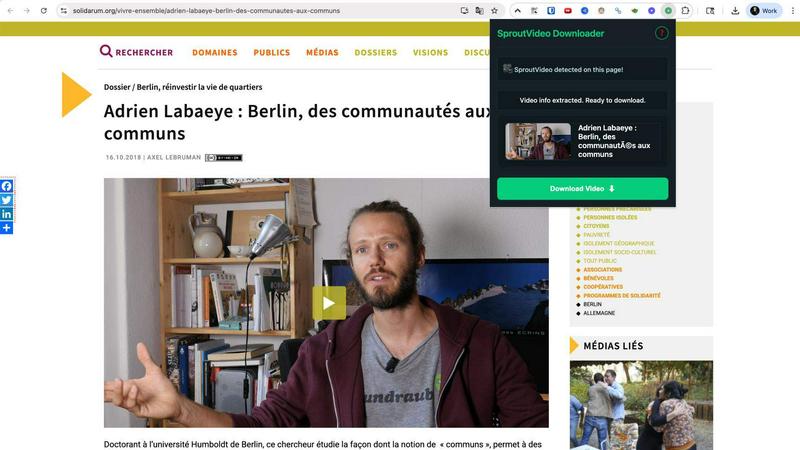
SproutVideo Downloader is a browser extension built for users who need offline access to business videos, training content, and embedded media served through SproutVideo. It detects supported direct-file and streaming playback flows, surfaces available quality options when present, and exports the final result as MP4 for later playback.
Save supported SproutVideo videos from embeds and direct pages
Handle direct MP4 and supported HLS-backed workflows
Export MP4 files for easier offline viewing and review
Keep a browser-first workflow for business and training content
Avoid manual stream extraction from embedded players
About Viral AI Video Maker
Viral AI Video Maker is an innovative platform designed to simplify the video creation process, making it accessible to everyone, regardless of their technical skills. Leveraging the advanced Google Veo3 AI technology, this tool allows users to turn their ideas into captivating videos in just about three minutes. It's perfect for content creators, digital marketers, small business owners, and social media influencers who need to generate high-quality visual content quickly and efficiently. The main value proposition lies in its user-friendly interface and the availability of pre-optimized, viral-tested templates. Each video is crafted in the ideal 9:16 vertical format, ensuring it is ready for popular social media platforms like TikTok, Instagram Reels, and YouTube Shorts. With no prior video editing experience necessary, users can simply select a template, customize their content, and download their finished product—eliminating the steep learning curve associated with traditional video editing software.