
TemplateFox vs ToolPortal
Side-by-side comparison to help you choose the right AI tool.

TemplateFox
Create and customize thousands of PDF templates effortlessly with TemplateFox's easy API and no-code automation.
Last updated: February 28, 2026

ToolPortal
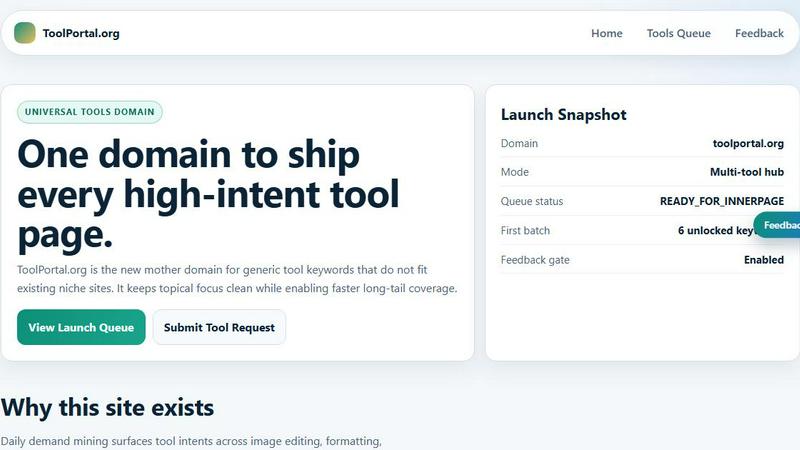
ToolPortal is your go-to online directory with over 300 free tools for developers, designers, and content creators to streamline their tasks.
Last updated: April 4, 2026
Visual Comparison
TemplateFox

ToolPortal
Feature Comparison
TemplateFox
User-Friendly Drag-and-Drop Editor
The drag-and-drop editor empowers users to design dynamic PDF templates effortlessly. With a visual interface, users can create stunning documents without any coding skills, making it perfect for everyone, regardless of technical ability.
Dynamic Data Binding
TemplateFox allows users to inject any type of data into their templates easily. Whether it's names, addresses, or prices, the platform ensures that all information is updated automatically, allowing for efficient document generation without repetitive manual input.
Automatic Table Growth
With TemplateFox, tables are designed to grow dynamically based on the data provided. This means whether you have 3 items or 300, the table will adapt accordingly, even spanning multiple pages if necessary, which is ideal for detailed reports and invoices.
Built-in QR Codes and Barcodes
Generating QR codes and barcodes is seamless with TemplateFox. Users can create these codes on the fly based on their data, supporting various formats such as Code128, EAN-13, and QR codes. This feature ensures that all documents are scanner-ready and enhances the professionalism of the output.
ToolPortal
Comprehensive Tool Index
ToolPortal features a dense index of 261 live tools organized into specific categories, including generators, checkers, converters, formatters, and image editing tools. This organization allows users to quickly navigate to the tools they need without unnecessary friction.
Dual Search Modes
Users can choose between two search methods: a direct keyword search for when they know the exact tool name or a task description mode that suggests tools based on the stated job. This flexibility caters to both experienced users and those who may be unsure of what they need.
Daily Refresh Cycle
ToolPortal is committed to continuous improvement, with new pages and UI updates being rolled out daily. This ensures that users always have access to the latest tools and features, enhancing the overall experience and keeping the content fresh and relevant.
Instant Access Without Login
One of the standout features of ToolPortal is that it requires no login or account creation. Users can open any tool page and run it immediately, eliminating barriers to access and allowing for a seamless workflow.
Use Cases
TemplateFox
Automating Invoice Generation
Businesses can save time and reduce errors by automating invoice generation using TemplateFox. By integrating the platform with their existing systems, they can create and send invoices instantly, ensuring timely payments and better cash flow management.
Certificate Creation for Events
Event organizers can use TemplateFox to design and generate certificates of achievement or participation in a matter of minutes. With customizable templates, they can cater to various events, providing a professional touch to their recognition efforts.
Streamlining Packing Slips for E-commerce
E-commerce businesses can leverage TemplateFox to generate packing slips automatically. This includes dynamically filling in customer details and order information, ensuring accurate and professional documentation for shipping purposes.
Generating Reports for Data Analysis
TemplateFox is also ideal for generating detailed reports that require dynamic data binding. Users can create comprehensive reports that adapt to changing data, making it easier to analyze performance metrics and share insights with stakeholders.
ToolPortal
Social Media Content Creation
Content creators can utilize the text styling tools available in ToolPortal, such as glitch or gothic text generators, to produce eye-catching social media posts. This allows for enhanced engagement and unique branding.
Quick Image Editing
Marketers and designers can use the image tools to crop photos, remove backgrounds, and prepare assets for various platforms in a matter of minutes. This efficiency is crucial for meeting tight deadlines in the fast-paced digital landscape.
Validation and Quality Checks
Developers can rely on the validation tools for tasks such as checking DMARC records or running speed tests to ensure their projects meet quality standards before publishing. This helps maintain a high level of professionalism.
Format Conversion
Students and professionals alike can benefit from the conversion tools offered by ToolPortal, which allow for quick and easy transformation of units, time, and text formats. This is particularly useful for those working on reports or data analysis.
Overview
About TemplateFox
TemplateFox is an innovative SaaS solution designed to simplify the process of generating professional-quality PDFs from visually appealing templates. It caters to a wide range of users, from indie hackers and developers to businesses seeking to streamline their document workflows. With TemplateFox, you can create various documents such as invoices, certificates, reports, and more, all without needing HTML or CSS knowledge. The platform features a user-friendly drag-and-drop editor, making it accessible to users of all technical backgrounds. By utilizing a straightforward API or integrating with Zapier, TemplateFox allows users to generate thousands of customized documents in mere seconds. The service begins with an enticing offer of 100 free PDFs each month, providing an excellent entry point for users to explore its capabilities. As businesses grow, they can take advantage of affordable scaling options to meet their evolving needs.
About ToolPortal
ToolPortal is a robust online directory offering over 300 free, browser-based tools designed to cater to a wide range of needs. Whether you're looking to convert text formats, validate JSON code, edit images, or perform SEO checks, ToolPortal has something for everyone. It serves as a one-stop-shop for developers, marketers, writers, and anyone who needs quick access to practical online utilities without the hassle of installation or sign-up. The intuitive interface allows users to search for tools by keyword or describe their task in plain language, making it easy to find the right tool in seconds. With a focus on user experience, ToolPortal ensures that all tools are live and ready to use immediately, streamlining workflows and enhancing productivity.
Frequently Asked Questions
TemplateFox FAQ
How does TemplateFox handle data updates?
TemplateFox uses dynamic data binding to automatically inject and update data in your templates. This means any changes made to the source data will reflect in the generated PDFs without additional manual input.
Is there a free trial available for TemplateFox?
Yes, TemplateFox offers an initial package that allows users to generate 100 free PDFs each month. This gives new users a chance to explore its features and capabilities without any financial commitment.
Can I integrate TemplateFox with other tools?
Absolutely! TemplateFox supports integrations with popular no-code platforms such as Zapier and Airtable. This enables users to automate their PDF generation process without writing any code.
What types of documents can I create with TemplateFox?
TemplateFox is versatile and allows you to create a wide variety of documents including invoices, certificates, reports, packing slips, and more. Each template is fully customizable to meet your specific needs.
ToolPortal FAQ
What types of tools does ToolPortal offer?
ToolPortal offers a wide variety of tools across categories such as generators, checkers, converters, formatters, and image editing utilities. This diversity ensures that users can find tools for nearly any online task.
Do I need to create an account to use ToolPortal?
No, ToolPortal does not require any account creation or login. Users can access and run tools directly in their browser without any barriers, making it quick and easy to get started.
How often are new tools added to ToolPortal?
ToolPortal features a daily refresh cycle, meaning new tools and updates are continually being integrated into the platform. This commitment to freshness ensures users have access to the latest tools available.
Can I search for tools without knowing their names?
Absolutely! ToolPortal allows users to describe their tasks in plain language, and it will suggest the best-fit tools based on that description. This user-friendly feature helps those who may not be familiar with specific tool names.
Alternatives
TemplateFox Alternatives
TemplateFox is a powerful SaaS solution designed for users looking to create and manage professional-quality PDFs effortlessly. With its intuitive drag-and-drop editor, anyone—from indie hackers to large businesses—can design customized templates without needing any technical skills. Users often seek alternatives to TemplateFox for various reasons, including pricing structures, specific feature sets, or compatibility with existing platforms. When choosing an alternative, it's essential to consider factors such as ease of use, the breadth of features offered, integration capabilities, and the scalability of the solution as your business grows. Exploring alternatives can help users find the best fit for their unique needs. Prioritize platforms that offer robust customization options, reliable support, and the ability to automate workflows efficiently. Understanding your specific requirements will guide you in selecting a solution that not only meets your immediate needs but also supports your long-term goals.
ToolPortal Alternatives
ToolPortal is a robust online tools directory designed specifically for developers, designers, SEO professionals, and content creators. With over 300 free browser-based tools, it offers a wealth of resources across various categories, including productivity, web development, and SEO. Users often seek alternatives to ToolPortal for several reasons, such as varying feature sets, user interface preferences, or specific platform needs that might not be met by ToolPortal. When looking for an alternative, consider factors like the types of tools offered, ease of navigation, user experience, and whether the platform requires any installation or sign-up. It's also essential to assess the reliability and support provided, as well as how frequently the tools are updated to meet current industry standards.