
Tiktok Comment Generator vs VideoFlux
Side-by-side comparison to help you choose the right AI tool.

Tiktok Comment Generator
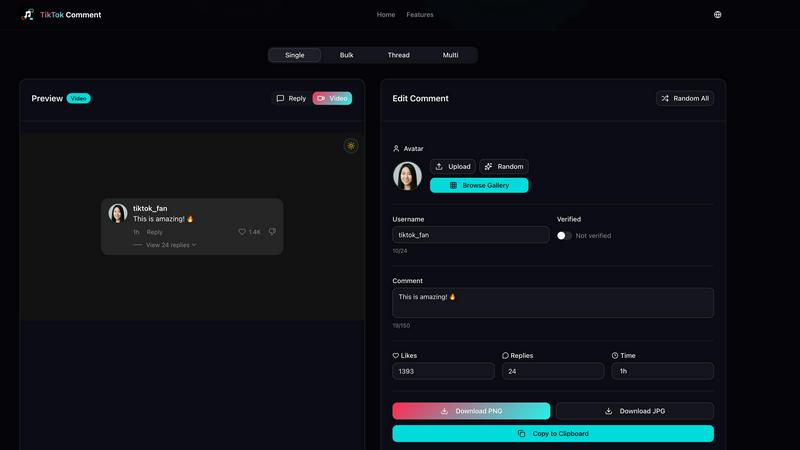
Create realistic TikTok comment images quickly and easily with custom usernames, avatars, and engagement details.
Last updated: March 3, 2026

VideoFlux transforms your text and images into professional videos instantly with advanced AI.
Last updated: April 4, 2026
Visual Comparison
Tiktok Comment Generator
VideoFlux

Overview
About Tiktok Comment Generator
TikTok Comment Generator is an innovative and user-friendly online tool designed specifically for creating realistic TikTok-style comment images. This free tool is ideal for content creators, marketers, and social media managers who want to enhance their engagement on TikTok. By generating highly customizable comment images, users can simulate authentic interactions that resonate with their audience. The tool operates directly in your browser, ensuring that no data is uploaded or stored, and no account is required to access its features. With various generation modes, including single, bulk, thread, and multi, users have complete control over the details of each comment, including usernames, avatars, verification badges, likes, and timestamps. This versatility makes it a valuable asset for anyone looking to enrich their TikTok content and showcase social proof effectively.
About VideoFlux
VideoFlux is your creative partner for turning ideas into professional-quality videos in minutes. It's an advanced AI-powered platform designed to simplify video creation for everyone, from social media creators and marketers to business owners and artists. At its core, VideoFlux transforms simple text descriptions or static images into dynamic, engaging video content. Whether you need a short ad, a social media clip, or a creative visual story, VideoFlux handles it. The platform offers multiple creation paths: describe a scene with words using Text-to-Video, bring a photo to life with Image-to-Video, generate images from text, or transform existing images into new styles. This flexibility means you can start your project from any point of inspiration. Built with cutting-edge AI models, VideoFlux prioritizes high-quality output, fast processing times (typically 1-10 minutes), and an intuitive workflow. It’s the perfect solution for anyone looking to produce stunning video content quickly, cost-effectively, and without needing complex editing skills or expensive production teams.
Alternatives
Tiktok Comment Generator Alternatives
TikTok Comment Generator is a free online tool designed to create realistic TikTok-style comment images, making it a valuable resource for content creators, marketers, and social media managers. As a design tool, it allows users to enhance their TikTok posts with engaging comment visuals that mimic real interactions, without the need for any downloads or account setups. Users often seek alternatives to tools like TikTok Comment Generator due to various reasons, including pricing, feature sets, and compatibility with different platforms. When choosing an alternative, it's essential to consider factors such as ease of use, customization options, and the ability to generate comments that align with your specific needs and aesthetic preferences. Ensuring that the alternative tool fits well within your workflow can significantly enhance your content creation process.
VideoFlux Alternatives
VideoFlux is an AI-powered tool in the content creation and design space, specifically focused on generating videos from text prompts and images. It helps users quickly produce marketing materials, social media clips, and ads by converting simple inputs into professional-looking video content. People often explore other options for various reasons. This could be due to budget constraints, a need for different video styles or formats, or a requirement to integrate with other platforms in their workflow. Sometimes, a project just demands a specific feature that their current tool doesn't offer. When evaluating different platforms, it's wise to consider your primary use case, desired output quality, and how much creative control you need. Also, look at factors like generation speed, ease of use, and the overall cost relative to the value you expect to get from the tool.