
tools.video vs TrafficClaw
Side-by-side comparison to help you choose the right AI tool.

Free online video toolkit. Compress, convert, crop, and trim videos instantly. No watermarks, no registration, and fully browser-based.

TrafficClaw
Talk to your SEO & Analytics data - it finally talks back
Visual Comparison
tools.video
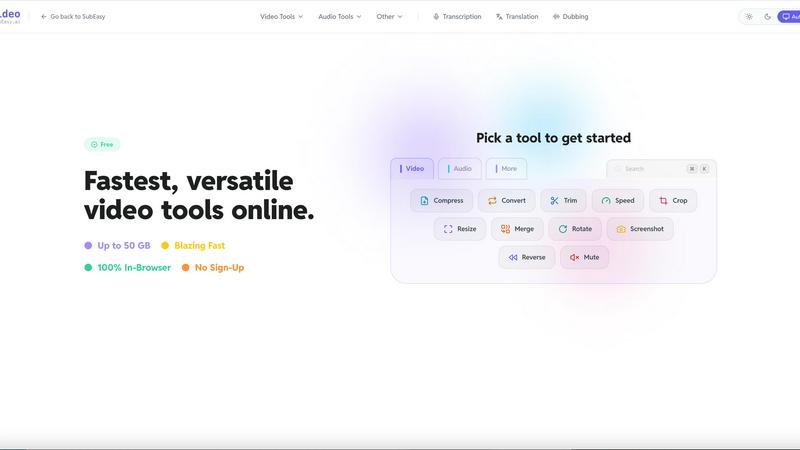
TrafficClaw

Overview
About tools.video
tools.video is a comprehensive, web-based video processing suite designed for speed and simplicity. It offers a wide range of essential tools, including:
Video Compression: Reduce file size without losing quality.
Format Conversion: Support for MP4, MOV, WebM, and more.
Editing Tools: Easily trim, crop, mute, or merge video clips.
Media Extraction: Convert videos to GIFs or extract high-quality MP3 audio.
Built for creators, students, and professionals, tools.video removes the barriers of expensive software. It requires no account registration, adds no watermarks to your projects, and ensures privacy by processing files efficiently. Whether you need a quick format change or a social media-ready crop, tools.video provides a seamless, one-click solution directly in your browser.
About TrafficClaw
Your traffic dropped. Google Analytics says nothing useful. Search Console shows graphs. Cool. Now what? TrafficClaw lets you just ask - "Why did my traffic drop?" and actually get an answer. Backed by your real data, not some generic blog post advice. Connect GA4 + Search Console. Ask questions. Get fixes. That's it.