
Toon Composer vs Veo 3.2 AI
Side-by-side comparison to help you choose the right AI tool.

Toon Composer
ToonComposer effortlessly turns your sketches into vibrant cartoon animations with advanced AI-driven technology.
Last updated: February 28, 2026

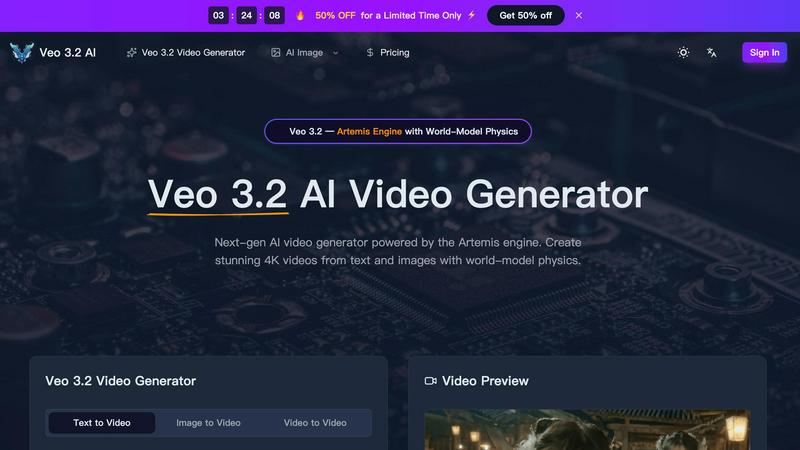
Veo 3.2 AI creates stunning 4K videos from text and images using advanced world-model physics for lifelike motion and cinematic quality.
Last updated: March 11, 2026
Visual Comparison
Toon Composer
Veo 3.2 AI
Feature Comparison
Toon Composer
Sketch-to-Animation
Toon Composer's core feature allows users to convert simple sketches into vibrant, fluid animations. By utilizing AI-powered generative post-keyframing, it requires minimal input, transforming just a few keyframes and colored reference frames into dynamic animations, making it accessible for users at all skill levels.
Sparse Input Support
This feature excels in working with minimal input requirements. Users can produce high-quality animations using as little as a single sketch and colored reference frame. It also supports multiple sketches at any temporal location, granting precise control over motion and enhancing the animation's fluidity.
Region-wise Control
Toon Composer allows users to specify blank regions within their sketches. This feature empowers the AI to generate plausible content based on context or text prompts, leading to creative flexibility. It reduces labor requirements by enabling input sketches to be spatially sparse without compromising quality.
Unified Workflow
Toon Composer integrates inbetweening and colorization into a single generative process. This unified workflow eliminates the need for separate stages, reducing the risk of errors that often occur in traditional animation production. It streamlines the creative process, ensuring a smoother transition from concept to final animation.
Veo 3.2 AI
Next-Gen Text-to-Video Generation
Veo 3.2 AI excels in converting text prompts into dynamic videos. Users can generate clips up to 30 seconds long in true 4K resolution, capturing cinematic quality with fluid movements and realistic dynamics that enhance storytelling.
Image-to-Video Conversion
With Veo 3.2, uploading an image or design allows the model to infuse it with life through natural motion. This feature utilizes AI Detail Reconstruction to redraw intricate details at true 4K, ensuring visually striking outputs.
World-Model Physics & Audio Sync
The Artemis engine's simulation of real-world physics, including gravity and fluid dynamics, creates a sense of authenticity in every video. Coupled with material-aware audio that adapts to the environment, the output feels immersive and engaging.
Character Consistency Across Shots
Using Ingredients 2.0, Veo 3.2 builds a detailed 3D character map from reference photos, ensuring consistency in character appearance across various scenes. This feature maintains the integrity of facial features and proportions, enhancing visual storytelling.
Use Cases
Toon Composer
Professional Animation Production
Animation studios can utilize Toon Composer to enhance their production pipelines. By reducing the time taken to create animations, studios can increase output while maintaining high-quality standards, ultimately leading to more projects completed in less time.
Independent Animator Projects
Freelance animators can take advantage of Toon Composer's capabilities to produce professional-grade animations with minimal resources. This tool enables them to focus on their creativity rather than getting bogged down in time-consuming processes.
Animation Education
Students studying animation can benefit from Toon Composer as a learning tool. By simplifying complex animation techniques, it allows students to experiment and learn the principles of animation without overwhelming them with traditional methods.
Content Creation for Social Media
Content creators looking to produce engaging animated videos for platforms like Instagram or TikTok can use Toon Composer to quickly generate eye-catching animations. This tool can help them capture their audience's attention with unique and creative content, enhancing their digital presence.
Veo 3.2 AI
Marketing Videos
Businesses can utilize Veo 3.2 to create captivating marketing content that engages customers. By generating eye-catching videos from product images or promotional text, brands can effectively communicate their messages.
Educational Content
Educators and content creators can employ Veo 3.2 to develop illustrative videos for teaching. This tool enables the transformation of complex concepts into visually appealing narratives, making learning more accessible and enjoyable.
Social Media Content
Veo 3.2 is perfect for social media managers looking to produce high-quality video content quickly. With its easy-to-use interface, users can generate engaging videos tailored for various platforms, helping to boost audience interaction.
Film Production
Independent filmmakers can leverage Veo 3.2 for pre-visualization and scene creation. The ability to generate realistic character animations and dynamic environments allows filmmakers to explore their ideas visually before actual production begins.
Overview
About Toon Composer
Toon Composer is an innovative AI-powered tool developed by Tencent ARC Lab that radically transforms the cartoon animation production process. Designed for professional animation studios, independent animators, and animation students, Toon Composer allows users to create stunning, fluid animations from simple sketches. The tool leverages generative post-keyframing technology, enabling users to input sparse keyframe sketches along with colored reference frames, ultimately streamlining the animation workflow. With its advanced features, Toon Composer significantly reduces production time by up to 90%, making it an invaluable asset for anyone involved in cartoon animation. Its user-friendly interface and seamless integration with popular animation tools further enhance its appeal, allowing creators to bring their visions to life with ease and efficiency.
About Veo 3.2 AI
Veo 3.2 AI is a cutting-edge video generation tool powered by the innovative Artemis engine, designed for creators who want to produce stunning, high-quality videos with ease. By harnessing advanced AI capabilities, Veo 3.2 allows users to transform text and images into breathtaking 4K videos, complete with world-model physics that simulate realistic movements and environments. Whether you are a filmmaker, marketer, or content creator, Veo 3.2 provides a versatile platform for storytelling that is both intuitive and powerful. Its capability to generate videos up to 30 seconds long ensures that creators can convey their narratives effectively without sacrificing quality. The model also offers features like character consistency and material-aware audio, making it a comprehensive solution for any video project.
Frequently Asked Questions
Toon Composer FAQ
How does Toon Composer reduce animation production time?
Toon Composer employs advanced AI technology that streamlines the animation process, allowing for a reduction of up to 90% in production time by automating key stages such as inbetweening and colorization.
What types of sketches can I use with Toon Composer?
You can use simple sketches, colored reference frames, and even multiple sketches at various points in time to create animations. The tool is designed to work efficiently with sparse inputs while producing high-quality results.
Is Toon Composer suitable for beginners?
Yes, Toon Composer is designed to be user-friendly, making it accessible for animators of all skill levels. Its intuitive interface and minimal input requirements allow beginners to create animations without extensive training.
Can Toon Composer integrate with other animation tools?
Absolutely! Toon Composer seamlessly integrates with popular creative tools like Adobe After Effects, Blender, and Photoshop, allowing users to incorporate it into their existing animation workflows effortlessly.
Veo 3.2 AI FAQ
What types of videos can I create with Veo 3.2 AI?
You can create a wide variety of videos, including promotional content, educational materials, character animations, and cinematic scenes, all in stunning 4K resolution.
How does the character consistency feature work?
Veo 3.2 uses Ingredients 2.0 to create a 3D character map from uploaded reference photos, ensuring that characters maintain the same appearance across different scenes for seamless storytelling.
Is there a limit to the video duration I can generate?
Yes, Veo 3.2 allows users to generate continuous videos up to 30 seconds long, enabling effective storytelling without the typical constraints of short clips.
Can I customize the audio in my videos?
Absolutely! Veo 3.2 features material-aware audio that adapts to scene environments, providing context-aware sound effects that enhance the viewer's experience.
Alternatives
Toon Composer Alternatives
Toon Composer is a powerful AI tool in the design and animation space, specifically designed to turn sketches into fluid cartoon animations. It's a fantastic solution for creators looking to speed up their workflow with generative AI technology. People often explore other options for various reasons. This could be due to budget constraints, needing features tailored for a different style like 3D or motion graphics, requiring compatibility with a specific operating system, or simply wanting to compare tools to find the best personal fit. When evaluating alternatives, consider your primary goal. Are you focused on sketch-to-animation AI, general motion design, or traditional frame-by-frame tools? Also, think about your skill level, desired output quality, and how the tool integrates with your existing software. The right choice balances power, ease of use, and value for your specific projects.
Veo 3.2 AI Alternatives
Veo 3.2 AI is a next-generation AI video generator that leverages the powerful Artemis engine to create stunning 4K videos from text and images. It belongs to the category of AI Assistants, Design Tools, and Image & Photo solutions, offering advanced features like world-model physics to enhance video quality and realism. Users often seek alternatives to Veo 3.2 AI for various reasons, including pricing concerns, the need for additional or different features, or compatibility with specific platforms. When searching for an alternative, it’s essential to consider factors such as ease of use, output quality, pricing models, and customer support to ensure the tool meets your unique needs and enhances your creative projects.