
documentorium vs UndercoverGPT
Side-by-side comparison to help you choose the right AI tool.

documentorium
Documentorium creates professional contractor documents and PDFs in seconds with guided, trade-specific forms.
Last updated: March 26, 2026

UndercoverGPT
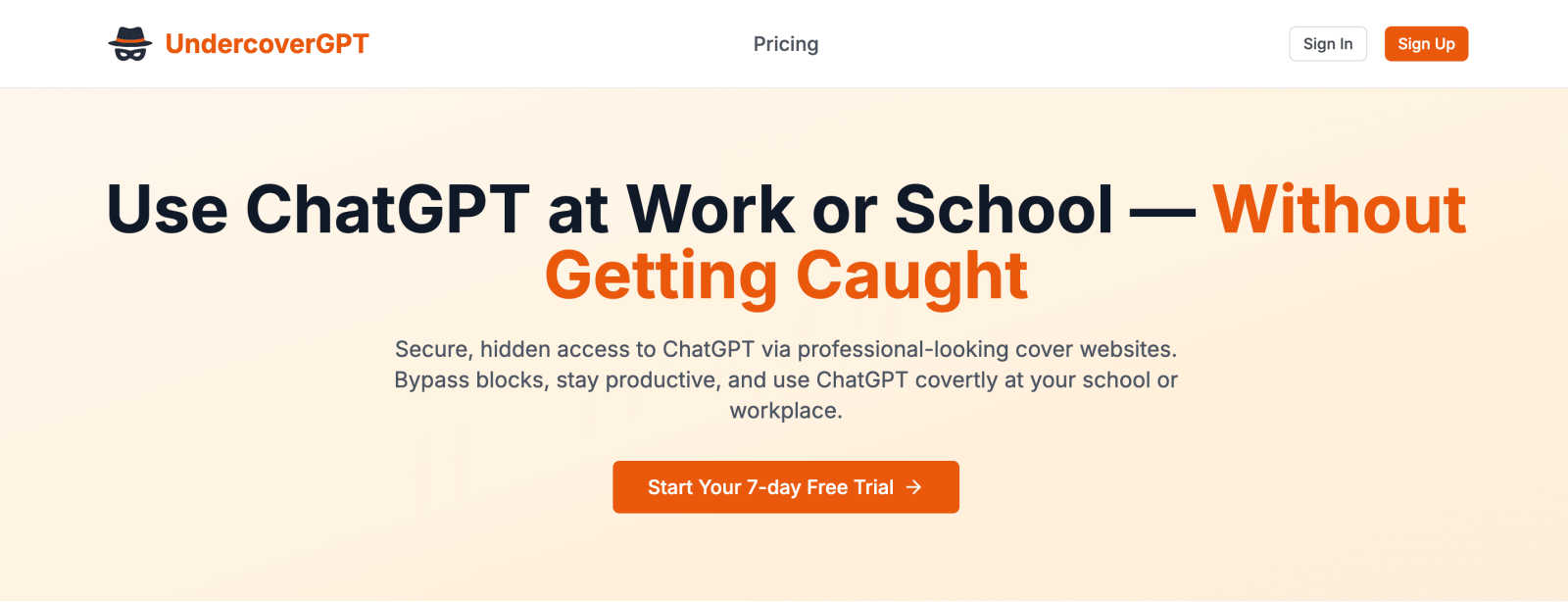
Access ChatGPT discreetly at school or work with UndercoverGPT for seamless and productive conversations.
Last updated: March 1, 2026
Visual Comparison
documentorium

UndercoverGPT
Feature Comparison
documentorium
Trade-Specific Guided Forms
Forget adapting generic templates. documentorium offers over 200 forms across 26 trades, with fields built specifically for your line of work. Whether you're a solar installer needing a detailed proposal section for panel specs or a plumber listing fixture models and labor codes, the forms guide you with the right questions. This eliminates guesswork and ensures you capture all the necessary details for a professional and complete document every single time.
Instant, Professional PDF Generation
Once you fill out a form, the magic happens in seconds. documentorium automatically formats all your information into a clean, branded, and print-ready PDF document. There's no dragging boxes in a word processor, no worrying about alignment, and no fussing with fonts. You get a polished final product instantly, ready to email to a client or print out for the job site, making you look organized and professional with zero extra effort.
Complete Document History & Prefill
Every document you create is saved in your personal history within the platform. This is more than just storage; it's a huge time-saver. Need to create a similar quote or follow-up invoice? You can easily pull up a past document and prefill the next one with the existing client and job details. This feature streamlines recurring work and ensures consistency across all your client communications and records.
All-Access, Simple Subscription
documentorium believes in straightforward value. For one simple annual price, you get full, unrestricted access to the entire catalog of documents and forms. There are no confusing tiers, no per-document fees, and no hidden costs for premium templates. Everything from quotes and contracts to warranties and change orders is included, giving you one reliable tool for all your business documentation needs.
UndercoverGPT
Discreet Access
UndercoverGPT allows users to access ChatGPT through professional-looking cover websites, ensuring that their usage remains hidden from prying eyes. This feature is particularly useful in settings where AI tools may be blocked.
Enhanced Security
With a focus on user privacy, UndercoverGPT employs robust security measures that protect user data and ensure that interactions with the AI remain confidential. This makes it a safe choice for sensitive inquiries.
Seamless Integration
The tool integrates easily into existing workflows, allowing users to transition smoothly between tasks while utilizing AI assistance. This seamless transition helps maintain productivity without interruptions.
User-Friendly Interface
UndercoverGPT boasts a user-friendly interface that makes it simple for anyone to navigate and utilize its features, regardless of their technical expertise. This accessibility ensures that all users can benefit from AI support.
Use Cases
documentorium
Creating a Detailed Quote for a New Client
An HVAC technician visits a potential customer's home for a system replacement. Using documentorium on their phone or tablet, they select the "HVAC Quote" template. The guided form prompts them for unit specifications, SEER ratings, labor breakdown, and warranty terms specific to HVAC work. In minutes, they can present a professional, itemized quote on the spot, significantly increasing their chances of closing the deal immediately.
Issuing a Work Order and Invoice On-Site
A plumber completes a kitchen faucet repair. Before leaving, they open documentorium, find the "Plumbing Service Report & Invoice" template, and fill in the parts used (model numbers, costs), labor time, and a description of the work performed. They generate a PDF, which serves as both the completed work order for their records and a detailed invoice for the customer. The client gets a clear, professional bill instantly.
Submitting a Formal Bid for a Large Project
A general contractor is bidding on a residential renovation. They use documentorium's detailed "Construction Bid" template, which helps them structure the proposal with clear phases, material lists, subcontractor costs, timelines, and payment schedules. The resulting polished PDF bid presents their company as organized and thorough, helping them stand out in a competitive bidding process.
Managing a Project with Change Orders
During a roofing job, the homeowner decides to upgrade the underlayment material. The roofer uses documentorium to quickly generate a "Change Order" form. This document clearly outlines the original scope, describes the change, lists the new material cost and any additional labor, and shows the adjusted total. Having this formal, signed document protects both parties and keeps the project's financials perfectly clear.
UndercoverGPT
Student Research Assistance
Students can use UndercoverGPT to conduct research and gather information for assignments without raising suspicion in academic settings. This enables them to enhance their learning experience discreetly.
Workplace Queries
Professionals can leverage UndercoverGPT to quickly find answers to work-related queries, improving their efficiency and productivity without drawing attention from colleagues or supervisors.
Creative Writing Support
Writers can utilize UndercoverGPT for brainstorming ideas or generating content while keeping their creative process under wraps. This allows them to explore new concepts without external distractions.
Learning New Skills
Individuals looking to learn new skills or concepts can access UndercoverGPT for guidance and support, allowing them to pursue personal development in environments that may limit educational resources.
Overview
About documentorium
documentorium is the straightforward document engine designed specifically for the hardworking tradesperson. If you're an electrician, plumber, contractor, HVAC technician, roofer, or any other service professional, you know that paperwork can be a major time-sink. Starting from a blank page for every quote, invoice, or work order eats into the time you could be spending on the job. documentorium fixes that. It provides you with a massive library of over 200 guided templates, meticulously organized across 26 trade categories. Instead of generic forms, each template has fields built for the specifics of your trade, so you're not trying to fit a square peg into a round hole. The value proposition is simple: stop wrestling with document formatting and creation. You just fill out a simple, guided form, and within seconds, you have a clean, professional, and print-ready PDF to send to your client. It's about looking polished, saving immense time, and getting back to what you do best—your trade.
About UndercoverGPT
UndercoverGPT is an innovative tool that provides users with secure and discreet access to ChatGPT, particularly in environments where such access might be restricted or monitored, like schools and workplaces. This cutting-edge solution utilizes an array of professional-looking cover websites, enabling users to bypass restrictions while maintaining a low profile. UndercoverGPT is ideal for students who need assistance with assignments, professionals seeking quick answers to work-related queries, and anyone who values the convenience of AI support without attracting unwanted attention. Its primary value proposition lies in offering a powerful, hidden resource that enhances productivity while ensuring that there is no visible trace of ChatGPT on users' screens. By using UndercoverGPT, individuals can efficiently solve problems and get their questions answered without the fear of detection, making it a must-have tool for discreet AI assistance.
Frequently Asked Questions
documentorium FAQ
Can I cancel my subscription anytime?
Absolutely, yes. You are in complete control. You can cancel your subscription directly from your account settings at any time. Your access will remain active until the end of your current billing period, and then it will not renew. There are no penalties, no lock-in contracts, and no hassle—just simple and fair terms.
What happens to my documents if I don't subscribe after the trial?
All your documents are safe. When your free trial ends, you retain access to view and download any documents you created during the trial period. They remain in your account history. To create or edit new documents, you would need to activate a subscription. Your hard work is never held hostage or deleted.
Do I need a credit card to start the free trial?
No, you do not. You can sign up and start your one-month free trial without entering any credit card information. This lets you fully explore the platform, create real documents, and see the value for yourself with zero commitment or risk upfront.
Does documentorium provide legal advice for contracts?
No, documentorium does not provide legal advice. The platform is a powerful tool for generating professional business documents and PDFs based on the information you provide. It is always recommended that you have important legal documents, like complex contracts, reviewed by a qualified legal professional to ensure they meet your specific needs and local regulations.
UndercoverGPT FAQ
How does UndercoverGPT ensure user privacy?
UndercoverGPT employs advanced security protocols that safeguard user data and interactions, ensuring that all communications remain confidential and protected from external scrutiny.
Is UndercoverGPT easy to use for non-technical users?
Yes, UndercoverGPT features a user-friendly interface designed for accessibility. Users of all technical backgrounds can easily navigate the tool and access its AI support without difficulty.
Can I access UndercoverGPT on mobile devices?
UndercoverGPT is designed to be compatible with various devices, including smartphones and tablets, allowing users to access AI assistance on the go while maintaining discretion.
What kind of environments is UndercoverGPT suitable for?
UndercoverGPT is ideal for use in schools, workplaces, and any other environments where access to ChatGPT may be restricted or monitored, providing users with a safe and discreet solution.
Alternatives
documentorium Alternatives
documentorium is a specialized document engine designed for tradespeople, falling into the productivity and management software category. It helps contractors, electricians, plumbers, and other service professionals quickly generate professional quotes, invoices, and other job documents from trade-specific templates. Users often explore alternatives for various reasons. Some might need different pricing plans, require integration with other business tools like accounting software, or seek features beyond core document creation, such as customer relationship management (CRM) or advanced scheduling. When evaluating other options, it's wise to consider your specific trade needs, budget, and how easily the tool fits into your existing workflow. Look for solutions that offer relevant templates, mobile accessibility, and reliable customer support to ensure a smooth experience for your business.
UndercoverGPT Alternatives
UndercoverGPT is an innovative tool designed to provide discreet access to ChatGPT, particularly in environments where such resources may be restricted, like schools and workplaces. As a part of the productivity and management category, it offers users a unique solution to utilize AI assistance without attracting attention. Users often seek alternatives to UndercoverGPT for various reasons, including pricing, feature sets, or compatibility with different platforms. When exploring alternatives, it is essential to consider aspects such as user experience, security features, and the ability to maintain privacy while accessing AI resources. Choosing the right alternative involves evaluating the specific needs and use cases of the user. Look for solutions that offer a seamless interface, robust privacy measures, and a variety of features that can enhance productivity. Understanding the strengths and weaknesses of each option will ensure users find a tool that fits their requirements effectively while maintaining discretion in their work or study environments.