
Veo 4 AI Video Generator vs Vibe Video
Side-by-side comparison to help you choose the right AI tool.

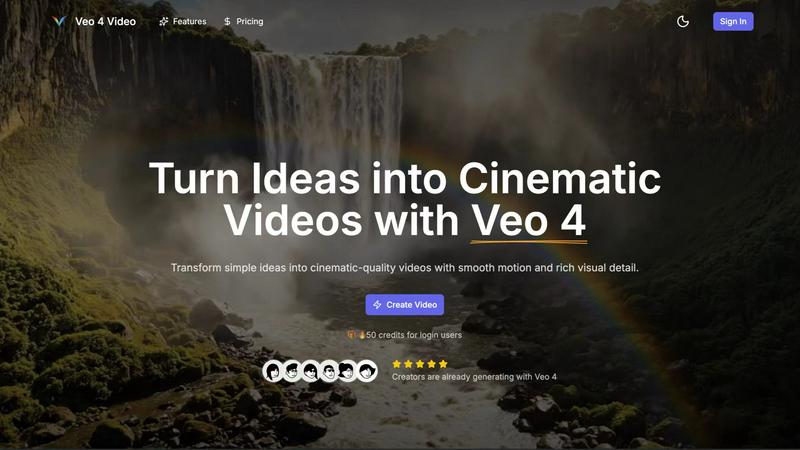
Veo 4 AI Video Generator
Create stunning cinematic videos from text or images in minutes with Veo 4's advanced AI video generator.
Last updated: February 28, 2026

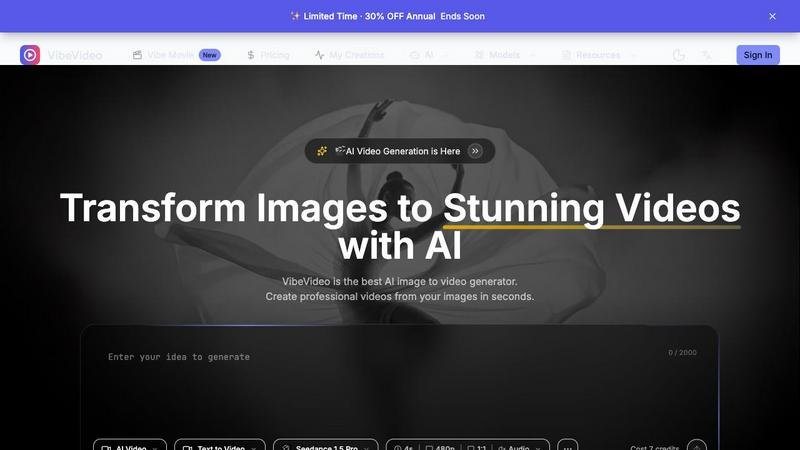
Vibe Video
Vibe Video is an AI-powered tool that quickly transforms your images and ideas into stunning cinematic videos effortlessly.
Last updated: March 11, 2026
Visual Comparison
Veo 4 AI Video Generator
Vibe Video
Feature Comparison
Veo 4 AI Video Generator
Text-to-Video Engine
Veo 4 allows users to create videos from descriptive text prompts. Simply write a scene description, and the AI engine generates a coherent cinematic clip that reflects your ideas. You can add details like the time of day and camera movements for more control over the final output.
Image-to-Video Motion
If you want to animate still images, Veo 4's Image-to-Video feature lets you upload one or two images to create motion. The tool generates smooth transitions between the images, providing a dynamic way to bring your visuals to life.
Fast & Quality Modes
Veo 4 offers two distinct modes for video generation: Fast and Quality. The Fast mode is perfect for quick drafts or testing ideas, while the Quality mode focuses on delivering clearer details and smoother movements, ensuring that you get the result that fits your needs.
Multiple Aspect Ratios and Clean Exports
With Veo 4, you can export your videos in various aspect ratios, including Auto, 16:9, and 9:16, making your content versatile for different platforms. Additionally, the tool produces clean 1080p videos without watermarks, allowing for immediate sharing on social media and other channels.
Vibe Video
Image to Video AI
This feature allows users to upload any image and watch as Vibe Video transforms it into a dynamic video filled with natural motion and cinematic effects. It's perfect for turning ordinary photos into captivating visual stories.
Text to Video
With the text-to-video functionality, users can describe their vision in text form, and the AI will interpret these prompts to create a fitting video. This feature is ideal for those who want to convey specific ideas or themes without needing technical video editing expertise.
Multiple AI Models
Vibe Video offers a selection of various AI models, such as Kling and Runway, tailored for different video styles and quality levels. This versatility ensures that users can choose the model that best fits their creative needs.
Fast Generation
Vibe Video's optimized AI pipeline enables the rapid generation of videos in seconds. This speed is a game-changer for content creators who need to produce high volumes of video content quickly without sacrificing quality.
Use Cases
Veo 4 AI Video Generator
Product Ads
Veo 4 is an excellent tool for marketers looking to create engaging product ads. By turning concise pitches into punchy promo clips, users can enhance their landing pages and boost the effectiveness of paid campaigns.
Social Shorts
Content creators can generate loopable B-roll or short clips for social media platforms like TikTok and Instagram Reels. By using hooks, captions, or story beats, Veo 4 helps you capture audience attention quickly with captivating visuals.
Educational Content
Educators can leverage Veo 4 to create instructional videos that illustrate complex concepts in an engaging manner. By transforming lesson plans into cinematic clips, teachers can enhance learning experiences for their students.
Event Highlights
After hosting an event, users can utilize Veo 4 to compile highlights into a concise video. By summarizing key moments into an 8-second clip, event organizers can share memorable experiences on social media, fostering engagement and interest for future events.
Vibe Video
Influencer Content Creation
Influencers can leverage Vibe Video to quickly produce visually striking videos from their photos. This allows them to maintain a consistent posting schedule and engage their audiences with fresh content.
Product Marketing
Marketers can utilize Vibe Video to create professional product videos that highlight features and benefits. These videos can be shared on social media or embedded in marketing campaigns to boost engagement and conversions.
Artistic Projects
Artists and animators can experiment with Vibe Video to bring their artwork to life. By transforming static images into animated videos, they can create unique visual experiences that showcase their creativity.
Social Media Engagement
Content creators can use Vibe Video to generate compelling video posts for various social media platforms. The ability to turn images into videos quickly helps keep their feeds dynamic and engaging, attracting more followers and interactions.
Overview
About Veo 4 AI Video Generator
Veo 4 AI Video Generator is an innovative tool designed to revolutionize the way creators produce video content. Powered by advanced artificial intelligence, Veo 4 transforms simple text prompts and images into stunning, cinematic-quality videos in just minutes. This platform is ideal for marketers, educators, and content creators who want to generate high-quality video content without the need for extensive technical skills. The main value proposition of Veo 4 lies in its ability to streamline the video production process, allowing users to effortlessly turn their ideas into visually dynamic content. With features like synchronized audio and advanced algorithms for realistic clips, Veo 4 enhances the viewing experience while making video creation accessible to everyone.
About Vibe Video
Vibe Video is an innovative AI video generator that enables creators, marketers, and indie makers to effortlessly transform static images, prompts, and ideas into high-quality videos within minutes. Designed for those seeking a faster video production process without the need for complex editing skills, Vibe Video simplifies the creation of cinematic clips, engaging product videos, and dynamic social media content. By utilizing advanced AI technology, users can easily generate videos that are visually captivating and professionally polished. Whether you're an influencer looking to enhance your content, a product marketer aiming to showcase your offerings, or an artist wanting to bring your visions to life, Vibe Video provides the tools you need to create stunning videos quickly and efficiently.
Frequently Asked Questions
Veo 4 AI Video Generator FAQ
How does Veo 4 generate videos?
Veo 4 uses advanced AI algorithms to convert text prompts and images into cinematic videos. Users input descriptions or upload images, and the tool automatically generates coherent video clips with synchronized audio.
Can I use my native language to create videos?
Yes, Veo 4 includes a built-in prompt translation feature that allows you to write your ideas in your own language. The tool can then translate your text to English for better understanding and accuracy in video generation.
What formats can I export my videos in?
Veo 4 allows users to export videos in several aspect ratios, including Auto, 16:9, and 9:16. The videos are exported in clean 1080p quality without any watermarks.
Is technical knowledge required to use Veo 4?
No, Veo 4 is designed to be user-friendly and accessible for everyone, regardless of technical expertise. Its intuitive interface enables users to create professional-looking videos quickly and easily.
Vibe Video FAQ
What is Vibe Video and how does it work?
Vibe Video is an AI-powered tool that transforms images and text prompts into stunning videos. Users upload their images or provide descriptive prompts, and the AI generates a video that captures their vision, making video creation accessible and efficient.
What types of images work best with Vibe Video?
Vibe Video supports a range of image formats, including JPG, PNG, and WebP. Any image can be used to create videos, but those with clear subjects and vibrant colors often yield the most visually appealing results.
How long does it take to generate a video?
Thanks to Vibe Video's optimized AI technology, videos can be generated in a matter of seconds. This rapid processing allows users to create and share content without long wait times.
What AI models are available?
Vibe Video features multiple AI models, including Kling and Runway, each designed for different video styles and quality outputs. Users can choose the model that best aligns with their creative vision and project requirements.
Alternatives
Veo 4 AI Video Generator Alternatives
Veo 4 AI Video Generator is an innovative tool that falls under the category of video content creation software, utilizing artificial intelligence to transform text and images into cinematic videos with ease. Its advanced features cater to various users, including marketers, content creators, and educators, who seek to produce high-quality visual content without requiring extensive editing skills. Users often look for alternatives due to various factors such as pricing, specific feature sets, or compatibility with different platforms. When exploring alternatives, it’s essential to consider aspects like user-friendliness, customization options, the quality of output, and any unique functionalities that may align better with your creative goals or project requirements.
Vibe Video Alternatives
Vibe Video is a powerful AI Video Generator that transforms images, prompts, and ideas into cinematic videos in just minutes. It falls under the categories of Image & Photo, Video, and Image Generation, making it a versatile tool for various creative projects. Users often seek alternatives to Vibe Video due to factors such as pricing, specific feature requirements, or compatibility with different platforms. When looking for an alternative, consider the ease of use, quality of output, and whether the tool meets your specific needs—such as the type of videos you want to create and the level of customization available. It's essential to find a solution that offers the right balance between user-friendly functionality and the features you require for your video production goals.