
Noter AI vs Vowen
Side-by-side comparison to help you choose the right AI tool.

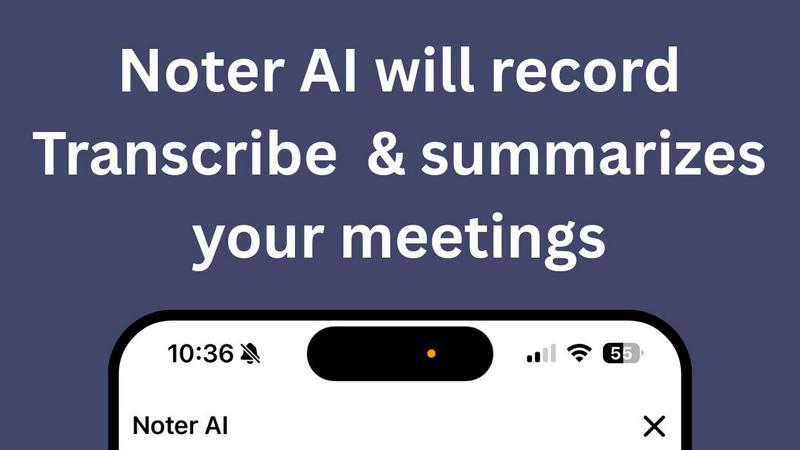
Noter AI effortlessly transforms meeting recordings into clear summaries, helping teams stay organized and informed in real-time.
Last updated: March 11, 2026

Vowen is a voice app that turns your speech into text and actions across all your favorite desktop apps.
Last updated: March 1, 2026
Visual Comparison
Noter AI
Vowen

Feature Comparison
Noter AI
Real-time Recording & Transcription
Noter AI offers seamless real-time recording and transcription capabilities. As you record your meeting, lecture, or conversation, the AI works in the background to provide accurate transcriptions, allowing you to focus on the discussion without worrying about taking notes.
AI-generated Meeting Summaries
With Noter AI, you receive intelligently crafted meeting summaries after each session. The AI analyzes the transcribed content and extracts key points, providing you with concise and comprehensive overviews that save you time and ensure you capture essential information.
Smart Action Item Extraction
Never miss an important task again! Noter AI smartly identifies action items from your meetings and highlights them for easy reference. This feature helps you stay organized and ensures that you know exactly what needs to be done after each meeting.
Organized Note History
Noter AI keeps your notes organized and easily accessible. With a well-structured note history that includes search functionality, tagging, and automatic categorization, you can quickly find past meetings and relevant notes whenever you need them.
Vowen
Universal App Integration
Vowen works seamlessly with the tools you already use. It's built to integrate directly with a vast ecosystem of applications including Google Docs, Gmail, Slack, VS Code, Cursor, Notion, Obsidian, Figma, and many more. This means you can use your voice to write, edit, command, and navigate within these apps without switching contexts. Simply speak to compose an email, create a task in Linear, or write a comment in your code editor, making your workflow incredibly fluid and hands-free.
Local-First, Private Processing
Your privacy is paramount. Vowen is designed with an "offline-first" architecture, meaning your voice audio is processed directly on your computer. This ensures that your conversations, ideas, and sensitive information never leave your device unless you choose to use a cloud model for specific advanced tasks. This local processing also provides ultra-fast transcription speeds and reliable performance even without an internet connection, giving you both security and convenience.
Custom Vocabulary & Multilingual Support
Never struggle with technical jargon or unique names again. Vowen allows you to add custom words, abbreviations, acronyms (like "EBITDA"), or specialized terms to its vocabulary. Once saved, it will recognize them perfectly every time. Furthermore, it supports dictation and commands in over 100 languages and dialects, and can even translate speech to English in real-time. This makes it an indispensable tool for global teams and multilingual professionals.
Bring Your Own AI & File Transcription
Take control of your AI experience. Vowen lets you connect your own API keys from leading providers like OpenAI, Claude, and Gemini to power its advanced features and context-aware responses. Additionally, you can drag and drop any audio or video file (MP3, WAV, MP4, MOV) directly into Vowen to get accurate, fast transcripts in seconds, perfect for reviewing meetings, interviews, or podcasts.
Use Cases
Noter AI
Business Meetings
Professionals can use Noter AI to document important business meetings effortlessly. The AI-generated summaries and action items help teams stay aligned and ensure that everyone is clear on their responsibilities moving forward.
Lectures and Classes
Students can benefit from Noter AI by recording lectures and receiving instant transcriptions. This allows them to focus on understanding the material rather than frantically taking notes, enhancing their learning experience.
Team Brainstorming Sessions
During team brainstorming sessions, Noter AI captures every idea shared. Users can refer back to the organized notes and summaries to ensure that all suggestions are considered and no valuable insights are lost.
Client Conversations
For professionals in client-facing roles, Noter AI can record and transcribe meetings with clients, ensuring that all discussed points are documented. The smart action item extraction helps in following up on commitments made during the conversation.
Vowen
For Developers & Engineers
Accelerate your coding workflow. Use Vowen to write documentation, generate code snippets, comment on functions, or debug issues using natural language. You can ask it to explain an error, search your codebase, or even draft commit messages without ever leaving your IDE like VS Code or Cursor, turning complex typing tasks into simple spoken commands.
For Writers & Content Creators
Overcome writer's block and capture ideas freely. Dictate articles, blog posts, or social media content directly into your editor. Use voice commands to format text, research topics with integrated AI, or transcribe interviews from audio files. Vowen helps you translate thought to text at the speed of speech, keeping your creative flow uninterrupted.
For Professionals & Managers
Streamline communication and administration. Quickly draft emails in Outlook or Gmail, capture actionable notes during Zoom or Teams meetings, and summarize long Slack or WhatsApp threads using AI. Vowen helps you manage your inbox, prepare reports, and coordinate with your team efficiently, saving hours per week on routine typing tasks.
For Students & Researchers
Enhance learning and note-taking. Record lectures and get instant transcripts, dictate research notes into Obsidian or Notion, and use AI to help brainstorm essay topics or clarify complex concepts. Vowen's multilingual support is also perfect for language learners practicing pronunciation and translation.
Overview
About Noter AI
Noter AI is a revolutionary AI-powered meeting note taker designed to streamline the process of documenting meetings, lectures, and conversations. By simply recording your audio, Noter AI instantly transforms your voice into well-organized notes, eliminating the hassle of manual note-taking. This tool is perfect for professionals, teams, students, and anyone who requires accurate and comprehensive meeting documentation. With features like real-time transcription, intelligent summary creation, and smart action item extraction, Noter AI ensures that you capture critical information without losing focus on the conversation. Available on iOS and soon on Android, Noter AI supports over 20 languages, making it a versatile solution for users worldwide. The freemium model allows users to start for free, with premium plans available for those who require unlimited recordings and advanced features. Experience the power of AI in transforming your meetings into actionable insights.
About Vowen
Vowen is your intelligent voice copilot for the desktop, designed to transform how you interact with your computer. It's a powerful, voice-first productivity tool that turns your spoken words into text and actions across macOS and Windows. Imagine effortlessly dictating emails, capturing meeting notes, generating code, or controlling your apps—all without touching your keyboard. Vowen is built for a wide range of users, from developers and writers to busy professionals and students, who want to work more efficiently and naturally. Its core value proposition lies in its seamless integration, privacy-first approach, and powerful AI. By processing speech locally on your device, Vowen offers ultra-fast, private transcription and command execution in over 99 languages. It brings together simple dictation, intelligent note-taking, and context-aware AI assistance into one intuitive interface, freeing you from the constraints of typing and letting you focus on your best work. Whether you're drafting a document in Google Docs, debugging code in VS Code, or summarizing a chat in Slack, Vowen is there to help you do it by voice.
Frequently Asked Questions
Noter AI FAQ
How does Noter AI ensure transcription accuracy?
Noter AI utilizes advanced AI algorithms to provide high-accuracy transcriptions. It also features speaker identification to distinguish between different voices in a meeting, ensuring clarity in the notes.
Is Noter AI available in multiple languages?
Yes, Noter AI supports transcription and translation in over 20 languages, making it an excellent choice for international teams and users who conduct meetings in different languages.
What formats can I export my meeting notes to?
You can export your meeting notes in various formats such as PDF, Word, and Text. This flexibility allows you to share your insights easily with team members or keep them for personal reference.
How does the freemium model work?
Noter AI offers a freemium model that allows users to start using the base features for free. Premium plans are available for those who require unlimited recordings and access to advanced AI capabilities, catering to power users and larger teams.
Vowen FAQ
Is Vowen really free?
Yes! Vowen offers a powerful free plan that includes unlimited dictation, local processing for privacy, and support for over 99 languages. This plan is designed to be "free forever" for core voice-to-text functionality. For access to advanced cloud AI models and additional features, you can connect your own API key through the "Bring Your Own AI" option.
How does Vowen protect my privacy?
Vowen is built with a privacy-first, local-first approach. By default, all voice audio is processed directly on your computer (macOS or Windows) using on-device models. Your data never leaves your machine for basic dictation and commands. You only interact with cloud AI services if you explicitly choose to use them for specific advanced features, and even then, you can use your own API keys.
What applications does Vowen work with?
Vowen is built for universal compatibility. It works seamlessly with a wide array of popular desktop and web applications including (but not limited to) Google Docs, Microsoft Word, Gmail, Outlook, Slack, WhatsApp, Notion, Obsidian, VS Code, Cursor, Figma, Linear, and GitHub. It activates wherever your text cursor is, making it app-agnostic.
Can I use Vowen in noisy environments?
Vowen is designed with robust speech recognition to handle various acoustic environments. For best results, using a good quality microphone is recommended. The local processing model is optimized for clarity and can filter out a degree of background noise. In very loud settings, a dedicated, close-range microphone will provide the most accurate transcription.
Alternatives
Noter AI Alternatives
Noter AI is an innovative AI-powered meeting note taker designed to streamline the process of capturing and organizing notes from various conversations, lectures, or meetings. It falls under the categories of AI Assistants, Productivity & Management, Speech & Voice, and Mobile Apps. Users often seek alternatives to Noter AI for reasons such as pricing, the need for specific features, or compatibility with their preferred platforms. When considering alternatives, it's essential to look for key functionalities like real-time transcription, action item extraction, and multilingual support. Additionally, evaluate the user interface and ease of access across devices to ensure that the alternative meets your specific needs and enhances your productivity.
Vowen Alternatives
Vowen is a voice-first productivity app that transforms your spoken words into text and actions on your Mac or Windows computer. It's designed to help you work faster by letting you dictate, control apps, and automate tasks with your voice, all while keeping your data private with local processing. People often look for alternatives to tools like Vowen for a few common reasons. Maybe the pricing doesn't fit their budget, or they need a specific feature that's missing. Others might be looking for a tool that works on different platforms, like mobile or Linux, or they simply want to explore what else is available in the voice productivity space. When searching for a different tool, it's helpful to consider what matters most for your workflow. Key things to compare are the accuracy and speed of speech recognition, the depth of voice commands and automation, which operating systems are supported, and of course, the overall cost and privacy policy. Finding the right fit is about matching a tool's strengths to your personal needs.