
Wan 2.6 AI Video Generator vs Wan 2.7
Side-by-side comparison to help you choose the right AI tool.

Wan 2.6 AI Video Generator
Wan 2.6 transforms your text and images into cinematic short videos with multi-shot storytelling.
Last updated: March 1, 2026

Wan 2.7
Wan 2.7 is a creator-focused AI video generator that turns your text, images, or videos into steady, multi-shot stories with advanced control.
Last updated: April 4, 2026
Visual Comparison
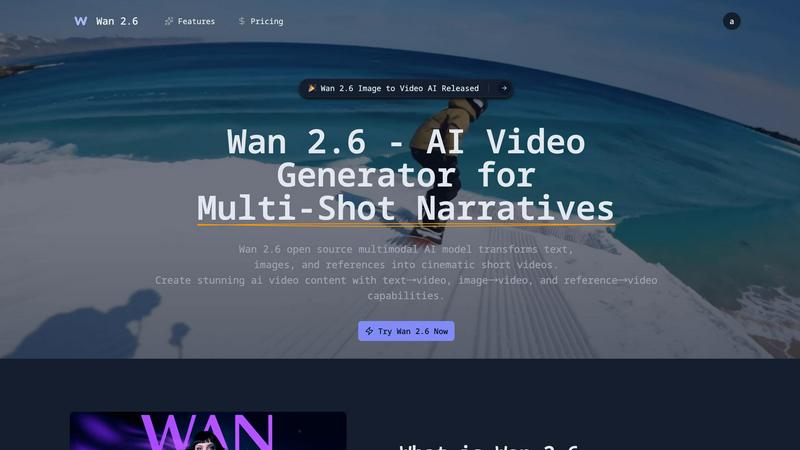
Wan 2.6 AI Video Generator
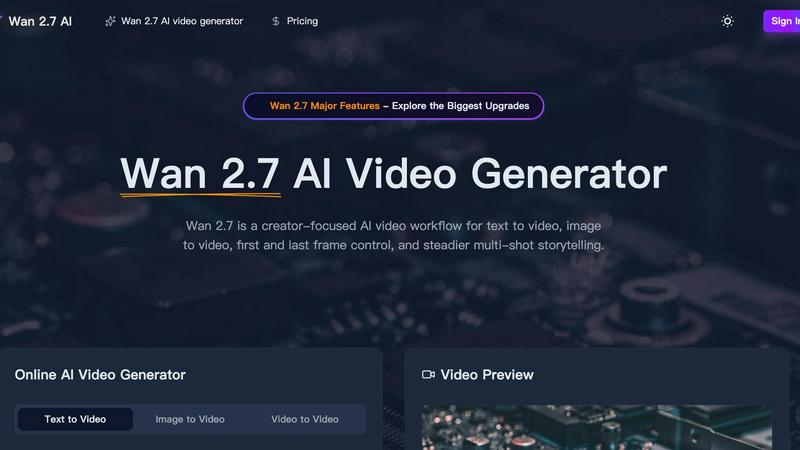
Wan 2.7
Feature Comparison
Wan 2.6 AI Video Generator
Multimodal Input Flexibility
Wan 2.6 doesn't box you into one way of creating. Start your video from whatever inspires you most. Use the text-to-video function to describe a scene and watch it generate, or use the image-to-video feature to animate your own photos and artwork. For even more control, the reference-to-video mode lets you upload a sample to guide the visual style, character design, or motion, making it incredibly versatile for different creative workflows.
Coherent Multi-Shot Narratives
This is where Wan 2.6 truly shines for storytellers. Instead of creating one-off scenes, you can generate longer videos composed of multiple, connected shots. The AI intelligently maintains consistency in characters, settings, and style across these different scenes, allowing for natural storytelling with transitions. It’s perfect for creating short narratives, explainer sequences, or ads that need to show progression and development.
Advanced Character Consistency
Nothing breaks the illusion of a story faster than a character who looks different in every shot. Wan 2.6 is specifically engineered to maintain a character's identity, clothing, and appearance throughout your entire generated video. This feature is crucial for creating believable narratives and professional-quality content, ensuring your main subject remains recognizable and consistent from the beginning to the end of your multi-scene project.
Frame-Level Control & Perfect Lip-Sync
You have detailed control over your video's parameters, like duration and resolution. More impressively, Wan 2.6 incorporates sophisticated technology to ensure any spoken elements in your video are matched with accurate lip movements. This perfect lip-sync adds a significant layer of polish and realism, making your AI-generated characters appear to speak naturally, which is essential for dialogue-driven content and professional presentations.
Wan 2.7
Multi-Modal Video Generation
Wan 2.7 isn't limited to just one starting point. It offers a versatile workflow supporting text-to-video, image-to-video, and video-to-video generation. This means you can create from a written idea, animate a still picture, or transform an existing clip into something new, providing maximum flexibility for any creative project.
First and Last Frame Control
This advanced feature gives you direct influence over the narrative bookends of your video. By controlling the starting and ending frames, you can ensure your video matches a specific storyboard, loops perfectly, or transitions smoothly into another scene, offering a new level of directorial intent in AI video generation.
Steadier Multi-Shot Storytelling
A major upgrade in Wan 2.7 is its enhanced ability to maintain subject and style consistency across multiple shots or a longer duration. This is crucial for creating coherent scenes, action sequences, or character-focused clips where elements need to stay recognizable and stable, enabling true short-form storytelling.
Advanced Creative Controls
The platform provides detailed settings to fine-tune your output. You can adjust video duration up to 5 seconds, choose from multiple aspect ratios (like 16:9, 9:16, 1:1), select resolutions up to 1080p, and toggle AI-generated audio. An extensive prompt library with examples also helps jumpstart your creativity.
Use Cases
Wan 2.6 AI Video Generator
Social Media Content Creation
Creators on platforms like TikTok, Instagram Reels, and YouTube Shorts can rapidly produce eye-catching, narrative-driven content. Quickly turn a blog post idea into a visual story, animate a series of images for a carousel post, or create engaging short skits with consistent characters, all tailored to capture audience attention in a crowded social feed.
Marketing & Advertising Prototyping
Marketing teams can use Wan 2.6 to quickly visualize ad concepts and campaign stories before investing in full-scale production. Generate multiple versions of a commercial storyboard, animate product photos to show them in use, or create compelling video ads for social media with coherent multi-shot narratives that build brand stories effectively and efficiently.
Educational & Explainer Videos
Educators and trainers can transform static lesson materials into dynamic video content. Animate diagrams, bring historical figures to life from portraits, or create simple animated sequences to explain complex processes. The multi-shot feature is perfect for building step-by-step tutorial videos that are more engaging than slides or text documents.
Creative Storytelling & Animation
Aspiring filmmakers, writers, and animators can use Wan 2.6 to prototype scenes, visualize characters from descriptions, or produce entire short animated narratives. It serves as a powerful tool for rapid visualization, allowing for creative experimentation with different visual styles and story flows without the need for extensive manual animation or filming resources.
Wan 2.7
Social Media Content Creation
Ideal for creators needing eye-catching clips for TikTok, Instagram Reels, or YouTube Shorts. The 9:16 vertical format and ability to quickly generate trendy, high-quality videos from text prompts make it perfect for producing daily content, product showcases, or engaging promotional snippets.
Concept Visualization and Storyboarding
Filmmakers, game developers, and ad agencies can use Wan 2.7 to rapidly visualize concepts. Turn written scenes into motion tests, create mood clips, or build fast render storyboards to pitch ideas and secure approvals before committing to expensive production shoots.
Product Marketing and Advertisements
Create compelling ad sequences that highlight product features in dynamic environments. The control over lighting, subject consistency, and multi-shot sequences allows brands to produce professional-looking promotional videos, explainers, and teaser clips tailored to specific campaigns.
Artistic and Stylized Video Projects
Artists and designers can explore new forms of expression by generating videos in specific artistic styles, such as anime, cinematic fantasy, or fashion editorial. The tool allows for experiments with lighting, texture, and cultural aesthetics to create unique visual art pieces.
Overview
About Wan 2.6 AI Video Generator
Wan 2.6 is your creative partner for bringing stories to life. It's an advanced, open-source AI video generator designed to transform your ideas into stunning cinematic short videos with ease. Whether you're a content creator dreaming up the next viral social media clip, a marketer needing a compelling ad, or a storyteller prototyping a visual concept, Wan 2.6 puts a director's toolkit at your fingertips. Its core magic lies in being a multimodal model, meaning it can work from different starting points: you can feed it text descriptions, upload static images, or provide reference videos to guide the style. The real standout is its ability to craft multi-shot narratives, weaving together different scenes with character consistency and smooth transitions, much like a short film. This move beyond single, disjointed clips empowers you to build richer, more engaging stories. By combining this powerful narrative control with an intuitive interface, Wan 2.6 democratizes high-quality video production, allowing anyone to create professional-looking videos that truly resonate with their audience without needing a film degree or a big budget.
About Wan 2.7
Wan 2.7 is a creator-focused AI video generator designed to transform your ideas into stunning, dynamic videos with unprecedented control and consistency. It's a powerful online workflow that empowers marketers, filmmakers, social media creators, and storytellers to produce high-quality video content from simple text prompts, existing images, or reference videos. The core value of Wan 2.7 lies in its major upgrades focused on control and continuity, moving beyond simple clip generation to enable steadier multi-shot storytelling. Whether you need a cinematic sci-fi scene, a polished fashion portrait, or a fast-paced action sequence, Wan 2.7 gives you the tools to guide the AI with precision. Its intuitive interface allows you to specify duration, aspect ratio, and resolution, and even generate accompanying audio, making professional video creation accessible to everyone. This version represents a significant leap forward in achieving reliable subject consistency, smoother motion, and more stable rendering, turning ambitious creative visions into tangible video reality.
Frequently Asked Questions
Wan 2.6 AI Video Generator FAQ
What types of input can I use to generate a video?
You can generate videos using three main types of input with Wan 2.6. You can start from a text prompt, describing the scene you want. You can upload a static image to be animated into a video. Or, you can use a reference video or image to guide the style and composition of your new generation, which is great for maintaining a specific look or character design.
How does Wan 2.6 handle longer, multi-scene videos?
Wan 2.6 has a dedicated "Multi-Shot" mode designed for creating longer narratives. In this mode, you can guide the AI to generate a sequence of connected shots. The model is built to understand context across these shots, working to maintain consistency in characters, settings, and the overall story flow, allowing for coherent short films or detailed explainer videos.
Is the lip-sync feature accurate?
Yes, Wan 2.6 incorporates technology focused on achieving perfect lip-sync. It analyzes any provided audio or text-to-speech elements and synchronizes the generated character's mouth movements to match the speech closely. This results in more natural-looking and professional videos, especially for content where characters are speaking or narrating.
What does it mean that Wan 2.6 is "open source"?
Being open source means the core technology behind Wan 2.6 is publicly available for developers to view, use, and modify. For users on the Wan 2.6 platform, this translates to greater transparency, flexibility, and potential for customization. It often fosters rapid innovation and community-driven improvements, ensuring you have access to a cutting-edge and adaptable tool.
Wan 2.7 FAQ
What is the main improvement in Wan 2.7 over previous versions?
The biggest upgrades in Wan 2.7 center on greatly improved control and continuity. It focuses on steadier multi-shot storytelling, better subject consistency across frames, smoother environmental motion, and more stable rendering. This makes it far more reliable for creating coherent video sequences rather than just isolated clips.
What kind of videos can I create with Wan 2.7?
You can create a wide variety of videos, including cinematic scenes (sci-fi, fantasy), fashion and portrait clips, nature and atmospheric shots, dynamic action sequences, anime-style animations, product stories, and fast storyboards. The output is shaped by your detailed text prompts and chosen settings.
How long are the videos generated by Wan 2.7?
Based on the provided interface, you can set the duration of your generated video, with an example showing a default of 5 seconds. The platform allows you to control this parameter to fit the needs of your project, whether for a quick clip or a longer sequence built from multiple generations.
Do I need video editing experience to use Wan 2.7?
Not at all! Wan 2.7 is designed with an intuitive, user-friendly interface. The prompt-based system guides the AI for you. You simply describe what you want to see, adjust basic settings like aspect ratio, and let the AI handle the complex rendering. It's built to be accessible for beginners while powerful enough for pros.
Alternatives
Wan 2.6 AI Video Generator Alternatives
Wan 2.6 AI Video Generator is a powerful tool in the AI video creation space, designed to transform text, images, and references into cinematic short videos. It stands out for its focus on narrative-driven content, character consistency, and professional-grade results, making it a compelling choice for storytellers and marketers. Users often explore alternatives for various reasons. Some might be looking for a different pricing model or subscription plan that better fits their budget. Others may need specific features Wan 2.6 doesn't emphasize, require a tool with a different user interface, or prefer a platform that runs on a different operating system or device. When evaluating other options, consider what matters most for your projects. Key factors include the quality and style of the AI-generated video, the level of creative control you have over the output, the ease of use, and of course, the cost. It's also wise to check if an alternative supports the specific workflows you need, like animating images or maintaining character consistency across scenes.
Wan 2.7 Alternatives
Wan 2.7 is a popular tool in the video editing and content creation space, known for its specific set of features that help creators streamline their workflow. It falls into the category of video production software, offering users the ability to edit, enhance, and finalize their visual projects. Like any software, it's a great fit for some, but not necessarily for everyone. Users often start looking for alternatives for a variety of practical reasons. Maybe the pricing structure doesn't align with their budget, or they need a feature that Wan 2.7 doesn't offer. Others might be seeking a tool that works on a different operating system or integrates better with their existing suite of apps. It's a normal part of finding the right tool for your unique creative process. When evaluating other options, it's wise to consider what matters most to you. Think about your must-have features, your comfort level with different interfaces, and how the tool fits into your overall budget. The goal is to find software that feels like a natural extension of your creativity, not a hurdle you have to overcome.