
EVENTFLYER.AI vs WebP to PNG
Side-by-side comparison to help you choose the right AI tool.

Get unique AI flyers & social from URL, fast.

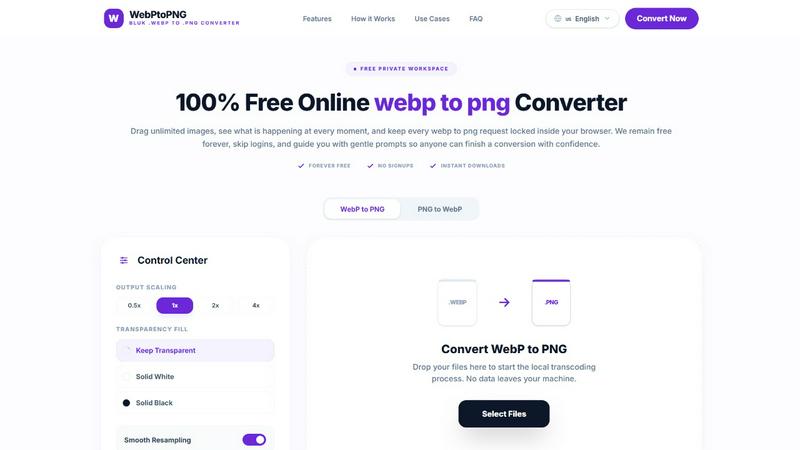
WebP to PNG
Convert WebP images to PNG for free, privately, and instantly right in your browser.
Last updated: February 28, 2026
Visual Comparison
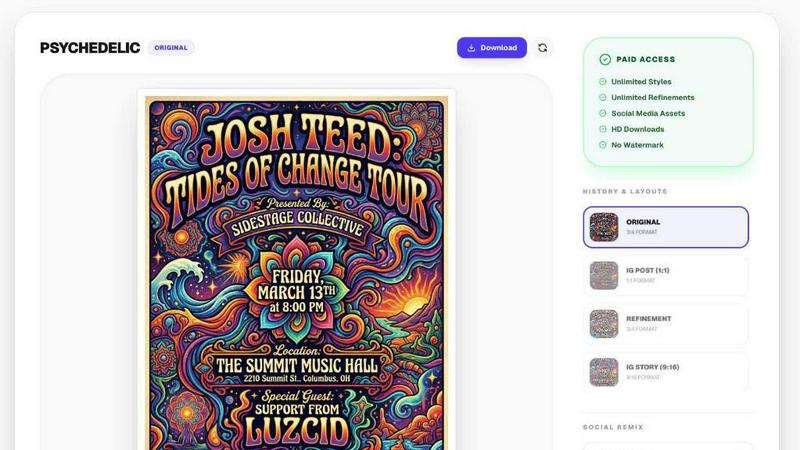
EVENTFLYER.AI
WebP to PNG
Overview
About EVENTFLYER.AI
EventFlyer.AI is an automated graphic design tool to take event URLs and create print/social media ready flyers in seconds.
How it works:
Enter your event URL (works with any event publishing website), choose your design styles (pop art, minimalist, techno, rock concert corporate, etc), and in in about 30 seconds your unique poster will pop out.
What sets us apart:
Unlike generic template tools, Event Flyer AI features "Intelligent Social Remixing." Once your main design is ready, our AI reflows the elements perfectly for Instagram Stories (9:16), square posts (1:1), and website banners (16:9)—maintaining 100% brand consistency across every platform with zero manual effort.
Key Features:
- 20+ unique AI themes curated by designers.
- Automatic resizing for all social formats.
Perfect for: Bar owners, club promoters, non-profits, community organizers, and anyone hosting an event who wants a professional edge without the professional price tag. Design less, promote more.
About WebP to PNG
WebP to PNG is your friendly, go-to tool for converting WebP images into the versatile PNG format, all within the privacy of your own browser. It's designed for anyone who needs a reliable, no-fuss conversion, from professional designers and developers to students and content creators. The core promise is simple: transform your images without any of the usual hassles. There are no uploads to mysterious servers, no mandatory accounts to create, and no hidden costs. Everything happens directly on your device, ensuring your family photos, project assets, and sensitive documents never leave your computer. With an intuitive drag-and-drop interface, you can convert single images or entire folders in batches, all while maintaining the original quality, color, and clarity. Whether you're preparing graphics for a website, adapting images for a presentation, or simply need a PNG for an app that doesn't support WebP, this tool provides a straightforward, efficient, and completely free solution that works seamlessly on both desktop and mobile.