

AI Motion Control
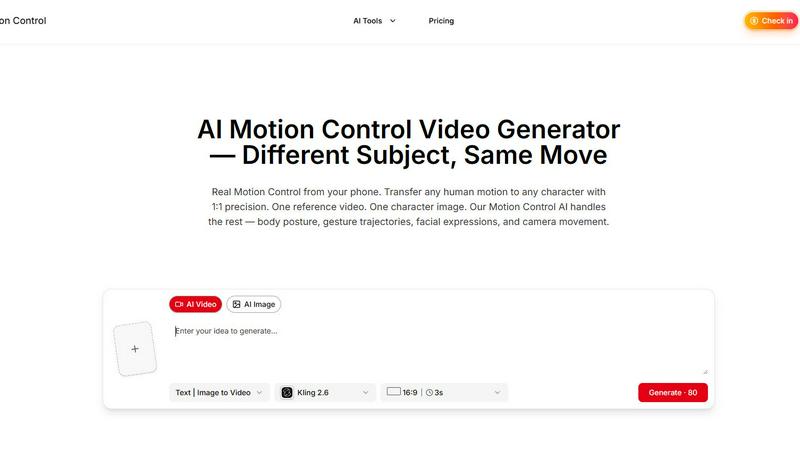
AI Motion Control enables you to transfer human motion to any character with stunning precision using just one reference video.
About AI Motion Control
AI Motion Control is a cutting-edge tool that revolutionizes the way we animate characters by allowing users to transfer human motion directly from videos to animated characters with unparalleled precision. Whether you're a game developer, animator, or content creator, this innovative software enables you to create lifelike animations without the need for expensive motion capture suits or specialized studios. Simply upload a reference video and a character image, and let the AI handle the intricate details, including body posture, gesture trajectories, facial expressions, and even camera movements. With AI Motion Control, you can bring your characters to life in a way that feels both authentic and engaging, all from the convenience of your smartphone or computer.
Features of AI Motion Control
Character Motion Transfer
AI Motion Control allows you to upload any portrait or full-body image along with a reference video. The AI meticulously extracts and applies the complete movement sequence to your character, ensuring that every detail, from body posture to action timing, is preserved while retaining the character's unique appearance.
Facial Expression & Lip Sync
Going beyond just body movements, AI Motion Control captures nuanced facial expressions, eye movements, and lip shapes from your reference video. This feature ensures your character can convey emotional depth and realism, offering precise lip-syncing across multiple languages, making character interactions more relatable and engaging.
Dance & Choreography Replication
Perfect for fast-paced sequences like dance challenges or martial arts, the AI maintains the original timing and spatial positioning of movements. Each step, spin, and gesture is transferred accurately to your character, ensuring high fidelity in motion control, even during rapid movements, with no frame drops or motion blur.
Scene-Aware Character Replacement
In Replace Mode, the AI identifies the original character in your footage, extracting their motion and environmental context. This allows for seamless character replacement while preserving background, lighting, and camera motion, making it appear as if the new character was part of the original shoot from the start.
Use Cases of AI Motion Control
Game Development
Developers can use AI Motion Control to create dynamic character animations that react to player actions in real-time. By applying real human movement to digital characters, developers can enhance gameplay experience and immersion.
Film and Animation
Filmmakers and animators can leverage AI Motion Control to streamline the animation process. By using real-world references, they can produce compelling stories that captivate audiences with realistic character interactions and movements.
Social Media Content Creation
Content creators can easily animate their characters for platforms like TikTok and Instagram. With just a smartphone video, they can generate eye-catching animations that resonate with their followers, making their content more dynamic and shareable.
Virtual Reality Experiences
AI Motion Control can be utilized to create engaging VR experiences where characters respond to users' movements in real-time. This technology allows for the development of more interactive and immersive environments in gaming and training simulations.
Frequently Asked Questions
What devices are compatible with AI Motion Control?
AI Motion Control is compatible with a wide range of devices, including smartphones and computers. You can use any camera to record reference videos, making it accessible and convenient.
Do I need specialized equipment to use AI Motion Control?
No, you do not need any specialized motion capture hardware. A smartphone is all you need to record your reference video, making the process cost-effective and simple.
Can I animate multiple characters at once?
Currently, AI Motion Control focuses on one character at a time for precise animation. However, you can create multiple animations separately and composite them in post-production.
How does AI Motion Control handle different lighting conditions?
The AI is designed to adapt to various lighting conditions present in your reference video. It analyzes the environmental context and adjusts the output character's appearance to match the lighting and colors, ensuring a seamless integration into the original scene.
Explore more in this category:
Similar to AI Motion Control

ImageGPT
ImageGPT is an all-in-one AI creative platform for generating, editing and transforming images and videos using AI.


Adobe Firefly Background Remover
Strip backgrounds from photos with one click.

AI Album Cover Maker
Create release-ready album covers from a prompt or photo. Generate, refine, and export art for singles, EPs, mixtapes, and playlists.

shardstitch
ShardStitch helps recover and hand off AI coding work, with a visual website editor and SEO Guardrails MCP in development.

RemoveMate
AI background removal and image cleanup tools for product photos, portraits, social posts and everyday creative projects.

Krea 3
Krea 3 is an AI image editor that relights photos, swaps backgrounds and changes one object from a text prompt with GPT Image 2 and Nano Banana Pro.

Nano Pro
AI photo editor and image generator with Nano Banana models, up to 14 references and 4K output.