
Alternatives to AI Motion Control
Explore the best alternatives and competitors to AI Motion Control.
Explore 20 alternatives to AI Motion Control. Compare features, pricing, and find the best fit for your needs.
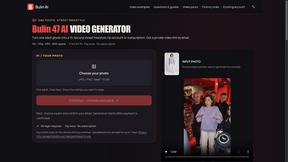
Bulin AI
Create a 15-second Bulin 47 AI freestyle video from one permitted portrait. One-time packs from $9.90, email delivery, no account or subscription.
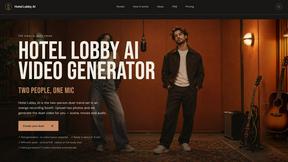
Hotel Lobby AI
Hotel Lobby AI turns two portraits into a duet video in an orange recording booth with motion, lip-sync, and audio.
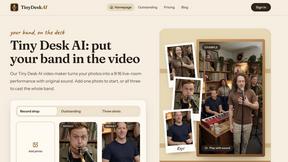
Tiny Desk AI Video Maker
Turn three photos into a vertical Tiny Desk-style concert video with original sound.
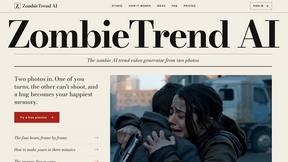
ZombieTrend AI
ZombieTrend AI turns two photos into a cinematic zombie love story video with sound, no watermark, and a free preview.
GenX
All-in-one AI workspace to generate images, videos, and audio with multiple leading AI models.


AI Tiny Desk
Create a personal 19-second vertical desk-concert video from one adult photo, with music and silent MP4 downloads.

Hotel Lobby AI Video
Create a Hotel Lobby duo video from two character photos. Choose left and right performers, review the AI result, and download your finished clip.
Design.com AI Image Generator
Turn text prompts into polished, copyright-safe visuals that plug directly into branded templates
FastH3 Omni
Run FastH3 Omni in your browser. Up to 9 reference images plus 3 audio references become a 5–15s clip with synced audio. No install, no GPU.
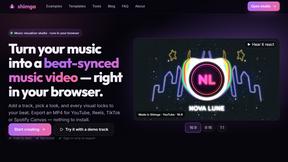
shimga
Shimga is a browser-based music visualizer studio. Add a song, pick a look and export a beat-synced music video, with nothing to install.

UX Critic
AI design critic: scored UX reviews with every issue pinned to the exact region of your screenshot.
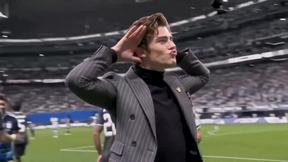
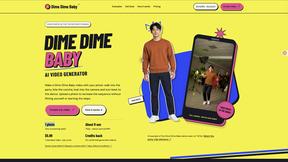
Dime Dime Baby
Turn one adult photo into a personal 9-second Dime Dime Baby dance video in native 9:16, with a silent MP4 download and one-time paid credits.
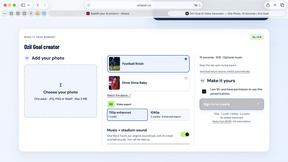
Ozil Goal
A browser-based AI creator for personal 15-second football goal videos from one adult photo.
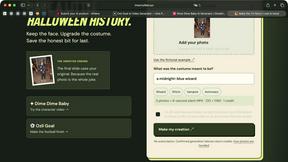
I'm Sorry I Lied
An AI costume reveal maker that pairs an imagined outfit, a confession and the original photo in three captioned images and a silent 9-second video.
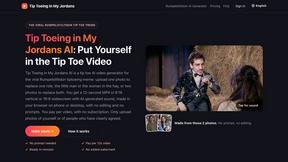
Tip Toeing in My Jordans
Upload a photo and get a 12-second Tip Toeing in My Jordans video: you play the AI Rumpelstiltskin, a friend can play the woman in the hay.
About AI Motion Control Alternatives
AI Motion Control is an innovative video generation tool designed to seamlessly transfer human motion to any character with remarkable accuracy. This technology falls under the category of design tools, specifically focusing on video and image generation. Users can simply upload a reference video and a character image, allowing the AI to handle complex elements like body posture, gesture trajectories, facial expressions, and camera movement. This makes it an appealing choice for creators looking to enhance their video content without extensive technical skills. However, many users find themselves exploring alternatives to AI Motion Control for various reasons. Factors such as pricing, specific features, and compatibility with different platforms can influence their decision. When searching for an alternative, it's essential to consider the ease of use, the quality of output, and the level of support provided by the software. Additionally, potential users should assess whether the alternative meets their unique project needs, ensuring that it aligns with their creative goals and workflow.
FAQs about AI Motion Control Alternatives
What is AI Motion Control?
AI Motion Control is a cutting-edge video generator that allows users to capture human motion and apply it to digital characters with precise accuracy. By simply providing a reference video and a character image, the AI can replicate body movements, gestures, facial expressions, and camera dynamics, making it an invaluable tool for animators and content creators.
Who is AI Motion Control for?
AI Motion Control is designed for a variety of users, including animators, game developers, filmmakers, and content creators looking to enhance their projects with lifelike character movements. It's particularly beneficial for those who may not have extensive technical skills in animation but want to create professional-quality videos easily.
Is AI Motion Control free?
AI Motion Control typically operates on a subscription or pay-per-use model, meaning it may not be free. Users should check the official pricing details to understand the cost associated with different usage levels and features, as these can vary depending on the chosen plan.
What are the main features of AI Motion Control?
The primary features of AI Motion Control include the ability to transfer human motion to digital characters with 1:1 precision, alongside handling complex elements like body posture, gesture trajectories, and facial expressions. Additionally, it supports camera movement, allowing for dynamic and engaging video content creation.