

AI Mustache Remover
Upload a photo and our AI instantly removes your mustache, leaving natural-looking skin with no editing skills needed.
About AI Mustache Remover
AI Mustache Remover is a web-based photo editing tool that uses advanced artificial intelligence to automatically remove mustaches from images with high accuracy and realistic results. It is designed for users who want a fast and simple way to achieve a clean-shaven look without using complex editing software or having any design experience. The tool is perfect for professionals needing a polished profile photo, content creators updating their look, or anyone curious about how they appear without facial hair.
Users can upload an image directly through the website, and the AI system analyzes facial features to detect the mustache area. Once detected, it removes the facial hair while intelligently reconstructing the underlying skin. The tool carefully preserves skin tone, texture, lighting, and facial expressions, ensuring the final image looks natural and seamless. Unlike traditional editing methods, it avoids blur and unnatural patches, delivering clean and professional results.
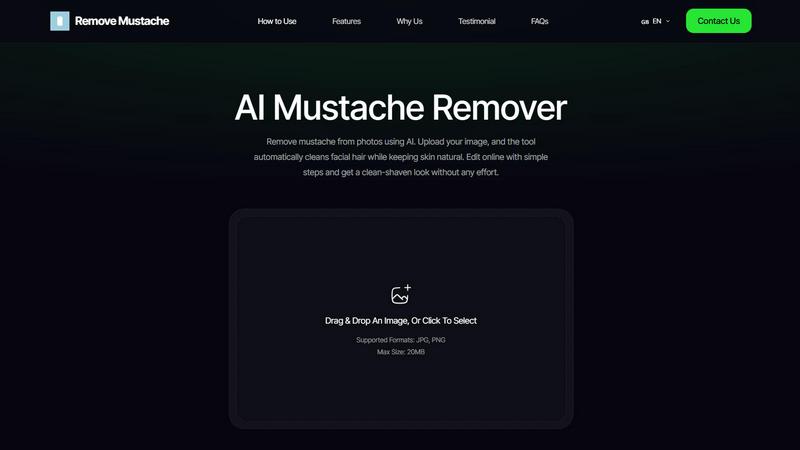
The entire process is fully automated, requiring no manual input or adjustments. This makes it accessible for beginners, professionals, content creators, and anyone who wants quick results. The platform works entirely in the browser, so there is no need to download or install any software. It also does not require sign-up, allowing users to edit photos instantly without any hassle. The tool supports JPG and PNG formats up to 20MB, making it easy to work with standard photo files. With a simple drag-and-drop interface, users can get started in seconds and have their clean-shaven photo ready for download in moments.
Features of AI Mustache Remover
Smart Mustache Detection
The AI carefully scans your photo to find the mustache area and understands where facial hair begins and ends. This ensures only the mustache is removed and nothing else is affected. It automatically finds the mustache area without any manual selection or editing required. The system avoids removing skin, lips, or facial edges, making it ideal for clear selfies and portraits. This precision means you get exactly the edit you want without worrying about accidentally altering other parts of your face.
Natural Skin Repair
Once the mustache is removed, the tool carefully fixes the skin so it looks smooth and natural, matching your real skin tone and texture. It matches your natural skin tone perfectly and restores realistic skin texture in the edited area. The technology prevents blur, smudges, or flat skin patches that can make edits look fake. The result is a smooth, clean-shaven look that blends seamlessly with the rest of your face, so no one can tell you ever had a mustache.
Preserves Facial Details
The tool focuses only on the mustache area and keeps the rest of your face exactly the same, so your photo still looks like you. Lips stay sharp and well-defined, and skin texture remains visible throughout the image. Your face shape and expression are completely unchanged, and there is no loss of image clarity. This careful attention to detail means your final photo looks authentic and natural, preserving your unique features while removing the facial hair.
Online, Fast and Secure
Everything works directly in your browser, making the process quick and easy while keeping your photos safe. There is no software download or installation required, and the simple upload, edit, and download flow takes just minutes. Processing is fast with minimal steps, and all photos are processed securely and not stored after editing. This means you can use the tool from any device with an internet connection and have peace of mind that your images remain private.
Use Cases of AI Mustache Remover
Professional Profile Photos
Many professionals need a clean-shaven look for corporate headshots, LinkedIn profiles, or company websites. If you have a mustache but need a polished, professional appearance for a job application or business meeting, this tool lets you quickly edit an existing photo. You can upload a recent picture and get a natural-looking result without scheduling a new photoshoot or shaving. This is especially useful for people who alternate between having facial hair and being clean-shaven but need consistency in their professional images.
Content Creators and Social Media
Content creators on platforms like YouTube, Instagram, or TikTok often experiment with different looks. AI Mustache Remover allows you to quickly see how you appear without facial hair for a video thumbnail, profile picture, or a specific content series. You can test different styles without committing to a shave, which is perfect for creators who want to keep their options open. The tool helps you maintain a consistent brand image or simply try something new for your audience.
Before and After Comparisons
People considering shaving their mustache often want to see what they will look like before making the change. This tool provides a realistic preview of a clean-shaven appearance using your own photo. You can compare the before and after images side by side to make an informed decision about your grooming choices. This is helpful for anyone who is unsure about removing facial hair and wants to avoid the regret of a sudden change.
Quick Photo Edits for Events
If you have a wedding, family gathering, or special event coming up and want a clean-shaven look in photos but prefer keeping your mustache in real life, this tool is ideal. You can edit group photos or individual portraits to match the desired aesthetic for the occasion. Since the process takes just seconds, you can edit multiple photos quickly and share them with family and friends. This is perfect for creating consistent looks across all event photos without needing advanced editing skills.
Frequently Asked Questions
How does the AI detect and remove the mustache?
The AI uses advanced facial recognition technology to scan your uploaded photo and identify the mustache area specifically. It analyzes the boundaries where facial hair begins and ends, then removes only that section. The system then reconstructs the underlying skin by matching your natural skin tone, texture, and lighting conditions. This process happens automatically without any manual input from you, ensuring accurate and natural results every time.
Is my photo stored or shared after editing?
No, your photos are processed securely and are not saved or shared after editing. The tool works entirely in your browser, and once you download your edited image, the original and processed versions are removed from the system. This ensures your privacy and gives you complete control over your images. You can use the tool with confidence knowing your personal photos remain confidential.
Do I need any photo editing experience to use this tool?
No, you do not need any photo editing experience or design skills to use AI Mustache Remover. The entire process is fully automated from start to finish. You simply upload your image, and the AI handles everything including detection, removal, and skin restoration. The interface is designed to be intuitive with a simple drag-and-drop upload area, making it accessible for beginners and convenient for professionals.
What image formats and sizes are supported?
The tool supports JPG and PNG image formats, which are the most common photo file types. The maximum file size allowed is 20MB, which accommodates most standard photos and high-resolution images. For best results, use a clear photo of your face with good lighting and a front-facing or slightly angled view. Avoid images with heavy shadows or obstructions over the mustache area for optimal AI performance.
Explore more in this category:
Similar to AI Mustache Remover

Reword Image
Change the text already printed inside a photo, screenshot or poster, without the original design file.

Artcraft AI
AI image and video studio in your browser: generate and edit images, turn photos into videos, edit clips by sentence.

Dola AI
Dola AI video generator online: make Seedance 2.5 videos from text or a photo in your browser. No app, no watermark, free credits.

ToonBee AI
ToonBee AI turns a script or a one-line idea into a narrated cartoon video, keeping the same character in every scene. 10+ styles, 16:9 or 9:16.

sakuttoAI
A free suite of online tools for everyday tasks like PDF compression, image conversion, text diff and CSV to Excel.

Bulin 47 AI
Turn one portrait into a vertical AI-generated freestyle performance video.

imgtxtapp.laviolab.com
imgtxtapp.laviolab.com is a Telegram-based image-to-text converter that turns photos, screenshots, scanned documents into editable text

AnyFileKit Image Translator
Translate the text in screenshots, photos and manga, with the translation drawn back over the original image.