
Alternatives to AI Mustache Remover
Explore the best alternatives and competitors to AI Mustache Remover.
Explore 20 alternatives to AI Mustache Remover. Compare features, pricing, and find the best fit for your needs.
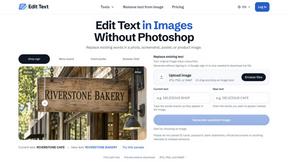
Reword Image
Change the text already printed inside a photo, screenshot or poster, without the original design file.
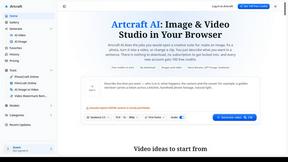
Artcraft AI
AI image and video studio in your browser: generate and edit images, turn photos into videos, edit clips by sentence.
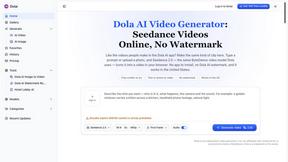
Dola AI
Dola AI video generator online: make Seedance 2.5 videos from text or a photo in your browser. No app, no watermark, free credits.
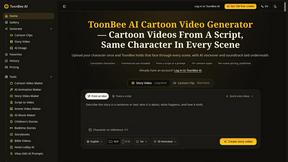
ToonBee AI
ToonBee AI turns a script or a one-line idea into a narrated cartoon video, keeping the same character in every scene. 10+ styles, 16:9 or 9:16.
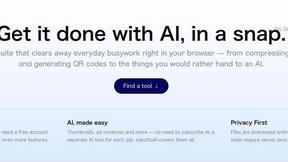
sakuttoAI
A free suite of online tools for everyday tasks like PDF compression, image conversion, text diff and CSV to Excel.
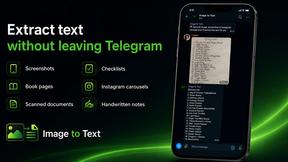
imgtxtapp.laviolab.com
imgtxtapp.laviolab.com is a Telegram-based image-to-text converter that turns photos, screenshots, scanned documents into editable text
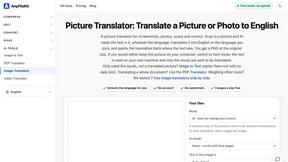
AnyFileKit Image Translator
Translate the text in screenshots, photos and manga, with the translation drawn back over the original image.
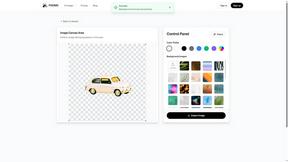
PXDMD
Free AI image editor: remove backgrounds, erase objects and watermarks, and color-grade photos in seconds.
SightRadar
Face recognition API, a drop-in replacement for AWS Rekognition. Index, search, compare and detect faces, billed per photo with no subscription.
Restore Old Photos - Retrocap
AI photo restoration app for iPhone and Android: repair scratches and tears, colorize black-and-white photos, sharpen faces and animate old portraits.
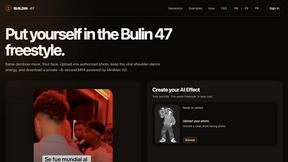
Bulin 47 AI
Bulin 47 AI puts your face into the viral Bulin 47 freestyle video from one photo. Get a 5–19-second vertical MP4 for TikTok and Reels.
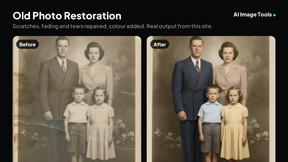
AI Image Tools
Text to image, photo edits, background removal and restoration. Pick Nano Banana, FLUX, Seedream or GPT Image and see the price first.
ImageAICraft
GPT Image 2 AI Image Generator & Editor for Text-to-Image and Image-to-Image Creation
MeiGen AI
AI photo editor and image generator: upload a photo, describe the change in plain English, pick GPT Image 2, Nano Banana Pro or Seedream.
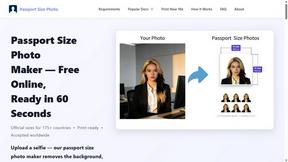
Passport Size Photo
Turn any selfie into a compliant passport, visa or ID photo in 60 seconds. AI background removal for 530+ official photo specs.

About AI Mustache Remover Alternatives
AI Mustache Remover is a web-based photo editing tool that uses artificial intelligence to automatically detect and remove mustaches from images, producing a clean and natural clean-shaven look. It belongs to the Image & Photo and Image Generation categories, making it a specialized solution for anyone needing quick facial hair removal without any design experience or software downloads. While the tool is incredibly convenient and easy to use, users often look for alternatives due to different needs. For example, some may seek options with batch processing for multiple photos, others might want offline desktop software for privacy reasons, and some may be looking for free tiers with different limits or additional editing features like skin smoothing or background removal. When choosing an alternative to a tool like AI Mustache Remover, it is important to consider a few key factors. First, evaluate the accuracy of the AI in preserving skin tone, texture, and facial expressions to ensure realistic results without blur or unnatural patches. Second, consider the platform compatibility—whether you need a browser-based solution, a mobile app, or desktop software. Third, check for privacy and security policies, especially if you are editing sensitive personal photos. Finally, look at pricing structures, such as pay-per-use, subscription, or free options with watermarks, to find a solution that fits your budget and usage frequency.
FAQs about AI Mustache Remover Alternatives
What is AI Mustache Remover?
AI Mustache Remover is a web-based photo editing tool that uses advanced artificial intelligence to automatically remove mustaches from images. It analyzes facial features to detect the mustache area and then reconstructs the underlying skin with matching skin tone, texture, and lighting for a natural, seamless result. The entire process is fully automated and requires no manual adjustments or editing skills.
Who is AI Mustache Remover for?
AI Mustache Remover is designed for a wide range of users including beginners, professionals, content creators, and anyone who wants to quickly achieve a clean-shaven look in photos. It is especially useful for people who have no experience with complex editing software and need fast, realistic results without any hassle. The tool is accessible to anyone with a web browser and an internet connection.
Is AI Mustache Remover free?
Based on the product description, AI Mustache Remover does not require sign-up and allows users to edit photos instantly, but the specific pricing model is not detailed in the provided content. Users should check the official website for current pricing information, which may include free usage limits or paid plans for additional features. The tool is designed to be simple and accessible, with no software download needed.
What are the main features of AI Mustache Remover?
The main features include automatic mustache detection and removal using advanced AI, intelligent skin reconstruction that preserves natural skin tone, texture, and lighting, and the ability to avoid blur or unnatural patches. The tool works entirely in a browser with no download or installation required, and it does not require any sign-up or manual adjustments. It delivers clean, professional results quickly and easily.