

AppScreenshot Creator
Create beautiful App Store and Google Play screenshots in minutes with easy templates and one-click export.
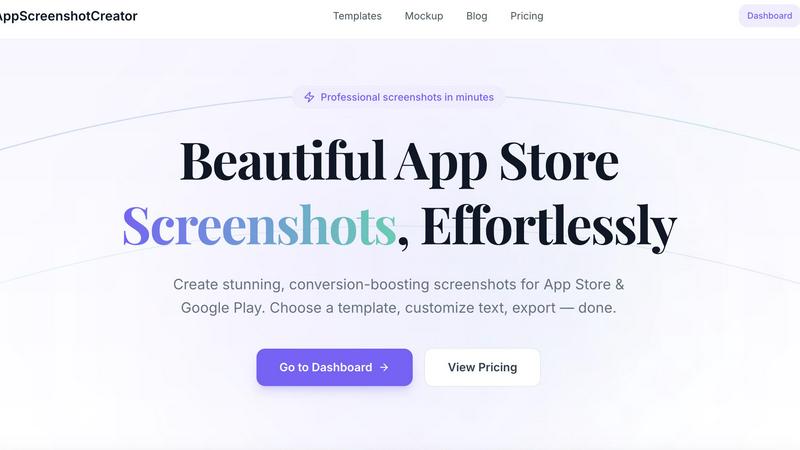
About AppScreenshot Creator
AppScreenshot Creator is an online tool designed to help developers, indie makers, and designers create professional App Store and Google Play screenshots in just a few minutes. Instead of spending hours editing Figma files or struggling with Photoshop templates, this tool streamlines the entire process. You simply upload your app screenshots, choose a beautiful template from a curated collection, customize titles, colors, gradients, and device frames, then export high-resolution assets with one click. The platform is built by an indie developer specifically for developers who want to spend more time building products and less time designing marketing visuals. Whether you are launching a new app, updating your store listing, or running ASO experiments, AppScreenshot Creator dramatically reduces the time required to produce polished marketing visuals. The tool supports both iPhone and Android device frames, offers a variety of professionally designed templates for every app category, and allows fine-tuning of typography, colors, and backgrounds. No design experience is required to create stunning screenshots that can boost conversion rates. The platform is free to start with a lifetime Pro option available for those who need unlimited projects and premium features. With its intuitive interface and powerful customization options, AppScreenshot Creator makes professional app store screenshots accessible to everyone.
Features of AppScreenshot Creator
Beautiful Templates
Professionally designed templates are available for every app category, from health and lifestyle to dating and social networking. With just one click, you can apply a template that instantly transforms your raw screenshots into polished marketing assets. Each template is crafted to highlight key app features and improve visual appeal.
Custom Typography
Fine-tune every aspect of your text including fonts, sizes, colors, and alignment. Make every word count by choosing the perfect typography that matches your brand identity. This feature ensures your headlines and descriptions are clear, readable, and visually consistent across all your screenshots.
Multi-Screenshot Management
Manage multiple screenshots per project, each with its own unique style and settings. This feature allows you to create a complete set of screenshots for your app store listing without repeating work. You can easily switch between screenshots, apply different templates, and maintain a cohesive look across your entire gallery.
One-Click Export
Export your finished screenshots as PNG or JPG files in full resolution, ready for App Store or Google Play submission. No complicated settings or file conversions are needed. This feature saves you time and ensures your assets meet the technical requirements of app stores.
Use Cases of AppScreenshot Creator
New App Launch
When launching a new app, you need a complete set of professional screenshots for your store listing. AppScreenshot Creator lets you quickly create multiple screenshots that showcase your app's key features and benefits. You can experiment with different templates and text to find the most compelling combination that attracts users and drives downloads.
App Store Update
Updating your app store listing with fresh screenshots can improve conversion rates and keep your listing looking current. With AppScreenshot Creator, you can easily update your screenshots to reflect new features, design changes, or seasonal promotions. The tool makes it simple to maintain a consistent brand image across all your marketing materials.
ASO Experiments
Running ASO experiments requires testing different screenshot styles, headlines, and layouts to see what resonates with users. AppScreenshot Creator enables rapid iteration by allowing you to quickly create multiple versions of your screenshots. You can test different templates, colors, and text variations to optimize your conversion rates.
Social Media and Pitch Decks
Beyond app stores, professional screenshots are valuable for social media posts, pitch decks, and marketing materials. The free Device Mockup Generator within AppScreenshot Creator lets you wrap any image in a realistic device frame for use outside of app stores. This feature is perfect for creating previews for investors, social media campaigns, or blog posts.
Frequently Asked Questions
Do I need design experience to use AppScreenshot Creator?
No design experience is required. The tool is built with simplicity in mind, featuring ready-to-use templates and intuitive customization options. You can create professional screenshots by simply uploading your images, choosing a template, and adjusting text and colors. The platform guides you through every step.
What file formats are supported for export?
You can export your finished screenshots as PNG or JPG files in full resolution. Both formats are widely accepted by App Store and Google Play. The export process is straightforward with a single click, and your files are ready for immediate submission.
Is my data secure when using the mockup generator?
Yes, the mockup generator is 100% client-side, meaning your images stay private and are never uploaded to any server. This ensures your app screenshots and other sensitive images remain secure. No account is required to use this feature.
Can I use AppScreenshot Creator for both iOS and Android apps?
Absolutely. The tool supports both iPhone and Android device frames, including popular models like iPhone 15 Pro, iPad Pro, Pixel 8 Pro, and Galaxy S24 Ultra. You can create screenshots for any platform using the same intuitive workflow.
Pricing of AppScreenshot Creator
AppScreenshot Creator offers simple, transparent pricing with no subscriptions or hidden fees. The Free plan is available forever at $0 and includes 3 projects, basic templates, single-size export, and PNG format. This plan is perfect for getting started and exploring the tool's capabilities. For users who need more, the Pro plan is available for a one-time payment of $29. This plan includes unlimited projects, all premium templates, multi-size export, PNG and JPG formats, priority support, and lifetime access. The Pro plan is recommended for users who want everything the tool offers without any recurring costs.
Explore more in this category:
Similar to AppScreenshot Creator

Vikas Editor
Upload a photo, pick a style prompt, get an AI edit. Credit-based Vikas Editor.

AI Halloween Photo Generator
Halloween AI portraits—templates, no long prompts

UX Critic
AI design critic: scored UX reviews with every issue pinned to the exact region of your screenshot.

bad quality image maker
Make any image look intentionally bad — blurry, pixelated, or deep fried. Free, in your browser, no signup.

picttool
Create and edit images with a collection of easy-to-use AI tools

Compresser PDF
Lighter PDFs. Your files stay with you.

Engineering on Web
Free browser CAD, FEA and SPC with an AI assistant: model by text or voice, AI-tuned solvers, AI result interpretation. No install, no account.

Budgetpixel AI
Create and edit AI images, videos, music, and designs in one workspace, with multiple models, reusable characters, and API access.