

BoltShot
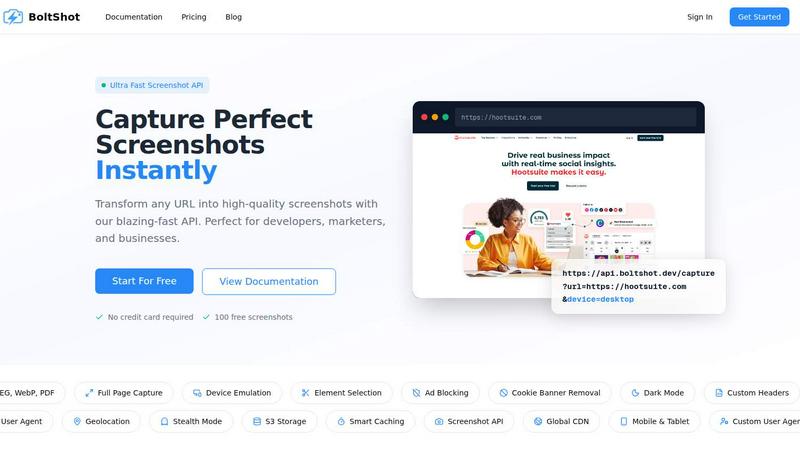
Capture stunning, high-quality screenshots instantly from any URL with BoltShot's ultra-fast and easy-to-use API.
About BoltShot
BoltShot is an innovative website screenshot API that empowers users to transform any URL into high-quality screenshots effortlessly. Designed for developers, marketers, and businesses, it provides a fast and reliable solution for capturing website visuals without the hassle of managing browser setups or infrastructure. With BoltShot, you can obtain screenshots in popular formats like PNG, JPEG, WebP, and PDF with just a simple API request. The API supports full-page capture, allowing you to capture the entirety of a webpage, and features device emulation for accurate rendering across mobile, tablet, and desktop devices. Custom viewport settings give users the flexibility to tailor screenshots to specific dimensions or elements using CSS selectors. BoltShot also enhances the user experience with built-in ad blocking and cookie banner removal, ensuring clean and distraction-free images. Its advanced capabilities, such as S3 uploads with global CDN delivery, make it an ideal choice for automated reporting, compliance monitoring, and more, all while maintaining high standards of performance and reliability.
Features of BoltShot
Full-Page Capture
Capture entire web pages with automatic scrolling, ensuring that you get every detail from top to bottom. This feature is perfect for creating comprehensive snapshots of lengthy articles, landing pages, or any content that requires complete visibility.
Device Emulation
With device emulation, you can see how your website appears on various devices such as mobile phones, tablets, and desktops. This feature allows you to test responsive designs and ensure your content looks great across all platforms.
Element Selection
Utilize CSS selectors to capture specific elements of a webpage, allowing you to focus on particular sections such as images, text blocks, or buttons. This targeted approach helps streamline your screenshots and makes them more relevant to your needs.
Smart Caching
BoltShot employs smart caching mechanisms to optimize performance and speed. By storing previous captures and reusing them when possible, this feature ensures that your requests are processed quickly, reducing wait times and improving overall efficiency.
Use Cases of BoltShot
E-commerce Previews
E-commerce businesses can utilize BoltShot to capture product pages and marketing materials, providing high-quality visuals for promotional efforts and online catalogs. By showcasing products through stunning screenshots, you can enhance customer engagement and drive sales.
Automated Reporting
With the ability to generate high-quality screenshots automatically, BoltShot is ideal for creating reports in various sectors. Businesses can capture website analytics, marketing campaign results, or compliance checks without manual intervention, saving time and resources.
Web Archiving
Web developers and historians can leverage BoltShot for web archiving purposes. Capturing snapshots of websites at specific points in time helps preserve important content, making it easier to maintain records of changes, updates, or historical data.
Compliance Monitoring
For companies needing to adhere to compliance regulations, BoltShot facilitates monitoring of website content. You can capture screenshots of specific pages or elements to ensure they meet legal requirements and maintain transparency for audits.
Frequently Asked Questions
How can I get started with BoltShot?
Getting started with BoltShot is easy. Simply sign up for a free account on our website, and you will receive access to 100 free screenshots with no credit card required. You can dive into the documentation to learn how to use the API effectively.
What formats can BoltShot generate for screenshots?
BoltShot supports multiple screenshot formats including PNG, JPEG, WebP, and PDF. This variety allows you to choose the best format that suits your needs for quality and file size.
Can I capture only specific elements of a webpage?
Yes, BoltShot allows you to use CSS selectors to capture specific elements of a webpage. This feature is particularly useful when you want to focus on certain sections like images or text, rather than capturing the entire page.
How does BoltShot handle ad-blocking and cookie banners?
BoltShot comes with built-in features that automatically detect and remove cookie consent popups and block ads, ensuring that your screenshots are clean and free of distractions. This helps you capture pixel-perfect images every time.
Similar to BoltShot

shardstitch
ShardStitch helps recover and hand off AI coding work, with a visual website editor and SEO Guardrails MCP in development.

GetYouTubeTranscript
YouTube transcripts, search and channel data via one API

stackledge
The human-curated directory of verified AI tools, active SaaS, and custom n8n workflows. Discover dependable software free from bot-scraped spam.


laya.tools
Free directory of 950+ projects built on Laya, the open-source model that turns text into typed decisions in milliseconds.

Sprite Sheet Maker
A free browser-based toolkit for creating, cutting, converting, and previewing sprite sheet animations.

Kody Tools
Hub of 600+ free online tools such as converters, calculators, image tools, etc

Binary Code Translator
Convert text to binary and back — instantly, privately and for free, right in your browser.