
Alternatives to BoltShot
Explore the best alternatives and competitors to BoltShot.
Explore 20 alternatives to BoltShot. Compare features, pricing, and find the best fit for your needs.
Manifolds
Manifolds deanonymizes and researches your users at signup, so you can know who your users actually are.
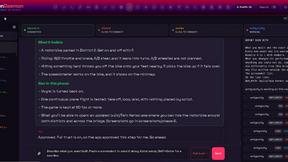
OpenDaemon
Free Windows AI agent app: describe an app in plain words and it plans and builds it phase by phase with your coding app.
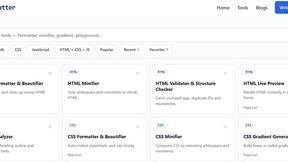
JoMatter
Jomatter provides free online tools for HTML, CSS, and JavaScript developers, helping simplify common web development and coding tasks.
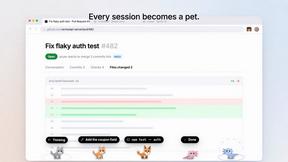
Agent Pets
Your Claude Code & Codex sessions as pets in Chrome. Approve, deny and reply to your coding agents from any tab.
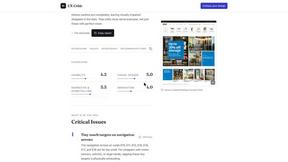
UX Critic
AI design critic: scored UX reviews with every issue pinned to the exact region of your screenshot.
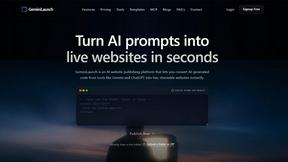
GeminiLaunch
Publish AI-generated HTML or React code from ChatGPT, Claude or Gemini as a live website in seconds. No GitHub needed.
TokenSave
Free AI token counter and cost calculator for ChatGPT, Claude and Gemini, plus a private Claude Code usage analyzer.
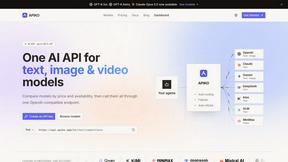
APIKO AI API
One OpenAI-compatible endpoint for text, image and video models from OpenAI, Anthropic, Google, DeepSeek and more.
BlazePhoenix
On-chain DEX aggregator: the swap route is computed inside the transaction that executes it. No API key, no signup.
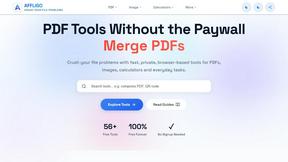
AFFLIGO
AFFLIGO is a free online toolkit for everyday file tasks. Easily edit PDFs, compress images, convert file formats, and get things done.
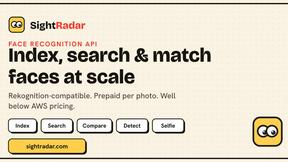
SightRadar
Face recognition API, a drop-in replacement for AWS Rekognition. Index, search, compare and detect faces, billed per photo with no subscription.
JevModel
Bilingual console and guide for the jev decision model: classify, route, and score text or JSON.
LinkIntel
MCP server giving your AI assistant your X post results and X’s ranking weights, with sources.
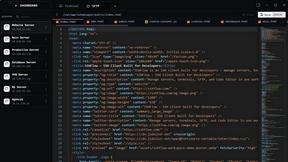
SSHFlow
SSH client for developers with integrated SFTP, code editing, terminal workspaces, server monitoring, and AI assistance.
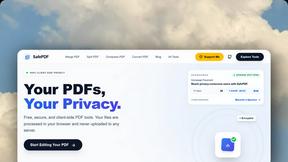
SafePDF
Free online PDF tools to merge, split, compress, convert, sign, and edit PDFs privately in your browser. No signup required.
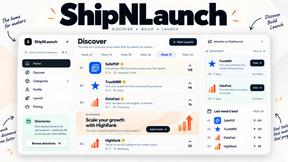
ShipNLaunch
Launch your Saas, AI tool on ShipNLaunch and get discovered through product pages, weekly rankings, categories, and maker profiles.
About BoltShot Alternatives
BoltShot is a powerful website screenshot API that allows users to easily convert URLs into high-quality screenshots in various formats such as PNG, JPEG, WebP, and PDF. This tool is particularly valuable for developers and businesses looking to streamline their workflows for tasks like e-commerce previews, automated reporting, and web archiving. By offering full-page capture, device emulation, and customizable viewport settings, BoltShot simplifies the process of obtaining precise and efficient screenshots without the hassle of managing browser clusters or infrastructure. However, users often seek alternatives to BoltShot for several reasons, including pricing, feature sets, or specific platform needs. When evaluating alternatives, it’s essential to consider factors such as ease of integration, the quality of screenshots produced, and any additional features that may enhance functionality, like advanced customization options or support for specific use cases. Finding the right alternative can help meet unique project requirements while ensuring efficiency and cost-effectiveness.
FAQs about BoltShot Alternatives
What is BoltShot?
BoltShot is a simple API designed for capturing high-quality screenshots of websites. It allows users to convert URLs into various image formats, including PNG, JPEG, WebP, and PDF, with just a straightforward API request. The tool is particularly useful for developers and businesses looking to simplify the process of obtaining website visuals.
Who is BoltShot for?
BoltShot is designed for developers, businesses, and organizations that need to capture website screenshots for various purposes, including e-commerce previews, automated reporting, web archiving, and compliance monitoring. Its user-friendly API makes it accessible for anyone looking to integrate screenshot functionality into their workflows.
Is BoltShot free?
BoltShot offers a range of pricing plans tailored to different user needs, including options for startups and larger enterprises. While there may be a free tier or trial available, users should consult BoltShot's website for detailed pricing information and features included in each plan.
What are the main features of BoltShot?
BoltShot boasts a variety of features, including full-page capture, device emulation for mobile, tablet, and desktop views, and custom viewport settings. Users can also capture specific page elements using CSS selectors and benefit from built-in functionalities such as ad blocking and cookie banner removal, ensuring clean and efficient screenshots.