

GPT Image 2 AI
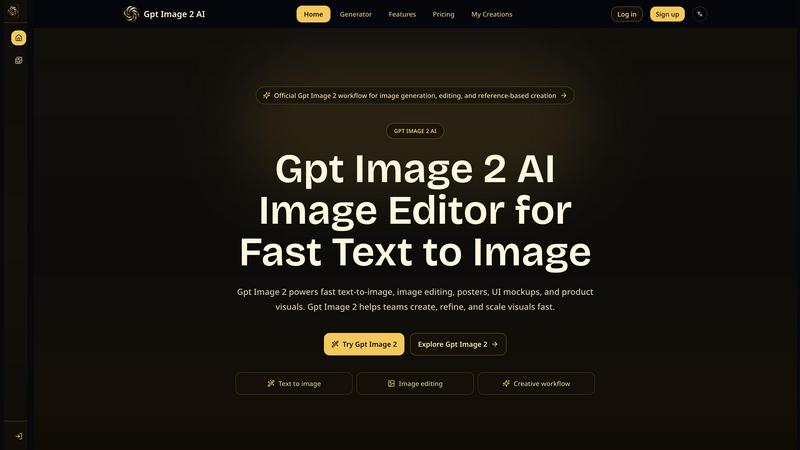
Gpt Image 2 AI lets you quickly turn text into images, edit visuals, and create polished marketing materials, all in one focused studio.
About GPT Image 2 AI
GPT Image 2 AI is a focused visual creation studio that brings together text-to-image generation, reference-based editing, poster design, UI mockups, character sheets, and product image refresh into one streamlined workflow. It is built for marketing teams, designers, content creators, and production professionals who need to move from an idea to a polished visual quickly and consistently. The platform supports multiple models including GPT Image 2, Gemini 2.5 Flash, and SeeDream V4, giving users flexibility in how they approach each project. Whether you are refreshing a product image for a seasonal campaign, designing a cinematic poster, creating character-consistent portraits, or building UI mockups for client presentations, GPT Image 2 AI provides the tools to define your task clearly and execute with precision. The main value proposition is speed and control: you can generate new visuals from text prompts, edit existing images using natural language, and maintain subject consistency across multiple outputs. It supports multi-modal input, meaning you can combine text descriptions with reference images to guide the AI toward your exact vision. The platform also integrates practical workflow features such as prompt variation testing, scene direction for composition and hierarchy, and easy export for review and publishing. GPT Image 2 AI is designed to help teams create, refine, and scale visuals faster without sacrificing quality or creative direction. It is an all-in-one solution for anyone who needs professional-grade image generation and editing without switching between multiple tools.
Features of GPT Image 2 AI
Text to Image Generation
This feature allows you to create entirely new visuals from text prompts. You describe the subject, style, lighting, mood, and composition in detail, and GPT Image 2 AI generates a high-quality image based on your description. It is perfect for brainstorming concepts, creating posters, or generating product visuals from scratch. The system encourages detailed prompts for better results, and you can iterate quickly by testing multiple variations before settling on a final design.
Reference-Based Image Editing
Upload a source image and use text instructions to make controlled edits. You can change backgrounds, adjust styling, modify layouts, shift compositions, or create seasonal variants of existing visuals. This feature gives you more control over the final output because the AI uses your reference image as a guide for subject, mood, and structure. It is ideal for refining hero images, updating product photos, or making targeted changes without starting over.
Multi-Modal Input and Workflow Integration
GPT Image 2 AI accepts both text and image references as input, allowing you to combine the best of both approaches. You can start with a text prompt for a new visual, then add a reference image to fine-tune the subject, layout, or color palette. This flexibility supports practical workflows where teams generate drafts, request revisions, and move approved assets into storage or automation tools. It fits naturally into production pipelines for marketing, design, and content teams.
Scene Direction and Composition Control
For users who need more control over the visual hierarchy and perspective, this feature enables cinematic compositions, poster layouts, interface arrangements, and reference-based scene changes. You can direct the AI to adjust the framing, depth, and focal points of an image, ensuring that the final output matches your creative vision. It is especially useful for storytelling visuals, branded graphics, and any project where composition matters as much as content.
Use Cases of GPT Image 2 AI
Fashion Design and Editorial Styling
Fashion teams can use GPT Image 2 AI to create outfit explorations, editorial styling concepts, campaign moodboards, and model-based visual direction. The reference-based editing feature allows designers to maintain consistent styling across multiple looks, while the text-to-image generator helps explore new silhouettes and color palettes quickly. This speeds up the creative process from concept to presentation.
Professional Photography and Scene Enhancement
Photographers can transform their original images by adding cinematic elements, adjusting lighting, or changing backgrounds using natural language commands. For example, an underwater photographer can enhance a scene with dramatic marine additions and better composition. The reference-based editing ensures that the subject remains consistent while the environment or mood is upgraded for stronger storytelling.
E-commerce Product Image Refresh
E-commerce teams can refresh product images for seasonal campaigns, new launches, or A/B testing. Using the reference-based editing feature, they can change backgrounds, update styling, or create clean hero images without reshooting. This saves time and cost while maintaining a consistent brand look across all product listings and marketing materials.
Creative Content and Branded Graphics
Content creators and marketing professionals can generate posters, social media graphics, and branded visuals from text prompts. They can test multiple variations for headlines, layouts, and color schemes before finalizing. The scene direction feature helps ensure that each graphic has a strong visual hierarchy and aligns with brand guidelines, making it easy to produce professional-level content at scale.
Frequently Asked Questions
What is GPT Image 2 AI and who is it for?
GPT Image 2 AI is a visual creation and editing platform that combines text-to-image generation, reference-based editing, poster design, UI mockups, and product image refresh into one workflow. It is designed for marketing teams, designers, content creators, and production professionals who need to create, refine, and scale visuals quickly. It supports multiple AI models and allows for both text and image inputs.
How do I get the best results from GPT Image 2 AI?
For the best results, start by clearly defining your task, such as product image refresh, poster design, or portrait direction. Use detailed text prompts that describe the subject, style, lighting, mood, and composition. When you need more control, upload a source image as a reference. Test multiple prompt variations before finalizing, and move approved outputs into your review and publishing workflow.
Can I edit existing images with GPT Image 2 AI?
Yes, you can edit existing images using the reference-based image editing feature. Simply upload your source image and provide a text description of the changes you want, such as new backgrounds, seasonal variants, styling changes, or composition shifts. The AI uses your reference image to guide the edit, ensuring the subject and key elements remain consistent.
What models does GPT Image 2 AI support?
GPT Image 2 AI supports multiple models including GPT Image 2, Gemini 2.5 Flash, and SeeDream V4. You can select the model that best fits your specific task, whether you are generating new visuals, editing images, or working with reference-based projects. This flexibility allows you to choose the right tool for each creative challenge.
Explore more in this category:
Similar to GPT Image 2 AI

Ozil Goal AI
Make the Ozil goal AI video from one photo. You chip the keeper and score. 15 s, 9:16, 720p, no watermark. Ready for TikTok.

Spaceora
Turn room and outdoor photos into AI interior, virtual staging, garden and landscape design concepts.

Artcraft AI
AI image and video studio in your browser: generate and edit images, turn photos into videos, edit clips by sentence.

Outfie
AI Clothes Changer: upload a selfie, pick 1 of 8 presets, get a clean clothes-change preview in ~15s. Change clothes. Not Face Swap.

Dola AI
Dola AI video generator online: make Seedance 2.5 videos from text or a photo in your browser. No app, no watermark, free credits.

ToonBee AI
ToonBee AI turns a script or a one-line idea into a narrated cartoon video, keeping the same character in every scene. 10+ styles, 16:9 or 9:16.

Bulin 47 AI
Turn one portrait into a vertical AI-generated freestyle performance video.

PXDMD
Free AI image editor: remove backgrounds, erase objects and watermarks, and color-grade photos in seconds.