
Alternatives to GPT Image 2 AI
Explore the best alternatives and competitors to GPT Image 2 AI.
Explore 20 alternatives to GPT Image 2 AI. Compare features, pricing, and find the best fit for your needs.
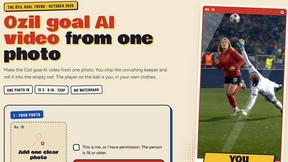
Ozil Goal AI
Make the Ozil goal AI video from one photo. You chip the keeper and score. 15 s, 9:16, 720p, no watermark. Ready for TikTok.
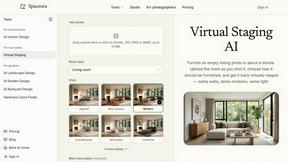
Spaceora
Turn room and outdoor photos into AI interior, virtual staging, garden and landscape design concepts.
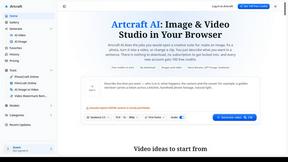
Artcraft AI
AI image and video studio in your browser: generate and edit images, turn photos into videos, edit clips by sentence.
Outfie
AI Clothes Changer: upload a selfie, pick 1 of 8 presets, get a clean clothes-change preview in ~15s. Change clothes. Not Face Swap.
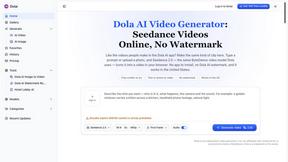
Dola AI
Dola AI video generator online: make Seedance 2.5 videos from text or a photo in your browser. No app, no watermark, free credits.
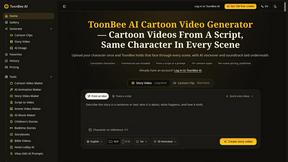
ToonBee AI
ToonBee AI turns a script or a one-line idea into a narrated cartoon video, keeping the same character in every scene. 10+ styles, 16:9 or 9:16.
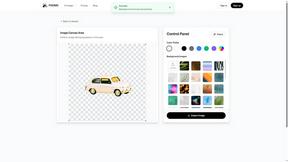
PXDMD
Free AI image editor: remove backgrounds, erase objects and watermarks, and color-grade photos in seconds.
Restore Old Photos - Retrocap
AI photo restoration app for iPhone and Android: repair scratches and tears, colorize black-and-white photos, sharpen faces and animate old portraits.
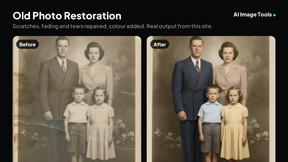
AI Image Tools
Text to image, photo edits, background removal and restoration. Pick Nano Banana, FLUX, Seedream or GPT Image and see the price first.
ImageAICraft
GPT Image 2 AI Image Generator & Editor for Text-to-Image and Image-to-Image Creation
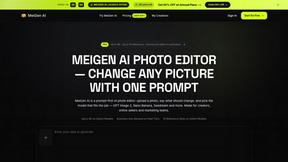
MeiGen AI
AI photo editor and image generator: upload a photo, describe the change in plain English, pick GPT Image 2, Nano Banana Pro or Seedream.

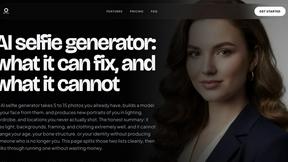
MyPhotoAI
Turn your selfies into AI headshots and portraits. Get 3 photos for US$5 or every photo from one shoot for US$10. No subscription.
ImageGPT
ImageGPT is an all-in-one AI creative platform for generating, editing and transforming images and videos using AI.
FastMoroAI - AI Video Generator
Create AI videos and images with leading models, practical generation tools, and trending effects in one studio.
About GPT Image 2 AI Alternatives
GPT Image 2 AI is a powerful tool in the image generation category, designed to turn text prompts into high-quality visuals at impressive speed. Whether you need to refresh a product image, design a poster, create a UI mockup, or edit an existing reference photo, this platform helps teams move from an idea to a polished visual quickly. It’s built for creative workflows that demand both speed and flexibility, making it a go-to for professionals who need to scale their visual output without sacrificing quality. While GPT Image 2 AI offers a robust set of features, users often look for alternatives due to factors like pricing models that may not fit every budget, specific platform integration needs, or the desire for different creative controls. Some may need more advanced editing layers, while others might seek a simpler interface for quick tasks. When choosing an alternative, look for tools that offer clear task definitions, support for multiple output formats like posters and mockups, and a workflow that matches how you like to create. Also consider whether the tool provides reference-based editing and how well it handles iterative refinements, as these capabilities can make a big difference in day-to-day use.
FAQs about GPT Image 2 AI Alternatives
What is GPT Image 2 AI?
GPT Image 2 AI is a fast text-to-image generation and editing tool that falls under the image generation category. It allows users to create, refine, and scale visuals such as product images, posters, UI mockups, and portraits. The platform supports reference-based editing and task-specific workflows, enabling teams to move from a clear prompt to a finished visual quickly.
Who is GPT Image 2 AI for?
GPT Image 2 AI is designed for creative teams, marketers, product designers, and UI/UX professionals who need to generate and edit visuals at scale. It is particularly useful for anyone who regularly refreshes product images, designs posters, creates UI mockups, or works with portrait directions. The tool is built to support both individual creators and collaborative teams looking for a streamlined visual workflow.
Is GPT Image 2 AI free?
Pricing details for GPT Image 2 AI are not specified in the provided content, but like many professional image generation tools, it may offer different tiers or subscription models. Users should check the official product page for the most current information on free trials, usage limits, and paid plans. The tool is positioned as a solution for teams, so it likely includes scalable pricing based on usage volume.
What are the main features of GPT Image 2 AI?
The main features of GPT Image 2 AI include fast text-to-image generation, image editing, poster design, UI mockup creation, product visual creation, and reference-based editing. Users can start by defining a clear task, such as refreshing a product image or designing a portrait direction, and the tool helps refine and scale those visuals. It is designed to handle a variety of creative outputs efficiently within a single workflow.