

GPT Image 2 AI
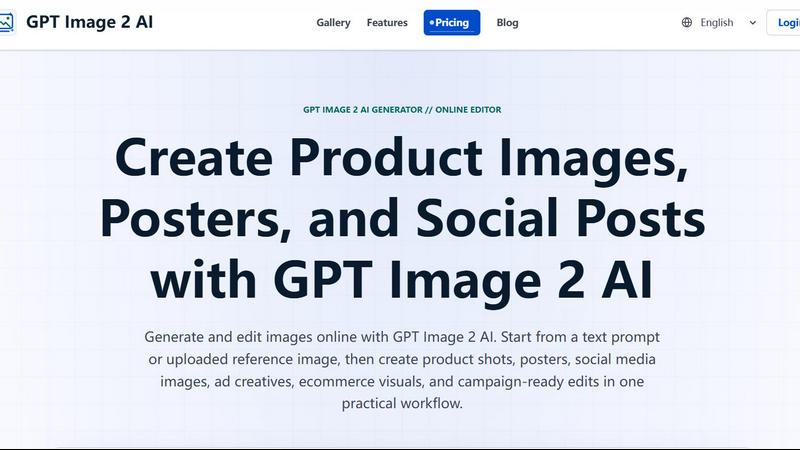
GPT Image 2 AI lets you generate and edit product shots, posters, and social visuals from text or images in one practical workflow.
About GPT Image 2 AI
GPT Image 2 AI is a web-based, practical AI image generation and editing platform designed for creators, marketers, ecommerce teams, designers, and production teams who need usable, campaign-ready visuals fast. Unlike many AI image tools that focus solely on artistic exploration, GPT Image 2 AI bridges the gap between creative concept and production asset. It allows you to generate images from text prompts, edit existing images using new prompts, and refine visuals through an intuitive online editor. The platform supports a wide range of output types, including product shots, posters, social media creatives, ad banners, ecommerce assets, cover drafts, UI mockups, and brand campaign visuals. A key differentiator is its strong typography reliability, meaning text-heavy creatives like sale banners and posters come out with clear, readable text. The workflow is built for speed and consistency: you can start with a text description or an uploaded reference image, then adjust lighting, background, composition, and subject details. GPT Image 2 AI is positioned as a production-ready tool for teams that need to move from idea to exportable asset without multiple retries or complex workflows. It also offers API integration for teams that want to automate image generation within their existing workflows. Whether you are a solo creator or part of a larger marketing team, GPT Image 2 AI provides a practical, all-in-one solution for generating and editing images that look ready to publish.
Features of GPT Image 2 AI
Text-to-Image and Image-to-Image Generation
GPT Image 2 AI offers dual-mode generation, allowing you to create images from scratch using a text prompt or edit an existing image by uploading a reference and describing the changes. This flexibility means you can start a project with a concept and refine it using real assets, all within the same interface. The text-to-image mode is ideal for generating initial ideas, while the image-to-image mode lets you change backgrounds, replace props, or adapt a visual for a new campaign while preserving important subject details.
Strong Typography and Layout Control
One of the standout features of GPT Image 2 AI is its reliable handling of text within images. When generating posters, sale banners, or social media creatives that include headlines, call-to-action phrases, or product names, the tool accurately renders text with clear, readable typography. This reduces the need for extra retries or manual text overlays, saving time and ensuring your marketing visuals are production-ready straight from the generator.
Prompt-Controlled Lighting, Scenes, and Composition
You have granular control over the visual output through detailed prompts. Describe light direction, surface material, background mood, camera angle, and scene context to generate images that feel consistent across ads, product pages, and social media. This feature is particularly valuable for ecommerce teams and marketers who need to maintain brand consistency across multiple creatives without rebuilding the brief each time.
Integrated Workflow for Production-Ready Assets
The platform is designed for practical visual production, not just one-off art experiments. Features like aspect ratio testing, background treatment options, and export-ready compositions are built into the workflow. You can generate multiple variations quickly, save images to your history, download individual or all assets, and even share them as a web page for team review. The "Save to My History" and "Download All" functions streamline the process from generation to final asset delivery.
Use Cases of GPT Image 2 AI
Ecommerce Product Image Generation
Create clean product shots, ecommerce hero images, ad-ready lifestyle scenes, and landing page visuals from text prompts or uploaded references. Sellers and marketers can quickly generate multiple product variations with different backgrounds, lighting conditions, and angles, all without a physical photoshoot. This is ideal for testing product presentation on different platforms or seasonal campaigns.
Marketing Poster and Sale Banner Creation
Generate posters, sale banners, and text-heavy creatives with reliable typography. Use GPT Image 2 AI to design promotional graphics for sales events, product launches, or seasonal campaigns. The strong text rendering ensures headlines and call-to-action phrases are clear and readable, making these assets ready for print or digital distribution without additional editing.
Social Media Visual Production
Create engaging social media posts, story visuals, and ad creatives for platforms like Instagram, Facebook, LinkedIn, and Twitter. The tool allows you to quickly generate images that match your brand's aesthetic and campaign themes. You can experiment with different formats (square, vertical, horizontal) and visual styles to find what resonates best with your audience.
Brand Campaign and Ad Banner Design
Develop cohesive visual assets for brand campaigns, including ad banners, cover drafts, and UI mockups. GPT Image 2 AI supports the creation of consistent campaign visuals by allowing you to maintain subject details while changing backgrounds, props, or lighting. This is useful for creating a series of ads that share a common visual language but are tailored for different placements or audiences.
Frequently Asked Questions
What is the difference between GPT Image 2 AI and Nano Banana 2?
GPT Image 2 AI is a practical online image generator and editor that supports both text-to-image and image-to-image workflows. It is designed for production-ready marketing assets with strong typography reliability. Nano Banana 2 is more generation-focused and concept-first, meaning it is better suited for initial creative exploration but may require more retries for text-heavy or campaign-grade outputs.
How does the image-to-image editing feature work?
To use image-to-image editing, you first upload a reference image. Then, in the Image Edit mode, you describe the changes you want to make using a text prompt. For example, you can change the background, replace a prop, adjust lighting, or clean up composition issues. The AI preserves the important details of your original subject while applying your requested edits.
Can I use GPT Image 2 AI for commercial purposes like product images or ads?
Yes, GPT Image 2 AI is built for practical visual production, including ecommerce product photos, ad banners, posters, and social media creatives. The platform is designed for sellers, marketers, and creators who need usable images fast. The strong typography and layout control ensure that text-heavy commercial assets come out production-ready.
Is there an API available for integrating GPT Image 2 AI into my workflow?
Yes, GPT Image 2 AI offers API integration through gpt-image-2 API workflows. This allows teams to automate image generation and editing within their existing tools and processes, making it easier to scale visual production for large campaigns or ongoing content needs.
Pricing of GPT Image 2 AI
A 2026 Launch Offer is currently available, with a yearly plan offering up to 50% off. A timer on the website indicates the offer is limited. For specific pricing details on plans, tiers, and costs, please visit the GPT Image 2 AI website directly as the provided context does not include full pricing information.
Similar to GPT Image 2 AI

ErgoAssessment
See your posture the way an ergonomist beside your desk would. Your camera, five body angles, plain fixes. Free, no signup.

ImgEnhancer
Free AI image enhancer that sharpens blurry photos, reduces noise, upscales resolution, and restores clarity online.

RemoveMate
AI background removal and image cleanup tools for product photos, portraits, social posts and everyday creative projects.

Krea 3
Krea 3 is an AI image editor that relights photos, swaps backgrounds and changes one object from a text prompt with GPT Image 2 and Nano Banana Pro.

Nano Pro
AI photo editor and image generator with Nano Banana models, up to 14 references and 4K output.

Remove Background
Free background remover that runs entirely in your browser — no uploads, no watermark, no account.

ihateimg
ihateimg.cv is a privacy-first collection of free image tools that run entirely in your browser. Convert, compress, resize, crop, edit, watermark, ins

RealtyPhoto AI
Enhance and virtually stage property photos with AI for real estate listings.