

HappyHorse
HappyHorse turns your text and images into cinematic 1080p AI videos with realistic motion and easy creative controls.
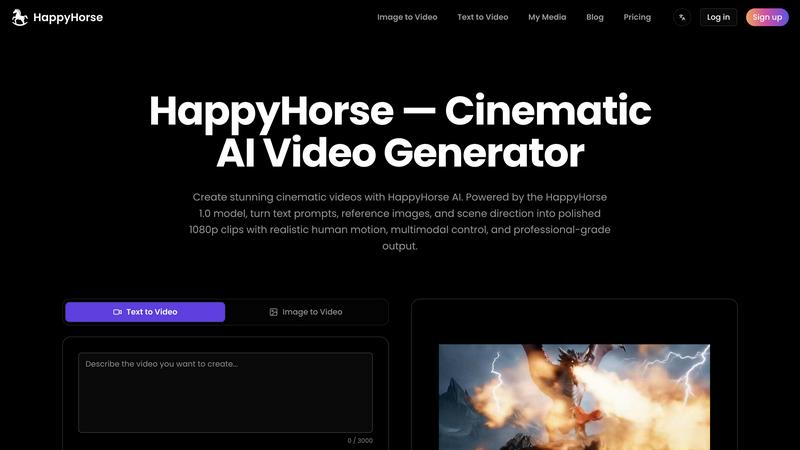
About HappyHorse
HappyHorse is a cinematic AI video generator designed to help creators, marketers, and businesses turn simple text prompts and reference images into polished, professional-grade 1080p videos in just minutes. Powered by the advanced HappyHorse 1.0 model, this tool goes beyond basic video generation by offering unified multimodal thinking, human-centric motion control, and sound-aware output. Whether you are a content creator looking to produce engaging social media clips, a marketer crafting product showcases, or a filmmaker exploring AI-assisted storytelling, HappyHorse makes the process fast, intuitive, and accessible. The platform supports both text-to-video and image-to-video workflows, allowing you to start with a written description or a visual reference frame. With features like stronger prompt adherence, physically accurate character motion, and lightning-fast 8-step inference, HappyHorse ensures that your final videos look cinematic and polished without the need for expensive equipment or lengthy editing sessions. Additionally, the tool includes one-click creative effects, such as viral transformations, and a single-stream architecture that learns text, video, and audio tokens together for seamless dialogue scenes and timing-sensitive edits. HappyHorse is built for anyone who wants to elevate their video content with AI, offering private creation, no watermarks, and full commercial use across all subscription plans. It is the perfect companion for turning your ideas into stunning visual stories quickly and easily.
Features of HappyHorse
Text to Video and Image to Video Generation
HappyHorse lets you create cinematic AI videos from either text prompts or reference images. Simply type a description of your desired scene or upload a concept frame, and the HappyHorse 1.0 model will generate a polished 1080p clip that matches your vision. This dual input capability gives you flexibility, whether you are starting from scratch or building upon existing visuals. The model delivers stronger instruction following and more realistic motion, making it ideal for ads, digital-human clips, and multilingual content.
Human-Centric Control
Guide HappyHorse with images, storyboards, and concept frames to improve facial performance, body motion, lip-sync alignment, subject continuity, and shot planning. This feature is especially useful for creators who need precise control over character actions and expressions. By providing visual references, you can ensure that every frame aligns with your creative vision, resulting in videos that feel natural and engaging. It works seamlessly across ads, digital-human clips, and multilingual projects.
Unified Video Plus Audio Thinking
HappyHorse 1.0 features a single-stream architecture that learns text, video, and audio tokens together, making it a stronger fit for dialogue scenes, timing-sensitive edits, trailers, and creator workflows that need sound-aware generation. This means the AI understands how audio and video interact, producing clips where lip movements match spoken words and sound effects sync perfectly with visual actions. It is a game-changer for projects requiring precise audio-visual coordination.
One-Click Creative Effects
Transform ordinary images into viral video effects like Venom Transformation with just one click. HappyHorse offers dozens of creative templates in its Effect Center, ranging from product showcases to cinematic transitions. These effects are perfect for social media and marketing content, allowing you to add a professional touch without manual editing. Whether you want to create eye-catching transitions or dramatic visual transformations, this feature makes it easy and fast.
Use Cases of HappyHorse
Social Media Content Creation
Create engaging short videos for platforms like TikTok, Instagram, and YouTube with HappyHorse. Use text prompts or reference images to generate cinematic clips that capture attention. The one-click creative effects, such as viral transformations, help your content stand out in crowded feeds. With fast generation and 1080p quality, you can produce high-volume social media posts that maintain professional polish, boosting your online presence and audience engagement.
Marketing and Advertising
Craft compelling product showcases, brand stories, and promotional videos using HappyHorse. The human-centric control feature ensures that characters and products appear consistent and realistic across frames. The unified audio thinking allows you to add dialogue or background music that syncs perfectly with visuals, making your ads more immersive. Whether for digital ads, social campaigns, or website headers, HappyHorse delivers polished, commercial-ready videos quickly.
Filmmaking and Storyboarding
Use HappyHorse to visualize scenes, create storyboards, or generate rough cuts for film projects. The ability to guide the AI with images and concept frames helps you explore different shot angles, character movements, and scene compositions. The lightning-fast inference means you can iterate on ideas rapidly, saving time during pre-production. This makes HappyHorse a valuable tool for independent filmmakers and production teams looking to streamline their creative process.
Educational and Training Videos
Develop educational content, tutorials, or training materials with HappyHorse. The text-to-video feature allows you to turn lesson plans or scripts into visual demonstrations. The human-centric motion ensures that instructors or animated characters move naturally, enhancing viewer comprehension. With private creation and no watermarks, you can produce professional-grade videos for internal training or online courses without worrying about branding or licensing issues.
Frequently Asked Questions
What is HappyHorse and how does it work?
HappyHorse is a cinematic AI video generator that turns text prompts and reference images into polished 1080p videos. It uses the HappyHorse 1.0 model, which understands text, video, and audio together. You simply enter a description or upload an image, choose your settings, and the AI generates a video in minutes. It supports both text-to-video and image-to-video workflows, offering human-centric control and one-click creative effects for professional results.
Can I use HappyHorse for commercial projects?
Yes, all HappyHorse subscription plans include full commercial use rights. This means you can use the videos you create for business purposes, such as marketing, advertising, or client projects, without any additional fees or licensing restrictions. There are no watermarks on your output, and your creations remain private, giving you full ownership and control over your content.
What kind of video quality can I expect from HappyHorse?
HappyHorse delivers native 1080p HD output, ensuring your videos look crisp and professional. The HappyHorse 1.0 model is designed for stronger prompt adherence and more realistic motion, so your clips maintain scene consistency and character accuracy. With lightning-fast 8-step inference, you get high-quality results in seconds, making it suitable for both casual content and professional-grade projects.
How does the pricing work and what plans are available?
HappyHorse offers three subscription plans: Basic, Pro, and Premium. The Basic plan is $9 per month (billed yearly) and includes 9,600 credits per year for creating 768+ videos. The Pro plan is $29 per month (billed yearly) with 36,000 credits for 2,880+ videos. The Premium plan is $59 per month (billed yearly) with 96,000 credits for 7,680+ videos. All plans include top-tier video models, 1080p output, private creation, no watermarks, and full commercial use. You can cancel anytime with no hidden fees.
Pricing of HappyHorse
HappyHorse offers three subscription tiers to suit different needs and budgets. The Basic plan is priced at $9 per month when billed yearly, providing 9,600 credits per year (enough for over 768 videos). The Pro plan, the most popular choice, costs $29 per month yearly and includes 36,000 credits for more than 2,880 videos. The Premium plan is $59 per month yearly with 96,000 credits for creating up to 7,680 videos. All plans come with top-tier video models, crystal clear 1080p output, instant text and image to video conversion, character consistency, lightning-fast generation, private creation, no watermarks, and full commercial use. You can cancel anytime without hidden fees.
Similar to HappyHorse


Dame Hombro
Make a personalized Dame Hombro freestyle video from one person or pet photo.

Popstar AI
Popstar AI is an AI video generator that puts you in Drake's POPSTAR music video from one photo, with the original song and no watermark.

Bulin 47 AI Videos
One photo in, a 15-second Bulin 47 street freestyle video with sound out: original dembow beat, lip-synced Spanish verse, crowd.


Bulin 47 AI
Turn one photo into the viral 19-second Bulin 47 freestyle, with original sound and a watermark-free vertical MP4.

Artcraft AI
AI image and video studio in your browser: generate and edit images, turn photos into videos, edit clips by sentence.

FreeVideoGenerator
Free AI video generator that turns text prompts and photos into video clips using Sora 2, Veo 3.1, Wan and more. Free starter credits.